• After 15+ years, we've made a big change: Android Forums is now Early Bird Club. Learn more here.

Root Show off your Liberty screen shot's here :)

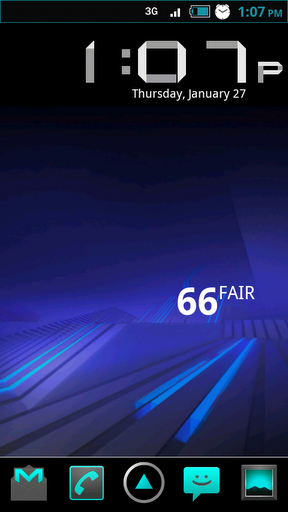
Here is my latest! I need a new app drawer icon my old one does not work with the yellow background on the wallpaper though. A black one maybe?

Tom and Prophecy where are you? Haha.


Uploaded with ImageShack.us
 
Here is my latest! I need a new app drawer icon my old one does not work with the yellow background on the wallpaper though. A black one maybe?

Tom and Prophecy where are you? Haha.


Uploaded with ImageShack.us

maybe one of these?
launcherh.png


launcher2.png


launcher3.png
 
Can I get those phone and browser icons? And Tom do you mind making 2 icons for me? One of a video game controller and another of a pair of headphones?

Here you go brother! Both of these were created by tom108 as well just fyi.

Cheers!
 

Attachments

  • Browserliberty.png
    Browserliberty.png
    10.7 KB · Views: 95
  • Phoneliberty.png
    Phoneliberty.png
    6.4 KB · Views: 107
snap20110125_073400.png


i apologize for the size i woke up early this morning and decided to do this, i didnt have time to resize them, cause if i did id be late for work :p
 
what do you guys use to resize your pictures??? i tried paint but obviously it doesnt work. and i didnt have time to search gimp this morning of where to find a resize file, but this is what comes directly out of my phone lol, maybe my camera is set to a setting that i need to lower so other shots will look fine???
 
when you upload the pictures here, go to advanced response and there is a spot to upload images as thumbnails...its really easy
 
I know this doesn't really belong here, but I noticed a few of you were using the Droid Overclock tool. I'm extremely confused on what it's doing. I want to set it so when the phone is less than 40% battery, it downclocks to 600-800 mhz and when the screen is off, it only uses 300-400 mhz. However, whenever I turn the phone on, the Screen Off profile stays so it makes my phone's clock change to 400 mhz and that's it. I don't know how to set it so it doesn't do that.

Do I have to set separate profiles? Screen off, screen on, battery, etc?
 
I know this doesn't really belong here, but I noticed a few of you were using the Droid Overclock tool. I'm extremely confused on what it's doing. I want to set it so when the phone is less than 40% battery, it downclocks to 600-800 mhz and when the screen is off, it only uses 300-400 mhz. However, whenever I turn the phone on, the Screen Off profile stays so it makes my phone's clock change to 400 mhz and that's it. I don't know how to set it so it doesn't do that.

Do I have to set separate profiles? Screen off, screen on, battery, etc?

i use jrummys app to overclock but use the profiles in setcpu. they seem to work better for me. as well as the widget.
 
Heres mine, just worked on those middle 3 pictures if you want them.
 

Attachments

  • CAP201101251824.jpg
    CAP201101251824.jpg
    237.2 KB · Views: 100
  • liberty-contacts.png
    liberty-contacts.png
    9.2 KB · Views: 403
  • liberty_launcher.png
    liberty_launcher.png
    13 KB · Views: 382
  • liberty-handcent-sms.png
    liberty-handcent-sms.png
    7.3 KB · Views: 390
Back
Top Bottom