• After 15+ years, we've made a big change: Android Forums is now Early Bird Club. Learn more here.

Show Off Your XE Homescreens - (with tips)

Either start using a Launcher that allows custom icons (most of them) but make sure you enable the clean slate skin/profile on sense first as Sense is still loaded behind the Launcher (in other words, remove everything from ALL of your homescreens as they will still be running in the background) When you install a Launcher it will normally start up upon phone bootup so sense will never interfere with the appearance of your new shiny setup.

Top 6 Android Launchers Worth Trying Out [UPDATED] | Tech Drive-in

good list of Launchers.

OR

you could root your phone by following the lovely guides on here or on the xda forums and then apply your own icons but i imagine it is quite a long (complicated) process.

Hope this helps
 
Either start using a Launcher that allows custom icons (most of them) but make sure you enable the clean slate skin/profile on sense first as Sense is still loaded behind the Launcher (in other words, remove everything from ALL of your homescreens as they will still be running in the background) When you install a Launcher it will normally start up upon phone bootup so sense will never interfere with the appearance of your new shiny setup.

Top 6 Android Launchers Worth Trying Out [UPDATED] | Tech Drive-in

good list of Launchers.

OR

you could root your phone by following the lovely guides on here or on the xda forums and then apply your own icons but i imagine it is quite a long (complicated) process.

Hope this helps

enable clean slate skin/profile.......>> you mean reduce homescreens to one and leave it without any icons?
 
is it worth using other launchers cause i think htc has dedicated a certain amount of ram for its sense. so other launcher will just use up some rams from the phone? im using adw now so i just wanna know if i should give it up and stick to sense.
 
Sorry I am no expert on Launchers as I find them pretty pointless...

Yes remove all but one home screens and have nothing on the remaining one.

As for RAM of course you will have a reduced amount due to Sense loading up too. If you really hate sense that much I suggest rooting and installing a custom ROM (operating system)
 
no i dont hate sense. its just not behaving the way it should. like restarting when i press back 3 or 4 time coming from internet browser. :)
 
Here is mine,new to both the sensation xe and android,i love the customisation !!


Screen shot by ianw84, on Flickr

Nice... Do you need to root it to customize your icon thanks


I just found out how to take screenshots in my HTC Sensation XE. Hold the power button for a second and then press the home button! This did not work in my HTC Desire...

Hello I want to ask if your phone is root you see I have different home screen I also want to have the home screen which in the lower part of the screen says (the many tiny box for app) ,phone ,(paint like icon ) thanks
 
changed....
 

Attachments

  • 2012-05-21_02-14-10.jpg
    2012-05-21_02-14-10.jpg
    102.7 KB · Views: 150
  • 2012-05-21_02-17-18.jpg
    2012-05-21_02-17-18.jpg
    132.4 KB · Views: 113
  • 2012-05-21_02-14-03.jpg
    2012-05-21_02-14-03.jpg
    140.3 KB · Views: 130
Hello I want to ask if your phone is root you see I have different home screen I also want to have the home screen which in the lower part of the screen says (the many tiny box for app) ,phone ,(paint like icon ) thanks

No, it is not rooted. Just stock ROM. It comes with the latest software update.
 
Hello all, been mad busy with work and must have changed my set up at least ten times. Gone for a simple,dark look and I'm using the Apex Launcher at the moment too. For ICS it craps all over Go, LPP and IMO Nova too. All just my opinion though, but I have tried them all now. Just using 3 screens at the mo.

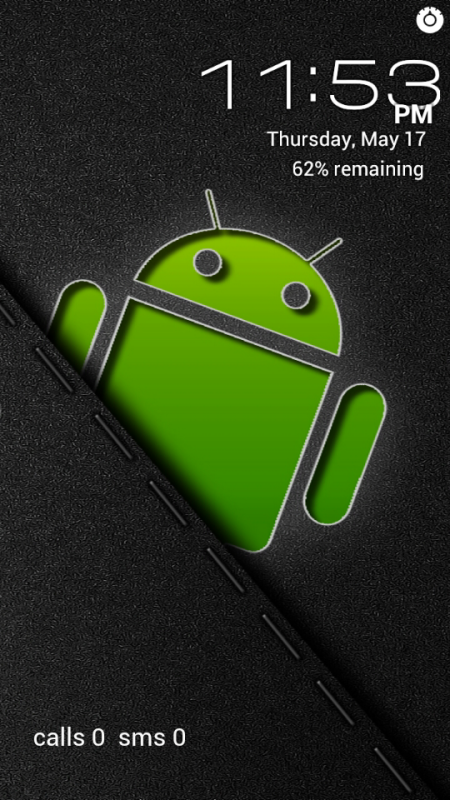
Lock Screen - Using Widget Locker of course. The clock is One More Clock and the missed call/sms is Missed It!

2012-05-17_23-53-35.png


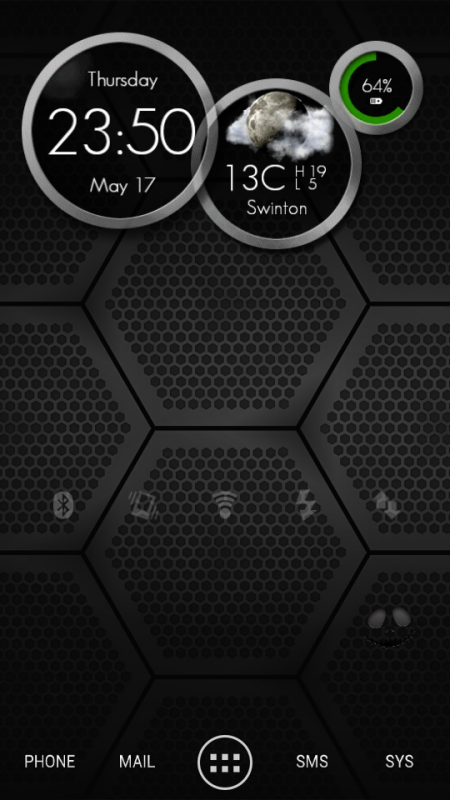
Home Screen - Another One More Clock with Extended Controls and the hardly noticeable Jack face icon (bottom right) is a Lock Now for Widget Locker

2012-05-17_23-50-53.png


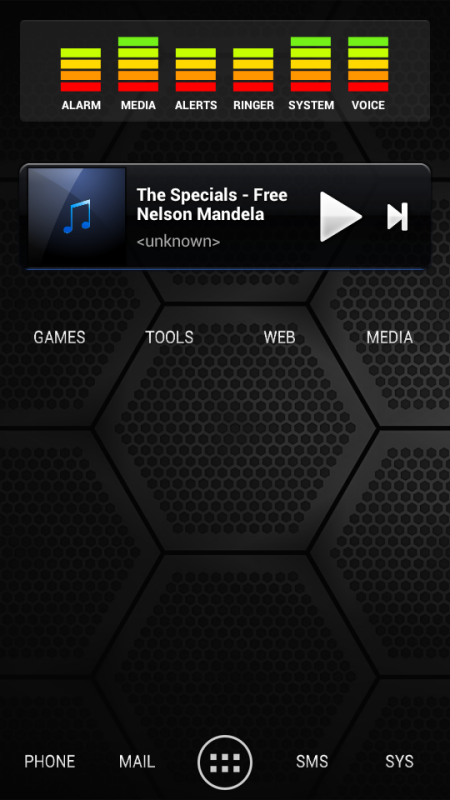
Left x1 - Audio Manager at the top, Cloudskipper music player and the custom text icons are for various ICS folders.

2012-05-17_23-51-04.png


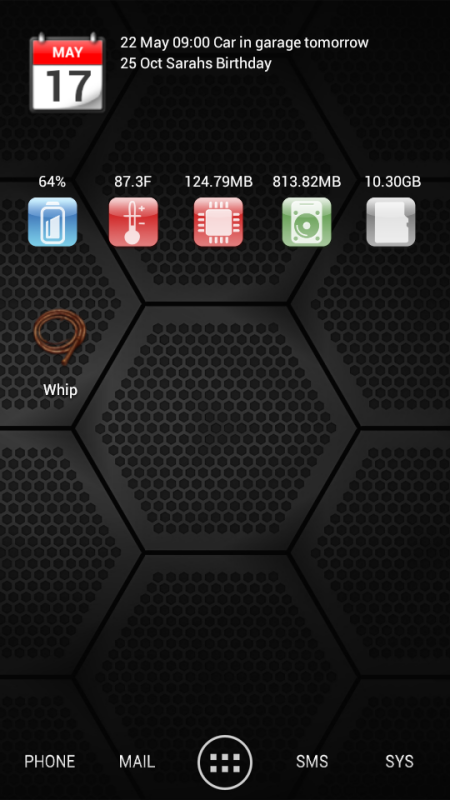
Right x 1 - Smooth Calendar at the top with System Info Widget below it. The Whip is so my Mrs knows when I'm home :D

2012-05-17_23-51-20.png


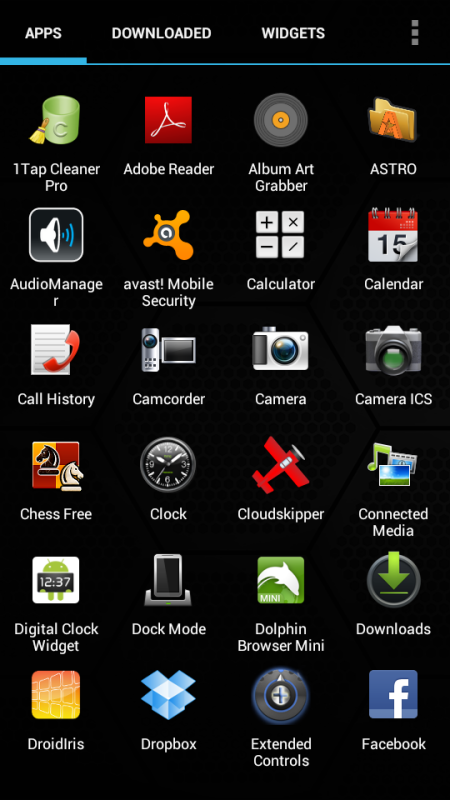
App Drawer - Via Apex Launcher

2012-05-17_23-52-21.png


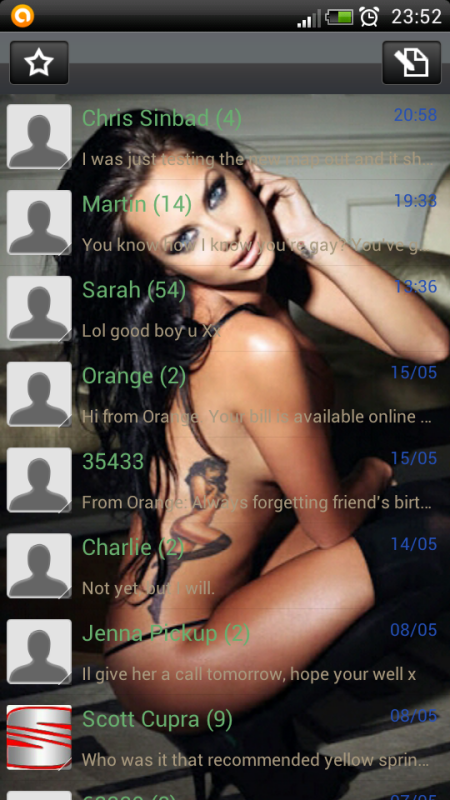
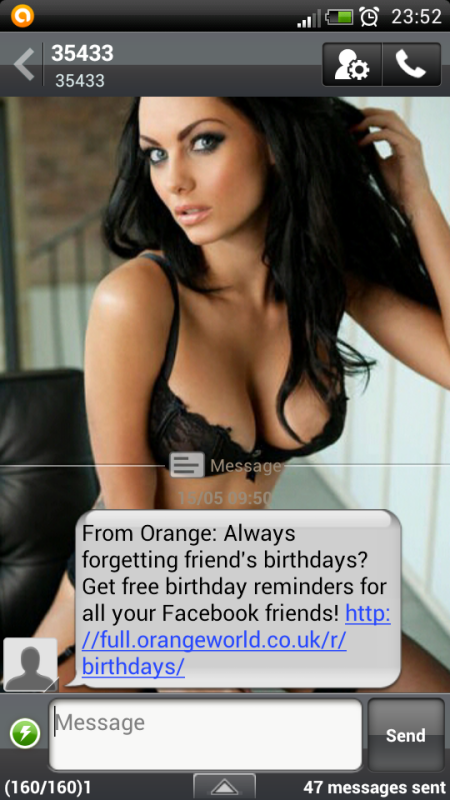
Handcent - just for the eye candy really ;)

2012-05-17_23-52-32.png


2012-05-17_23-52-52.png


So yeah, fairly simple and tidy and keeping it dark again.

Shown you mine, lemme see yours :eek:
 
Come on guys, I'm running out of inspiration and my phone is getting a little bored. :smokingsomb:
 
Some more.
 

Attachments

  • uploadfromtaptalk1356693722738.jpg
    uploadfromtaptalk1356693722738.jpg
    47.5 KB · Views: 90
  • uploadfromtaptalk1356693743789.jpg
    uploadfromtaptalk1356693743789.jpg
    54.6 KB · Views: 97
  • uploadfromtaptalk1356693758035.jpg
    uploadfromtaptalk1356693758035.jpg
    53.9 KB · Views: 103
  • uploadfromtaptalk1356693780104.jpg
    uploadfromtaptalk1356693780104.jpg
    56.9 KB · Views: 92
  • uploadfromtaptalk1356693793908.jpg
    uploadfromtaptalk1356693793908.jpg
    72.6 KB · Views: 94
  • uploadfromtaptalk1356693810420.jpg
    uploadfromtaptalk1356693810420.jpg
    80.7 KB · Views: 115
"Holo Locker" lockscreen
edy4yjur.jpg

Use this in conjunction with Holo Launcher HD to really get the JB look on your Sensation without rooting.
 
Back
Top Bottom