

Install the app
How to install the app on iOS
Follow along with the video below to see how to install our site as a web app on your home screen.
Note: This feature may not be available in some browsers.
-
After 15+ years, we've made a big change: Android Forums is now Early Bird Club. Learn more here.
You are using an out of date browser. It may not display this or other websites correctly.
You should upgrade or use an alternative browser.
You should upgrade or use an alternative browser.
Show Us Your Screens!
- Thread starter JunBringer
- Start date
-
- Tags
- samsung galaxy note


Vipfreak
Android Enthusiast
Thanks, I can't really tell you how it's done. I kinda just configured certain things so it looks like what you see.
I have Launcher Pro and Folder organizer (both have free and paid, I have paid). I use Launcher pro for size and position on the screen. Folder organizer for the icons and organization of the icons.
The other things like the Agenda, To Do, and Calendar I look for widget apps that allow a transparent background with white text options. The Agenda is Pure Calendar widget (paid I think), To Do is Whiteboard (not free, but cheap), and the Calendar is S2 Calendar widget (free).
I have Launcher Pro and Folder organizer (both have free and paid, I have paid). I use Launcher pro for size and position on the screen. Folder organizer for the icons and organization of the icons.
The other things like the Agenda, To Do, and Calendar I look for widget apps that allow a transparent background with white text options. The Agenda is Pure Calendar widget (paid I think), To Do is Whiteboard (not free, but cheap), and the Calendar is S2 Calendar widget (free).

Bodestone
Android Enthusiast
All the other launchers, Launcher Pro included, just seem to open home screen folders willy nilly and they look hackneyed to me. I love the way GO Launcher opens folders on the home screen and will not leave it for that reason.
Try it with the free Muku Theme. You can then pick wallpaper, icon surrounds, folder images, any icon, dock bakckrop or pretty much any aspect from any other go SMS theme very easily to mix and match.
Try it with the free Muku Theme. You can then pick wallpaper, icon surrounds, folder images, any icon, dock bakckrop or pretty much any aspect from any other go SMS theme very easily to mix and match.

naviwilliams
Android Enthusiast


Incognegro82
Newbie

Incognegro82
Newbie


Gr13zly
Newbie
My latest theme.... inspired by Vipfreak

Really like the look of this, clean, simple, and functional.


JunBringer
Android Expert
Latest homescreen
Finally someone else using landscape! Looks great!
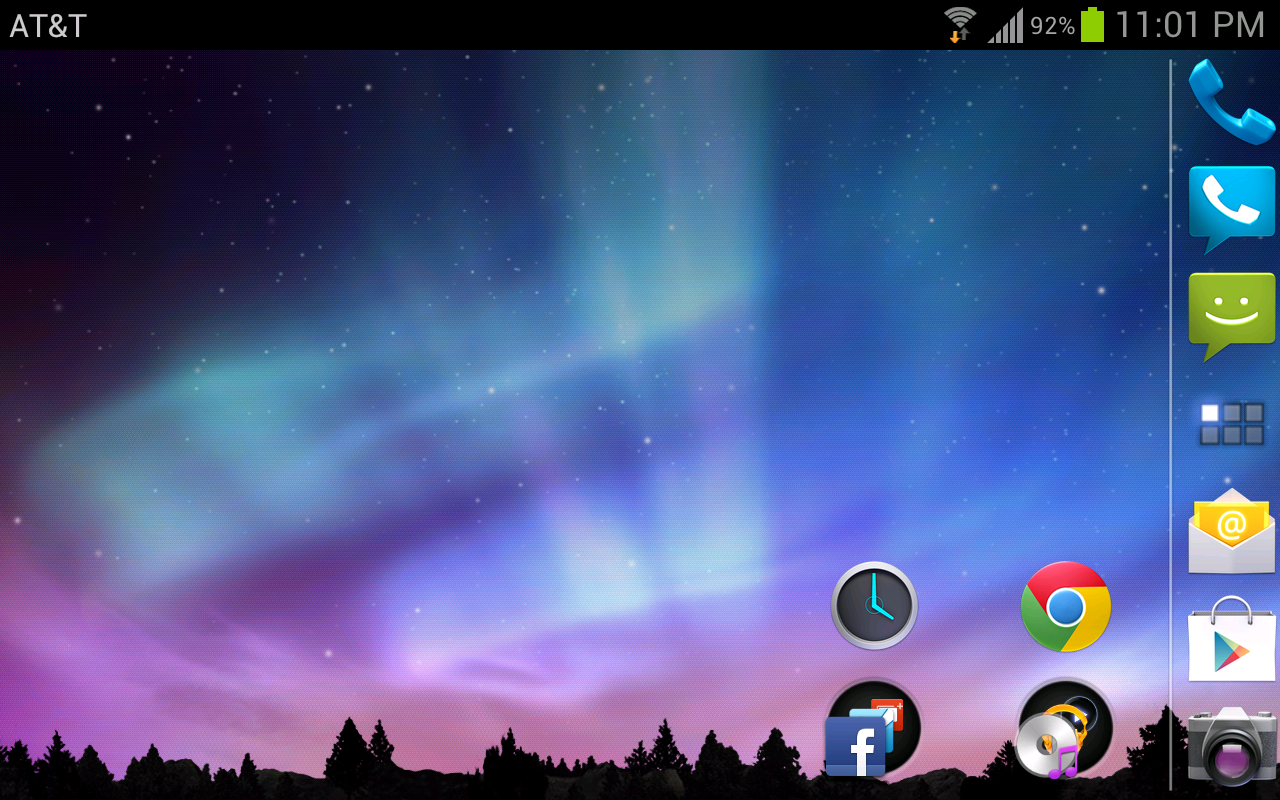
Here's mine with the non-root ICS with Premium Suite and ADW Launcher EX:


Incognegro82
Newbie

t sport 1978
Well-Known Member
Here is another 

t sport 1978
Well-Known Member
t sport 1978
Well-Known Member
Sorry for a splurge of contributions
t sport 1978
Well-Known Member

eaiello1086
Newbie
Here is my homescreen. I've been lurking here for the last few days. As you might be able to tell I was inspired by a lot of you. I've had my note for about a month, but until reading this thread I knew nothing about all these great widgets (minimalist text, bobclock, etc.). And THANKS to THEGEEK (if memory serves) for the background. Hope you don't mind that I'm using it!
Attachments

awesome! Will have to figure this out.
Had to give this up. Kept crashing