• After 15+ years, we've made a big change: Android Forums is now Early Bird Club. Learn more here.

Show your Home Screen

Tech Addiction

Android Expert
Lets see those Tab Home Screens. Here is mine for now. You can take a screen capture on the Tab by holding down the back button and hitting the power button at the same time. The picture is put in your Screen Capture folder in device memory.
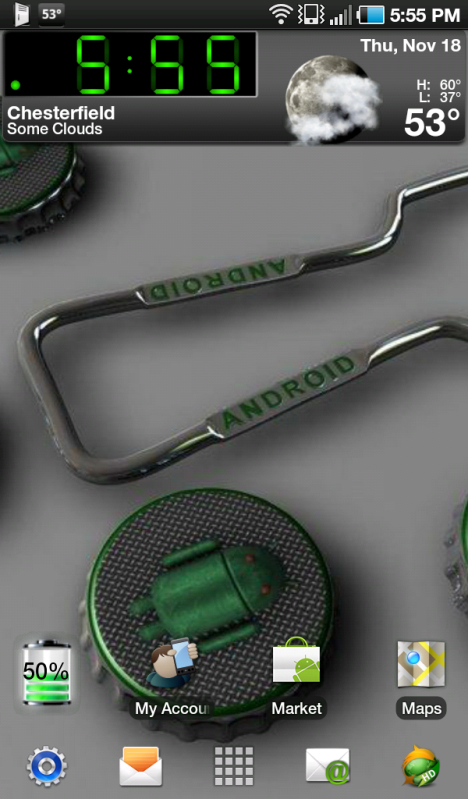

SC20101118-175553.png
 
I just Rooted mine as well and went with the 200 density. I like the way the menu's show the whole list now. The Bookmarks in Dolphon Browser are awesome at this setting.
 
if you set the LCD density to 200 and use launcher pro, can you get 5 icons across like the stock launcher for the tab?
 
I went to advanced settings turned of 5 ico rows in homescreens...this alone didn't do anything buts its on don't really know if this needs to be on

THEN I went to homescreen settings and there you see homescreen grid at the bottom, turn number of columns to 5 I kept rows the same.

Hope this helps
 
I went to advanced settings turned of 5 ico rows in homescreens...this alone didn't do anything buts its on don't really know if this needs to be on

THEN I went to homescreen settings and there you see homescreen grid at the bottom, turn number of columns to 5 I kept rows the same.

Hope this helps

The grid did it, thank you so much. One more question, is there a way to get the icons closer together length wise. Eventhough I have closed the gap some, they are still eating a lot of space. Thanks again.

Nvrm. I did the rows too and that tightened them up. I replied too quick. Thanks again.
 
I just played around with it... I am pretty impressed launcher can do this...that was a huge pet peeve of mine was that the grids on my ipad were spaced so far, it pissed me off actually....

what you can do is just turn the number of columns higher, then check the resize icons and widgets button...it will squeeze the icons tighter.
 
Lets see those Tab Home Screens. Here is mine for now. You can take a screen capture on the Tab by holding down the back button and hitting the power button at the same time. The picture is put in your Screen Capture folder in device memory.


SC20101118-175553.png


What clock app are you using?
 
Mstrowe love that

havent got the skills to create mine, it would be like Mstrowes but droid would have bitten into an apple, outstretched hand with bitten apple in profile and spitting out the bitten piece " TASTES BITTER" along bottom
 
Mstrowe love that

havent got the skills to create mine, it would be like Mstrowes but droid would have bitten into an apple, outstretched hand with bitten apple in profile and spitting out the bitten piece " TASTES BITTER" along bottom

Thank you very much. But I got the bg from AC forums its their mascot Lloyd. I added the clock widget(tajm) and the day of the week widget (oneseven). I prefer my screens simple and clean.
 
I purchased my Tab on June 1, 2011 - Love it!! Here's my screen shot.
 

Attachments

  • Galaxy Tab Screen Snapshot.jpg
    Galaxy Tab Screen Snapshot.jpg
    512.2 KB · Views: 124
Back
Top Bottom