• After 15+ years, we've made a big change: Android Forums is now Early Bird Club. Learn more here.

Root [Sprint] [MOD/Theme] MC1 AOSP Icons & Lockscreen/4-Way Reboot & more! [Updated: 10/15/13]

Enzomatrx

Member
I AM NOT RESPONSIBLE IF YOU DAMAGE YOUR DEVICE. ALWAYS MAKE A NANDROID BACKUP.

Changes will be in second post, with a post stating an update being added to the thread when one occurs.

Just got my phone, love it, but did not like the toggles Samsung gave us. Plus, they either didn't give us an app to customize them, or I deleted the app when I was flushing bloatware after rooting.

Regardless, I really got used to the AOSP-style of icons I had on my Optimus S, and was jealous of Virgin Mobile users getting moonknightus's awesome handywork here: http://androidforums.com/virgin-mob...-updated-09-11-2013-aosp-theme-stock-rom.html

Current Features
AOSP Icons in SystemUI/Framework-res/SecSettings
Removed Samsung Quicktoggles in Notification Bar
Battery Icons in Notification bar replaced with Circle Charging (see here)
Toggle for AOSP Lockscreen (See here)
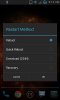
4-way reboot menu (See here)
Removed "Battery Full" Statusbar/Notification message
Removed "Preparing Network" Notification
Flat-styled buttons a la AOSP


All credit for the icons and whatnot goes to moonknightus. I just really did not like the green toggles and shiny icons on the notification bar near the clock.

So again, make a backup and try it out. Requires root (duh!) and stock (??) 4.1.2 MC1. At least that's what I'm running.

If you hate it, a stock odex'd flashable zip is linked for 100% stock reversion.

Note: the blank icon in my screenshots on the top-left of my notification bar is Power Toggle's area. You can set it to something else via that app. Also, I am using Nova Launcher.

Instructions
Flash from recovery


Download
AOSP.SprintMC1.1.2
Stock Reversion Zip

note: some screenshots show the original battery icon; I have not updated those screens.
 

Attachments

  • theme4.jpg
    theme4.jpg
    34.4 KB · Views: 202
  • theme5.jpg
    theme5.jpg
    65.8 KB · Views: 168
  • theme1.jpg
    theme1.jpg
    23.2 KB · Views: 138
  • theme2.jpg
    theme2.jpg
    23.1 KB · Views: 137
  • theme3.jpg
    theme3.jpg
    23.3 KB · Views: 151
  • theme6.jpg
    theme6.jpg
    39.7 KB · Views: 111
Updates:

10/15/13 - V1.2
• Removed "Preparing Network" Notification
• Flat buttons/menus ported over


9/21/13 - V1.1
• Removed 30-Step Volume Mod; Our phones don't like it


9/20/13 - V1.0
• Battery Icons in Notification bar replaced with Circle Charging (see here)
• Toggle for AOSP Lockscreen (See here)
• 30-Step Volume Mod for Bluetooth/Media (See here)
• 4-way reboot menu (See here)


9/17/13 - V0.5
• Removed full battery notification, for real this time


9/17/13 - V0.4

• SecSettings.apk skinned, thanks again to moonlightus for source files


9/13/13 - V0.3
Renamed to AOSP.SprintMC1
• Figured out the framework-res modding, now have full AOSP/port from moonlightus' files!
• Zip's too large to attach now; placed on mediafire. Flash from recovery
• Put a full stock reversion zip on Mediafire as well containing framework-res and odex'd SystemUI.apk.


9/13/13 - V0.2
• Thanks to moonlightus for providing me with the xml files from his mods. I'm still working on the framework modding, but I ported over the "clear all" and settings icon on the status bar, decreased clock font size, etc... from his theming. Plus the carrier name is removed from the slider a la moonlightus' mods :)
V0.2 is attached to the original post. Screenshot update in OP.


Old releases attached to this post and linked below

• AOSP.SprintMC1.0.3.zip
• AOSP.SprintMC1.0.4.zip
• AOSP.SprintMC1.0.5.zip
• AOSP.SprintMC1.1.0.zip
• AOSP.SprintMC1.1.1.zip
 

Attachments

New version for VM attached to my thread. This one also has some secsettings.apk mods. I'll get the files over to you as soon as I can.

EDIT: Decompiled modified files from SecSettings.apk here.
 
Thanks! I'll take a look at these at some point. Got a little busier here.

did notice after flashing these zips my Google Play store will crash when it tries to install/uninstall items (logcat shows it lost permissions to perform those actions). I have to go to Applications and "Uninstall Updates" for the Play Store for it to work again. It then will update itself on the next load (or two loads) and be fine.
 
Thanks! I'll take a look at these at some point. Got a little busier here.

did notice after flashing these zips my Google Play store will crash when it tries to install/uninstall items (logcat shows it lost permissions to perform those actions). I have to go to Applications and "Uninstall Updates" for the Play Store for it to work again. It then will update itself on the next load (or two loads) and be fine.

I haven't had any trouble with Play Store yet. Just posted a new update, some minor theme tweaks but the biggest change is the addition of the AOSP lock screen. This one is not a simple replace a few files mod though and requires some decompiling and editing of smali code in android.policy.jar; I primarily followed the tutorial here. When following the tutorial, it's important to IGNORE THE LINE NUMBERS as they will be different in your files than they are in the ones displayed. This also requires the ROM you use to be completely deodexed (at least, it did for me) or it will send the phone into a bootloop. Let me know if you need any help and I'll do what I can.
 
I haven't had any trouble with Play Store yet. Just posted a new update, some minor theme tweaks but the biggest change is the addition of the AOSP lock screen. This one is not a simple replace a few files mod though and requires some decompiling and editing of smali code in android.policy.jar; I primarily followed the tutorial here. When following the tutorial, it's important to IGNORE THE LINE NUMBERS as they will be different in your files than they are in the ones displayed. This also requires the ROM you use to be completely deodexed (at least, it did for me) or it will send the phone into a bootloop. Let me know if you need any help and I'll do what I can.

Do you have a complete stock and deodoxed 4.1.2 Sprint Victory TWRP backup? And if not, could I send you the a zipped stock backup and you deodox it?
 
I haven't had any trouble with Play Store yet. Just posted a new update, some minor theme tweaks but the biggest change is the addition of the AOSP lock screen. This one is not a simple replace a few files mod though and requires some decompiling and editing of smali code in android.policy.jar; I primarily followed the tutorial here. When following the tutorial, it's important to IGNORE THE LINE NUMBERS as they will be different in your files than they are in the ones displayed. This also requires the ROM you use to be completely deodexed (at least, it did for me) or it will send the phone into a bootloop. Let me know if you need any help and I'll do what I can.

I actually ran a deodexing on the jars yesterday when all my smali editing for other tweaks I wanted to do (in SystemUI and android.policy) was resulting in just hanging on the bootanimation (logcat just showing tons of stuff, nothing red flag.. but definite problem). Figured a full deodex was going to be required so got to work on that but that's gonna totally increase file size and all... and I'm not looking to go full ROM on this unfortunately.
 
1.04 uploaded with the secsettings modding and fixed my boneheaded "wrong manifest that's why your smali editing didn't work on systemui" problem so FullBatteryNotification should be gone now.
 
If you want to get rid of the "preparing network" notification, decompile SprintSyncMLSvc.apk and open smali\com\samsung\syncservice\syncmlservice.smali

Remove all instances of invoke-direct that refer to forgroundnotification and then recompile. I also removed the 'preparing network' text from strings.xml and changed the icon to a blank/transparent one. The second part shouldn't be necessary though as the smali edits will prevent the service from starting a statusbar notification. I haven't released this mod on my side yet (maybe tonight after work), but I've been testing it since yesterday with no ill effects. Update PRL and Update Profile still work as expected. This may remove OTA update notifications, though. Again, let me know if you need any help. Good luck!
 
looks like battery notification is still there, gonna just do a return void on powerui.smali and see if it likes that. thought it was gone cuz my phone was at 100% for a while without it appearing, but after a recent reboot it showed up. grr

edit: return-voided the entire thing, and i don't see the icon :)

v0.5 released.
 
Big update tomorrow, need to modify OP

AOSP lockscreen toggle, circle battery, 30-step volume mod for bluetooth and media, etc.

Since similar files are modified as the 4-way reboot mod, that will also now be included in this.
 
I'm thinking our phone doesn't like 30 step volume so I'll probably undo that change and release an update. It doesn't break the phone at all so it's safe to use, but I think there either was something I missed in it about max volume or Samsung's Audio Aware stuff caps the volume after a certain # of steps.
 
Just finished getting this to work on my mod (finally); if you want it, here's the edited smali file. Replace the one in your decompiled SystemUI and recompile and this should work.
 

Attachments

Okay its installed. How do I make my home screen look like that first screen shot? Mine still looks like Touch Wiz.
 
I don't know, is it my feeling or this mod theme have good battery management. .. I've allready installed and very pleased with it..
 
I don't know, is it my feeling or this mod theme have good battery management. .. I've allready installed and very pleased with it..

i don't know if it does anything for the battery... i'm going to post a new revision today; got bored and removed the "preparing network" and ported the flat button style that moonknightus ported over from AOSP.

I still keep the AM/PM because unfortunately that's personal preference.
 
i don't know if it does anything for the battery... i'm going to post a new revision today; got bored and removed the "preparing network" and ported the flat button style that moonknightus ported over from AOSP.

I still keep the AM/PM because unfortunately that's personal preference.

Thanks a lot enzomatrx. ... your my trully hrlping angel. ....;)
 
Back
Top Bottom