
• After 15+ years, we've made a big change: Android Forums is now Early Bird Club. Learn more here.

Help [support] Samsung car dock doesn't enable navigation

mrterry

Member
So i got an oem car dock today... More for having a secure place to keep my phone while on the road instead of bouncing all over the console than for nav purposes, although it will be used as a gps occasionally.

My issue is that it won't open the navigation app. I have an ss of what it shows, have to upload it when i get to the house because i can't find a way to do it thru the forum app.
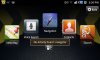
 
OK here we go. I have no idea why this would be, nor do I have any idea how to link the default navigation (NOT VZW navigator, I am rooted and got rid of that bloatware crap). Only thing I can think is that it is, indeed, looking for the vzw crap.

in that case, is there a way to change it so I can use the google nav app instead? I can still get to the google one, but I just have to take the long way to get to it. for as much as itll be used for nav, it aint that big of a deal, but still would be nice to not have to go that route.
 

Attachments

  • navscreen.jpg
    navscreen.jpg
    83.2 KB · Views: 188
I am not rooted, but I use CarWidget Pro as my car dock app. I still get the stock app when I hook the phone up to the dock, but I just make sure the phone is set to play through the car's stereo (the little speaker button in the center of the stock app) and then I press "exit".

With CarWidget Pro, you must dedicate one of your home screens to the Widget, but you can choose any apps to populate the screen. I have it set as follows: Google Navigation, Google Maps, Amazon MP3 player, stock Music Player, Slacker, and TuneIn Radio (for my local stations). Works like a charm.

Rich

BTW, if you need more than the 5 or 6 stock home screens, I suggest using GoLauncher EX. Its great!
 
Back
Top Bottom