
• After 15+ years, we've made a big change: Android Forums is now Early Bird Club. Learn more here.

Swipe pattern security threat

plnelson

Well-Known Member
I like the 3x3 grid swipe pattern for unlocking my phone because it's a lot quicker and more error free than typing in a password. Unfortunately it's not very secure according to research at the University of Pennsylvania . . .

Attack reads smudges to retrieve Android password patterns ? The Register

The smudge pattern is easily retrievable to figure out how to unlock the phone. I tried this on my own phone and it could clearly be seen!

It seems like a simple improvement would be for Android to displace the pattern at random every times it's displayed - move it higher, lower, to the side, or change size a little.

I don't want to go back to passwords - any other suggestions?
 
FroYo allows you have have a simple 4 digit pin or a full password, in addition to the Swipe unlock.
 
FroYo allows you have have a simple 4 digit pin or a full password, in addition to the Swipe unlock.


There are apps in the market that allow you to have different password unlocks, give it a look.


Errrmm ... I sometimes mumble or talk too fast, but it doesn't usually affect my typing when I say stuff like . . .

I like the 3x3 grid swipe pattern for unlocking my phone because it's a lot quicker and more error free than typing in a password

or

I don't want to go back to passwords - any other suggestions?


I'm looking for something that has the convenience of a pattern swipe but without the security issues. I suggested a way that the security could be enhanced in a scheme like this. Another improvement would be to allow us to "reuse" the dots in our pattern. My Droid Incredible does not let me go back-and-forth between 2 dots. (say we call the dots 1-9. I can't go 1->2->1->2->4 (it thinks of it as 1->2->4 and counts it as a 3 dot pattern)

Are there any 3rd-party security tools that improve on the basic pattern-swipe native to this phone?
 
Sheesh - I was only just stating that there's more than one way to unlock on FroYo without further modifications! :eek:
 
If you read the linked article it's a bit alarmist but really nothing to be concerned about.

It requires that you have access to the phone, and then a high resolution camera to take pictures of the screen at just the right angle, and then some software to play with the picture to try to figure out the pattern.

If you watch where your phones is, and use a screen protector, and keep the screen clean, this threat is virtually minimized.

There are also apps you can buy online that can individually password protect sensitive apps on your phone as well.

So in general if you are ever woried, then be a little more vigiliant and this threat can be easily avoided. Keep a microfiber cloth with you, heck, if you're that worried.
 
If you're worried about it then make your unlock pattern more complicated. Use all of the dots if you need to. I sincerely doubt the persistency of this unlock method. Swiping your fingers on the phone several hundred times a few days and wiping it often can't possibly make it easy for someone to get the unlock pattern.

That being said, I can think of a dozen innovative ways to make more unlock methods that don't leave smudges. I'm sure there's some apps for it somewhere.
 
Since my 8 year old locked me out of my D1 and the "enter your gmail ID and password" to unlock does not work (I dare anyone to try it), I had to hard reset the phone to use it. Of course I lost all of my apps et.al.:mad: I now have my auto lock app that opens the phone with the power button and NO SWIPE OR CODE is required- opens me up to the last page I was on. No security, but Oh the convenience!
 
Just wipe your hands over the screen in different patterns to confuse those would-be infiltrators!

Joking aside, you do make a point but for a swipe unlock, I don't think it's meant to be all that secure.
 
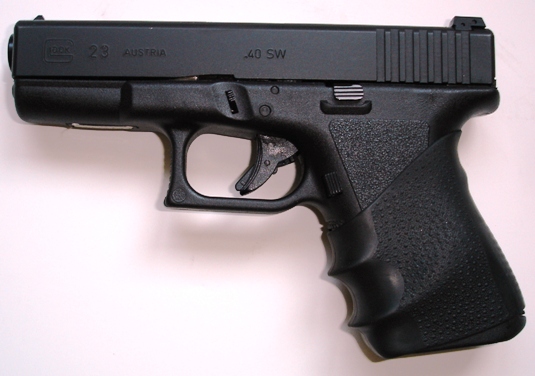
Glock23Lx.jpg
I quit worrying about passwords a long time ago and found ways to keep my phone even "more" secure. Picture very related.

In other news.. it is also great for antivirus protection. I haven't had a single infected get within 10 feet of me yet.
 
Back
Top Bottom