
• After 15+ years, we've made a big change: Android Forums is now Early Bird Club. Learn more here.

Swype Vs Shapewriter

What is the best keyboard replacement option for Android Eris?


  • Total voters
    93
  • Poll closed .
me personally i still use the orginal keyboard sometime especially in landscape but im try i havent been able to text very fast on swype or shapewriter.. any tips?

keep posting
 
me personally i still use the orginal keyboard sometime especially in landscape but im try i havent been able to text very fast on swype or shapewriter.. any tips?

keep posting

I found Swype a little slow at first as well, and the biggest thing that I changed was being careful. Their predictive text is pretty good, and as long as you think you are hovering over the right keys, it seems to come up with the word you were looking for (as long as it's in their dictionary), so you don't need to think too much about whether you hit the key perfectly, or worry about missing a letter, just let it flow, and you will notice it gets it right most of the time. (at least that's been my experience)
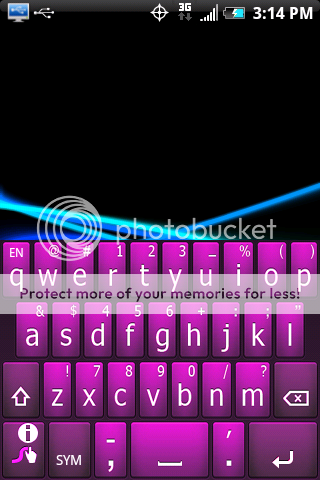
 
so, i just installed both programs. I'm going to have to go with swype for initial impressions.

the keyboard with sw seems too small and was much more unforgiving. i also prefer how swype gets larger in landscape mode. i'll fiddle around with both for a while and see which survives the longevity test. but for now, i vote swype.
 
I found Swype a little slow at first as well, and the biggest thing that I changed was being careful. Their predictive text is pretty good, and as long as you think you are hovering over the right keys, it seems to come up with the word you were looking for (as long as it's in their dictionary), so you don't need to think too much about whether you hit the key perfectly, or worry about missing a letter, just let it flow, and you will notice it gets it right most of the time. (at least that's been my experience)


hmmm ill try it out at lunch lol but yeah i hope i liek it cause i really love the concept and even shapewriter is good to but we'll see...
 
For those who love swype I have found as im sure you have too but a forum in which you can download different color schemes for your keyboard... the blue is really nice and such but yeah this is for you for responding to my thread..

click here check them out

purple.png
red.png
pink.png
green.png
swype.png
green.png
 
Ok... i just installed Swype from the QR posted earlier but I can't figure out how to set it up... It isn't showing up in my programs tab and long pressing the text fields to switch keyboards only gives paste and quick text options...
 
Did you go into Menu, Settings, Language and keyboards and check to use Swype first?

That needs to be checked before you will get the option to select text input in your messenger.
 
I've been using ShapeWriter and really like it. The "command strokes" are very cool. The ability to highlight all the text in a field by sliding Command + al (all) is super useful. My biggest frustration is the fact the the keyboard doesn't resize to a larger size when used in horizontal mode and the lack of a shift key. If shapewriter had those two functions it would greatly improve it's use. I find that one area that SW is a bit troublesome is with words under 4 letters. it seems to have a much more difficult time sorting these out.
 
I can not find Shapewriter in the market for the life of me. I can find it on appbrain but when it links to install, it can not be found. When I search for Shapewriter I come up with zero results.....

CAP201006031800.jpg

CAP201006031801.jpg

CAP2010060318011.jpg
 
Just to put in swiftkey and trying that. Still think stock compact qwerty is the fastest.I just searched for shapewriter and it was on top of the the list. Wow now I know why i un installed swift key, not my cup o tea. ShapeWriter still seems to be the quickest non tap kb for me. But I have to look at the keys so maybe I need more practice and what better thread than this one to practice in!
 
I will confess I found ShapeWriter first, and I haven't tried slideIt yet. . .

I've been using ShapeWriter for about four days now, and I'm already faster with it then I ever was with T9 (and that's really, really saying something.)

I downloaded and tried Swype today. . . it made me cringe a lot.

Maybe it's a matter of preference?

I do hate that SW doesn't handle symbols/capitol letters very well at all.

Also, I think it's cute that SW says to double tap space if you want to put a period (".") and then a space. Why not just tap period, and then start drawing the next word? That's one less keystroke.

What they should do is put ", " when you double tap the space bar. I think I'll go submit that now.
 
I just installed SW and I must say, I like it alot more that swype. 3 reasons in particular. I like the fact that the buttons seems bigger. Also, the actual number dial pad is easier to press. And i like that the word choice box is right above the keyboard and not in the text field. It seems like that SW is more responsive and accurate. JMO

 
I just installed SW and I must say, I like it alot more that swype. 3 reasons in particular. I like the fact that the buttons seems bigger. Also, the actual number dial pad is easier to press. And i like that the word choice box is right above the keyboard and not in the text field. It seems like that SW is more responsive and accurate. JMO
I had this complaint about Swypes number dial pad also. Hard to hit those numbers since you can't swype numbers...

Try this:
Hit SYM, then SHIFT(arrow up key), then '123' key (same place where SYM was a second ago)

This brings up a nicer, larger number keys pad... easier to hit numbers.

I know it's kind of a drag to do these steps, but if you're going to be typing a lot of numbers, it's worth it.
 
I had this complaint about Swypes number dial pad also. Hard to hit those numbers since you can't swype numbers...

Try this:
Hit SYM, then SHIFT(arrow up key), then '123' key (same place where SYM was a second ago)

This brings up a nicer, larger number keys pad... easier to hit numbers.

I know it's kind of a drag to do these steps, but if you're going to be typing a lot of numbers, it's worth it.

If you hit 'SYM' then long press the '123/ABC' key, it gets you there also. One less key strike.;)
 
Cable,
I thought you were leaning more towards SW? They are both nice, just seems that SW likes my fingers more, and I don't have to correct much.
 
If you hit 'SYM' then long press the '123/ABC' key, it gets you there also. One less key strike.;)

Had to show me up, didn't you?
I still should get all credit and donations for this great discovery:D


Cable,
I thought you were leaning more towards SW? They are both nice, just seems that SW likes my fingers more, and I don't have to correct much.

I like Shapewriter, a lot.
But i couldn't help myself and went back to Swype. I think i was using Swype for so long now, that i can't get used to Shapewriter. I feel Swype is more accurate.

But at least I have confort in knowing that if Swype ever expires again, i always have Shapewriter... so I wont freak out like I did last time:D
 
I thanked both of ya... together, you guys showed me the light!!....but really, that does make a difference for me in swype.
 
I've been using Swype for a while but tried Shapewriter on a whim and can now say I actually like it better. It's much more intuative and seems quite a bit faster to me. It looks better and so far is much easier for me to use. It just works when Swype didn't. It is what I have been using exclusively the past couple of weeks. You can't go wrong with either but Shapewriter is my preference.
 
Just got ShapeWriter today. I was using swype, but don't like it as much since it expired and I had to get the new one. I know everyone says it's the same, but it doesn't work as well for me. So far, so good for ShapeWriter.
 
My version that I installed a few weeks ago from here (see my posts asking for help) expired tonight... I was under the impression these were modified as not to expire?
 
Back
Top Bottom