• After 15+ years, we've made a big change: Android Forums is now Early Bird Club. Learn more here.

Root [THEME] ApeX Sense 1.4

CHP

Newbie
The title tells all. This is a port I made of the theme for stock 2.3.340 for ApeX 1.4.

Update 1: Fixed visibility issues.
Update 2: Themed a few icons. Having issues finding the files for the rest of the icons. (continue to use adw senses theme for now)
Update 3: Themed more icons and made the eri.xml blank so there won't be "ApeX BWC" or "Verizon Wireless" in the pulldown bar.

I take no credit for the images, all credit goes sto the original themers.

Browser, gallery, camera, phone, etc all need theming still but I will get to that eventually :)
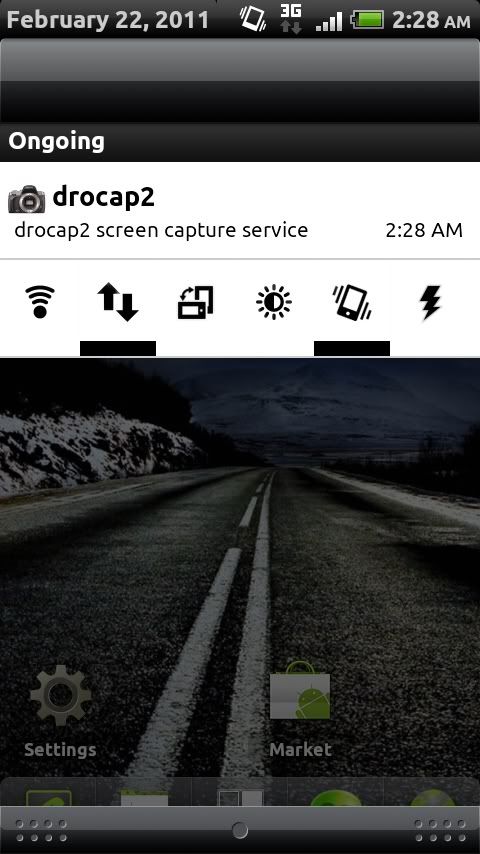
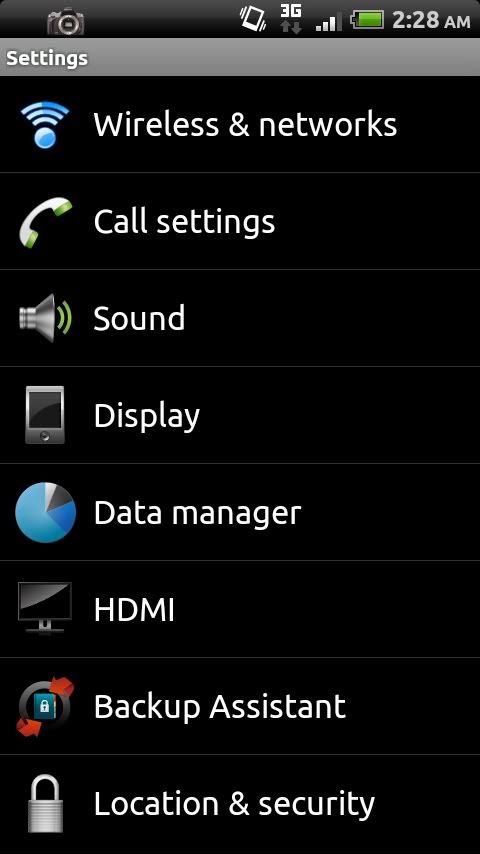
CAP201102220228.jpg
CAP2011022202281.jpg


LINK:
Sense update 3


Install as you would any other update.zip file :)

For now you can get sense icons in an adw them until I get them in here. Just search "senses adw" in the market and that works fine.
 
would this work with 1.4.1? the looks awesome,btw this doesnt change the keyboard to the htc right? i hate that thing
 
would this work with 1.4.1? the looks awesome,btw this doesnt change the keyboard to the htc right? i hate that thing

yup. should work just fine. The only think that is modded atm is the framework. Working on some icons but I'm not planning on doing the keyboard. I hate how the sense keyboard works/looks too.
 
Why does the Notification dropdown and the lock screen header say "APEX BWC" did you use Black,White and Chrome's theme for this?
 
can someone show me how to put the widgetsoid power control in the pull down please i cant figure out how to do it

If you go into the app and click widgets and then tap the little green circle next to the widget you created and the click the pencil on the bottom then go to advanced and click the notification and if you want to make it invisible on the homescreen you can choose that option as well.

I had issues trying to figure it out last night as well but wen into the FAQ withing the app and that helped a ton.... Great app when you gert it all set up...
 
Why does the Notification dropdown and the lock screen header say "APEX BWC" did you use Black,White and Chrome's theme for this?

you know what I did, I used the BWC zip and I recycled it and I left the services.jar in but when I was testing it it did not show up.
 
Would love to have that removed... even if it was just blank... don't like it saying "Verizon Wireless" either...
 
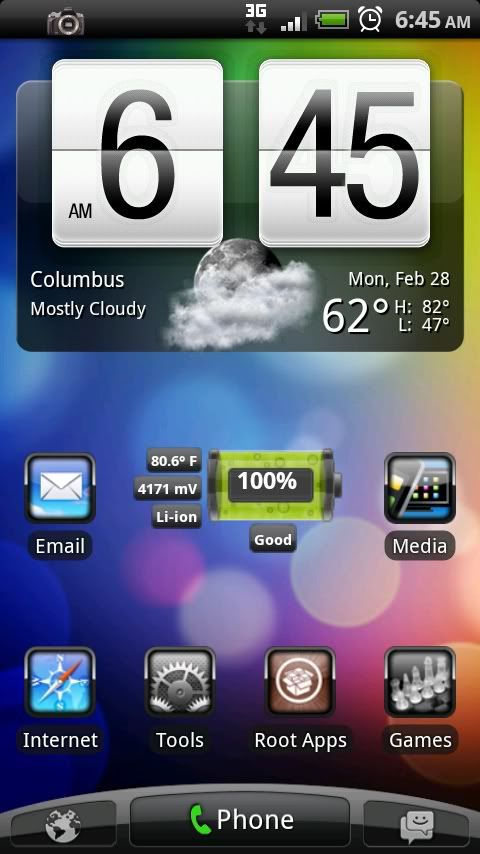
Looks great now... thanks for editing out the BWC and Verizon Wireless stuff... I always liked the way the sense UI looks... and now my DX looks like it... here's a screeny of my main screen.

CAP2011022806451.jpg
 
Looks great now... thanks for editing out the BWC and Verizon Wireless stuff... I always liked the way the sense UI looks... and now my DX looks like it... here's a screeny of my main screen.

CAP2011022806451.jpg


This is AWESOME... how did you get your phone to look like that? Mind sharing a few tips? I'm running Apex 1.4.1 as well and I downloaded the HTC sense theme for ADW yesterday, but I'm not liking it as much as I thought I would unless I'm doing something wrong..
 
This is AWESOME... how did you get your phone to look like that? Mind sharing a few tips? I'm running Apex 1.4.1 as well and I downloaded the HTC sense theme for ADW yesterday, but I'm not liking it as much as I thought I would unless I'm doing something wrong..

I made my own dock... in your launcher change the dock background to the one I'm providing below... along with each dock icon to the "transparent" icon that I'm also attaching too... I set my left Icon to the browser shortcut and then transparent icon... the three middle ones to "dialer" with transparent icon and the right one with my msg app and transparent icon too. I use Launcher Pro + so I made my three middle icons have a "swipe up" so I can open the app drawer. I will attach the other dock I have with a slot for the app drawer.

"EDIT" The "transparent" icon is below the docks... it is transparent and thats why you can't see it. Just right click on it and click "save as"
 

Attachments

  • 3icondock.png
    3icondock.png
    31 KB · Views: 91
  • mydock.png
    mydock.png
    35.5 KB · Views: 95
  • transparent_button_0.png
    transparent_button_0.png
    141 bytes · Views: 193
Back
Top Bottom