• After 15+ years, we've made a big change: Android Forums is now Early Bird Club. Learn more here.

Root [THEME] Cyanbread For LG Optimus Elite

Status
Not open for further replies.

Android311

Android Enthusiast
UPDATE 7-31-2012: "Theme Complete"

*This is the last update I will be making for this theme (I don't have enough time to keep up unfortunately)*


*Whats new for the Final Update?*
-Mostly complete CM7 Cyanbread framework, system.ui, gallery3D, mms and more.
-This theme isn't perfect but its pretty dam close to the CM7 Cyanbread theme.
-Wallpaper included!


How to install?
-Use Es file manager/Astro/Root Explore/ADB to push apk's
-Install zip from below and extract
-Push all apk's to system/app EXCEPT Framework.res, push apk's 2 at a time to insure full install
-Push framework.res to system/framework


THEME IS TAKEN DOWN UNTILL CWM IS PORTED
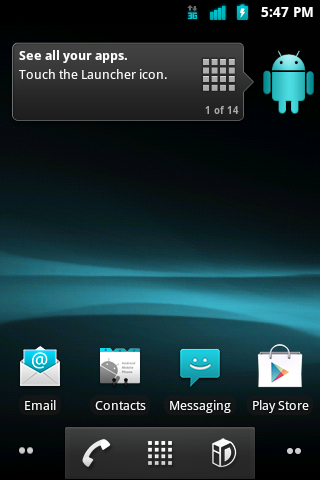
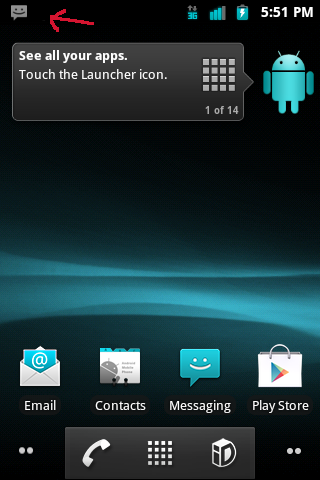
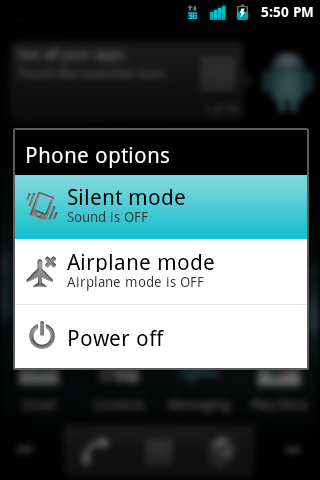
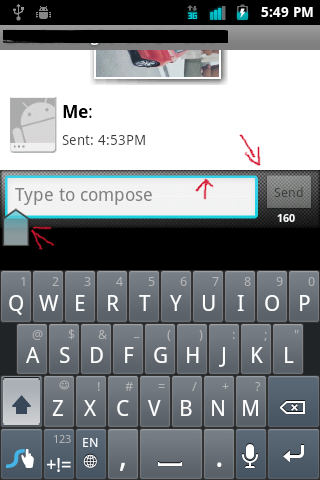
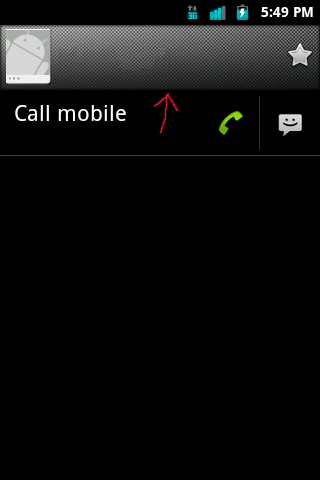
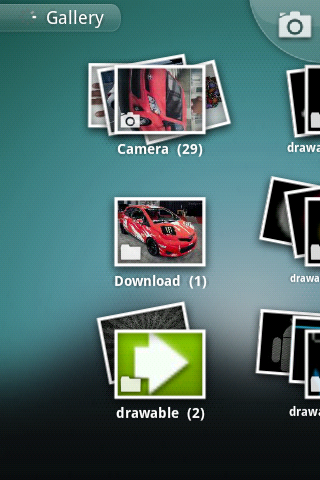
device-2012-07-31-174832.png
device-2012-07-31-175130.png

device-2012-07-31-175038.png
device-2012-07-31-174956.png
device-2012-07-31-174943.png
device-2012-07-31-174904.png


It looks cool. But I'm SOL with pushing it. Can't push it because it says the directory is read-only, then with SU access ( # via adb shell), it says push not found so I can't push it that way. Can't push it to the sdcard either because it says permission denied.

Welp, I look forward to being able to get it on there sometime in the future. But I have no doubt it's awesome :D

EDIT: Nevermind. Turns out that after much head-scratching, adb-ing, etc., all I had to do was copy the files over to my sdcard, and use Root Explorer to copy them over into /system/app and /system/framework. Worked like a charm. The theme is awesome, thank you!
 
Android311, this theme is pure sex! Got Holo Launcher and Lock Screen, added in the Roboto font and you can't even tell I'm running Gingerbread.
 
Absolutely great theme.

It looks cool. But I'm SOL with pushing it. Can't push it because it says the directory is read-only, then with SU access ( # via adb shell), it says push not found so I can't push it that way. Can't push it to the sdcard either because it says permission denied.

Welp, I look forward to being able to get it on there sometime in the future. But I have no doubt it's awesome :D

EDIT: Nevermind. Turns out that after much head-scratching, adb-ing, etc., all I had to do was copy the files over to my sdcard, and use Root Explorer to copy them over into /system/app and /system/framework. Worked like a charm. The theme is awesome, thank you!

I had the same problem. I just learned about ABD today after I rooted. I could get superuser access from "adb shell" then "su". That worked fine, but I couldn't have superuser access from ADB itself. If anyone knows how to do this, get back to me.

What I personally did was move it the internal memory via mass storage, used Root Browser Light to copy to /system/app and /system/framework. Started renaming the stock applications to .bak, and renaming "* - Copy.apk" and removing " - Copy" from it's name. Worked well until I got to system UI, which crashed the interface in a loop right when I renamed SystemUI to a backup name. Here's a solution

Code:
adb shell
$su
#cd /system/app
#mv SystemUI.app\ -\ Copy.app SystemUI.app
 
Absolutely great theme.


I had the same problem. I just learned about ABD today after I rooted. I could get superuser access from "adb shell" then "su". That worked fine, but I couldn't have superuser access from ADB itself. If anyone knows how to do this, get back to me.

What I personally did was move it the internal memory via mass storage, used Root Browser Light to copy to /system/app and /system/framework. Started renaming the stock applications to .bak, and renaming "* - Copy.apk" and removing " - Copy" from it's name. Worked well until I got to system UI, which crashed the interface in a loop right when I renamed SystemUI to a backup name. Here's a solution

Code:
adb shell
$su
#cd /system/app
#mv SystemUI.app\ -\ Copy.app SystemUI.app

Yep. I was only able to copy over 2 or 3 at a time before it would restart itself to accommodate the system-level changes. Wasn't bricked, never got caught in a loop, but every couple copy and pastes it would restart automatically.
 
So after replacing the systemui.apk, my phone restarted and is now stuck at the lg logo. I can get to the recovery, but that's it. Any suggestions?
 
So after replacing the systemui.apk, my phone restarted and is now stuck at the lg logo. I can get to the recovery, but that's it. Any suggestions?

You're soft-bricked. Happened to me after replacing the framework-res instead, as I planned to do that prior to systemui while trying to update to the final update. Try to adb push the stock systemui back to the rom, and you can find my post about what I tried earlier today. If all else fails, and you don't have a nandroid backup (since CWM still isn't available for the OE, I believe), you're SOL and need to get a replacement (I may very well have to do the same).

Android311, it looks like your final update might not be so final after all! Time for squashing some bugs, it seems!
 
I replaced the systemui.apk with adb, phone had a nervous breakdown and forceclosed everything, I replaced framework-res.apk with adb, and it wouldn't do anything. I sent the "adb reboot" command and now we're stuck at the lg logo. I can pull the battery and get into the recovery and I can get into the download mode, but that's it. I can't get adb to recognize it anymore.
 
The only thing I did was copy over the files from last time when I tried your cyanbread theme, with Root Explorer. After replacing the dialer, the then-current dialer FCd and I had to pull the battery out to restart the phone. It only Auto-restarted once I copied over framework-res, which, aside from systemui, was the only thing left to copy over and replace. Then the screen went black, phone froze, pulled out the battery, put it back in, and tried starting it up only to be stuck at the second phase of the LG logo (where it lights up a little brighter), and nada after that. Soft-bricked. Note: the previous edition of your theme worked just fine, no issue. As I'd mentioned earlier, the only method that's worked for me to copy over the files to /system/app or /system/framework was to use Root Explorer, as I was unable to with adb.

I just acquired a free replacement OE from BestBuy. In the process of rooting this one too, but it should be noted that with the soft-bricked OE, like Satukoro, I can go into recovery and download mode, but neither are helpful in this case as adb won't recognize it at that point. My computer will, but adb will not, and LGNPST will not be able to flash the stock ROM back.
 
Thanks for letting me know guys, I'm soo sorry about what happend, I will look Into the problem, but for now

"members do not use this theme"
 
Status
Not open for further replies.
Back
Top Bottom