• After 15+ years, we've made a big change: Android Forums is now Early Bird Club. Learn more here.

Root [UOT Theme] Simple Red

ccsoccer03

Well-Known Member
ScreenShot.png


ScreenShot1.png


ScreenShot3.png


ScreenShot2.png


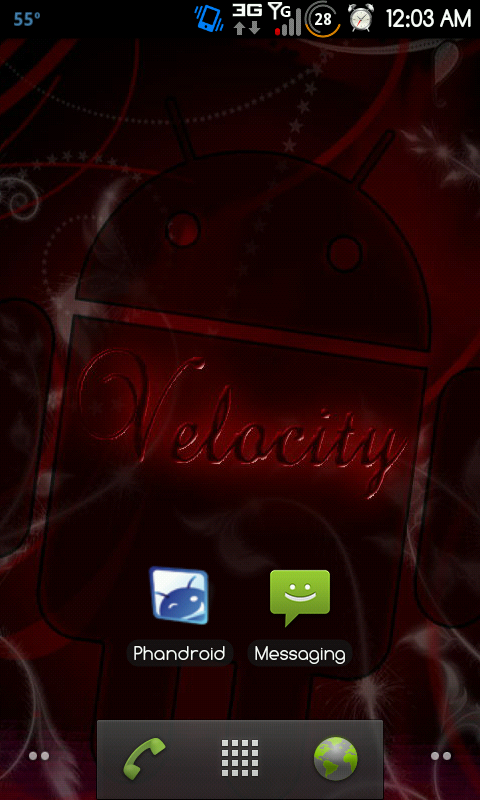
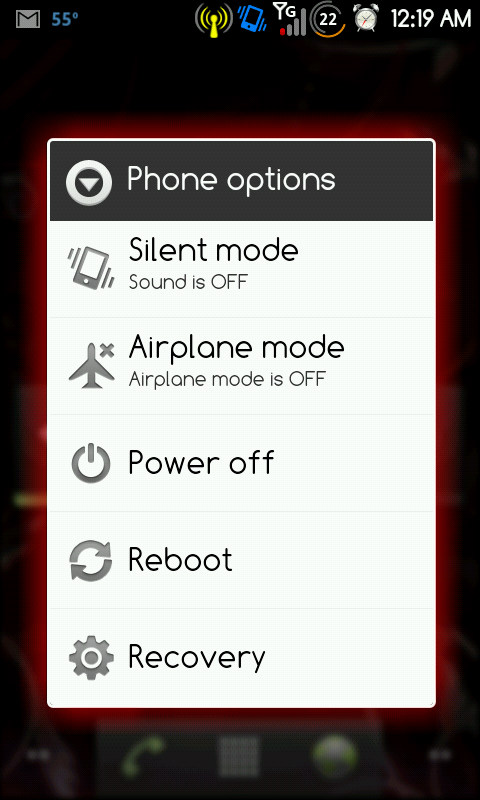
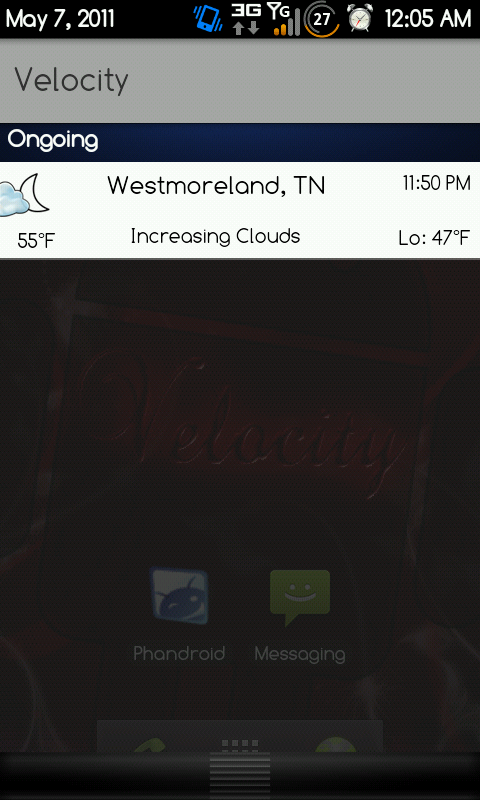
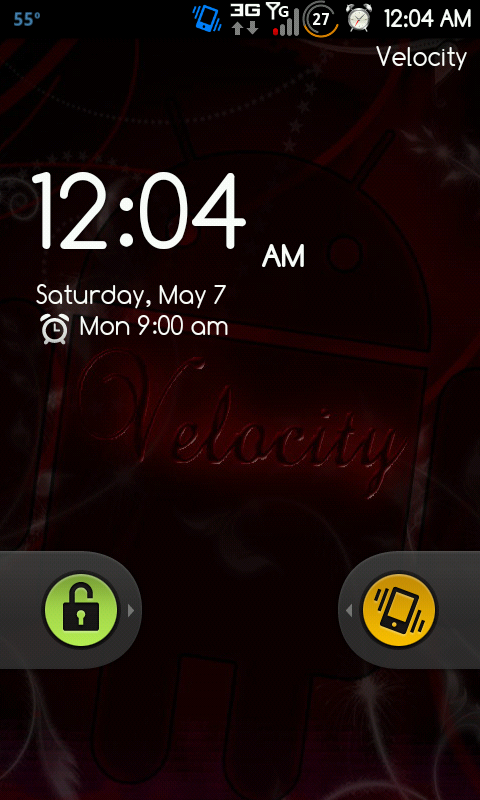
This is my first posted theme. No, I dont have the pretty dock or anything Like that. I just want to show off the animated icons at the top. It also includes the Honeycomb battery indicator and the Honeycomb Notification bar. It also contains a red glow around the popup windows, as you see in the screenshot. Tell me what you think!

Edit: http://www.multiupload.com/MPK2DZ25MY

There is the Download Link. This is a Flashable zip. The Update Binary is already set. This Theme will change the following:

Your font: Comfortaa
Your Boot animation : Resident Evil
Your framework and Icons
Your Screen Animations: Rudolph
Probably some other things I'm leaving out at the moment.
 
My main interest is to spark interest in people making their own UOT Themes and submitting them. It's Incredibly easy.
 
Is this for Velocity 1.1?

It can be used for Velocity 1.0, 1.1 and Frunisher 1.0. The Kithcen cooks the framework-res.apk, so as long as you pull it from the one you want to theme you're good.

It only takes about 15 minutes to create a theme and it's pretty straightforward once you get the hang of it.
 
That's awesome! I really like the battery indicator. Now I'm trying to find the usb driver for Windows 7. Any help? Lol
 
I Hope you don't mind me sharing your thread....

Okay, I have made a couple of UOT's so far, I have a few that are pretty decent I think. I will share one right now. This one is a dark glass sort of look with soft glow on the popups. It uses animated notification bar icons (HTC based it think) similar to the current Thunderbolt theme, but without the 4G indicator and a custom battery indicator. It also uses a really nice animation set called Rudolf. And I replaced the bootani with a simple clean Android OS loading bootani. I am still working on making it so it can be cleanly flashed (properly signed), and if people really like it, I'm pretty sure it can be packaged for VelocityMorph. I guesst that's enough chitter here are the screenshots:

Home:
snap20110507_124640.png


Velcoity 1.1 w/ LauncherPro Plus
Dock is from Launcher Pro Docks and Icons
Icons are stock or from a Thunderbolt them (XDA-Devlopers)
Widgets:
Weather Bug Elite
Minimalist Text
Calendr
Widgetsoid 2.x

Screen Selecter:
snap20110507_124803.png


Left Screen:
snap20110507_124808.png


Launcher Pro Agenda Widget w/ Galaxy Green Glow Theme

Pulldown:
snap20110507_124830.png


CleanGlass created with UOT Kitchen

It really only takes about 10 or 15 minutes to create a theme once you get the hang of it though.

Please let me know what you think.
 
are you just using the flashable zip.
or are you pulling out the framework and the other components from the the zip and
 
It is a flashable zip, however you must take the update-binary from the original full rom.zip and replace the file that is within the file that UOT created with the one from your Rom.
 
Just remember: If you just flash, anything that wasn't themed with the kitchen will go back to whatever theme the file was cooekd from.
 
No screenshots but I made my first UOT theme for the Ally if anyone wants to try it out :)

Just flash from recovery with verification off, update-binary already replaced and ready to go.

For best results wipe /cache and /dalvik-cache before applying any UOT theme.
 

Attachments

If you flash a theme, and then later restore a previously made (before the theme change) Nandroid, does the theme revert back, or stay with the new theme you flashed?
 
If you flash a theme, and then later restore a previously made (before the theme change) Nandroid, does the theme revert back, or stay with the new theme you flashed?


Goes back to what it was before, you can also pull the framework-res.apk from the 1.1 zip and use that to go back
 
Back
Top Bottom