• After 15+ years, we've made a big change: Android Forums is now Early Bird Club. Learn more here.

Root [Verizon] Root S4 Verizon

ohyaknow76

Well-Known Member
Can someone please direct me to the Root directions for my SCH-I545 on base VRUFNK1. I can't find. Thanks
 
Ahh . . . good to see a familiar face or 2 over here on the s4 boards ! Well, I, strangely enough, upgraded to an i545. I say strangely because I had my customized & rooted i535 just how I liked it, & it worked flawlessly & reliably for over 2 years on CleanRom 6R2 (yes that is v 4.1.2). There was no need to get this device; until . . . get ready . . . The wife lost hers (same I535 hardware & software combination as mine), & she opted for the s4. So, of course, I get this thing home, start tinkering with it, had it rooted & safestrapped http://forum.xda-developers.com/gal...-to-root-i545vrufnk1-4-4-2-12-1-2014-t2959613 before it was 2 hours old. So I had to have one for myself of course. 1 issue I don`t like & have tried to fix . . . no luck so far. Evidently Android has made some changes in 4.4+ . . . Like the messaging app. Can`t find a app with message blocking that works correctly (Dam Verizon removed this feature). I also learned that to even attempt to employ such an app on 4.4+, you must first make it the default messaging app. P I T A. I tried secmms.apk. apps from other models like AT&T that actually work except for not being able to send mms (send & receive sms & receive mms fine),but get the "invalid destination address" error when the mms send fails. I thought it to be an apn setting issue, which, there a few other Verizon apn`s to try, But, again, The big V also took away the ability to edit them on this device. Nice. Jut wondered If anyone else on here was peeved enough about this to try to fix it, or offer any insight . . . ? ? ?
 
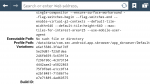
Forgot . . . I also found out how to remove Verizon`s pre-loaded bookmarks in the browser, Just another little annoyance that I find to be imposing of the big V. The phone must be rooted. What I did was: Type "about:version" no quotes into the browser & you will get a page with all the info about the browser. So, in any root browser, go to data/data/com.sec.android.app.sbrowser/app_sbrowser/default, & open the bookmarks file with a text editor. Near the top, look for the bookmarks that won`t delete, I think they are "Google","getting started"& another Verizon one. Within the text in those bookmarks, look for editable "0" & change the 0 to 1 on all 3 of the bookmarks. Save the changes & exit out. Then go to your browser, Touch the bookmark radio button, Long press the offending bookmark & you wil see that the elusive delete option is now there. Dam that was satisfying !

 

Attachments

  • Screenshot_2015-02-16-16-28-34.png
    Screenshot_2015-02-16-16-28-34.png
    267.7 KB · Views: 131
  • Screenshot_2015-02-16-16-28-43.png
    Screenshot_2015-02-16-16-28-43.png
    256.3 KB · Views: 118
Back
Top Bottom