
I just replaced my HTC EVO 4G with HTC 4G LTE. I have always used the Google Navigation app. It works on the new 4G LTE although I did have to reboot the phone to get GPS to lock, but only once.
My problem is that on my EVO, if I no longer needed Nav I could get a menu at the bottom by pressing the settings button at the base of the phone. The menu had an option to exit Navigation whether I'd arrived or not.
Is there an option to exit Navigation before I arrive at my destination on the 4G LTE and if so, where do I find it?
Thanks!
My problem is that on my EVO, if I no longer needed Nav I could get a menu at the bottom by pressing the settings button at the base of the phone. The menu had an option to exit Navigation whether I'd arrived or not.
Is there an option to exit Navigation before I arrive at my destination on the 4G LTE and if so, where do I find it?
Thanks!

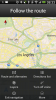

 , the latest OTA update also gave us the option to map the recent apps button on the bottom of your phone to bring up the menu in various apps. You can read about how to set that up