Install the app
How to install the app on iOS
Follow along with the video below to see how to install our site as a web app on your home screen.
Note: This feature may not be available in some browsers.
-
After 15+ years, we've made a big change: Android Forums is now Early Bird Club. Learn more here.
You are using an out of date browser. It may not display this or other websites correctly.
You should upgrade or use an alternative browser.
You should upgrade or use an alternative browser.
WiFi Help Please?
- Thread starter JoCo1289
- Start date
-
- Tags
- htc droid eris


Yea I typed in the correct password for each of the Key Index just to see if it'd work, and it didn't. Then I tried to use the static ip thing and it connected but wouldn't let me go online. I mean its no biggie really I just heard using wifi is a lil better on the battery than the mobile network. thanks for the help though I appreciate it.

droid-dohrk
Member
The phone is b/g, make sure you have that included in the options in the router. I have a wireless N+ and I had it set for N only for the laptop before I got the phone. When I got the phone, it could see the router but never connect all the way. Then I slapped myself and set my router for b/g/n with WPA2 and it worked great after that.
droid-dohrk
Member
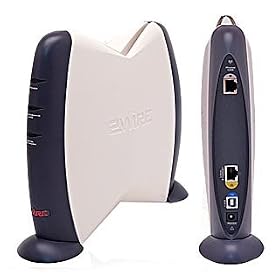
Which router do you have?
For b/g I'm talking about the wireless protocol b or g, g is faster.
For WPA2 I'm talking about the security protocol. Some old routers only have WEP, that's weak security now. The newer ones had WPA with TKIP, the more recent ones have WPA2 with AES. If you have WPA/AES or WPA2/AES you want those.
A few other people have the same router I have, Belkin N+. They said they had it set for b/g/n with WPA or WPA2 (to allow both) and they had problems. They changed it to b/g/n with WPA2 only and they connect fine.
So, you might need to play with your settings.
Also, for testing, just make a short password for now to get it to connect, then change to a longer more secure password.
For b/g I'm talking about the wireless protocol b or g, g is faster.
For WPA2 I'm talking about the security protocol. Some old routers only have WEP, that's weak security now. The newer ones had WPA with TKIP, the more recent ones have WPA2 with AES. If you have WPA/AES or WPA2/AES you want those.
A few other people have the same router I have, Belkin N+. They said they had it set for b/g/n with WPA or WPA2 (to allow both) and they had problems. They changed it to b/g/n with WPA2 only and they connect fine.
So, you might need to play with your settings.
Also, for testing, just make a short password for now to get it to connect, then change to a longer more secure password.