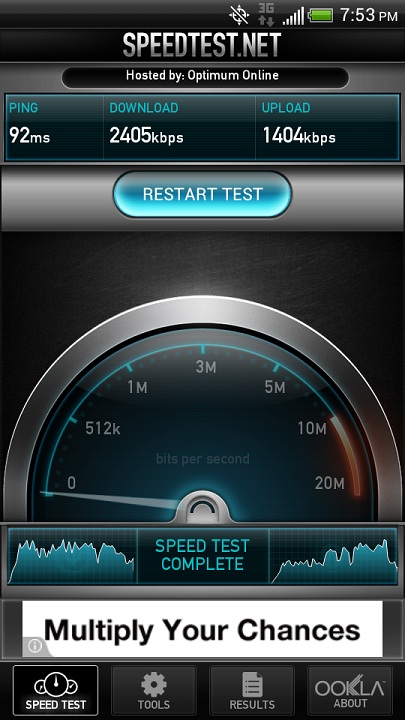
I'm unable to do more speed tests, because for some reason, when I try to use the app, it says "network communication issues." I tried reinstalling the app, but it still doesn't work. So I can't give exact speeds for what I'm getting now, but, at least at the moment, my internet has been fixed.
I don't think that I'm getting the really high speeds that some of you are posting, but quick enough that things load pretty fast in the browser and in the play store.
With my speeds under 50 kbps as I posted a screenshot of earlier in this thread, things were crawling. Updating a 4-6 MB app in the play store took me at least 15 minutes.
But now, I seem to be getting better speeds again.
What did they have you do?
Before a FDR, I would update profile (##CLEAR#) and clear caches first. Putting everything back after a FDR is a pain!
The typical ##clear, update PRL and profile. She had me delete all cookies and cache from my browsers, and I deleted the data from the play store as well. Then on her end, she refreshed my service, and restarted my data. Still, nothing. She then said she was contacting another branch of the support- I wish I knew which, but her volume was low and I could barely hear what she was saying. They tinkered with my account settings. Nothing. At they point she wanted me to do the factory reset, and said they would try something else after I did it, but I wouldn't until I had a chance to titanium backup. So I said I'd call back after I'd done that.
After I hung up, I restarted the phone again, and turned off fast boot so I could start the phone in recovery mode. I had just wanted to make sure that I could do that without being by a PC, so I could factory reset without being home. (I'm hoping I don't forget at some point that doing a reset through the menus if you're rooted would be a problem. O.O ) I then rebooted through that menu.
When I tried speed test ten minutes later, everything was working again. I think it gave me a reading of 500-600 kbps. I tried it a few more times after that, and the speed wasn't that high again, but downloads in the play store were decent again, as was loading through the browser.
I read that the fast boot option is kind of similar to your computer going into hibernate mode. It saves everything to the disk so it can reboot more quickly. Maybe turning that off and rebooting through recovery cleared some issue? Then again, I did a battery pull, which should clear everything too, so I'm not sure.
In any case, something worked. Either that, or something the guys she called did on their end, and it just took 15 minutes to take effect. I'm going to call in the morning/afternoon and see if I can find out what they changed on my account, in case anyone has similar problems.