• After 15+ years, we've made a big change: Android Forums is now Early Bird Club. Learn more here.

elm obdll scanner software question

i have the elm obdll usb connected dongle and it came with some programs, when i installed them all seemed ok but they need a ket to be able to run. it looks like they have the keygen but when i try to open it windows will not let it open. one file it says it a trojan windows calls it trojan:win32/orsamirfn and the other file windows calls a hacktool called hacktool:win32/keygen.

now the hacktool may be a legit program that windows thinks is a bad program but the one windows calls a trojan i think is a trogan.

i copied them to the hard drive and scanned them there and got the same thing. so windows will not clean them only quarantine then remove them or let me run them so any ideas here? thanks

set HVAC related properties in polestar 2 emulator

In order to set HVAC related properties, the following code needs to be called in system app. While I tried to deploy my app as system app by pushing it to /system folder in polestar 2 emulator, an error message show polestar 2 is a production build and so /system folder is readonly. Could you give some hint about how to solve the problem.

car = Car.createCar(applicationContext)
carPropertyManager = car.getCarManager(Car.PROPERTY_SERVICE) as CarPropertyManager
carPropertyManager.setBooleanProperty(VehiclePropertyIds.HVAC_AC_ON, VehicleAreaSeat.SEAT_ROW_1_CENTER, true)

Is the AOSP AAC encoder/decoder of high quality?

I've heard that AAC is worse on Android than it is on iOS, due to its poor implementation.

I checked the encoders/decoders that Xiaomi has opted to use on her device, and have noticed that half of them were from AOSP (e.g. c2.android.xxx.encoder), and the rest were from an OEM, such as MediaTek.

Meanwhile, Google is using their own encoders/decoders, and the AAC situation is fine there (On Pixel devices). No complaints from people.

The question that was created from this is whether the poor quality of AAC is due to OEMs opting to use their proprietary encoders/decoders, as opposed to those provided by Google.

And so, we return to the original question: Are Google-provided AAC encoders/decoders actually good?

Help Keyboard issues.

1) When I auto rotate my cell it stands in portrait form, and never switching over at the keyboard either, it still has many issues with the moto edge plus, it seems like I cannot type anything up in landscape mode either.

2) I did the clear cache a few times already and still the keys will not function after typing with them, I tried grammarly and a few other keyboards to the market.

3) I did even the FDR last week too, so that did clear up a few issues though but this problem keeps bugging me.
I need a lot of help on this glitch.

There is no third party app running anytime.

Help Dolphin Browser: Transfer Bookmarks?

I have dumped Dolphin Browser based on advice here. One problem I have a lot of bookmarks that I would like to save by moving them over to an old phone I don't really use. I tried the Dolphin "Backup and Restore" in settings but it only seems to be able to put the speed dials back on the other phone and not bookmarks. Anyone got any ideas? Is there a file in Dolphin that contais bookmark info. that could be moved beteeen phones?

Thanks,

Danny

Location of podcast files in Google Podcasts

I use the Google Podcast app on my Samsung Galaxy A4 Lite. Most of its 32GB storage is full and I think this might be partly because when I remove podcasts from the app, they might still be in my tablet somewhere. I notice that if I look at the storage for the app in Settings, it is the same figure before and after I delete a bunch of podcasts. Do I need to find them somewhere else in the tablet?

I am looking for an Android Studio Client/Server USB Sample/Example Code

I am looking for an Android Studio Client/Server USB Sample/Example code. I have gotten a basic Java Based Android Studio App built successfully running through Android Studio and debugged by representing it on a physical Samsung Android device through a USB port. What I would like to do now is the following:

  1. Build a small Java example code to run separately on Ubuntu that is not necessarily build on Android Studio but some other development platform that can communicate through USB to software build on the first program mentioned here.
  2. Build an APK based on the code from the first project mentioned here and deploy it to an Android device.
  3. Test the communication between these two programs.

windows regedit..

Basically I want my tabs, my windows when typing up my documents, and everything else to be
either seafoam green with blue title bars, or silver with black inside of them, so I am giant newbie at this and I did attempted it once and forgot how to head over to the windows regedit out of in windows 10.

So please give me a dumb down attempt to change everything to that okay?

Baffled

Hi, I'm new to the forum and not terribly technical minded. A problem with my Pixel 6a and Facebook has me baffled. When I go to post on Facebook and want to upload a photo from my phone, my phone tells me there are no photos on the phone but I can take one with the camera. There are lots of photo's in Gallery. I'm thinking it's a setting somewhere but I can't find it! This is the only phone in my long list of previous phones that has done this. Can anyone help?

Help Transfer files from dead tablet

I have a Digiland 10 inch tablet that died on me last week. The tablet is still running but has a cracked screen, so I can't use it.
My problem is this..I want to transfer some files from this tablet but when I connected a usb-c cable from the tablet to my computer, I got a message that there are no files to be found. I know there are some files still stored in the tablet (not very important but I want them anyway).
Is there a way I can connect to the tablet thru wifi so I can transfer the files? I can't seem to find the tablet on my network so I'm stuck.
Any help would be appreciated.

*I don't see Digiland listed as a brand but I would think this is an issue that can happen with any tablet.

Muziky Music Player

DOWNLOAD FROM PLAY STORE

Self-explanatory interface without overloaded menus.

Where you can have your recently/ top played Artists, Albums and Favorite Songs. No other music player has this feature.

You can choose between three different main themes: Clearly white, Kind dark and Just black for AMOLED displays. Select
your favorite accent color from a color palette.

Muziky is an application that allows you to listen to music online, offline and download music online for free.

It is the best multimedia application for listening to music on the Android operating system with a beautiful and easy-to-use interface.

With a diverse music store of all popular music genres, you can easily search, listen and download any song you want.

Features:
- Three different theme options
- 10+ Now Playing Themes
- Android Auto Support & Drive Mode
- Headset/Bluetooth Support
- Filtering Music by Duration
- Folder Support - Play Song by Folder
- Carousel effect for album covers
- Homescreen Widgets
- Lock Screen Controls
- Lyrics Screen
- Sleep Timer
- Tag Editor
- Create, Edit, Import Playlists
- User Profile
- 30+ Languages support
- Browse and play your music by Songs, Albums, Artists, Playlists, Genre
- Great data set, more than a million high quality mp3 tracks
- All tracks are verified, and available for personal usage (not for commercial purposes!).
- You will find music for any tastes and of any kind with our app.

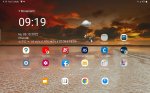
Recent apps, home and back

My tablet is Samsung Tab S7 FE with Android 12 and One UI version 4.1.1. After last update the desktop changed.

Earlier the icons at the bottom: recent apps, home and back, were in the middle of screen. Now they are on the right side of the bottom line, which is very annoying: you very often accidiently touch those icons.

Any possibilities to move those icons back to center of bottom line?

Attachments

  • capture_1664950749481.jpg
    capture_1664950749481.jpg
    366.6 KB · Views: 136

Force back camera use in bank app

I am trying to use a bank app, which wants to scan my face but only uses the selfie camera with no option to use a picture from the gallery - but my selfie camera has too bad of a image quality even under perfect conditions. I have a rooted device with lineagos.

Is there any way to: 1. Change the android kernel so as to use the back camera? 2. Use a hack/app that would hijack the JavaAPI somehow? 3. Disallow permissions for the selfie camera to provoke the usage of the back one?

I have never really worked in the android java API so I really dont know what can be done without for example knowing if the selfie and back camera have a seperate API call

ROG Phone 6 Batman edition

OMG this looks amazing!!!!!!!!

https://rog.asus.com/us/phones/rog-phone-6-batman-edition-model/spec/
specs:
Operating System
Android 12
Processor
Qualcomm® Snapdragon® 8+ Gen 1 Mobile Platform
Qualcomm® Adreno™ 730
Memory
LPDDR5 12GB
Storage
UFS3.1 256GB
Display
6.78" 20.4:9 (2448 x 1080) 165Hz / 1ms Samsung AMOLED. Corning® Gorilla® Glass Victus. Delta-E < 1
Rear Camera

Main Rear Camera: Sony® flagship IMX766 50 MP image sensor - 1/1.56” large sensor size, 1 µm pixel size. F1.9 aperture, 23.8mm equivalent focal length in 35mm film camera Second Rear Camera: 13 MP, Ultrawide-angle camera, 12.5mm equivalent focal length in 35mm film camera Third Rear Camera: 5 MP, Macro
Front Camera
12 MP. 27.5mm equivalent focal length in 35mm film camera
Audio
Speaker: Symmetrical dual front-facing speakers with Dirac HD Sound 5-magnet stereo speaker with Cirrus Logic amplifier for louder, deeper and less distorted sound effect Audio Output: Hi-Res Audio up to 384 kHz / 32-bit for 3.5mm output Qualcomm WCD9385 for Hi-Res output AudioWizard with multiple listening profiles Microphone: Tri-microphones with ASUS Noise Reduction Technology 3.5mm Headphone Jack
Video Recording
8K UHD (7680 x 4320) video at 24 fps for main rear camera 4K UHD (3840 x 2160) video at 30 / 60 fps for main rear camera, at 30 fps for second rear camera 1080p FHD video recording at 30 / 60 fps 720p HD video recording at 30 / 60 fps 3-axis electronic image stabilization for rear cameras HDR10+ video recording (4K UHD video) for main 50MP and ultra-wide 13MP camera Time Lapse (4K UHD video) Slow Motion video (4K at 120 fps; 1080p at 240 / 120 fps; 720p at 480 fps) Take still photo while recording video
Wireless Technology
Integrated WiFi 6E* (802.11a/b/g/n/ac/ax, 2x2 MIMO) Supports 2.4GHz/ 5GHz/ 6GHz WiFi Bluetooth® 5.2 (HFP + A2DP + AVRCP + HID + PAN + OPP), supports Qualcomm® aptX™ Adaptive and aptX™ Lossless Wi-Fi Direct NFC *WiFi 6E availability and features are dependent on regulatory limitations.
Navigation
GNSS support GPS (L1/L5), Glonass (L1), Galileo (E1/E5a), BeiDou(B1i/B1c/B2a), QZSS (L1/L5) and NavIC
SIM Cards
Dual slots: 5G*+5G or 4G dual-SIM / dual-standby support Slot 1: 5G/4G/3G/2G Nano SIM card Slot 2: 5G/4G/3G/2G Nano SIM card * 5G services are only supported in 5G network-enabled locations in 5G-ready countries.
Network Standard
* ASUS phone 5G/4G band compatibility varies by region, please check compatibility with local carriers.

A version:
GSM/GPRS/EDGE; WCDMA/HSPA+/DC-HSPA+; FDD-LTE; TD-LTE; 5G Sub 6 SA/NSA
Supports EN-DC (6DL+FR1, 3FR1)
FR1 (DL/UL): 4.9 Gbps/ 0.9 Gbps
LTE: DL 6CA Cat20 up to 2.0 Gbps / UL 2CA Cat18 up to 211 Mbps
Gigabit LTE
DC-HSPA+: DL 42 Mbps / UL 5.76 Mbps
4x4 MIMO
5G SA & NSA: N1,N2,N3,N5,N7,N8,N12,N13,N18,N20,N25,N26,N28,N38,N40,N41,N48,N66,N71,N77,N78,N79)
FDD-LTE: band 1(2100), 2(1900), 3(1800), 4(1700/2100), 5(850), 7(2600), 8(900), 12(700), 13(700), 17(700), 18(800), 19(800), 20(800),25(1900), 26(850),28(700), 29(700),30(2300) 32(1500), 66(1700/2100), 71(600)
TD-LTE: 34(2000), 38(2600), 39(1900), 40(2300), 41(2500),42(3500), 43, 48(3600)
WCDMA: 800 (19)/ 850(5/6) / 900(8) / 1700(4) / 1900 (2) / 2100 (1)
EDGE/GPRS/GSM (850, 900, 1800, 1900 MHz)
Supported 4×4 MIMO | HPUE
Sensor
In-display fingerprint sensor, face recognition, accelerometer, e-compass, gyroscope, proximity sensor, ambient-light sensor, ultrasonic sensors for AirTrigger 6 and grip press
Battery
Equivalent 6000 mAh (typical) high-capacity battery, supports Quick Charge 5.0 and PD Charging
Power Adapter
USB power adapter (65-Watt) Output: 3.3-21V 3.25A, supports up to 65W QC5.0 / PD 3.0 / Direct Charge adapter
In the Box
Batman Aero Case Bat-Signal Projector Batman Ejector Pin (SIM tray needle) USB Power Adapter (65-Watt) USB-C to USB-C Cable Documentation (user guide, warranty card)[/media]

Android phone controls another android phone remotely

Hi all,

What will be the easy way to remote control an android phone from another android phone via WiFi or Bluetooth? In my case both are Samsung phones.

I'll mount an android phone (Samsung S6) as camera on one end of an extension rod for capturing. Another android phone (Samsung S9+) for control will be mounted on the handle of the extension rod.

AirMirror on Google Play? Or other solutions?

Please advise. Thanks in advance.

Regards

Filter

Back
Top Bottom