• After 15+ years, we've made a big change: Android Forums is now Early Bird Club. Learn more here.

Got new VZW compatible phone but not a VZW store 1. Need advice on setting up some Verizon Visual Vo

I got a new Sony Xperia 1 III phone to replace toast Samsung Note 8, didn't like any of phones VZW offers for sale... VZW (nor other carriers really) carry the Sony so ordered 1 elsewhere. I get phone calls & text messages, downloaded VZW Message+ App and some other VZW apps.

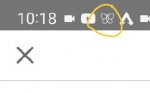
I found access to my visual voicemail in small icon only visible when "phone call" app is open, but can't add to homescreen or anywhere else.

I'm hoping somebody knows how I can get the VZW Visual Voicemail App/Icon in my Apps and onto homescreen as well as get notifications when I get new voicemails, etc..... Is it something VZW has to or can do? Can it get transferred from my previous VZW supplied Note 8 (systems all work, just screen & such is toast)... Or do I have to find an alternative to VZW Visual Voicemail App, if so, any suggestions on very similar visual voicemail app that's very secure, doesn't collect & share data, etc?

Thanks

Best similar / closest to Samsung Galaxy Note 8 apps

My Note 8 screen (among other things) is toast, basically impossible to use, select or do anything with... So I ordered a new Sony Xperia 1 III (which carrier stores don't carry/offer).


The stock Google apps for photos/video storage & video playback, calculator and some others that come stock with the Sony suck pretty bad (plus I hate Google & only use what I absolutely have to).


I dunno if this is correct forum/thread or not (or if there's already thread answering all my specific questions or not), but I'm significantly vision impaired (1 app in particular has been very important for me as a work around/tool) so it's quite difficult for me to see, type, search, etc in general majority of the time (I can sort of manage, but things that say would normally take say 10-45 min takes me 1.5 hrs to several days to do now). In both my physical life & via digital/tech world... I have to memorize (as well as figuring out steps to assist like counting steps/foot steps when walking around, on phone using number of my finger widths for location of certain apps, icons, features, etc on each screen, etc)... in short, change especially fairly significant changes and unexpected changes are pretty taxing & difficult for me to readily adapt to.


My previous phone was a Note 8 and am trying to find Android apps similar to Note 8 apps, figure my fellow Note 8 users would have better perspective & ideas on similar apps... so I'm hoping this is acceptable thread subject. If not, please allow thread to remain and I'll remember for next time... As I've been working on typing this up since Thurs/Fri and will take me forever to re do post again, thanks.


What I'm hoping to get great suggestions/answers on is for Android Google Play store apps that are as close as possible to the Samsung Galaxy Note 8 apps of same type/use. The 4 by far highest priority are Samsung Note App, Google gBoard Keyboard App from Note 8 (I used older version of app), Samsung Pic/Video Visual Media storage/organizer App & Samsung Video Player App, which I'll go into more individual details about, and lesser extents a few others I'll list below primary 4 Apps.


Besides being as similar to Galaxy Note 8 apps, looking for similar, clean, user friendly if not and or simple & logical app UI & layout, either ad free or 1 time purchase cost for app that's ad free (not recurring subscription, monthly or yearly, etc), not required to sync app to use it or use cloud storage, etc, only basic required permissions directly relevant to stated app use/function, very ideally zero or at least very minimal data collection, data that's encrypted with zero 3rd party sharing, zero tracking, etc...


Of major priority for me apps....
(#1-#4)


#1) Most similar apps to Samsung Note 8 "Samsung Note App". Compatible to transfer Samsung Note app saved Note files over to new app, at least typed word only type files (ideally would retain individual file header names/labels, starred favorites and hopefully the subject groups they've been organized into, date, etc). Features: ability to organize into custom groups/folders (ideally with some sort of color coding/markers), create custom titles/file names (ideally can favorite/star them, adding search tags is a bonus), either takes on dark theme from phone settings or has dark theme or similar app settings available in app (black background & white lettering is all that's necessary), can alter text font size (up to at least 34 font size, ideally up towards 60-64 size), can cut/paste words, sections of type, web addresses/URLs, letters, numbers, symbols & such to & from app/file, can save files to phone & ideally SD card (if has option for cloud storage & cloud access from multiple devices/platforms, that's a bonus but not really a important factor for me... local storage of files on phone is an absolute must though), doesn't have a limit to number of text files and ideally no limit to size of individual text files I can save on phone (and or SD card if it has the storage space) and all files that are saved are permanent (aren't auto deleted after 90 days, 1 year or even 8 years), very preferably has great auto save function (so if phone shuts off, app or phone crashes/freezes, accidentally close app, it has already auto saved file). Would prefer if can pinch zoom in & out a bit on text in the files (zoom out a bit to like 50-75% size, and zoom in to like 150-200% size would be really great), prefer if can alter text to bold, underline, italics, etc, hopefully recognizes symbols used in text from previous Samsung Note app files & gBoard not on my current gBoard (like 5 point star, large solid & hollow boxes & circles, sideways Chevron like left & right double << & >> type, heart, club, spade & diamond symbols, etc), prefer if can select individual whole file to clone/copy to create new identical 2nd file. If has additional features/abilities such as handwritten finger/stylus notes, sketches, etc, optional cloud storage with multiple devices/platform use, great but not required at all.

I have a lot of Samsung Note App files saved on my Note 8 I'd really like to be able to do a simple, unaltered transfer of over to whichever new Note making App for Android. Finding app that fits the bill is key, I used Samsung Note app daily to help do numerous things with my vision impairment.


#2) Most similar apps to Samsung Note 8 "Keyboard/gBoard App"... I wish I knew which extract version I had but can't currently read old phone screen to find out, pretty certain it was an older (not updated in some time) version from maybe circa January 2020 or so if not a bit before (I stopped updating gBoard when I'd read reviews that others really disliked changes the updates made and I would likely as well). This current version I very much hate that it has such a tiny amount of text it allows u to clip (defeats a massive portion of purpose IMO & I quite frequently do copy & paste very very long sections of text), plus for some reason constantly also makes a clipboard copy of number 8 for some reason. Similarly hate that all clippings are auto deleted after 1 hour unless u pin/save it. Those are 2 hugely massive negatives for me and how I use my phone.

Features: ability to copy & past to and from it with a clipboard feature that allows for very very long text segments to copy/paste (as close to infinite length segments as possible) as well as clipboard that allows u to save/pin several segments, and retains copied non saved/pinned segments until either I manually delete them or the number of copied segments slots fills up & it auto deletes 1:1 oldest non saved/pinned segment per new copied segment added. Has a similar UI & layout, similar icons & ability to customize which icons to have/not have & their order (icons in & to immediate right & left of the predictive text/spell check bar... such as icon to switch between text bar & app icons, and what the app icons for settings, clipboard, etc look like), ability to increase/decrease size of keyboard a modest amount so both the primary & secondary alpha, numeric & symbols are bit easier for me to see and so I can more accurately hit intended individual keys (at least for in the "regular" screen orientation, aka the non rotated wide width landscape or whatever screen & phone orientation), has at least 1 of phone or app dark theme settings that gives it black overall background, darker grey individual keys background & true white alpha, numeric, symbols etc for each key, similarly for predictive text/auto spell correct text & icons box having black background & true white characters/icons... If can customize colors, shade & light/dark level of each would be nice bonus but not a requirement or otherwise a factor. Would greatly prefer if the predictive text/spell check box has ability to swipe right & left to scroll through several word options as needed (like my old version keyboard could, which was up to 8-9 options, maybe a couple more) instead of being limited to whichever 3 it 1st suggests, similarly really liked having ability to long press basically any of 0-9 numbers and be given 1 or more options to select a same number but as small to X power number to upper right like in the ' symbol location, or select fractions like 1/2 to 1/9th via the 1 key, 2/3 to 2/9 via the 2 key, and so on. A feature I use surprisingly frequently in numerous ways. While not required, and not a significant factor in decision, would be bonus if has pretty solid quality handwritten via finger or stylus to text feature and or ability to sketch via finger/stylus especially if have options of different colors, diameter lines, etc. Similarly would be bonus if can selectively or overall change colors of alpha numeric typed in note app if desired, again not required though.
Ideally can slightly customize/modify a couple of keys... As some keyboard apps have comma & period on opposite sides than I'm used to or 1 or the other has a ' in place of , or . as primary, similarly some have an emoji/smiley face icon right next to space bar I loathe (I very rarely use anything of that sort so it's irritating to have on main keyboard and constantly accidentally hit. Prefer old version where it's an icon and is part of clipboard, GIF, settings, etc icons group that can be selected if choose to add it). No idea if it's an option/feature on any keyboard app or not, but would be nice if could reorder/rearrange the symbols (not the QWERTY alpha numeric parts) of keyboard to something more consistent & similar to previous 1 I used or at least maintaining consistent 10, 9 & 7 typing keys (excluding delete, upper/lower case, etc keys) per row on each of QWERTY alphabet, numerical & symbols and 2nd group of symbols variants (I especially dislike how new keyboard switches from a 10, 9 & 7 QWERTY alphabet keys per row to 10, 10 & 7 numeric & symbol keys and 2nd group of symbol keys per row, so that symbols aren't in same location in 2nd row in QWERTY Alphabet as secondary characters compared to Numeric Symbol as primary character... They're all to the left about 1/2 a key, etc)... Also strongly dislike how new keyboard also has seemingly very pointless very basic, large 0-9 numerical with small, side located basic math symbols variant and when in numeric & symbols or just symbols variants, has a key that switches to the pointless large 0-9 numerical variant in same dumb location as emojis variant button right next to the space bar.Also strongly dislike how new keyboard also has seemingly very pointless very basic, large 0-9 numerical with small, side located basic math symbols variant and when in numeric & symbols or just symbols variants, has a key that switches to the pointless large 0-9 numerical variant in same dumb location as emojis variant button right next to the space bar. Also really dislike how if trying to backspace/delete spaces before a word/sentence to move it into desired location in say a paragraph, instead of just deleting spaces behind, every time it moves up 1 line in height the marker moves to right 1 space & deletes a character, so if moving sentence up 3 spaces and starts with word "Payment", I end up with "ment" at start of sentence instead & must retype it, very annoying.
I have no idea if or how directly connected the vocabulary/spell check auto correct/predictive text/user generated slang, short hand, abbreviations & words are to the Keyboard Apps (especially non stock to phone ones)... But I do have some strong preferences if applicable. Having the 1, correct traditional USA English spelling of words, especially when that's 1 & only selected language in every setting possible (such as surprise Vs suprise for prime example, 1st version being the correct 1, yet repeatedly I'd delete incorrect spellings and for all intents & purposes I could reasonably find, also delete non existent abbreviations, words, etc I'd never used that would immediately reappear in predictive text & spell check/auto correct), similarly a decent portion of the time several of my user created, very frequently used abbreviations, short hand, slang, etc would never get added (yet misspelled words or jumbles of random characters would virtually always get added). 1 other thing, I dunno if it was Samsung, Google, or both... But roughly a bit over 1 year after I got my Note 8, suddenly the ability to go in to create & directly edit/add/delete custom vocabulary disappeared, but far more infuriating was fact that suddenly decades+ old, pretty commonly used in official & slang type use words that suddenly & for a very long time if they ever returned that were no longer in predictive text, spell check, etc that could not be added back to vocabulary... Granted for most part are words their very uptight & Uber fragile customer service don't want u to use, but many are common in primetime, mainstream traditional broadcast network TV shows perfectly acceptable to FCC, along with commonly used non slang other words such as "penetration" & it's subvariants (guessing BC certain uses can be sexually related, though many uses aren't whatsoever)... In short, in no way do I again ever want anybody, company or app being able to block, prevent, interfere or otherwise censor what words I type, use frequently, add to vocabulary, etc, especially on my own device in non public venues/ways... Truly enraging & unforgivable IMO.


#3) Most similar apps to Samsung Note 8 "Samsung Pics, Vids, etc Visual Media Storage/Organization/Access App". The stock Google app on new Sony stinks, can't alter order, how individual media files or groups are displayed, makes for very unorganized/cluttered, frustrating app & use with basically no different settings, customizations or options to it. Features wanted: visual media storage, organization, etc app that at minimum allows for different settings for how groups of files/thumbnails and ideally individual files/thumbnails are displayed & organized. Can create custom file group/folder names, can select 1 or multiple files at a time to click & drag into different/new folder/group to be moved or copied, or to be deleted. Can favorite/star individual files, alter name of individual files & folders/groups, ideally can make individual media files as well as folders/groups private/secure and add a pass/security code or similar.

For the display/appearance, etc of folders/groups and individual file thumbnails, I really did like how the Samsung Note 8 visual media app did things.... Had most recently added/dated file as thumbnail for folder/group with nice red with white lettering "new" label on upper right corner when new files added. For individual video thumbnails, it would play brief portions of each video, similarly if clicked on video file it would bring it up & play video like thumbnail until either backed out of file or selected to play video & opened it in video player app. Like how it displays how many files are in each folder/group underneath the thumbnail & folder/group title, how when selected a folder/group it would have a list of other folders/groups with thumbnail & title displayed on lefthand side u can scroll up/down, can select & drag files over into, etc. Like how it automatically put new camera taken pics, new screen shots, new downloads, etc into corresponding folders/groups until if/when user decides to move them elsewhere. Ability to pinch zoom in/out to adjust the size & number of thumbnails per row for both folders/groups and for overall individual files within folders/groups (range of 2-4 or 5 thumbnails per row in both cases). Only thing Samsung app didn't do I wish it did, was display file/title name, etc for 1 or both of thumbnails and when click to open (had to click details to get title, etc in the file). Ideally suggested new media app would retain individual media file names, favorite/starred status, individual folder/group names and keep individual media files organized in their assigned folders/groups when transferring media files over from old Samsung Galaxy Note 8 phone & it's visual media storage app (I really don't want to have to go through & completely reorganize all visual media files, create new folders/groups, favorites/stars, etc).


#4) Most similar apps to Samsung Note 8 "Samsung Video Player App" with Screen Mirroring/Share & Cast abilities. My old Note 8 video player app was fine, didn't need anything more or less from it... Simple, well located & intuitive UI & controls, share icon, general & video playback settings icons, etc. The play/pause buttons were large enough, the sliding dot for selecting time into video was large enough though a bit bigger and with more contrast would be better IMO. Don't need video editing, cloud, etc.


Of somewhat bigger priority apps.... (#5-#6)


#5) Most similar apps to Samsung Note 8 combo of "Time/Date/Day of Week/Location/Weather App & but mainly Home Screen Widget" from Note 8 (is it Accu Weather?). While I did prefer my Note 4 widget on Note 4, wasn't anything similar I could find for Note 8. But Note 8 Time/Date/Day of Week/Location/Weather Home Screen Widget was good enough & would like to find something pretty similar. I went with the larger, say 33-45% height of screen with width of widget allowing for 1 app icon width wise & 3-4 app icons height wise on left & right side of that home screen widget. Roughly maybe 1" high by 2" wide size digital clock (same size numbers across), had name of location either above or below clock display, think was weather of that day & that time as icon to left of clock numbers (sun, sun with some clouds & rain drops, etc), pretty decently sized month, date, day of week, etc below digital clock, similarly had display of what temp was as well, and when appropriate, it would display icons for different weather advisories in the widget too... I can't recall all details nor exactly where what stuff was etc, but the above is general jest of it. Could add favorite & store locations, swipe up/down in home screen widget to switch between current location and favorites/saved locations current time & weather, etc. Tapping on that homescreen widget would open up web link to more detailed & multiple day forecasts, and could get more details on weather advisories, etc. Digital clock, etc would auto change to current location, time zone, weather, etc when traveling. So something close to that as possible for my new Sony.


#6) Most similar apps to Samsung Note 8 "Samsung File Management & File Access App". Covers downloads, recents, video, pic, audio, text, PDF, adobe, etc files. Displays date, file name, file size, etc. Can order/sort files by file size, date, file type, file format, alphabetically, etc and can search files. Would prefer if also had icon next to each file like Samsung Note 8 app did.


Of lesser priority apps.... (#7-#9/#10)


#7) Most similar apps to Samsung Note 8 "Samsung Contacts App". Stock Sony Google contacts app is OK, but would greatly prefer basically identical contact app to Samsung Note 8 one, familiarity of layout, UI, features, etc is major reason why, so I don't have to try to memorize a new, bit different 1. Ideally notes, addresses, cell, home, work numbers/contacts, favorite contacts, etc are all compatible in same way in transfer of info to new phone & app.


#8) Most similar apps to Samsung Note 8 "Samsung Phone Call App". Basic function stock Sony phone call app is OK, doesn't have a couple icon features that Samsung Note 8 one does, which isn't a huge deal but would be nice to have (video call, spam/block, etc). Main thing is the UI/layout of buttons/icons when making/on a call. An identical or very very similar layout would be great, again so I don't have to memorize a completely new layout for it (my eyesight quality varies quite significantly, from totally clear to tested as low as 4% of vision... Which can last for several hours up to 3 even sometimes 8 months basically straight, and only have 1 eye I can see anything out of either way).


#9) Most similar apps to Samsung Note 8 "Samsung Calculator App". Don't like layout & interface of stock Sony Xperia 1 III Google calculator app. Would be great if can get basically identical calculator app to one that comes on Samsung Note 8... Particularly the layout/order/location of numerals, mathematic function buttons, AC, delete, etc. Ideally has very similar history button and ability to choose whole equation, just final answer or just equation without final answer.


Probably a bit off Note 8 topic though continues above questions in broad sense, but hopefully it's not a problem but will edit & repost below part to either a Verizon/VZW or Sony Xperia thread if truly necessary, please just message me and don't flag whole post if it's a problem and will edit it soon as I actually see message...


#10) Anyone know how to add actual App & icon, etc or if there's a very similar app to the "Verizon/VZW Visual Voicemail App & Homescreen Icon" with notifications & number of unchecked messages? I can't find an actual VZW Voicemail App, and Sony has visual voicemail but only shows up as small icon when have "phone call" app opened. No direct icon nor notifications on screen available I've found available yet. No idea how or if VZW can add their Visual Voicemail App, homescreen icon & notifications... But would like to find something pretty similar to the VZW Visual Voicemail App that was on my Note 8 for continuity & effectiveness of use... Or ideally someone knows how I can add the actual VZW Visual Voicemail & Voicemail App & Homescreen Icon....

Help Deleted media reappear in Photos

Some trashed photos and videos reappeared in the Photos tab (leftmost tab) in the default Photos app. They have .trashed in their filename, indicating they are currently trashed. After I re-trashed these trashed files, without permanently deleting them, they soon reappeared in said tab again. This time, I both re-trashed and permanently deleted the files so hopefully they won't reappear.

Reported the issue to Google. Meanwhile, any idea why this happens and how to prevent it? Android 12.

Help Escape Room Mystery Quests

TTN Fun Games released the newest adventure escape game in the year 2022. In this escape journey through king castle and the ancient temple on your quest which is unfortunately locked and you are in search of a key where you are to be a secret treasure in this exciting escape room adventure! Try this escape game free and unlock 50 levels full of mystery.

4QnrV-jaVEjG49z2T3Kl5vBKXczKCpAGj5pc4xTJx3ONkBCvg4xrtmSWAz9sURyrKmLC=w240-h480-rw


https://play.google.com/store/apps/...rs.Escape.Room.Mystery.Quest.puzzle.Adventure

Start your epic Escape Room Adventure like no other – full of mysterious, fantasy, puzzle, and thrilling twists. and Mystery behind a variety of treasures on your escape room journey!

Rq5qMn-v9B3JEkiL3In9bIdMMBvdDNj4mh9eZ7lka6v98VBRxO2nnwxb60WL2ZtYWtE=w526-h296-rw


Search & find hidden objects in each level, collect useful items, complete quests and4 you'll need to solve puzzles and find clues to unlock the door and play escape games like never before with a mystery world - It's so easy and fun, anyone can escape?

wFRr11AMmajDEzOcWYJdZM8imoN2YpGedf873wUqnKq-00jYqy-YWpFcTT17qR4eWDM=w526-h296-rw


Find mysterious items throughout the castle that can help you in your escape room quest. Escape on your adventure and add them to your treasure collection. Play these great escape object finding games full of puzzles, brain teasers You need to seek and find hidden objects and win this fun search and find mystery quest!

Can you escape the 58 games? New mystery escape games are HERE! The amazing mystery puzzle games are beginning!

Escape room games are exciting logic puzzles and riddles when solved. Challenging, deductive, and the ultimate mix of math logic, fun while providing escape mentally challenging and entertaining.

Ready to escape from the place of training your brain. Here's a collection of puzzles, and brain teasers. Prepare yourself for the thrilling adventure,Mystery escape games with 100 challenging levels.

Look for “Escape Quest” to get more escape room games like this!

⭐ A great variety of puzzles
⭐ Excellent graphics
⭐ Ability to random levels
⭐ Collect hundreds of mystery items
⭐ Complete concentration skills
⭐ Brain teaser puzzles and riddles - skill type
⭐ Daily coins to unlock when you complete the spotlight - mystery adventure
⭐ Take a fantasy quest
⭐ 100 doors - all levels are FREE
⭐ Play offline & WITHOUT ADS.

Are you ready to immerse yourself in the exciting room of the escape quest, and puzzles, Pass the levels, open new games and watch the great story unveil? Start the game now!

Question about battery in LG

I have an LG Lancet and the battery that is supposed to go in is a BL-41A1H.
However, I have several different batteries that are BL-45A1H and these batteries won't quite fit in the phone unless I cut away three tabs at the corners of the battery. Doing this does not expose the innards of the battery, and the battery seems to work fine. It seems to me that the tabs were added just so the battery wouldn't fit in. What is the purpose of this?

Display is not waking for incoming calls

I have a Redmi Note 5 pro, I installed Pixel Experience Plus rom, Android 10, everything works fine, except for one thing. I don't get any notifications of incoming calls when. It doesn't wake up from sleep mode when a call comes in. I mean, it is just a black screen, no sound, nothing.

I called myself from another phone. Even when I double tap during the incoming call, there's nothing.

I mean, one out of ten calls comes through but it shows some random number even though this number is saved in the contacts.


Any suggestions?

SOLVED - S21 - Network Provider does not show up

Here are the specs:

Samsung S21 Unlock-Samsung US purchased
ESIM activated - AT&T
Nano Sim - International Sim

Details:
International nano-sim was working fine with S21 (Confirmed with SMS received from provider stating T-Mobile as their partner). Changed AT&T nano-sim on S21 while international nano-sim was on a MI Poco Phone both working great!

Few days ago, I changed my AT&T to ESIM to utilize the dual functionality of S21. However, my international nano-sim was on Emergency Call after inserting the sim on S21 and activation of AT&T ESIM. Tried manual network search but T-mobile does not show up. Despite it was working fine on MI Poco Phone where I get daily SMS.

What was done:
1. Manual network search - T-mobile does not show up, only AT&T, Sprint, Verison and 3-5 6digit numbers.

2. Did a network reset - still nothing.

Question:
Any suggestion on how to go about this? I am contemplating on doing a force reset worrying if the ESIM will be deleted and have to back up files.

Help Connect to ADB

I have an mp3 device running android os on it but there is no option to open developer options. when pressing build number nothing happens. when connecting it to ADB on a computer and typing ADB devices I'm getting a message
List of devices attached
0123456789ABCDEF offline

is there a way to connect this to ADB?

Attachments

  • photo_2022-06-11_22-52-35.jpg
    photo_2022-06-11_22-52-35.jpg
    259.2 KB · Views: 127
  • photo_2022-06-11_22-52-41.jpg
    photo_2022-06-11_22-52-41.jpg
    213.1 KB · Views: 108
  • photo_2022-06-11_22-52-45.jpg
    photo_2022-06-11_22-52-45.jpg
    198.3 KB · Views: 113

Persistent drag shadows with mouse

I recently started using a Logitech Pebble Bluetooth mouse with my Hyundai HyTab Pro 10LA1 tablet, and it's a huge improvement over the touch interface. But there are a few annoyances I'd like to try to eliminate that are coming from the mouse interface in Android 10 itself (not caused by the mouse, although they only occur when using the mouse).

The most annoying thing is the creation of drag shadows, especially when I unintentionally select and start to drag a link by inadvertently moving the mouse a tiny amount while clicking on a link. In many cases, but far from all of them, if I immediately stop moving the mouse when I see the shadow appear, I can make the shadow go away by releasing the mouse key and then clicking on the shadow.

However, the shadow fairly frequently fails to respond to the click and becomes just about permanent on the screen (the only way I've found to get rid of a shadow once it's been created is to restart the tablet). When I say "permanent", I mean it stays there right in the location it was created, and I can't move it or change it in any way. Even if I switch to a different app than I was using when the shadow was created, it's still there in the same relative on-screen position in the other app. It also remains in place if I start a new app or switch to the home screen.

While these drag shadows are partially transparent, they're solid enough to interfere with being able to correctly see what's behind them, and even if they're not in the way of anything important, they're a huge pain in the ass (thank goodness I can click through the shadow to activate the link behind it). I've looked through all the settings on the tablet and have spent quite a bit of time searching with various carefully contrived search queries to absolutely no avail. The only links the searches turn up are to articles regarding how to programmatically control drag shadows when coding an app.

If anybody here is aware of any way to modify drag shadows in the OS itself (without writing a new app to do it), I'd really appreciate hearing about it. Even if I could just set the shadow transparency to near 100%, it would solve my problem.

Remodeling/renovating my house

I've been pretty much MIA around here lately, mostly because I just don't use Android much any more at all. NO! Heaven forbid, I did not switch to the dark side! :o I just mean I use my [Linux] laptop all day and barely touch my [Android] phone any more. So there's not a lot to talk about--I can't really offer help any more, as I'm just out of the loop!

Anyway, I know I've mentioned having work done at my house. It's still not finished--we started months ago!--but we can now see the light at the end of the tunnel. I have a million pics but for right now just want to share one. These are comparison shots of my dining room, before and after its floor refinishing and new baseboards (ignore the furniture, which is all out of place):

floor_before_and_after.png


What do you think?! I LOVE it. I'm so happy I decided to do this, I can't even tell you.

My mom always said that there were beautiful [original, from 1946] hardwood floors under the wall-to-wall carpet. I don't like w-t-w carpet and decided to have it yanked out a while back. I figured if Mom was right, then a little sprucing up should make it usable and if she was wrong, well, I'd take it from there, either get new wood or whatever--just not carpet. But she was right! The floor refinishing people I had come out to give quotes said it was basically in pristine condition, it just needed to be refinished. There were a few boards that needed to be replaced, but the vast majority of the house just needed sanding, staining, and three coats of polyurethane sealant I had them replace the ugly old baseboards with taller ones, stained to match the floor.

Work started last Wednesday and will wrap up on Monday, so almost a 2-week project. The interior painting is being done right now and that should be finished by next week.

I think the changes I've made really do justice to the house in terms of its age and history and everything. It's been very expensive, but very worth it. My cousin actually convinced me to go for it. She's always saying, "if you don't spend money NOW to make yourself happy, then WHEN?!" And she's right. I worked my ass off my whole life; if fate hadn't intervened, I'd STILL be working my ass off (because I loved my profession), but it did, so here we are. I love all the changes I've made and think my mom would, too.

Who else rocks an old Android device and loves it?

In my 'vintage' collection I have these active devices (all Cellular and working)

1. Samsung Galaxy Note 10.1 (2012, 3G/HSPA/Wifi)

2. Samsung Galaxy SII (T-Mobile but unlocked, still on original software, as a backup)

3. Pantech Breakout (2011, Verizon, my 'home' phone, Android 2.3 Gingerbread)

4. HTC Thunderbolt (2011, my daily, and my all-time favorite Android! I love Sense on it!)

I really prefer the older ones. The 'modern' ones feel wrong and like downgrades. The UI is boring and clinical, and they remove things that at one point would make any Android fan call blasphemy. Removing headphone jacks, battery removability, SD card slots, the works and still charging a high price. The 'old' devices above feel more like future devices with a beautiful UI, amazing animations, and the tablet has front-firing speakers. FRONT FIRING STEREO SPEAKERS. Today's tablets at best have a few side-firing ones that don't work nearly as well. I also love having my Mass USB Storage back. The amount of hell I dealt with transferring content between my phones or laptop via MTP much less via the 'cloud' which I hate makes me wonder why I didn't 'downgrade' sooner? It's kinda telling when ancient phones feel like upgrades while modern ones feel like downgrades.

Who else either prefers the glory days of Android or rocks an older device they love and refuses to upgrade? That's the beauty of Android, as no apps care if you're on an old Android version or not, and for the most part, will work until they suffer catastrophic hardware failure.

How can I stop my phone deleting temporary files.

Hi,
There is a game I'm having trouble with, and the forum for that game hasn't been able to help me. It's the Simpson Tapped Out, and everytime I load the game it wants me to download the entire game data, which should only happen when starting the game on a new device. This can be anything up to 2000mb, but the amount can vary. If I proceed and download it all I can play the game as often as I like for maybe a day or so, then I'm back to square one and it wants me to download it all again. I've gone through the settings and can't see anything that's wrong. I also never get notifications for the game even though they're enabled. Any help would be much appreciated.

My Samsung Galaxy S8 calendar won't sync to PC

I've added new events about a week ago by PC that were not showing up on phone. I've searched, etc. and deleted an old calendar, cleared cache under Storage, tried to find assistance on PC, but can't seem to get it to sync again. Synced manually, turned phone off several times. what else can I do? It's a Samsung Galaxy S8; 5 years old. Is this a sign it's dying and I need to replace?

I know it's the phone because I've tested my Samsung tablet and it syncs to PC.

Filter

Back
Top Bottom