• After 15+ years, we've made a big change: Android Forums is now Early Bird Club. Learn more here.

Apps RecyclerView Behavior on Swipe issue.

I'm having an issue with swiping a recyclerview item. I've found the answers to most of what I'm trying to do and the methods do the job. The objective was to swipe a view in one direction to expose a button for one option or expose a button for another option when swiped the opposite direction. I've included a screen shot to show the result. I was able to limit how far you can swipe by manipulating the dX before passing it to the super in the onChildDraw based on the size of the buttons I'm painting. This works beautifully while you're dragging but when you lift your finger the animation returning the view to that point follows. This makes the view animate from where you dragged to where it stops where your button ends. It looks odd and not sure what to override to cancel this behavior when the button has been fully exposed. Here's the code in my SwipeController if it would help. I use the newDX to limit how far the drag is "considered"

The view does actually return to the point shown in the image below and I am able to use it and click the button. Just looks funny doing what it's doing.

Java:
   @Override
    public void onChildDraw(@NonNull Canvas c, @NonNull RecyclerView recyclerView, @NonNull RecyclerView.ViewHolder viewHolder, float dX, float dY, int actionState, boolean isCurrentlyActive) {
        if (actionState == ACTION_STATE_SWIPE) {
            if (buttonShowedState != ButtonsState.GONE) {
                if (buttonShowedState == ButtonsState.LEFT_VISIBLE) {
                    dX = Math.max(dX, buttonWidth);
                }
                if (buttonShowedState == ButtonsState.RIGHT_VISIBLE) {
                    dX = Math.min(dX, -buttonWidth);
                }
                super.onChildDraw(c, recyclerView, viewHolder, dX, dY, actionState, isCurrentlyActive);
            } else {
                setTouchListener(c, recyclerView, viewHolder, dX, dY, actionState, isCurrentlyActive);
            }
        }

        if (buttonShowedState == ButtonsState.GONE) {
            float newDx = dX;
            if (newDx < 0) {
                if (newDx <= -buttonWidth) {
                    newDx = -buttonWidth;
                }
            } else {
                if (newDx >= buttonWidth) {
                    newDx = buttonWidth;
                }
            }
            super.onChildDraw(c, recyclerView, viewHolder, newDx, dY, actionState, isCurrentlyActive);
        }
        currentItemViewHolder = viewHolder  }

upload_2022-2-18_12-52-7.png

Help Volume controls

I know this sounds stupid but I have a question. When adjusting volumes using the side buttons, I get two columns; One tall column that adjusts the sound level and a second column with a person icon that does nothing. Can someone tell me what that column is for? Or if someone knows a website that explains the settings. I would greatly appreciate it Screenshot_20220218-043811.png

Internal Storage maxing out.

Ok... First time here. I have a major problem with internal storage. 64 gig max and I'm having error messages of running out of storage. I have 154g of 256g SD card left. I think my problem is my text messaging app. Its up to 10gigs on internal storage and I have never removed those messages. I like to keep them, like a journal for me. Is there some way I can take these off my phone and store them on my SD card, or Google Drive and be able to read them in the future off my phone on my computer/laptop? Would this help my internal storage problem? Please help. Everyday I'm going through my apps and changing internal storage to SD card on some apps that seem to want to go back to internal storage... maybe another problem?

Thanks.

Samsung J2 pro will not update software?

My Samsung J2 pro (SM-J250G, 2018) will not update past Android 7.1.1.

I have a banking app that tells me it will soon need version 8.0 or above to operate.

I'm not overly familiar with the software stuff, does it seem right that the phone would reach a point where it won't keep updating to new software (2018 phone seems a bit recent to have given up after 7.1.1, I have a 2016 budget Samsung tablet that went to 8.1.0).

If so, is there anything I can do about it without having to go to a new phone?

Help Cannot find Android/data/com.android.providers.media folder.

I'm using LG V50 ThinQ, which runs Android 11. I thought my album thumbnails are corrupted, so I want to delete albumthumbs folder. But I could not found Android/data/com.android.providers.media folder on the app X-plore. Should I connect via computer to find and delete com.android.providers.media folder?

Attachments

  • Screenshot_20220218-101659.png
    Screenshot_20220218-101659.png
    562.8 KB · Views: 355

Re: 3GPP

For the FE-ICIC and/or CRS-IC features, what does the channel estimation algorithm look like? Is the interference cancellation only on the interfering cell(s) only or are there multiple iterations that include both the serving and interfering cells? How many iterations/what is the stopping criteria? How is it different between colliding CRS and non-colliding CRS?


For the NAICS or other non IRC based techniques that suppress intercell interference, what is the receiver that is used? Is it iterative interference cancellation or a reduced complexity maximum likelihood (R-ML) detector? If iterative interference cancellation, is the decoder within the iteration? Are there any techniques in the iterations which are suboptimal but are meant to reduce complexity? If R-ML, which particular R-ML technique is used? Please provide details if you can about the specifics of the reduced complexity technique.


Same question as above but for the SU-MIMO and MU-MIMO receiver.

Thank you VERY much!

Play local videos in fragments

Hello,
I'm building my first app for some time now, a kind of knowledge base, consisting of a main and a number of fragments.
Now I would like to gradually include short local video clips, which should be played in the fragments via Mediaplayer. I want to play either a single video in a fragment or several videos, each in its own media player. Between the single videos I place text views.
Unfortunately, I can't find any conclusive instructions on how to include a number of local videos so that only one or more specific videos are played per fragment (each in its own media player).
The instructions on YT mostly only deal with adding local videos to the MainActivity, and then only one video at a time in the app.

I hope you can help me with tips or with a link to a documentation.

Thanks a lot

Android Studio res file error "The file name must end with .xml" when trying to run mediapipe exampl

Hello! I am a AI software developer but I am very new to android development and its overall architecture and IDE(Android Studio).

I am trying to create an android version of my AI app. I am trying to estimate and track pose of hands in real-time on camera. There is a example solution on a GitHub Repo from Google with their Media Pipe Machine Learning Library/API tool kit right here: https://github.com/google/mediapipe/tree/master/mediapipe/examples/android/solutions

This should be an easily runnable solution with instructions here: https://google.github.io/mediapipe/getting_started/android_solutions.html
I follow this instructions including running create_win_symlinks.bat since I am on a windows machine.

I am running into what seems to be a very silly and novice issue when I am trying to build this solution but I have had no luck trying to solve it or finding an answer.

The error message is: the file name must end with .xml and it is referring to my res file

So replicating my steps:
I import this project into my Android Studio. I then run create_win_symlinks.bat as administrator to create the res directory symlinks.

Then finally, I sync project with Grade Files. That ends up being succesful and I finally try to run the hands solution on the Pixel 2 emulator but I get an project error saying

the file name must end with .xml

This is pointing to my res inside the hands solution folder. It gives me the same error when I try to run face mesh and face detection to their respective res folder.

I checked the res file and it is a unspecified file(in file explorer) that seems to just point to the res in the project directory that includes all the .xml files for the UI

I am using the latest version of Android Studio and I upgraded the gradle plugin as it was recommending me to and that did not solve the problem either. I posted screenshots of the error message and my file contents and project directory.

Any pointers as to what I need to do to fix this problem?


GLzCj.png


UlZiD.png

UlZiD.png

Help Again..

This is the fifth year, to the date that my messenger plus is all glitchy, I would never recomended it, but does anyone know any retrieval messenger apps, that when you press send, it does not jumble and cost you a ton of time, sitting around and waiting for them to text back?

Sleepest - Smart alarm clock

Hello Community,

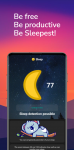
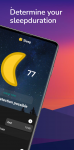
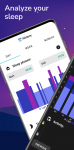
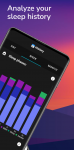
Together with two fellow students I have developed the app Sleepest.

The app Sleepest defines a new kind of alarm clock. An intelligent alarm clock which can wake up users after a desired sleep duration within a wake-up period. The sleep is analyzed and the person is woken up by the alarm clock after the desired sleep duration, but at the latest at the latest wake-up time. The app's sleep recording can also be used independently of the alarm clock and offers resource-saving sleep analysis without additional devices.

The idea was born from the Corona pandemic and the associated shift in employment, whether professional, administrative or educational, from offices or public facilities to the "home office" and the new opportunities for sleep design that this has created.

image3(3).png image1(2).png image2(2).png image1(3).png image2(3).png

What does Sleepest offer you?
  • A simple sleep recording
  • A positive effect on problems with falling asleep
  • A fixed and controlled sleep duration
  • Being well-rested and productive
What makes Sleepest special from a technical point of view?
  • No measurable battery consumption during sleep recording
  • Automatic sleep detection
  • App works completely from the background
  • Alarm clock can wake you up according to your desired sleep duration
  • Uncomplicated sleep recording without additional devices
The app is in a first production version where we mainly want to get feedback and understand the expectations of the users. Therefore, the app is completely free and without ads so far. In the future, a free and a subscription version are conceivable, provided that our expectations are met.

If you want to learn more about the app and the technologies used, please read our detailed article or visit our website.

Webseite: Sleepest - Home
PlayStore: Sleepest: Intelligenter Wecker – Apps bei Google Play
Article: Sleepest - Smart Android Alarm Clock with Automatic Sleep Detection | LinkedIn

galaxy a21 home screen slide

i got the galaxy a21 from tracfone and i managed to get most of it set up like the lg k20 was. but i can't get the home screen or the apps screen to slide. on the lg if i swipe sideways the screens will just keep going i have 5 screens and when i ge the last one it will just be back to the first screen, and the same on the app's screens. so is it possible to get this to work on the a21? i have yet to find it. it i s not a deal-breaker but for me because i'm just so used to having that feature i miss having it. so does anyone happen to know if that can be done on the a21 or is that just a feature limited to the lg phones? i have a few lg phones and they all do it.

thanks

Phone adding +44 to short number texts

HELP

I have a motorola e6s and it has started adding +44 in front of texts codes to online competiotions such as ITV and heart radio and the texts will not send.

I have disabled assisted dialling , enabled adult content, enabled premium texts, reset my phone spoken to giffgaff to sort who say it is not them and spoken to Motorola who cut me off from chat twice as they could not sort it.

Help please.

EXYNOS 2200 vs Snapdragon 8 GEN 1 - A shocking result

See...

GPU TESTING: EXYNOS 2200 VS SNAPDRAGON 8 GEN 1 - A SHOCKING RESULT

A number of things have given me doubts about this new Exynos 2200 chipset, not the least of which was Samsung cancelling its launch a month ago and making it the minority variant, mainly for Europe whilst giving its home country of South Korea, the Snapdragon variant after using Exynos for their S21's.

In spite of this, I went ahead and pre-ordered the Samsung Galaxy S22 Ultra 1TB model last week as I normally would.

However, I have continued to have misgivings about the Exynos model and yesterday I cancelled my pre-order in the light of this and other reports and will play the wait and see game before buying.

If it turns out that the Exynos model is equal to the Snapdragon or at least, darn close, I may get it. Alternatively, I can either opt for a grey market Snapdragon model that is suitable for use in the U.K. or wait until the Samsung Fold 4 comes out.


(In Turkish but you will get the idea)

EXYNOS 2200 vs Snapdragon 8 GEN 1 - A shocking result

See...

GPU TESTING: EXYNOS 2200 VS SNAPDRAGON 8 GEN 1 - A SHOCKING RESULT

A number of things have given me doubts about this new Exynos 2200 chipset, not the least of which was Samsung cancelling its launch a month ago and making it the minority variant, mainly for Europe whilst giving its home country of South Korea, the Snapdragon variant after using Exynos for their S21's.

In spite of this, I went ahead and pre-ordered the Samsung Galaxy S22 Ultra 1TB model last week as I normally would.

However, I have continued to have misgivings about the Exynos model and yesterday I cancelled my pre-order in the light of this and other reports and will play the wait and see game before buying.

If it turns out that the Exynos model is equal to the Snapdragon or at least, darn close, I may get it. Alternatively, I can either opt for a grey market Snapdragon model that is suitable for use in the U.K. or wait until the Samsung Fold 4 comes out.


(In Turkish but you will get the idea)

EXYNOS 2200 vs Snapdragon 8 GEN 1 - A shocking result

See...

GPU TESTING: EXYNOS 2200 VS SNAPDRAGON 8 GEN 1 - A SHOCKING RESULT

A number of things have given me doubts about this new Exynos 2200 chipset, not the least of which was Samsung cancelling its launch a month ago and making it the minority variant, mainly for Europe whilst giving its home country of South Korea, the Snapdragon variant after using Exynos for their S21's.

In spite of this, I went ahead and pre-ordered the Samsung Galaxy S22 Ultra 1TB model last week as I normally would.

However, I have continued to have misgivings about the Exynos model and yesterday I cancelled my pre-order in the light of this and other reports and will play the wait and see game before buying.

If it turns out that the Exynos model is equal to the Snapdragon or at least, darn close, I may get it. Alternatively, I can either opt for a grey market Snapdragon model that is suitable for use in the U.K. or wait until the Samsung Fold 4 comes out.


(In Turkish but you will get the idea)

Filter

Back
Top Bottom