• After 15+ years, we've made a big change: Android Forums is now Early Bird Club. Learn more here.

Google Clock keeps missing alarm

So I faced this issue in my older Galaxy 8+ a month back, and I am now facing this issue with my Galaxy S21+.

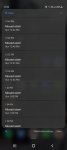
For some reason, the alarm does not go off, and simply gives a Missed Alarm notificaiton.

This is the worst kind of experience imo you can get, since I can easily miss out on work or flight or whatnot.

How do I fix this?
Attachments

  • unnamed.jpg
    unnamed.jpg
    47.1 KB · Views: 470

How to download PDF in webview

Hi,

I'm creating a small app which takes me to a webpage where I can download my payslips using the following tutorial.

https://spdevhost.com/2018/10/how-to-enable-own-download-in-sketchware-app.html

After I click download, the pdf is downloaded but the contents of the pdf is just the webpage and not the payslip.

How do I get it to download correctly?

When I download via the website directly it works but not through the webview in the sketchware app....

Help

Help Trying to allow exceptions through Do Not Disturb

I have recently got a Samsung Galaxy A51 and I want to let certain apps through Do Not Disturb at night so that I get a vibrate notification for them (e.g. Security Camera, Whatsapp). However, I can't find a setting that allows this on my phone. Elsewhere, I have been told that to find it I long press on app => App Info => Notifications => and there is an Ignore Do Not Disturb slider, but it doesn't appear for me. Is there something that I'm missing, and if not is there an external app or program that I can download in order to get the same effect?

Help "Unable to activate Wi-Fi calling at this time

Just got a new S9 plus. Everything seems to be working fine except for one annoying thing...

I have a constant notification that says: "Tap here to confirm or update emergency location information, etc...." and when I tap on it, it pops up a message saying "Unable to activate Wi-Fi calling at this time. Please try again later".

I have an unlocked phone on Verizon. My understanding is that Wi-Fi calling does not work with unlocked phones. Which is fine. But how can I get rid of that notification? It doesn't go away when I clear notifications, and I can't swipe left or right to get rid of it.

I do not have Wi-Fi calling turned on in my settings.

What can I do?

Thanks.

Ring Floodlight

hey guys,
so i just bought a Ring Floodlight camera. i have never really played around with anything electrical around the house, so i'm a tad unsure on a few things. i have seen some youtube videos showing that they hooked up the unit using an extension cord that the cut to expose the wires. the wires were then spliced together to the unit. it was then just plugged into an outlet. the directions from Ring says that i need a junction box. is this necessary? the video i saw never mentioned or showed that. am i crazy to try hooking up the unit this way? or should i hire an electrician?

Can not connect to Linux system via MTP

There was a time that after connecting to my Linux desktop from my android phone I could swipe my phone down from the top and select MTP instead of charging. I no longer get that option and I don't know why. I do have developer options turned on.

Also, since the Linux desktop (Mint) no longer sees my phone I can no longer debug an app using Android Developer Studio.

Any ideas?

Ok, got it resolved. It was a bad cable issue.

Button on my screen that won't go away.

There is a button on my screen that won't go away and I can't figure out/remember what it's called to disable or delete it.
It doesn't show up in screen shots but it is a grey circle with a darker grey, slightly larger circle behind it.
When I click it, it takes me to my android home screen. When I hold it down and to the left, when i let go it takes me back and goes ahead doing the same from the right.
It is preventing other apps from working probably as they keep having to stop to tell me to disable other apps "overlay" permissions.

I've looked through all my apps and permissions and haven't been able to find out where it is to disable it.

Any help is much appreciated

Which mobile app dev framework?

Hello all,

I am planning for developing a new mobile app and need suggestion on which mobile app development framework would be best for this use case.

A mobile app that works like a folder/organizer which is initially empty.
A user can import files into it.
Each file when imported results in a single page.
This page can have a mix of items on it. E.g images, texts, links, embedded javascripts, Google maps, etc.

Let's say this is an organiser for greeting cards.
So, if a user has imported 10 files (1 for each greeting card), then user can flip through these cards within the organiser.
Organize them by tagging each of them.
Share them with others
search using some texts.

Would Flutter be suitable for this requirement?

Thanks in advance.

Multiview split screen

Dear,
By code:
1) I want to know how can i start Activity A on a screen on the top and external application on the bottom by multiwindows.
2) How can i restore Activity A on full screen?

I have TabLayout with ViewPager2, each tab selected must display what i want, so i want to display sometimes an other external application below tabs. That's why i think you must use multiwindows : http://www.tutorialsface.com/2020/0...d-fragments-with-latest-android-api-androidx/


Thank you.

Google page

Dear all, sorry if this has been covered already. I have a Realme X50 5G smartphone. It's great, except for the Google screen I cant get rid of!! I've turned off all that I can, I think, but the Google search bar, Snapshot icon remain! Maybe it's a case of I cant get rid of it! Anyone else come across this or know how to get rid or disable it? Thanks for any help and suggestions.

Filter

Back
Top Bottom