• After 15+ years, we've made a big change: Android Forums is now Early Bird Club. Learn more here.

Record the audio of a phone call (android java development)

I am developing an app that records call audio. My app is able to record system audio but hearing an audio that the app has recorded I noticed that when I accept the call, the audio seems to stop and only seems to restart when the call is ended. Could somebody tell me why? I am using MediaRecorder. I leave you my code below.

my code:

Code:
  @Override
        protected void onCreate(Bundle savedInstanceState) {
            super.onCreate(savedInstanceState);
            setContentView(R.layout.activity_main);
            BottomNavigationView bottomNavigationView = (BottomNavigationView) findViewById(R.id.bottom_navigation);
            rec = findViewById(R.id.btn_rec);
            chronometer = findViewById(R.id.chronometer);
            prgwait = findViewById(R.id.wait);
            stop = findViewById(R.id.btn_stop);
   
            ActivityCompat.requestPermissions(MainActivity.this, new String[]{Manifest.permission.RECORD_AUDIO, Manifest.permission.WRITE_EXTERNAL_STORAGE}, REQUEST_RECORD_AUDIO_PERMISSION);
   
            rec.setOnClickListener(new View.OnClickListener() {
                @Override
                public void onClick(View view) {
   
                    prgwait.setVisibility(View.VISIBLE); //start progress
                    chronometer.setVisibility(View.VISIBLE);
                    rec.setVisibility(View.GONE);
                    prgwait.setVisibility(View.GONE); //stop progress
                    stop.setVisibility(View.VISIBLE);
                    chronometer.setBase(SystemClock.elapsedRealtime());
                    chronometer.start();
                    Toast.makeText(MainActivity.this, "Registration started", Toast.LENGTH_SHORT).show();
                    //start rec
                    recorder = new MediaRecorder();
                    recorder.setAudioSource(MediaRecorder.AudioSource.MIC);
                    recorder.setOutputFormat(output_formats[currentFormat]);
                    //recorder.setOutputFormat(MediaRecorder.OutputFormat.THREE_GPP);
                    recorder.setAudioEncoder(MediaRecorder.AudioEncoder.AMR_NB);
                    recorder.setOutputFile(getFilename());
                    recorder.setOnErrorListener(errorListener);
                    recorder.setOnInfoListener(infoListener);
   
   
                    try {
                        recorder.prepare();
                        recorder.start();
                    } catch (IllegalStateException e) {
                        Log.e("REDORDING :: ", e.getMessage());
                        e.printStackTrace();
                    } catch (IOException e) {
                        Log.e("REDORDING :: ", e.getMessage());
                        e.printStackTrace();
                    }
   
                    audioManager = (AudioManager) getApplicationContext().getSystemService(Context.AUDIO_SERVICE); //record the audio of device
                    audioManager.setMode(AudioManager.MODE_IN_CALL);
                    audioManager.setSpeakerphoneOn(true); //enable the speaker for record the voices of the call
   
                    //end code for rec calls
                }
            });
   
   
            //stop a rec
   
            stop.setOnClickListener(new View.OnClickListener() {
                @Override
                public void onClick(View view) {
   
                    prgwait.setVisibility(View.VISIBLE);   //start progressbar
                    stop.setVisibility(View.GONE);


                        chronometer.stop();
                        chronometer.setVisibility(View.GONE);
                        rec.setVisibility(View.VISIBLE);
   
                        audioManager.setSpeakerphoneOn(false); //turn off the speaker
   
                        try {
                            if (null != recorder) {
                                recorder.stop();
                                recorder.reset();
                                recorder.release();
   
                                recorder = null;
                            }
                        } catch (RuntimeException stopException) {
   
                        }
                        Toast.makeText(MainActivity.this, "Record saved", Toast.LENGTH_SHORT).show();
                        //end stop code
                        chronometer.setBase(SystemClock.elapsedRealtime());
                        prgwait.setVisibility(View.GONE);
                    }
   
            });

private String getFilename() {
        String filepath = Environment.getExternalStorageDirectory().getPath();
        File file = new File(filepath, AUDIO_RECORDER_FOLDER);

        if (!file.exists()) {
            file.mkdirs();
        }

        return (file.getAbsolutePath() + "/" + System.currentTimeMillis() + file_exts[currentFormat]);
    }

    private MediaRecorder.OnErrorListener errorListener = new MediaRecorder.OnErrorListener() {
        @Override
        public void onError(MediaRecorder mr, int what, int extra) {
            Toast.makeText(MainActivity.this,
                    "Error: " + what + ", " + extra, Toast.LENGTH_SHORT).show();
        }
    };

    private MediaRecorder.OnInfoListener infoListener = new MediaRecorder.OnInfoListener() {
        @Override
        public void onInfo(MediaRecorder mr, int what, int extra) {
            Toast.makeText(MainActivity.this,
                    "Warning: " + what + ", " + extra, Toast.LENGTH_SHORT)
                    .show();
        }
    };
}
number pad changed

All of a sudden my keyboard (number pad) has changed. I now have a number pad on right and a bunch of other unneeded stuff on the left. I used to have a tab key, now I do not. What is going on. I've tried everything (I thought, but obviously not). I work mostly in a spreadsheet and only need to enter data in cells and tab to the next cell.

Issue with call recording

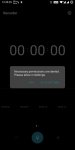
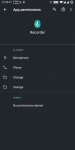
I am rooted via Magisk in my OnePlus 5T running stock Oxygen OS 10.0.1 I cannot enable call recording. I cannot access the stock OnePlus call recorder app. When I press the record button during the call, it works. After the call end and I check my recording, it is a blank recording. i.e. there is no sound in it.

Even though I have allowed all ther permissions, I keep getting the notification

"Necessary permissions are denied. Please allow in settings. "

I have cleared cache and rebooted my phones many times but still I can't enable call recording.

Call recording app from playstore doesn't work either. The call recording turns out to be a silent recording again.

Please help.

Attachments

  • screen1.jpg
    screen1.jpg
    72.2 KB · Views: 213
  • screen2.jpg
    screen2.jpg
    74 KB · Views: 202

S20 FE 4G & 5G Global updates TL2/UA5 rolling out JAN: security patch + bug fixes

Samsung have begun rolling out the much needed 2nd Android 11 updates to their Global models of the Galaxy S20 FE 4G and 5G.

These releases appear to correct a lot of the faults found in their original updates for the S20 FE 4/5G on Android 11 which was initially pushed out 2 months earlier than Samsung's own schedule and has caused numerous connection and data issues.

The releases are...

Samsung Galaxy S20 FE 4G

Model: SM-G780F

Build date: 22 December 2020

Android Security patch: January 2021

Build #: G780FXXS1BTL2


Samsung S20 FE 5G

Model: SM-G781B

Build date: 08 January 2021

Android Security patch: January 2021

Build #: G781BXXU1BUA5


Roll-out is initially, mainly to the non-carrier branded phones across the globe with more carrier branded firmwares following in due course.

These are FOTA, (Firmware Over The Air), releases and should appear on your devices in the coming days/weeks.

To manually check if their is an update available for your device, go to...

Settings > Software update > Download and install

3 years on

I haven't been here for a while as my phone isn't rooted, I don't see how I can help much, but I would be interested in people's thoughts about how their phones are 3 years on. I'm not particularly happy with mine, it's slow, notifications hang sometimes for half a minute or more before opening, battery gives me about 3 hours screen on (not bad), and most apps are slow to open.

The only plus point is the hotspot is still good.

I did go looking for another phone the other day but nothing took my fancy, I'm not and never have been impressed by glass backed phones and I wish a manufacturer would break the monotony.

Help I booted my Tablet after a long time .... It fails to boot

Hi,

This is my device >> https://www.gsmarena.com/asus_fonepad_7_(2014)-6394.php

I had purchased this tablet like 6 years back. After just 6 months while downloading "updates" it started complaining about lack of space. I rooted the device and installed a custom rom with the help of an Youtube video. No matter what I did it still kept complaining about lack of space. I got fed up & stopped using the device.
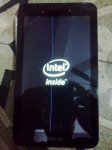
Now when I try to boot I see the Intel logo and a straight line from top to bottom (please see attachment)
Is it possible to fix this device ?

OS on desktop : Ubuntu 20.04
Please note that I don't use MS Windows or Mac on my PC. I use Linux only.

20210114-0001.jpeg
Click to enlarge

How to save data in external storage in csv file

Hello. I`m really apologize for maybe very simple questions for android studio. Actually I`m beginner in android studio, before that made just project like "Hello World". So, decide to make 3 objects for text view , 3 objects for edit text and just one button [![][1]][1]for saving entered characters in csv file. Searched explanation in internet but had just sample for TxT files. So I changed program code from this sample,
and finally it saving in csv file, but I think it recognized yet as txt file, as solid text without 3 objects(text view) and also it just rewriting data instead previous file. I will send you the sauce and image for csv file (desired result) below. Please help me to decide this problem.

(1)activity_main.xml

<?xml version="1.0" encoding="utf-8"?>
<LinearLayout xmlns:android="http://schemas.android.com/apk/res/android"
android:layout_width="match_parent"
android:layout_height="match_parent"
android:orientation="vertical">

<TextView
android:id="@+id/View"
android:layout_width="wrap_content"
android:layout_height="wrap_content"
android:padding="3dp"
android:text="Name"
android:textSize="24sp"
android:textStyle="bold"/>


<EditText
android:id="@+id/editcsv"
android:layout_width="match_parent"
android:layout_height="wrap_content"
android:hint="@String/edit_csv"
android:inputType="text" />
<TextView
android:id="@+id/View1"
android:layout_width="wrap_content"
android:layout_height="wrap_content"
android:padding="3dp"
android:text="home address"
android:textSize="24sp"
android:textStyle="bold"/>

<EditText
android:id="@+id/editcsv1"
android:layout_width="match_parent"
android:layout_height="wrap_content"
android:hint="@String/edit_csv1"
android:inputType="text" />
<TextView
android:id="@+id/View2"
android:layout_width="wrap_content"
android:layout_height="wrap_content"
android:padding="3dp"
android:text="telephone number"
android:textSize="24sp"
android:textStyle="bold" />
<EditText
android:id="@+id/editcsv2"
android:layout_width="match_parent"
android:layout_height="wrap_content"
android:hint="@String/edit_csv2"
android:inputType="text" />

<LinearLayout
android:layout_width="match_parent"
android:layout_height="wrap_content"
android:orientation="horizontal">

<Button
android:id="@+id/saveBtn"
android:layout_width="match_parent"
android:layout_height="wrap_content"
android:text="@String/save_csv" />


</LinearLayout>

</LinearLayout>

(2)strings.xml:

<resources>
<string name="app_name">ExternalStorageApp</string>
<string name="save_csv">save</string>
<string name="edit_csv">Please enter your name</string>
<string name="edit_csv1">Please enter your home address</string>
<string name="edit_csv2">Please enter your telephone number</string>
<string name="View">Name</string>
<string name="View1">home address</string>
<string name="View2">telephone number</string>
</resources>

(3)MainActivity.java

import android.os.Bundle;
import android.os.Environment;
import androidx.appcompat.app.AppCompatActivity;
import android.view.View;
import android.widget.Button;
import android.widget.EditText;
import android.widget.Toast;

import java.io.BufferedReader;
import java.io.DataInputStream;
import java.io.File;
import java.io.FileInputStream;
import java.io.FileOutputStream;
import java.io.IOException;
import java.io.InputStreamReader;
import android.app.ListActivity;

public class MainActivity extends AppCompatActivity implements View.OnClickListener {

private EditText editText, editText1, editText2;
private Button saveBtn;


private String fileName = "mFile.csv";
private String filePath = "MyFileStorage";

private File mFile;
private String mData = "";


@override

protected void onCreate(Bundle savedInstanceState) {
super.onCreate(savedInstanceState);
setContentView(R.layout.activity_main);

// Initilization
editText = (EditText) findViewById(R.id.editcsv);


saveBtn = (Button) findViewById(R.id.saveBtn);
saveBtn.setOnClickListener(this);


// check external storage
// and aviability for saving
if (!isAvailable() || isReadOnly()) {
// if unavailable set button as enabled
// for saving and reading

saveBtn.setEnabled(false);

} else {
// if available get files for ExternalStorage
mFile = new File(getExternalFilesDir(filePath), fileName);

}

}

// check external storage for reading
private static boolean isReadOnly() {
String storageState = Environment.getExternalStorageState();
return Environment.MEDIA_MOUNTED_READ_ONLY.equals(storageState);
}

// check availability for external storage
private static boolean isAvailable() {
String storageState = Environment.getExternalStorageState();
return Environment.MEDIA_MOUNTED.equals(storageState);
}

// simple method for pop up windows
public void showToast(String message) {
Toast.makeText(this, message, Toast.LENGTH_SHORT).show();
}

@override
public void onClick(View v) {

// entered datas for mData
mData = "" ;

try {

FileOutputStream fos = new FileOutputStream(mFile);

fos.write(editText.getText().toString().getBytes());
fos.write(editText1.getText().toString().getBytes());
fos.write(editText2.getText().toString().getBytes());
fos.close();
} catch (IOException e) {
e.printStackTrace();
}
showToast("Files was saved");

}
}

Attachments

  • csv file.jpg
    csv file.jpg
    176.4 KB · Views: 356
  • csv file (changed).jpg
    csv file (changed).jpg
    179.4 KB · Views: 308

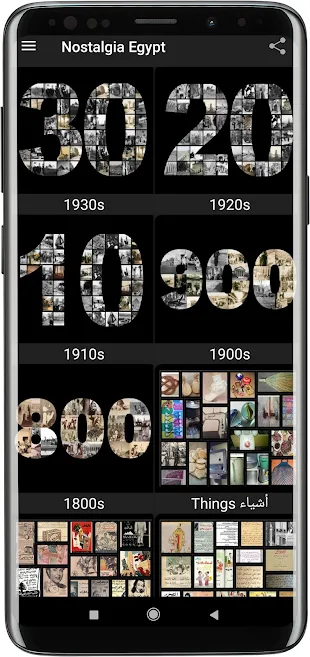
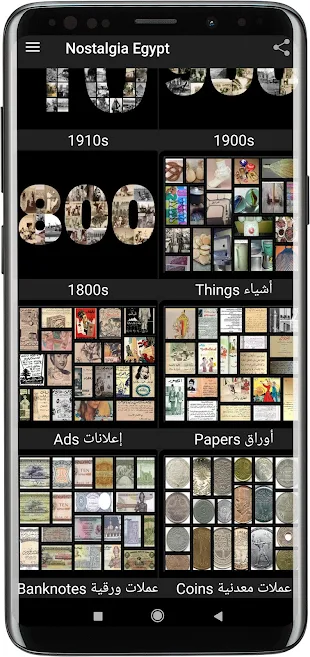
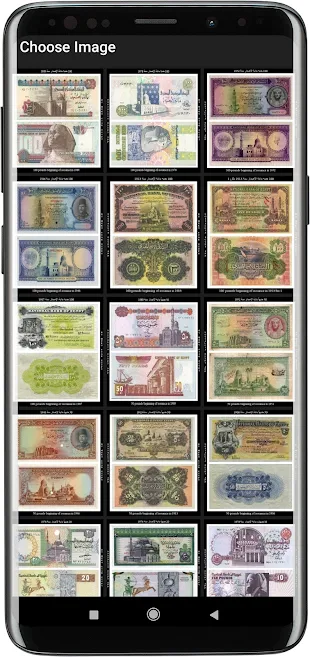
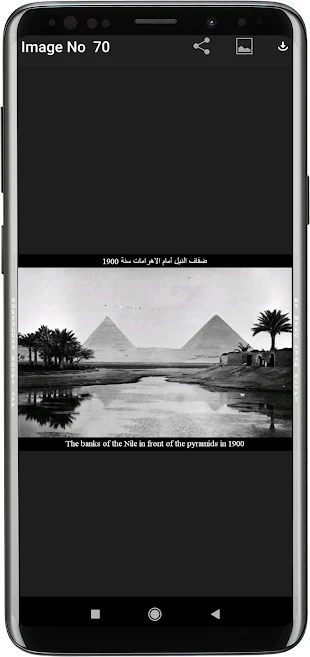
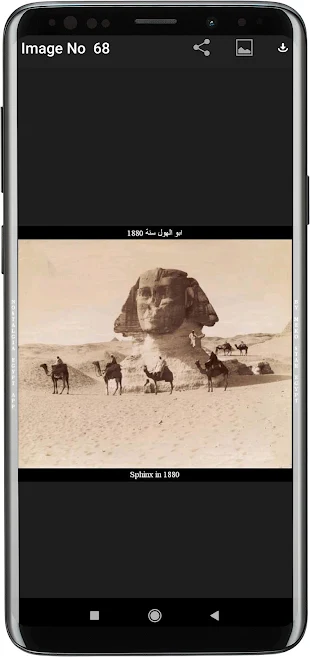
The first of its kind .. Nostalgia Egypt App .. 1833 Photo Offline

- The first application of its kind in the world that displays with photos the nostalgia of a people and a country.
- It reviews pictures of life in Egypt between the years 1800 and 1999 AD with mention of the date and description in both Arabic and English.​
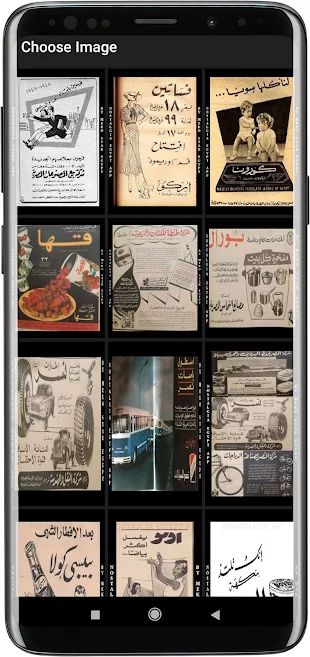
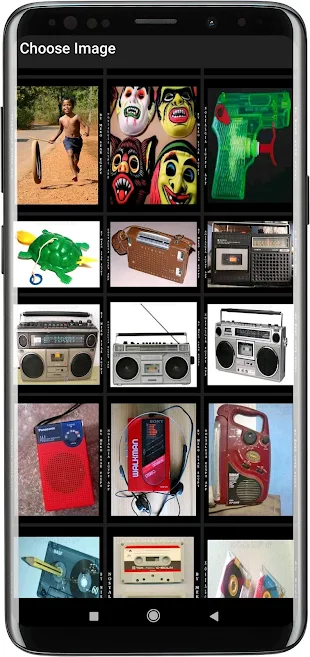
- It reviews aspects of life in terms of people, places, currencies, advertisements, papers, and things used.​
-After browsing any black and white photo, you will find a copy of the same photo colored by artificial intelligence​
- The application in total contains 1833 various photos.​
- More than 1100 photos of life in the Egyptian street, in terms of people and places.​
- More than 200 photos of coins during that period.​
- More than 80 photos of the banknotes during that period.​
- More than 140 photos of ads.​
- More than 200 photos of Things used during the end of the time period.​
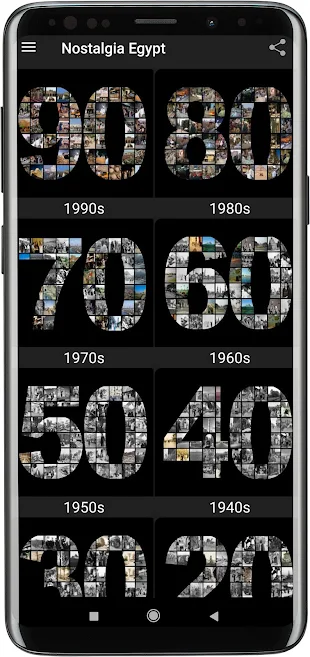
The application is divided into 16 sections:
01- 1990s​
02- 1980s​
03- 1970s​
04- 1960s​
05- 1950s​
06- 1940s​
07- 1930s​
08- 1920s​
09- 1910s​
10- 1900s​
11- 1800s​
12- Things used during the end of the time period.​
13- Ads.​
14- Papers.​
15- banknotes during that period.​
16- Coins during that period.


zHMbmClIENvm0X-eh70EISmyvlAhvsXSFd1pZcj6j9EBeFTYoIgLwomZTAPmtxhD3KE=w1366-h657-rw


cD-iSfL_Fp0KYgc6aH9mRjA2a58uQZ7VLjnhR6KB6xfCt7gGmfIJXksCDKdi-OatpuI=w1366-h657-rw

tsK5kiEUWJgbmqZFFhgkHahH0sR8wlcqMBjXYcMO2TAbEPxul560wDdfyc4EtL97mi8=w1366-h657-rw

iW6UNWjC2RpldYQr93_fhgqwDsGGcsozhSdEVS4GOQVbiUS6cedfZTIi56OaV3FB2kk=w1366-h657-rw

gnhCSEV_2B4ZyWorTgEUouA0QKv_sE_Am3eU_ubOX6iu_GrH6dlmGMZoDWPweUHOtrw=w1366-h657-rw

3eo-yvD_mVsHnLPahg5SkLW1aNUIB_oeKFLkooJbUVbPGVdqjXEGOwoaq0FojbNnAdPk=w1366-h657-rw

h6_z4AAoyDqMZrJlQyPhOIvgA-jTHSGOqfQ5FfnllxdKxNwOQBlqGnkY-yRaaATG0pOp=w1366-h657-rw

zUi1PndOpu_URS3r9iI56V0MErYL7JR0O8X-n-vatSsHQu_CBbg403EBD-15k87k_R6R=w1366-h657-rw

6 Apps Showing under system apps named "Filled"...

Title sums its up, I looked at my app list the other day and on the "show system apps" tab there are 6 identical program in a row all named "filled". I can't figure out if thats malware named filled or if android system is set to do something, like I said, I just don't know. I'm on an unlocked A50 if that helps, Android 10. Has anyone else come across this? This doesn't really even seem like something Samsung would do and I can confirm they were not on there when the phone was purchased. Appreciate any input!


As far as the info if I click on them there is no new info. All are 32.77KB, a force stop on each was done but nothing visual happened.

Quick update - All the Apps show 65.54KB of data used now so it has done something since I looked at it today. I could really use some help. Thanks again!

Attachments

  • android-app-filled.jpg
    android-app-filled.jpg
    91.6 KB · Views: 1,171

Help Unable to change screen zoom and font size on non-administrator account

I have a Samsung Galaxy Tab S5e (2019) running Android 10.

My parents also use the tablet.

I have created two extra accounts on the device (Settings > Accounts and backups > Users).

Whilst I (Administrator) can change the screen zoom and font size on my account, my parents can not.

They are not restricted profiles, just standard User profiles (though not Administrator accounts, as it appears you can't have more than one Administrator account).

Any ideas?

New & Dumb User

Ok ..don't kill me - I don't know a lot about my phone. Going on a trip next week and I will be needing to use my phone for everything. I am at 53.1GB storage on my 64GB phone so I am sure I need to take off or close these apps. How do I do this? Plus I will be traveling by plane can I use Netflix or do I down load a movie? How do I make sure I don't use all my data? Sorry for so many questions!

Filter

Back
Top Bottom