• After 15+ years, we've made a big change: Android Forums is now Early Bird Club. Learn more here.

visually impaired

I had a stroke 11 years ago and it left me disabled and visually impaired. I want to start Android development, so downloaded Android Studio.
The problem is, all the screens are too difficult for me to see clearly. Fonts and menu items are too small
Some help with settings would be appreciated.
Thanks, Richard W

Help nextcloud storage used on android application

I have an old computer and I would like to build a home server with a domain name ( I have done this a couple of times on Debian OS and it runs very fast) my upload speed is 20Mbits p/s.

Just wondered how easy it is to store/update all my pictures/files on next-cloud, build some applications on android studio and link all the pictures files directly from next cloud to use on the applications.

would be good to update and use the data on different android applications.

Need to replace sim card in order to get 5g??

When I got my N10+ 5g phone I was told that it was 5g ready and would get 5g as soon as it's available and I didn't have any reason to not to believe that was indeed the case. At that time 5g wasn't live here in San Diego yet but I would periodically check to see if it was via the 5g map. I happened to be speaking to a Tech Coach about an issue around 8-9 months ago and they reiterated that my phone would get 5g as soon as it was available without me having to do anything. Due to some life issues(not the least of which being Covid 19) I hadn't checked the 5g map in quite some time until a few days ago at which time I found 5g was available throughout virtually all of San Diego yet my N10+ has never shown 5g. I contacted a tech coach again only to be told that the sim card in my phone isn't 5g capable and that I would need to either have them ship me one or go into a Verizon store to get one. If this is indeed the case I'm pissed that I wasn't told this from the start. Does this sound right??

T-Mobile (USA) suspends Android 11 roll-out

T-Mobile (USA) has suspended their roll-out of Android 11 with no explanation. See...

https://www.t-mobile.com/support/de.../software-updates-samsung-galaxy-s20-ultra-5g

Also...

https://www.sammyfans.com/2020/12/1...-ui-3-0-update-for-samsung-galaxy-s20-series/

This follows Verizon's suspension earlier this month when there was speculation that they had jumped the gun on rolling out a beta test firmware.

[Game][FREE] Whali Waste Survival

Hello fellow gamers. I am an indie developer and have just released a new game for android, named Whali Waste Survival.
In the game you control a whale and the goal is to reach the other side of the ocean. On your way you have to avoid garbage, find food and make sure you don't get killed by other threats.
By this game I hope to raise awareness of the problem of the polluted oceans.

You can download the game here

Try it out and let me know your opinion.
Have fun and remember, keep our ocean clean:cool:

Game trailer:

Mysterious Lock on Vivo Y55L

Hello Everyone,

Please help me out with my locked phone.

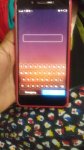
My 6 year child was texting on WhatsApp somehow the mobile got restart and screen got locked. All the notifications are there on the mobile but when I scroll to unlock the phone it shows some mysterious lock with only "text box with keybord, and two buttons one for emergency call and and another for cancel".

Images are attached. Please check and help me out with this.
(I have hided some personal details by removing it from the images)

Regards
screen lock.jpeg
screen lock.jpeg

Sanjay

Attachments

  • unlock textbox.jpeg
    unlock textbox.jpeg
    95.3 KB · Views: 307

Best backing up & restoring to a replacement phone option?

I've searched here for a thread that already has this info but could not find one. I've got a Note 10+ 5G phone that Verizon agreed to replace due to a problem related to gps mapping not working the way it should. I've had phones replaced in the past and although I've tried different ways of backing up & restoring none has fully restored my replacement phone entirely(including apps/widgets) back to how I had the replaced phone set up. I've not had issues with things like pics/vids/contacts ect but other things like widgets have never been restored. An example of this is the fact that I use Nova Launcher and have never moved to a new/replacement phone and not had to download & setup Nova Launcher all over again. I've had a few people tell me there are ways of doing what I'd like to do but none of them knew what that way was. I've tried the following ways of backing up & restoring in the past:

  • Google backup/restore
  • Samsung Cloud
  • Samsung Smart Switch
  • Copy & paste via a PC/laptop
Am what I'm trying to accomplish simply not possible or am I just doing it wrong?

How do I move an Android Studio app from my pc tp my tablet

Hi. I'm new to Android Studio. I've created an app in Android Studio on my pc and want to move it over to my Galaxy tablet. The tutorial does it by connecting my pc to the tablet with a USB cable. Is there some way to create an ".exe" like file as you do with Microsoft Visual Studio and just coping that to my tablet? Android Studio has a build menu item but I don't know what to select if this is what you use.

Thanks for your help.

How to disable updates on Note 20 Ultra

Hello everyone,

I would like to disable system updates on my Note 20 Ultra. I enabled Developer Mode but the update service keeps restarting on its own.

The notifications are getting really annoying so I'd like to just get rid of it.

My reason for wanting to do this is that every phone I've owned gets super slow over time and I'd like to avoid that with this phone.

Thank you in advance for the help.

Wish To Send Photos To SD Card Pictures Folder But I'm Lost!

Hi All!
I apologize if this is somewhere on the forum, but the Search results page comes up blank. On the web, I've found nothing.

What I am trying to accomplish is to get the photos taken with the Moto G Stylus using Android 10 to go to the SD card's "Pictures" folder. Currently the best I can do is (accidentally) get them to SD - DCIM - Camera.


The very first time I tried to pick the Save location, this happened:
1) Open the Camera
2) Tap the Gear Icon
3) Pick "Save - Settings - Storage"
4) Tap SD Card
5) Tap "Use This Folder"
6) Picked the SD card's Pictures folder
7) Pop Up asked "Allow camera to access files in Pictures?"
8) Tapped "Allow"
9) Setting closed itself
10) Camera's viewfinder had a message: "Select Root Folder" & it closed itself quickly.
11) Photos go to Phone - DCIM - Camera.

Next, I tried:
1) Open the Camera
2) Tap the Gear Icon
3) Pick "Save Settings - Storage"
4) Tap "SD Card"
5) Tapped the "Use This Folder" at the very bottom of the screen.
5) Photos now go to SD - DCIM - Camera

Now...
When I tap the Gear & pick between SD and Phone, nothing else opens, like it did the first time.
I can't even get to where one picks a folder. I must have goofed things up terribly since I can't
now access where to pick storage.

How can I get the photos to go to SD - Pictures folder, or is this not an option?
Did I mess things up beyond repair?

Thanks for helping! I sure appreciate the sharing of knowledge.

Please Take Some Time To Enjoy Today!
Paul

Asset Downloads

Pretty new to Android development but in the process of porting a PC project over. Project is primarily in NDK c++. At a very high level I need to pull data files off a server and consume the data within my program. I have no need to store to the device. I'm not necessarily looking for code examples but rather just overall recommendations and guidance/best practices. On PC I use cpprestsdk to request and pull down the data then grab a pointer to the data, use it, then let it go. Any and all help appreciated.

Music Folder Location

Hi,

I want to store my music files on an external sd card. Does anyone know how to specify a different folder for apps to use? The external SD card is seen by the tablet and it has had the Android file structure written to it by the tablet.

I'm using a program called Musicolet which seems very good. It has an option for default music location but it's greyed out.

Filter

Back
Top Bottom