• After 15+ years, we've made a big change: Android Forums is now Early Bird Club. Learn more here.

Apps Waiting for all target devices to come online (Windows 10, Android Studio 4.1, all SDK is updated)

Hi, guys, I'm developer with big experience but newbie in Android. I have installed to my Windows 10 absolutely fresh Android studio
Android Studio 4.1.1
Build #AI-201.8743.12.41.6953283, built on November 5, 2020
Runtime version: 1.8.0_242-release-1644-b01 amd64
VM: OpenJDK 64-Bit Server VM by JetBrains s.r.o
Windows 10 10.0

And a lot of various SDK, all is fresh releases.
Than I have downloaded test project (I select sunflower). And three days I can not start it.
I learn a thousands various recipes, but still receive message - Waiting for all target devices to come online
I try to start Android studio as administrator, try to on/off various Window options (like enable/disable HyperV).
I try various options in device emulator, like wipe or cold start. But I have no changing. Device emulator not connected.
adb devices show me:
List of devices attached
emulator-5554 offline

In Android studio I see:
xx.xx * starting now at tcp:5037
xx.xx * daemon started successfully

And Launching I still see :
Waiting for all target devices to come online

What going wrong? Any ideas please..
Attachments

  • TAXI-T072020_215951.png
    TAXI-T072020_215951.png
    208.8 KB · Views: 421

Everything Silent Except Phone Calls

This is probably a dumb question, but is there anyway to make everything silent except phone calls? in other words, I don't want any bells or sounds for texts, facebook, whatsapp, hangouts, etc...I only want sounds/ringing when I get a phone call. So far, I only know how to make everything silent, by clicking the volume button and then clicking the bell icon until its a crossed out bell.

Can't display % charge on home screen

Hello. I just upgrade from a phone running Android 6 to a phone running Android 9. I rely on an app that displays charge % on the home screen.

I find that under v9 none of the apps I've tried do that now. Either you have to start the app to see the battery %, or, the % displays in the status area (top of screen). That area is already so clogged up with notifications and statuses that I really would prefer to have an icon on the home screen like I used to have.

Does v9 prevent this? I also have a second new phone running v10 that has the same issue

The phone is protected by Knox Cloud Service

I bought a brand new Samsung S8 in 2017 from Verizon Corp. store in the US. I recently moved to Portugal and cracked the glass on my S8, so instead of replacing the glass, I bought a new phone. I was going to use the old S8 to be a TV remote and remote to our sound system. So to remove all the old data on the S8 I decided to perform a Factory reset. This is where you come in. Since my reset, (tried many times) when the phone wakes up, it will immediately go to a Knox Enrollment Site and wants me to log-in to a Corporation in the US (Siteone Landscape Supply Corporate) Knox login. I am baffled how a factory reset in Porto Portugal can be locked into this corporate login???
As stated, this S8 was bought brand new from Verizon!
I have uninstalled and reinstalled firmware, but still have "This phone is protected by Knox Cloud Service" when rebooting.

Knitter : Social Networking App for Rural India

Home\n\n\nTerms and conditions - https://www.knitter.co.in/terms\nPrivacy and policy - https://www.knitter.co.in/privacy\n\nCOLLAPSE"}" data-sheets-userformat="{"2":1049345,"3":{"1":0},"11":4,"12":0,"23":1}" data-sheets-textstyleruns="{"1":0}{"1":3185,"2":{"2":{"1":2,"2":1136076},"9":1}}{"1":3214}" data-sheets-hyperlinkruns="{"1":3185,"2":"https://www.panchayat.gov.in/"}{"1":3214}" style="color: rgb(0, 0, 0); font-size: 10pt; font-family: Arial;">Knitter is developed with the vision to empower rural areas for rural development by connecting them through India’s only social network for Rural India.
Knitter is a social network that connects members of one village with one another and other rural areas (villages) of entire India as well. This strong and long social network helps villagers to know about what’s happening in the rural world from an app while sitting at home and allows them to contribute to rural development by enlightening themselves with the content that knitter provides them on our knitter channel and our blog website and become self- reliant.
Knitter’s social network helps rural areas to connect fro
m one village to another and with the members of their own villages as well. According to Knitter rural development means making each village member “atma-nirbhar”.

Knitter has 4 main features that make it different from other social network and rural areas apps.

Select Villages-

Registration - people need to select a village while registering themselves.

Find members- Users can find members of their village and other villages.

Specific village timeline - You can select villages to visit their timelines.

Share with selected villages - you can share your posts on other villages timeline as well.
- Favourite village - You can mark your ideal villages as favourite villages, can check their timelines and can share your post on their timeline as well.

Timeline-
(i) Categorial Timeline- Knitter provides different categories to create the post. For eg- agriculture, schemes, entertainment, gram panchayat, information, and news, problems
(ii) General timeline - You can share your post in general without selecting any category.

Knitter channel - It is Knitter’s library to provide every essential detail related to rural India such as-

Rural development- Gram panchayat, the gram sabha

Agriculture- mechanization, organic farming

Schemes- central and state

Govt department - central and state

Guest User
- Users can experience only the main feature of the app.

Upcoming features -
(i) The content of knitter channel can be shared on other apps.
(ii) Users will be able to react and comment on knitter Channel posts.
(iii) Users will be able to share the content from other apps to Knitter’s timeline.
(iv) Feedback google form for users.
(v) More videos and use case cards on features explanation to make the user journey easier.
(vi) Improvements in creating posts, member lists, and your favorite village list and features.


DISCLAIMER:
The information provided in the app is for knowledge purposes only. We are not associated with the government, government organizations, or agencies. All the content provided by Knitter on the platform through Knitter Channel is created only for informative purposes, so as to create awareness and educate the users of the app. Primarily the source of the content posted by Knitter includes the Constitution of India, Panchayati Raj Act, Any act in force in India, Websites of Central Panchayati Raj Department, all States Panchayati Raj Departments, press releases from the government and some other sources.


Our sources include the following
https://www.panchayat.gov.in/
http://rajpanchayat.rajasthan.gov.in/
http://www.biharprd.bih.nic.in/Home.aspx
http://panchayatiraj.up.nic.in/
http://mppanchayatdarpan.gov.in/
http://agricoop.nic.in/
www.rajpanchayat.rajasthan.gov.in (http://www.rajpanchayat.rajasthan.gov.in/)
Panchayati Raj - Raj Panchayat > Home


Terms and conditions - https://www.knitter.co.in/terms
Privacy and policy - https://www.knitter.co.in/privacy

COLLAPSE

Help Old Asus Fonepad stuck in various startup problems

Hello! This is my very first post here so please bear with me (and tell me if I have messed something up).
I recently found my old Asus Fonepad (as far as I know it's the old K004 ME371MG, sadly it didn't show up it in the device forums choice). It had always been rather mediocre and when I bought a high-end 2in1 for my work, I just kind of forgot about the Fonepad for a year and a half. After all, it is about seven years old now?

Anyway, I just remembered that I still had it and thought it to be a wasted opportunity to not at least gift it to my grandma or something. The problem: It seems to be thoroughly messed up. After charging it, I tried turning it on but it is stubborn. The interesting thing: Different things happen each time:
- 9 out of 10 tries: The white Asus logo shows up for a brief second. Then immediately a white USB logo with a white bar underneath it appears. The phone is completely unresponsive and has to be turned off by holding the power button.
- 1 out of 10 tries: The white Asus logo shows up for about a second. Then I get a black screen for a second or two before you can see something for a split second: The green android figure lying on its back and a red triangle above it. It then immediately restarts and you get the USB logo next time.

I tried reading up on solutions a bit and the first you come across is a soft reset via safe mode. I looked up the correct button combination to enter it and the startup chances changed yet again:
- 8 out of 10 tries: The USB logo just like I explained it above.
- 1 out of 10 tries: the android figure as explained above.
- 1 out of 10 tries: After the white Asus logo, it asks for a USB connection. When I connect it to my computer, the Fonepad even recognises it and changes the logo to "ready to download" as far as I remember. My computer did not seem to recognise the Fonepad though, so I had no idea what to do here. I currently have trouble reproducing this result, so it might not be available anymore.

I tried reading further into it but apparently it is really difficult to repair a completely unresponsive android device. So here you have it: There is nothing of personal value on the Fonepad, so I am fine using the most drastic measures to get it to run again; I just need to know what to do. If it gets busted in the process, that is fine as well, but I am eager to try anything. I am looking forward to some advice on how to put some life back into my old Fonepad. I can provide additional info or pictures, but I figured there is no need yet as there is not much to see.
Additional info: I never messed with any integral part of the software or hardware.

tl;dr: Fonepad is stuck in startup, possibly for various reasons. Need advice on how to fix it, nothing valuable on it anymore.
Thanks for any help, it is greatly appreciated!

Help Where is the videos and images full screen setting?

Hello,

I want to view photos/videos in full screen mode by default in Samsung Note 8.

The default view when I am swiping to view photos in gallery, some is auto full screen view and some I have to rotate the phone to change to full screen view

Default view: I am holding the phone in portrait by default https://i.imgur.com/bvS9EUd.png

View after I rotated phone to landscape to show full screen display: https://i.imgur.com/bViU5MZ.png

Thanks

[APP recommend]This app saved me from bad memories.

Seriously, Memory Timer is really a useful app, it saves people from memorizing important events and dates. You can view the countdowns from the widgets and prepare for the events in advance. One function I love about it is the "interest calendar", which includes many series of reminders I love, like upcoming new movies, fun holidays and sales days, so no need to set the reminders by yourself. Also the tools in it are useful too. You can see how many days left to 99 years old, and that scared me...How time flies! We need to cherish time...o_O

Now I use "Daily habits" in Memory Timer, read a book, play sports and check in, I think this app really helps in forming good habits and be a better person.

Well the most important is that this app really helps in reminding events, I never miss important events since I installed Memory Timer.:oops:

Background work in Chinese phones?

What are the ways to run broadcast receivers/services etc. in the background, in Chinese phones like Redmi, Oppo, Vivo etc., without providing 'Autostart' permission?

Currently, to make my app run a broadcast receiver in the background, in Chinese phones, I'm taking the user to the Autostart settings screen on app open - where they can provide Autostart permission to my app.
As I suspect that the user might feel intimidated on having to go to the settings screen to provide Autostart permission, I was wondering if there is a more friendly way to get the Autostart permission from user, or any other way to make the app do work in background.

Please help.
Thanks a lot!

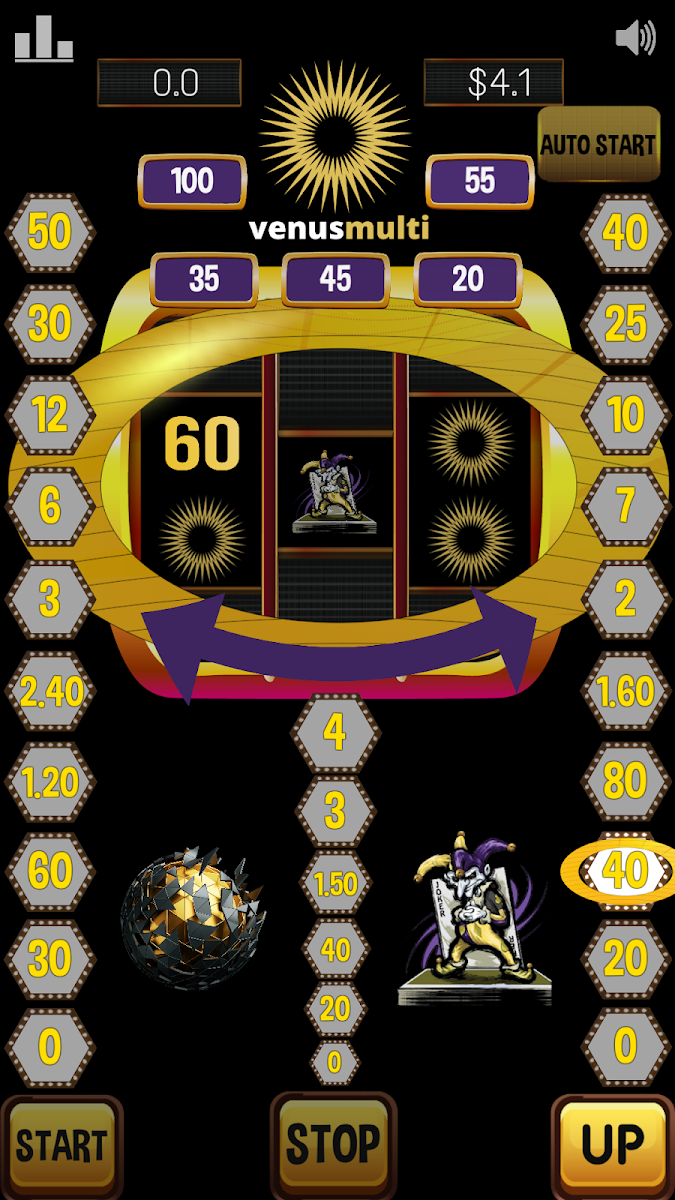
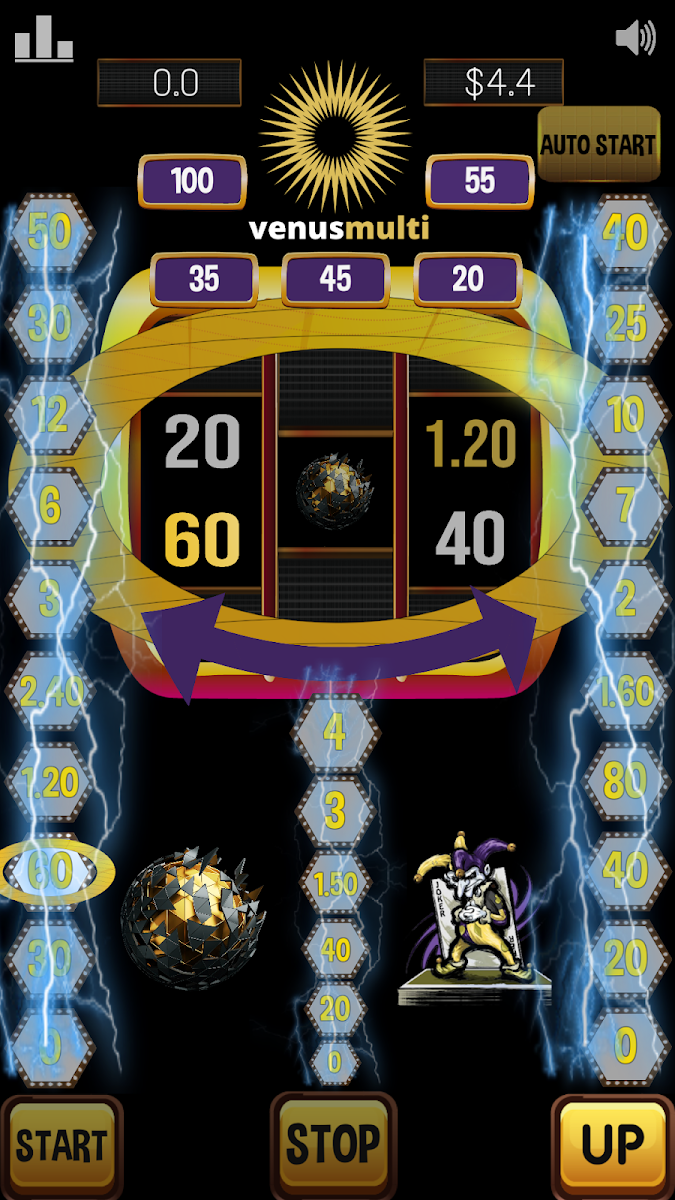
Venus multi slot machine – sun casino slots free[free][Game]

Venus multi slot machine – sun casino slots free
Revive the timeless fun and thrilling casino gaming action with this classic slot casino game. Whether you are pro gambler or a learner who is seeking for a no non-sense app to experience classic casino slot machines in your free time, this lucky spin game is here for you. Spin to win your lucky numbers in the slot games and up your rankings to beat the global pool of slot games players.
Try Venus multi slot machine – sun casino slots free now!

Classic Casino Sloth Machines Fun
If you are someone who misses the feel of classic slot gaming or a new player who wants to experience the timeless feel and fun of classic casino slot machines, Venus Multi Slot Casino Game is the perfect pick for you. The game offers you a chance to spin and win the lucky numbers that can help you rank up your position in the global pool of players.

Timeless Classic Slot Gambling Game
Whether you are sitting idly with your friends or planning to host a killer virtual gambling extravaganza, this spin to win slot game is here for you. Featuring three different slots in the lucky spin round, the Venus Multi Slot game lets you experience the gaming feel of classic Casino slot machines no matter where you are sitting.

Spin To Win The Lucky Numbers and Rank Up
Do you like to place huge bets and experience the adrenaline rush through your veins as you test your luck in slot games? If yes, this casino slot game is definitely going to win your attention for hours. Spend quality time gambling with your group of friends as all of you attempt to hit the Venus Multi Slot jackpot and become the ultimate winner of lucky spin casino games.

Test Your Luck and Beat Competitors
Take the thrill of betting and testing your luck to a whole new level with this spin to win classic slot casino machines game. Win jackpot or hit the lucky numbers to rank up your position in slot games players and win.
Link to Download: https://play.google.com/store/apps/details?id=com.venus.venusmulti
JukwmOpWLKR2zqOQT34vNQvm2R6WpSPEMF4enGASKFEJLvjuOZCsk2O6v7exiMUyfI29=w2504-h1200
0iK_K5XIOBFNkr7UGYBq8EG6HK-ISxMHs9Lh_FySQrIWifRsZcJXwNItpBQdXD3A2RQ=w2504-h1200

what to do for a windows phone user in late 2020

Keeping it short and sweet, the wife's Lumia 550 phone has started developing an issue where it won't want to turn on anymore. A cursory feel test of the battery, and there was noticeable swelling. While I'm sure she would prefer to just get a replacement battery and call it for the meantime, I'm trying to formulate some ideas on what to do, in the event that there aren't any good battery replacements anymore for the phone.

Simply put, the wife likes her windows phone. She's not a fan of Android interfaces, and not a fan of iOS either. If anything, Apple's draconian BS in the name of DRM and false security is the only reason she mildly tolerates Android more... but ideally, she'd still rather be using the windows phone. But seeing as microsoft itself already gave up on that venture, I'm trying to figure out what to do for her situation, if there is just no saving the phone any more. It's not like either of us have enough of an income for a flagship phone, either.

I figure if there's going to be a transition, it'd probably be a lot easier if there was something on the market that behaved in a similar manner. You can imagine our mutual frustration with phone makers making android phones that want to ape the iPhone even harder, then.

While I don't anticipate having to go into a store and dropping cash for another phone immediately, I want to at least be prepared if there is just no other option, so that she can have a phone to work with.

Help login button not secure?

As the title says, whenever I log in fresh (usually after doing some pruning with the likes of ccleaner on my pc), when I go to log in, I see that the browser whines and tells me that this isn't a secure connection. I basically have to hit that button (without entering anything) and then the log in button that appears after that has a secure connection so I can submit my login/password info. And this is even with 2FA enabled on my account. What gives?

Upside down videos on Instagram

I've installed instagram on bluestacks simulator to work easier when I don't have my mobile phone with me at office.
My pc is OptiPlex 9020 - i7 and I have installed the latest version of bluestacks.
the problem is that I see the instagram videos upside down. does anybody have experience with this?
should I change any setting?

Thank you in advance.

Filter

Back
Top Bottom