• After 15+ years, we've made a big change: Android Forums is now Early Bird Club. Learn more here.

Help Problem with Galaxy S9Plus-settings change for no reason

Hello:

I am a newbie to this. Several years ago I purchased a Galaxy S9 Plus, based on a recommendation in Consumer Reports. I really like it's size and the camera. Unfortunately, it developed a strange syndrome of changing some of my settings without me do so! This is primarily in the connections section of the settings, where it will periodically change to Airplane Mode until I discover it. There is no chance that I accidentally changed the settings on my own as this has happened multiple times. Verizon tech support did all the usual things like a hard re-set, and then had me drain everything out of the phone and then restore it. This didn't help and thus they sent me a new (refurbished) S9 Plus and the same problem is still re-occurring. Has anyone had this happen and if so, any solutions? Thanks! Tim
Help Google Assistant repeatedly stops working, claiming it's not the default assistant

Hey guys,

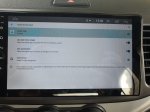
I recently bought a Chinese Android car head unit from a pretty random AliExpress seller. The unit is based on a chip that doesn’t have a lot of info about it on the web: AC8257 (Probably some sort of a MediaTek). I know those Chinese units and ROMs can be pretty funky, but this one actually works pretty well, both on the car side and the Android/Google apps side. However, I do have one small, yet very annoying problem that I can’t seem to solve on my own: Google app (Which includes the assistant) did not come preinstalled with the device. I’ve manually installed it from the app store, and until my first reboot, everything seemed to work fine. The assistant could be called both by a keypress and by “OK/Hello Google”. So far so good. The problem first appeared upon restarting the machine. When I tried calling the assistant, I got a message saying that Google assistant is not set as my default assistant. I went to the settings, and guess what, it seemed to be set as the default (No other option other than “None” were available anyway). I chose it again anyway, and indeed, it started working properly again. However, 30 minutes later, even without a reboot, it happened again. And again… You get the idea.

I did some googling (Both for the AC8257 and the assistant problem itself, contacted the seller and searched wherever I can, but the results were dull). I tried solving it by doing the following:

Using adb and root rights (Through ADB, not a permanent root), I installed the apk in priv-app, didn’t work. I then tried moving the Play store installation the priv-app, also did not work. I also tried disabling something called DuraSpeed, which, as far as I understand, is a performance enhancing tool by MediaTek that can sometimes cause this kind of thing, but that ,sadly, also did not help. In addition, I also tried resetting the device completely, to no avail. The only thing I didn’t try is installing a clean ROM and then installing OpenGapps, but that’s not possible right now (Couldn’t find any ROM for this device and CPU).

I know this might be a problem that is specifically related to my device/ROM, but as I can’t find a lot of info about it pretty much anywhere, I thought it might not be such a bad idea to ask this question in a more general forum.

Many thanks to you all,

Noam.
20200930_150519.jpg 20200930_153033.jpg

Help Auto Restart Won't work after latest update.

After the latest software update in September-October, The Auto Restart feature stopped working on both my wife's phone and mine. I have cleared the cache in the boot rom on both phones, and it still don't work. Aside from wiping the phones and re-installing. We have AT&T (Note 10 Plus)

I have also turned off the Auto Restart. Turned off phone and cleared cache. Turned back on Auto Restart and turned off phone cleared cache again.

One other note: it seems like the phones try to restart, but something is preventing it from doing so. The screen turns on at the time it's usually turns off.. Ex: set to restart at 4:00am. Tried at 4:40am. This was the usual time it did it before update.

I also tried this in Safe mode with no luck. still don't work. Took me 2 hours to get my home launcher screen to work again after that. It defaulted back to original Home Launcher. I use Nova Launcher it wouldn't even open that. But finally got that fixed.
I do not have any phone cleaners or RAM Booster apps installed. I have since, factory reset my phone and tried the auto restart last night. Tried the Auto Restart feature and it still didn't work. It looked like it did, I had to put in my PIN when I woke up and it even said, "Enter Password after a restart" HOWEVER, If I go and look at the "up time" in settings, it showed 14 hours and 31 minutes. Also, it didn't do the "Restarting" across the screen that I usually get when I restart. I don't really mind it not working for me, as I have to turn my phone off at work on a daily basis. My wife is the one that uses this feature (Probably the only one too!).It still did not work!

Possible bug?

I've attached the update info.

Attachments

OxygenOS update 10.3.6 for OnePlus 6 & 6T

OnePlus has begun the OTA, (Over The Air), rollout of their new stable Android 10 OxygenOS firmware, 10.3.6, for OnePlus 6T, McLaren and OnePlus 6 users.

As always, there will be a limited roll out initially, followed by the global roll out in a few days.

Build date = 04 October 2020

Download size = 1.99GB

Changelog

  • System
    • Improved system stability and fixed general bugs
    • Updated Android Security Patch to 2020.09

    Android security patch = September 2020

    Camera version still = 3.8.114

    This is the 21st official, stable, update for the 6T in 700 days. 1 update on average, every 33 days

    (N.B. This OxygenOS 10.3.6 is not available for the T-Mobile (USA) carrier minority variant)

Safe Box - Free privacy and security protection app on Android

Safe Box is a free privacy and locker app to prevent intruders and snoopers from tracking your private data, hiding sensitive photos and videos by encrypting your Library, babysitting Confuse your settings, delete important things or make in-app purchases. Customize app lock settings as desired, safer and smarter to lock all privacy in a small Safe box.

feature-graphic.jpg


With Safe Box, you will:
  • No worries when your friends borrow your phone to play the game!
  • No worries when colleagues check the phone!
  • No worries that anyone can read personal data in apps!
  • No worries the kids change settings or buy games!

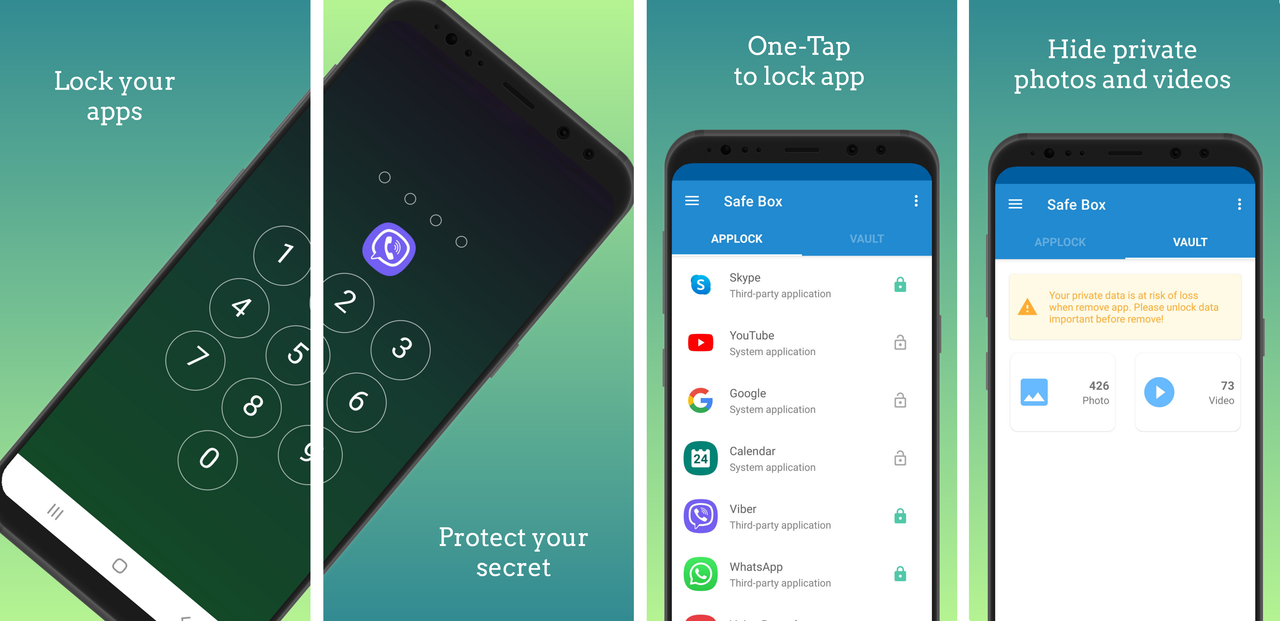
sbox.png


Special Features of Safe Box:
  • App lock: Lock apps containing private content by using pin, fingerprint
  • Photo Safe Vault: Hide photos. Don't worry about your private photos getting viewed by others
  • Video Safe Vault: Hide video in video vault , more secure
  • One-Tap to Enable/Disable app lock: Tap the lock icon at the upper right corner on Lock App page, to enable or disable app lock
  • Smooth operation, easy to use, does not take much battery
  • Easy-to-use and user friendly GUI
  • Free To Use! Everyone can use it!

Information:
Support for Android 4.3 and above
Version: v1.0
Size 4.3 MB

Download link:
DOWNLOAD SAFE BOX

Serious display problem

Hello every one, 2 days before i noticed a line on my m31s. I have done nothing in my phone not even charging. Just i wake up at morning i see lines through my display. Actually the out side of the screen not even had a scratch. Some thing happened on the inside of my screen and i dont know why.And today the lines had developed into pink and black colours on bottom of display. It is manufacturing defect. Phone is only 25 days old. What can i do. If i go to service centre will they replace my phone? What will be the reason for this and what parts of phone needs to be replaced for this. Please help....
Images:
https://postimg.cc/gallery/SyXbYwY

Galaxy m31s serious display problem

Hello every one, 2 days before i noticed a line on my m31s. I have done nothing in my phone not even charging. Just i wake up at morning i see lines through my display. Actually the out side of the screen not even had a scratch. Some thing happened on the inside of my screen and i dont know why.And today the lines had developed into pink and black colours on bottom of display. It is manufacturing defect. Phone is only 25 days old. What can i do. If i go to service centre will they replace my phone? What will be the reason for this and what parts of phone needs to be replaced for this. Please help....
Images:
https://postimg.cc/gallery/SyXbYwY

Help What are these information's and privacy?

What are these information's in attached picture?

Like TUV Austria, S0417 or 50417, Ok biobased and on some phone IMEI and SN etc?

And are all Samsung Galaxy Note 20 Ultra models have same these info like TUV Austria, S0417 or 50417, Ok biobased and on some phone IMEI and SN etc?

And are these information's relate with privacy I mean we should not share with anyone and if relate to privacy then why?

0bf3f31403593f70bd2e5e6684cb9ddd.jpg

English to English dictionary app with scanning

Google always leads me to translation apps when I search - sifted through several pages of hits. I am looking for an app for both iOS and Android that will let a student scan an English word with the camera from a mobile phone and get an English definition. It must stay English to English! Any help here? Everything I have found with scanning abilities does translation - that is cheating!

Bible KJV

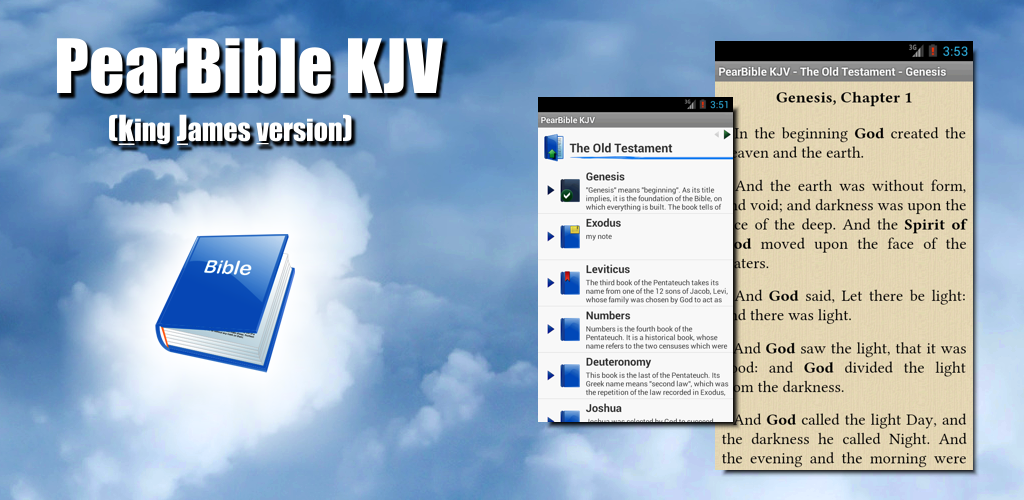
banner_1024_500.png


Download from Google Play:
https://play.google.com/store/apps/details?id=com.pearmobile.pearbible.kjv.lite
Download from HomePage:
http://www.pearmobile.com/products/biblekjv_android/

Bible KJV is an amazing mobile version of King James Bible that will help you to read this excellent book in any place you want. All texts of Bible KJV are accessible offline and it's not important to have permanently internet connection or download something. Our special algorithms provide the Bible application with very high performance in data search and usage. Amazing interface will help you to understand how to work with our Bible app from the first sight. Our goal is to make your bible reading more comfortable and joyful!

Features:

• King James Version (KJV) of Bible
• Old and New Testaments
• Full offline access to Bible texts
• High performable SQLite database engine lays in the basis of the app
• Widget "Daily Bible Verse"
• Short description for each book of Bible
• Bold font for proper nouns
• Fonts support
• Themes support
• Bookmarks and Notes for the Bible Verses and Bible Books
• Fast bookmark selection
• Possibility to highlight the verses using colors
• Variety of styles for verses
• Possibility to mark book or chapter that you have read
• Copying Bible quotes in the clipboard
• Gestures support
• Simple and user-friendly interface
• Flexibility of the application

Download from Google Play:
https://play.google.com/store/apps/details?id=com.pearmobile.pearbible.kjv.lite
Download from HomePage:
http://www.pearmobile.com/products/biblekjv_android/

• Support is available from the app or you can write to support@pearmobile.com
• Like our page on Facebook: https://www.facebook.com/PearBible
• Follow us on Instagram: https://instagram.com/bible_kjv
• Follow us on Twitter: https://twitter.com/saintgospels
• Read Bible online on www.bible.promo, www.bible.pearmobile.com

1.png
2.png
3.png
4.png
5.png
6.png

Exiting the BOOT LOOP?

I've read that many people have this problem, but how did you get out of it? That's the part I can't seem to figure out. I disabled Google, it rebooted, and has been doing that now for an hour.
I've tried the RESET button, above the SIM Card, no luck. I then pressed ALL FOUR buttons until something happened. Now, it is in a Boot Loop, but with BIG letters (S60 is LARGE and BOLD).
Now what?

Android auto doesn't launch

Hi everyone,

I'm attempting to launch Android auto on my fiat 500x Urban interface, but as I connect the smartphone to the display through usb C cable nothing happens.
The smartphone is a Xiaomi Mi8 lite with android oS 10 which android auto is already included in.
The car is included into the compatible car list created by Google support.
I'm struggling to try diverse solutions(change cord, smartphone, and so on), but this problem persists.

Do you know how to bypass it?
Are there alternative solutions to display android auto?
Is there a sort of adapting device?

Thanks for the support in advance.

Bye,
DM

#staysafe

Filter

Back
Top Bottom