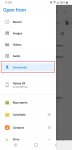
Hello, I'm new here.
The code below retrieves the user's contacts and displays them. However, it seems to also generate an empty contact. It should not generate or retrieve any empty contacts. Why does it generate the empty contact and how do I fix this issue?
The code has been tested in Android Studio using a Pixel in the Emulator. The Emulator does not generate the empty contact. We have tested the code on Galaxy physical hardware and an empty contact is present.
Any help is welcomed.
public class AddContactsActivity extends BaseAppCompatActivity {
private static final String TAG = "AddContactsActivity";
private IndexFastScrollRecyclerView recyclerContacts;
private ContactsAdapter mAdapter;
private EditText mEditSearch;
private TextView mTxtCancel;
private ArrayList<ContactInfo> mAllContacts = new ArrayList<>();
private Toolbar mToolbar;
public static void startActivity(Context context, boolean fromNewUser) {
Intent intent = new Intent(context, AddContactsActivity.class);
intent.putExtra("NewUser", fromNewUser);
context.startActivity(intent);
}
public static void startActivityForResult(Activity activity, int requestCode) {
Intent intent = new Intent(activity, AddContactsActivity.class);
intent.putExtra("NewUser", false);
activity.startActivityForResult(intent, requestCode);
}
@override
protected void onCreate(Bundle savedInstanceState) {
super.onCreate(savedInstanceState);
setContentView(R.layout.activity_add_contacts);
mToolbar = (Toolbar) findViewById(R.id.toolbar);
setSupportActionBar(mToolbar);
// if (!getIntent().getExtras().getBoolean("NewUser")) {
getSupportActionBar().setHomeAsUpIndicator(R.drawable.ic_back);
getSupportActionBar().setDisplayHomeAsUpEnabled(true);
// }
mEditSearch = (EditText) findViewById(R.id.search_bar);
mTxtCancel = (TextView) findViewById(R.id.txt_cancel);
mEditSearch.addTextChangedListener(new TextWatcher() {
@override
public void beforeTextChanged(CharSequence s, int start, int count, int after) {
}
@override
public void onTextChanged(CharSequence s, int start, int before, int count) {
filterContacts(s);
}
@override
public void afterTextChanged(Editable s) {
}
});
mEditSearch.setOnFocusChangeListener(new View.OnFocusChangeListener() {
@override
public void onFocusChange(View v, boolean hasFocus) {
if (hasFocus) {
mTxtCancel.setVisibility(View.VISIBLE);
}
}
});
mTxtCancel.setOnClickListener(new View.OnClickListener() {
@override
public void onClick(View v) {
mEditSearch.setText("");
hideSoftKeyboard();
mEditSearch.clearFocus();
mTxtCancel.setVisibility(View.GONE);
}
});
recyclerContacts = (IndexFastScrollRecyclerView) findViewById(R.id.contact_recycler);
//recyclerContacts.setIndexTextSize(12);
recyclerContacts.setIndexBarTextColor(String.format("#%X", ContextCompat.getColor(this, R.color.mainColor)));
recyclerContacts.setIndexBarColor(String.format("#%X", ContextCompat.getColor(this, R.color.white)));
recyclerContacts.setIndexbarMargin(0);
recyclerContacts.setHasFixedSize(true);
RecyclerView.LayoutManager layoutManager = new LinearLayoutManager(this, LinearLayoutManager.VERTICAL, false);
recyclerContacts.setLayoutManager(layoutManager);
recyclerContacts.setItemAnimator(new DefaultItemAnimator());
// recyclerContacts.addOnItemTouchListener(new RecyclerView.OnItemTouchListener() {
//
@override
// public boolean onInterceptTouchEvent(@NonNull RecyclerView rv, @NonNull MotionEvent e) {
// return false;
// }
//
//
@override
// public void onTouchEvent(@NonNull RecyclerView rv, @NonNull MotionEvent e) {
//
// }
//
//
@override
// public void onRequestDisallowInterceptTouchEvent(boolean disallowIntercept) {
//
// }
// });
// recyclerContacts.addOnItemTouchListener(
// new RecyclerItemClickListener(this, recyclerContacts, new RecyclerItemClickListener.OnItemClickListener() {
//
//
@override
// public void onItemClick(View view, int position) {
// int number = mAdapter.getSelectedCount();
// boolean retValue = mAdapter.onClickItem(position);
// if (!retValue) {
// if (number >= 5) {
// showErrorDialog("No more than 5 contacts can be added.");
// }
// }
// Log.d(TAG, String.valueOf(position));
// }
//
//
@override
// public void onLongItemClick(View view, int position) {
// Log.d(TAG, String.valueOf(position));
// }
// })
// );
checkAndAskPermission(Manifest.permission.READ_CONTACTS, LegalEqualizerApp.READ_CONTACTS_REQUEST_CODE, permissionDelegate);
}
private void contactClickHandler(int pos) {
int number = mAdapter.getSelectedCount();
boolean retValue = mAdapter.onClickItem(pos);
if (!retValue) {
if (number >= 5) {
showErrorDialog("No more than 5 contacts can be added.");
}
}
Log.d(TAG, String.valueOf(pos));
}
private void filterContacts(CharSequence filter) {
if (filter.length() > 0) {
ArrayList<ContactInfo> contacts = new ArrayList<>();
for (int i = 0; i < mAllContacts.size(); i++) {
String name = mAllContacts.get(i).name.toLowerCase();
if (name.contains(filter.toString().toLowerCase())) {
contacts.add(mAllContacts.get(i));
}
}
mAdapter = new ContactsAdapter(contacts, mAdapter.getSelectedContacts());
mAdapter.setOnContactItemListener(new ContactsAdapter.OnContactListItemActionInterface() {
@override
public void onContactItemClicked(int position) {
contactClickHandler(position);
}
});
recyclerContacts.setAdapter(mAdapter);
} else {
mAdapter = new ContactsAdapter(mAllContacts, mAdapter.getSelectedContacts());
mAdapter.setOnContactItemListener(new ContactsAdapter.OnContactListItemActionInterface() {
@override
public void onContactItemClicked(int position) {
contactClickHandler(position);
}
});
recyclerContacts.setAdapter(mAdapter);
}
}
private Delegate.PermissionDelegate permissionDelegate = new Delegate.PermissionDelegate() {
@override
public void granted(int requestCode) {
super.granted(requestCode);
mAllContacts = getAllContacts();
mAdapter = new ContactsAdapter(mAllContacts, null);
mAdapter.setOnContactItemListener(new ContactsAdapter.OnContactListItemActionInterface() {
@override
public void onContactItemClicked(int position) {
contactClickHandler(position);
}
});
recyclerContacts.setAdapter(mAdapter);
}
@override
public void denied(int requestCode) {
super.denied(requestCode);
showDialog(getString(R.string.title_permission), getString(R.string.permission_contact));
}
};
private ArrayList<ContactInfo> getAllContacts() {
showProgress(getString(R.string.please_wait));
List<String> contacts = loadLegalContacts();
ArrayList<ContactInfo> allContacts = new ArrayList<>();
Cursor phones = getContentResolver().query(ContactsContract.CommonDataKinds.Phone.CONTENT_URI, null, null, null, ContactsContract.CommonDataKinds.Phone.DISPLAY_NAME + " ASC");
while (phones.moveToNext()) {
String id = phones.getString(phones.getColumnIndex(ContactsContract.CommonDataKinds.Phone.CONTACT_ID));
String name = phones.getString(phones.getColumnIndex(ContactsContract.CommonDataKinds.Phone.DISPLAY_NAME));
String phoneNumber = phones.getString(phones.getColumnIndex(ContactsContract.CommonDataKinds.Phone.NUMBER));
if (phoneNumber != null) {
phoneNumber = phoneNumber.replace("(", "");
phoneNumber = phoneNumber.replace(")", "");
phoneNumber = phoneNumber.replace("-", "");
phoneNumber = phoneNumber.replace(" ", "");
phoneNumber = phoneNumber.replace("+", "");
}
ContactInfo info;
if (contacts.contains(id)) {
info = new ContactInfo(id, name, phoneNumber, true);
} else {
info = new ContactInfo(id, name, phoneNumber);
}
boolean isNew = true;
for (int i = 0; i < allContacts.size(); i++) {
if (TextUtils.equals(allContacts.get(i).name, name)) {
isNew = false;
break;
}
}
if (isNew) {
allContacts.add(info);
}
}
phones.close();
hideProgress();
return allContacts;
}
@override
public boolean onCreateOptionsMenu(Menu menu) {
MenuInflater inflater = getMenuInflater();
inflater.inflate(R.menu.done, menu);
return super.onCreateOptionsMenu(menu);
}
@override
public boolean onOptionsItemSelected(MenuItem item) {
switch (item.getItemId()) {
case android.R.id.home:
if (getIntent().getExtras().getBoolean("NewUser")) {
showConfirmDialog(getString(R.string.setting_item_signout), getString(R.string.message_signout), new Delegate.DialogDelegate() {
@override
public void complete(int result) {
super.complete(result);
if (result == RESULT_OK) {
FirebaseManager.signOut();
//MainActivity.startActivity(SettingsActivity.this);
finish();
}
}
});
} else {
finish();
}
break;
case R.id.done:
if (saveLegalContacts()) {
if (getIntent().getExtras().getBoolean("NewUser")) {
Home2Activity.startActivity(AddContactsActivity.this);
} else {
setResult(RESULT_OK);
}
finish();
}
break;
}
return super.onOptionsItemSelected(item);
}
@override
public void onBackPressed() {
if (getIntent().getExtras().getBoolean("NewUser")) {
showConfirmDialog(getString(R.string.setting_item_signout), getString(R.string.message_signout), new Delegate.DialogDelegate() {
@override
public void complete(int result) {
super.complete(result);
if (result == RESULT_OK) {
FirebaseManager.signOut();
finish();
}
}
});
} else {
super.onBackPressed();
}
}
private boolean saveLegalContacts() {
if (mAllContacts.size() > 0) {
List<String> contacts = mAdapter.getSelectedContacts();
if (contacts == null || contacts.size() == 0) {
showErrorDialog(getString(R.string.error_no_contacts));
return false;
} else {
Set<String> set = new HashSet<>();
set.addAll(mAdapter.getSelectedContacts());
return SharedPrefUtil.getInstance().saveStringSet("LegalContacts", set);
}
} else {
return true;
}
}
private List<String> loadLegalContacts() {
List<String> contacts = new ArrayList<>();
Set<String> set = SharedPrefUtil.getInstance().getStringSet("LegalContacts");
if (set != null) {
contacts.addAll(set);
}
return contacts;
}
}