• After 15+ years, we've made a big change: Android Forums is now Early Bird Club. Learn more here.

What Does Your Epic 4G Screen Look Like?

As much as I like the all black screen, I had to change it after seeing all these text only icons and widgets :D
I can't decide which one looks better, pure text clock and battery, or digits. They booth look so good!

I think either way works pretty well but I guess I'd lean towards the text at the top to keep with the whole theme. I love the little bit of color too. Can I ask where you got the wallpaper?
 
As much as I like the all black screen, I had to change it after seeing all these text only icons and widgets :D
I can't decide which one looks better, pure text clock and battery, or digits. They booth look so good!

snap20100907_005128.png

MUST POST THAT WALLPAPER :D

Oh and... I like the all text version... but it's not as easy to quickly look at and get the time.
 
MUST POST THAT WALLPAPER :D

Oh and... I like the all text version... but it's not as easy to quickly look at and get the time.

I'm a chick and I love that wallpaper! Just love black and white images with a splash of color. I think I may get weird looks if I use that though, LOL :D
 
I'm a chick and I love that wallpaper! Just love black and white images with a splash of color. I think I may get weird looks if I use that though, LOL :D

I doubt you'd get weird looks...it's artsy and tasteful enough. I have to agree that I prefer it with all text as opposed to having the numbers up top. It just seems to flow better with text in my opinion.
 
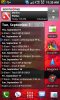
I just love PureCal for an agenda widget. And it scrolls too so a little flick takes me to the end of September. Haven't played with custom icons yet, though I do like the word type ones. Would go well with the agenda widget on there and the typeface of the other icons. The rest are just the things I use on a daily basis. Keeps it simple and productive.

10663d1283874459-what-does-your-epic-4g-screen-look-like-homescreen.jpg
 

Attachments

  • homescreen.jpg
    homescreen.jpg
    109.2 KB · Views: 1,198
As much as I like the all black screen, I had to change it after seeing all these text only icons and widgets :D
I can't decide which one looks better, pure text clock and battery, or digits. They booth look so good!

snap20100907_005128.png

Sorry for the noob question, but how did you get your icons to be TEXT?
 
Uhhh... they arent blurry. I resized the screenshot so it wasnt massive on the forums. They look perfectly clear on the Epic and at full size.

Link to icons (5 of them): http://whoisjimothy.com/public/Icons_Blurb_white.zip

Full size:
Call.png

Oh I wasn't calling yours blurry. I was meaning I don't want mines to be when I try. But I figured it out myself and came across some other looking talk bubbles with a transparent background. I just input the text myself of whatever I wanted it to say.

Thanks though. I still downloaded your provided .zip file for variety. Appreciate it.
 
kngyn19:

Do you happen to have a link or searchable name for your text clock? I've found nearly every other clock on this thread in the process of looking for that one.
 
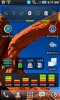
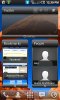
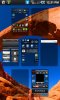
Still changing almost every day... but these are some that I have nailed down... sort of:
LauncherPro with Widgets
Page 1 - SwitchPro, SpeedTest, JuicePlotter, MiniInfo, Apps Organizer, AudioManager
Page 2 - TuneWiki Social Media Player, MixZing Media Player, YouTube widget (standard), Pandora
Page 3 - Weather widgets (yr.no), Smooth Calendar, BatStat Battery Widget
Page 4 - LauncherPro Twitter; LauncherPro Bookmarks; LauncherPro People
Page 5 - 7 page layout, still haven't decided what to do with 3 of the remaining pages :)
 

Attachments

  • snap20100907_091750.jpg
    snap20100907_091750.jpg
    107 KB · Views: 262
  • snap20100907_091946.jpg
    snap20100907_091946.jpg
    97.1 KB · Views: 201
  • snap20100907_112017.jpg
    snap20100907_112017.jpg
    111.3 KB · Views: 210
  • snap20100907_123054.jpg
    snap20100907_123054.jpg
    85.1 KB · Views: 202
  • snap20100907_123102.jpg
    snap20100907_123102.jpg
    107.5 KB · Views: 180
Hey guys

I'm new to this android customization and I finally got Bettercut and a few icon packs.

I was able to create short cuts and assign the certain icons from the icon pack gallery, but the problem I'm running into is not knowing how to make that icon appear in the Launcher Pro dock.....

How can I change the Launcher pro icon to the icon I just created?
 
Hey guys

I'm new to this android customization and I finally got Bettercut and a few icon packs.

I was able to create short cuts and assign the certain icons from the icon pack gallery, but the problem I'm running into is not knowing how to make that icon appear in the Launcher Pro dock.....

How can I change the Launcher pro icon to the icon I just created?

Tap and hold on the spot where you want the app to be at. The menu will come up to change shortcut, change icon, and change swipe gestures.
 
Is there any program that will let you add text to custom icons? Like if you see my previous screen shot, for the Adam Bomb icon, can I put the text Contacts under it? Would Bettercut let me do that?
 
Tap and hold on the spot where you want the app to be at. The menu will come up to change shortcut, change icon, and change swipe gestures.


I got that far, but no matter where I go, I cannot find that short cut I just made with the NEW icon.
 
I got that far, but no matter where I go, I cannot find that short cut I just made with the NEW icon.

Take the icons and put it in a separate folder and see if that works. I just tried it and when I clicked on custom bubble it brought up my gallery so hopefully that helps.
 
My usage of the icons linked above:

epic-theme1.jpg


Looks soooo good on the Epic screen.

Very nice and clean! Where did you get the BG, clock and icons? (I must be blind as a bat, as I didn't see the link to usage of the icons above. Other than the White tab icons).

Also wondered where you got the battery percentage, as that is also a nice clean look - no ugly battery image. :)
 
Actually switched out that battery percentage widget for the one seen here:

snap20100908_164512.jpg


My first one (small text) was just an 1x1 extended controls widget with the battery indicator. I set it to 100% transparency, no indicator, and for the battery part, I chose only to show the percentage (no image).

The new one is battstatt. The BG came from deviantart, but I uploaded it here:

http://www.whoisjimothy.com/public/epic/walls/lonly_tree.jpg

I set my default screen on launcher pro to be the rightmost screen so the tree is in view.

The icons.... ugh... someone before me posted a screenshot of his desktop and I managed to find the icons he used somehow. It's just 2 text laters with drop shadows in photoshop on a transparent background saved as PNGs. Anyone can do that :P I actually ended up making a lot of my own because the icon pack didn't have some shortcuts I wanted. The dock in launcher pro is scrollbable. If you swipe to the right or left, 5 new icons show up :) I have 15 dock shortcuts altogether so I dont need ANY app icons on my home screens. Makes things simple and clean.

Oh, and here are the docks (with varying transparency) to use with launcher pro:

D.png


D2.png


DA.png
 
  • Like
Reactions: KVN
Whoa that background is awesome! Mind telling me where ya got that? Thanks

I almost certain that is Big Sur California. I have a picture that I use as my desk top background on my computer, and they look like the same spot. I tried to upload the picture, but it there was an error. Maybe it's too big?
 
Back
Top Bottom