This problem doesn't seem to be specific to one app, one phone (before the Galaxy Nexus, I had the HTC Glacier and the the HTC Magic), or one Android version (I've used 1.5, 1.6, 2.1, 2.2, 2.3, 4.0, and 4.1).
The main problem I'm having is that I want more stuff cached in the background. Here are some examples.
Example 1
In the Google Reader app, I have checked a box next to Synchronize feeds: Download frequently viewed feeds every hour for offline access. And yet when I go to look at my feeds, it still has to take time to load them if I have a slow or no network connection. Shouldn't it just check every hour and then when I want to view the feeds, they're cached offline and can be displayed instantly?
Example 2
In just about every web browser I've tried (except Opera Mobile, which I'm using now mainly for this very reason), if I open up a bunch of tabs in the background, the pages will download in the background, but then when I go to look at another tab, it'll want to reload the page. If I happened to have a strong network connection when the page was originally loaded and a weak one when I'm trying to look at it again, it'll still try to reload the tab. More importantly (even if you assume tab loading doesn't happen in the background), if I view a loaded tab, go to another tab, and then return to the original tab, which I know had previously loaded, the non-Opera web browser will still attempt to reload the tab. Shouldn't that page be cached? Shouldn't it try to reload only if there's a strong network connection? Or, better yet, only if it's been a few hours and the content might have changed?
Example 3
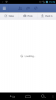
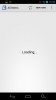
In the Facebook app, there's a setting that says Refresh interval 2 hours. Supposedly every two hours, it's polling the Facebook servers and pulling down my feeds, most of which are text, though some pictures are in there, too. Yet if I go into the Facebook app, the first thing I see are not cached feeds but a blank white screen with text in the middle that says Loading.... What's there to load? You should have loaded that two hours ago. And then if I pull down at the top, then you can try to refresh with new feed information.
I can put in examples 4, 5, 6, etc. if you really want to know. I think you get the drift, though. Background downloading doesn't appear to actually stay downloaded. How do I get my cache bigger... or actually used?
Why does this matter to me?
I don't do a ton of streaming video, so I'm not at all worried about hitting my data limits, which are pretty low anyway (I paid for 5 GB a month, and Verizon upgraded me to 10 GB for no extra charge as some promotion). I want things to download in the background. I spend a significant chunk of my day commuting on a train to and from work. The train ride is long and the signal patchy--sometimes very strong, sometimes weak, sometimes not there at all. What I'd like to do is have a bunch of stuff loaded offline (RSS feeds, web pages, Facebook statuses and pictures, etc.) to instantly view, whether I have a connection or not.
If anyone has suggestions for how to make this work, I'd be very appreciative. My phone is rooted, so if some custom rom mod does this, I can flash the mod. And if there is no solution, even just someone commiserating with me would probably help. Very frustrating!
The main problem I'm having is that I want more stuff cached in the background. Here are some examples.
Example 1
In the Google Reader app, I have checked a box next to Synchronize feeds: Download frequently viewed feeds every hour for offline access. And yet when I go to look at my feeds, it still has to take time to load them if I have a slow or no network connection. Shouldn't it just check every hour and then when I want to view the feeds, they're cached offline and can be displayed instantly?
Example 2
In just about every web browser I've tried (except Opera Mobile, which I'm using now mainly for this very reason), if I open up a bunch of tabs in the background, the pages will download in the background, but then when I go to look at another tab, it'll want to reload the page. If I happened to have a strong network connection when the page was originally loaded and a weak one when I'm trying to look at it again, it'll still try to reload the tab. More importantly (even if you assume tab loading doesn't happen in the background), if I view a loaded tab, go to another tab, and then return to the original tab, which I know had previously loaded, the non-Opera web browser will still attempt to reload the tab. Shouldn't that page be cached? Shouldn't it try to reload only if there's a strong network connection? Or, better yet, only if it's been a few hours and the content might have changed?
Example 3
In the Facebook app, there's a setting that says Refresh interval 2 hours. Supposedly every two hours, it's polling the Facebook servers and pulling down my feeds, most of which are text, though some pictures are in there, too. Yet if I go into the Facebook app, the first thing I see are not cached feeds but a blank white screen with text in the middle that says Loading.... What's there to load? You should have loaded that two hours ago. And then if I pull down at the top, then you can try to refresh with new feed information.
I can put in examples 4, 5, 6, etc. if you really want to know. I think you get the drift, though. Background downloading doesn't appear to actually stay downloaded. How do I get my cache bigger... or actually used?
Why does this matter to me?
I don't do a ton of streaming video, so I'm not at all worried about hitting my data limits, which are pretty low anyway (I paid for 5 GB a month, and Verizon upgraded me to 10 GB for no extra charge as some promotion). I want things to download in the background. I spend a significant chunk of my day commuting on a train to and from work. The train ride is long and the signal patchy--sometimes very strong, sometimes weak, sometimes not there at all. What I'd like to do is have a bunch of stuff loaded offline (RSS feeds, web pages, Facebook statuses and pictures, etc.) to instantly view, whether I have a connection or not.
If anyone has suggestions for how to make this work, I'd be very appreciative. My phone is rooted, so if some custom rom mod does this, I can flash the mod. And if there is no solution, even just someone commiserating with me would probably help. Very frustrating!