
Vincible
Newbie
I came across this as an alternative way to get the most out of your external SD card to preserve your internal memory. I find it's best to do this after a fresh factory reset, and maybe a reflashing of your rom (I'm using the Xperion Rom) Ultimately it will do just as the title of this thread says: Swap Internal & External Memory
First if you haven't already you should follow this tutorial for link2sd and just follow the steps for the Aparted part first on Android Creations site. We'll come back to it later for the link2sd part.
Link: http://androidcreations.weebly.com/how-to-setup-link2sd.html
Next after you've partitioned your external SD card you can go ahead and factory reset your phone via CWM and reflash your rom if you want a fresh start, if not then that's your decision.
After you've made that decision upon your phone rebooting back up(or not if you never did a fresh start), install Root External 2 Internal and follow the steps below:
Root External 2 Internal: https://play.google.com/store/apps/details?id=eu.codlab.int2ext
Step 1: Install Root External to Internal
Step 2: Go to settings View attachment 74277
Step 3: Check both Send Rescan & Use per default View attachment 74278
Step 4: Change the Original internal mounting point to /storage/sdcard0
View attachment 74279
Step 5: Change the Original external mounting point to /storage/external_SD
Step 6: Click on View the different devices and a list should be available below it. Then scroll down and you should see something that says /dev/block/vold/179:33 make note of it and go back up to The ext. sdcard device access. Click on it and change the 179:49 to 179:33. (if your device says something else for that part be careful it's not for your ext. 4 partition you want the external_SD card part).
View attachment 74280
View attachment 74281
View attachment 74282
View attachment 74285
Step 7: Go back to the main menu of the app and click on the External > Internal button and viola the swap is done. (Make sure the at boot is checked because anytime you reboot it will reswap it back to normal and all you have to do us open up Root External 2 Internal again and press swap).
View attachment 74287
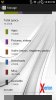
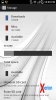
After you've done these steps head into your storage and check to see if it worked.
Next install link2sd(link2sd plus I would recommend as the best so you can store data): https://play.google.com/store/apps/details?id=com.buak.Link2SD
Mount your ext. 4 partition of your external SD card and link all your apps that you can.
Once you've done that, you have finished and enjoy all that memory at your disposal!
Hope this was helpful & feel free to post on how this experience went for you!
First if you haven't already you should follow this tutorial for link2sd and just follow the steps for the Aparted part first on Android Creations site. We'll come back to it later for the link2sd part.
Link: http://androidcreations.weebly.com/how-to-setup-link2sd.html
Next after you've partitioned your external SD card you can go ahead and factory reset your phone via CWM and reflash your rom if you want a fresh start, if not then that's your decision.
After you've made that decision upon your phone rebooting back up(or not if you never did a fresh start), install Root External 2 Internal and follow the steps below:
Root External 2 Internal: https://play.google.com/store/apps/details?id=eu.codlab.int2ext
Step 1: Install Root External to Internal
Step 2: Go to settings View attachment 74277
Step 3: Check both Send Rescan & Use per default View attachment 74278
Step 4: Change the Original internal mounting point to /storage/sdcard0
View attachment 74279
Step 5: Change the Original external mounting point to /storage/external_SD
Step 6: Click on View the different devices and a list should be available below it. Then scroll down and you should see something that says /dev/block/vold/179:33 make note of it and go back up to The ext. sdcard device access. Click on it and change the 179:49 to 179:33. (if your device says something else for that part be careful it's not for your ext. 4 partition you want the external_SD card part).
View attachment 74280
View attachment 74281
View attachment 74282
View attachment 74285
Step 7: Go back to the main menu of the app and click on the External > Internal button and viola the swap is done. (Make sure the at boot is checked because anytime you reboot it will reswap it back to normal and all you have to do us open up Root External 2 Internal again and press swap).
View attachment 74287
After you've done these steps head into your storage and check to see if it worked.
Next install link2sd(link2sd plus I would recommend as the best so you can store data): https://play.google.com/store/apps/details?id=com.buak.Link2SD
Mount your ext. 4 partition of your external SD card and link all your apps that you can.
Once you've done that, you have finished and enjoy all that memory at your disposal!
Hope this was helpful & feel free to post on how this experience went for you!