Night Office
Lurker
Thank you. I was ready to throw my wonderful Nexus 10 into the trash and buy an IPad. With your good advice, everything is back working fine. Thanks again.
Follow along with the video below to see how to install our site as a web app on your home screen.
Note: This feature may not be available in some browsers.




... I signed up on this site just to say thanks to the person who posted the fix..

You're welcome, branzion. I'm glad it helped.thanks guys......phew dont no how this started but it drove me nuts ......
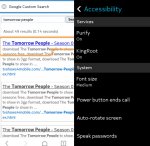
Perhaps some of you have enabled Talkback (Settings->Accessibility->Talkback {on}) and are wondering how to turn it off. Here's how:
1) Selections are made by long-tap then double-tap. Remember that, as you'll need it multiple times!
2) Select the Home screen (Remember the select technique?)
3) Select the app waffle-iron. (Remember?)
4) Use two (2) fingers to swipe through to the Settings icon, then select it. (Yeah, that's the ticket ... I remember now!)
5) Two-finger swipe to select Accessibility.
6) Select Talkback.
7) Select {on|off} toggle.
8) Select confirmation "OK".
You're free! Free at last!
I spent about a half-hour on the phone with Google Support this morning, and it was as much of a mystery to them as it was to me, although I had spent a previous half-hour discerning the long-tap double-tap technique. Young Joe at Google helped tremendously by directing my attention to the app waffle (since nether of us could pull-down notifications), then the two-fingered swipe to get to the Settings icon.
Damn, that was a painful morning! Hopefully things will be easier now for anyone else who falls into Talkback-disable hell.


My mobile is Nokia X Unfortunately!
I installed the root, and the Google services... including talkback..
now my problem is that.. I did uninstalled the talkback.. but the virus kind of thing still exist.. It works only while I am browsing in uc browser or using tubemate, or vidmate.. it only appear there . that's very annoying..
Perhaps some of you have enabled Talkback (Settings->Accessibility->Talkback {on}) and are wondering how to turn it off. Here's how:
1) Selections are made by long-tap then double-tap. Remember that, as you'll need it multiple times!
2) Select the Home screen (Remember the select technique?)
3) Select the app waffle-iron. (Remember?)
4) Use two (2) fingers to swipe through to the Settings icon, then select it. (Yeah, that's the ticket ... I remember now!)
5) Two-finger swipe to select Accessibility.
6) Select Talkback.
7) Select {on|off} toggle.
8) Select confirmation "OK".
You're free! Free at last!
I spent about a half-hour on the phone with Google Support this morning, and it was as much of a mystery to them as it was to me, although I had spent a previous half-hour discerning the long-tap double-tap technique. Young Joe at Google helped tremendously by directing my attention to the app waffle (since nether of us could pull-down notifications), then the two-fingered swipe to get to the Settings icon.
Damn, that was a painful morning! Hopefully things will be easier now for anyone else who falls into Talkback-disable hell.

Correct me if I'm wroung, but isn't Talkback an app? It is on my phone. I just went into Settings>Apps and uninstalled it.
... I finally tracked the culprit down to an ACCESSIBILITY service called "APUS Super Engine". ... Make sure the service is OFF.