
Install the app
How to install the app on iOS
Follow along with the video below to see how to install our site as a web app on your home screen.
Note: This feature may not be available in some browsers.
-
After 15+ years, we've made a big change: Android Forums is now Early Bird Club. Learn more here.
You are using an out of date browser. It may not display this or other websites correctly.
You should upgrade or use an alternative browser.
You should upgrade or use an alternative browser.
Angry birds FULL VERSION out now!!
- Thread starter lekky
- Start date

ste1604
Well-Known Member
astro manager OR link your phone to your computer and look at it as external memory...
can i do this if my phone is not Rooted?
and should i follow these steps:::
Download the application.
Connect your phone to your PC via USB cable and select Disk Drive mode.
Copy the downloaded file to your phones sdcard (any location, just remember where you put it).
Download an application called Astro File Manager from the android market.
Open Astro File Manager and browse to the file you previously placed on the sdcard.
Click on the file and select Open App Manager from the popup list.
Select Install, followed by install again when prompted.
if i do it through astro file manager, will it show up in the market as a downloaded app, and would i go to the market if i wanted to uninstall it?
ste1604
Well-Known Member
I've just downloaded it from the Market. On Orange in the UK HTC Desire
Downloaded from one of the Mirrors here earlier too.
Fantastic it's free. I'm a bit gobsmacked actually.
maybe its not for my htc tattoo than, as the market for htc tattoo is slightly different
Can someone PLEEEEEEASE help me...lol. I downloaded the APK and it shows up fine in my download folder, but when I click to install, it doesn't. So I tried the one in the market and it begins to download then I get a "Installation Unsuccessful" message. It doesn't say anything else.
Any help is appreciated
Any help is appreciated

SeattleYanksFan
Android Expert
That was too easy. Hopefully they come out with the next 150 levels soon.
Hahahahaaa!!! I would love to even try the damn game but can't get it to install for some reason! Any help on how I can do it? It keeps saying "installation unsuccessful" with no other message or reason.That was too easy. Hopefully they come out with the next 150 levels soon.

turbosol16
Android Enthusiast
I dl the getjar version earlier and once it came onto the Market I installed the market version over the previous version. You won't lose your progress and now you will have it in the DL market section.
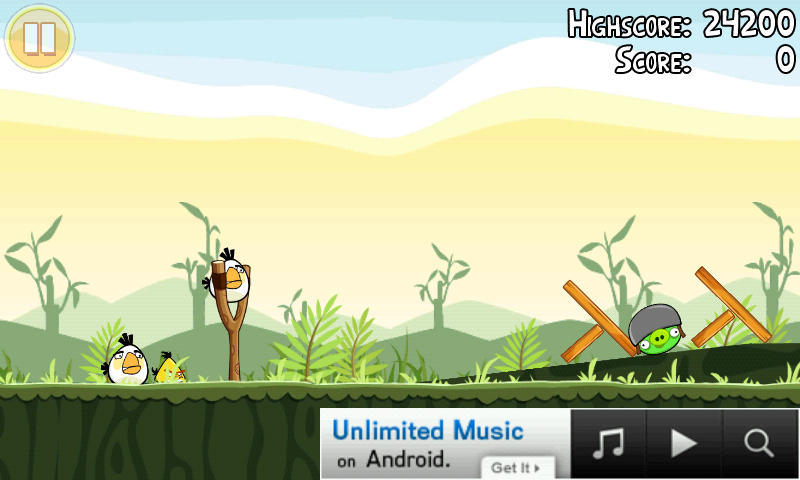
It's out on the Market now. Get it while it's hot! The ads don't bother me at all. Not for this free game!
They don't bother me at all. They aren't annoying at all. You can still play the game fine. Looks like
SeattleYanksFan
Android Expert
Hahahahaaa!!! I would love to even try the damn game but can't get it to install for some reason! Any help on how I can do it? It keeps saying "installation unsuccessful" with no other message or reason.
Well, I was joking, of course.
Did you try installing straight through the Market? It's in there now.
If so, did you try restarting your phone?
Well, I was joking, of course.
Did you try installing straight through the Market? It's in there now.
If so, did you try restarting your phone?
Yeah, initially it was from one of the download sites but now i'm trying from the market and it says it's downloading, then I get the error message. Getting pretty angry myself, here
 . Yeah, I tried restarting the phone too.
alan hanson
Well-Known Member
mine crashed the one i downloaded earlier from getjar but now its ad free on the market, cant believe it is fair play rovio, whilst i didnt want to pay ott for it i would have gladly paid something to show appreciation.
wonder why they decided to slap it on there for free?
wonder why they decided to slap it on there for free?

saps
Extreme Android User
I grabbed it from Market a few hours ago and proceeded to tell everyone else here in the office who has Android to grab it. Now everyone...EVERYONE with Android is playing it on their phone right now its just about lunch here and its a friday, so whatever. Except the one guy who has the iphone. And I quote him "Angry Birds, what's that?"
mine crashed the one i downloaded earlier from getjar but now its ad free on the market, cant believe it is fair play rovio, whilst i didnt want to pay ott for it i would have gladly paid something to show appreciation.
wonder why they decided to slap it on there for free?
I dont know, but i am greatful. I also was ready to pay for it. Even $4.99 would have been fine IMO.
Maybe they anticipated the file being distributed and couldnt figure out how to stop it, so figured they would just promote it as free?
Or they worked out a great deal with the Ad provider maybe, so the impressions are more valuable.
Either way, one of my favs right now

Mr Marcus
Well-Known Member
Its on the market, i got it with less than 50 downloads so it must have just hit.
Same here.

ste1604
Well-Known Member
still not on the market for me
HTC Aria
At&T
USA
but i have the one from this morning, so it's all good.
how do you install through astro, cos its not showing up in the market on my tattoo, does my phone have to be rooted?

AndroidRider
Well-Known Member
Woo Hoo! Downloading from market now 

fortesquieu
Android Expert
If you guys are rooted and have the adfree mode installed, the game would have no ads. I'm running Ultimate Droid 1.0, and it has the adfree installed, and I dont get ads on the game!
how do you install through astro, cos its not showing up in the market on my tattoo, does my phone have to be rooted?
i downloaded free app named AppInstaller
it finds the APK and gives you option to install it, very easy to use
AndroidRider
Well-Known Member
Updates should be quicker now that Finland, or wherever Rovio is located has been added to the approved list of countries, that's what was holding them back.
ste1604
Well-Known Member
i downloaded free app named AppInstaller
it finds the APK and gives you option to install it, very easy to use
if you un-install through app installer then do you get all the memory back that you had before you first installed it? on a unrooted device
here is a post from Lecky with a mirror download link
Please use this PC link Download Angry Birds for Mobile
burnt_toast
Member
can i do this if my phone is not Rooted?
and should i follow these steps:::
Download the application.
Connect your phone to your PC via USB cable and select Disk Drive mode.
Copy the downloaded file to your phones sdcard (any location, just remember where you put it).
Download an application called Astro File Manager from the android market.
Open Astro File Manager and browse to the file you previously placed on the sdcard.
Click on the file and select Open App Manager from the popup list.
Select Install, followed by install again when prompted.
if i do it through astro file manager, will it show up in the market as a downloaded app, and would i go to the market if i wanted to uninstall it?
you can use astro or appinstaller - but no it will not show up in the market as downloaded app... AND no, you dont have to be rooted... my phone is not rooted but running official 2.2