• After 15+ years, we've made a big change: Android Forums is now Early Bird Club. Learn more here.

Any Motion users try Qualcomm's Snapdragon battery saver app?

Tell us how it goes

So after the patch. The app is a little buggy and I'm not sure if its even still working.

The app opens but it doesn't load any of the apps and whenever I go to settings it crashes.

However I still have the notification that its on learning mode and it is still running in the background
 
So after the patch. The app is a little buggy and I'm not sure if its even still working.

The app opens but it doesn't load any of the apps and whenever I go to settings it crashes.

However I still have the notification that its on learning mode and it is still running in the background

Dislike
 
I installed this on my spirit, and so far I am unimpressed. It doesnt do any of the things it says it can do. Between my wifi and gps being on all the time i havent seen any improvement in battery life.

I used Juice Defender in the past and it worked well, made my battery last forever. I only quit using it because i didnt like waiting on my data to reconnect before i cohld use the phone.
 
Well, I think I like it;).
Screenshot_2013-03-01-23-04-03.png

I have Juice Defender and Power Saver running.

Screenshot_2013-03-01-23-03-51.png

Screenshot_2013-03-01-23-04-20.png

Screenshot_2013-03-01-23-04-35.png
Also CPU is topped at 800MHz. And as you can see on the screenshots it's doing pretty good. 46% after 17 hours:D. That's about 3.25% per hour:). I have ran JD and PS before without this app and would get only about 15 hrs. I'll try running it at 1500MHz and report back.
 
Here's my results.


After 3 days with it out of learning mode, I got this:

uploadfromtaptalk1362316584528.jpg


After another 3 days with it uninstalled, I got this:

uploadfromtaptalk1362316631849.jpg


Mind = blown
 
Just read about this from an article. Registers as compatible with my Motion (i.e., it only works with phones with Snapdragon processors onboard) and reviews look pretty solid/interesting. Anybody actually tried it? It has a 2-4 day "learning period" where it apparently learns your phone usage style.

Qualcomm's Snapdragon BatteryGuru (beta)

Not currently using any battery saver apps, but thinking about this one.

I tried it... I get worse battery life though. Thanks for sharing the find. ;)
 
I'm going to try the BatteryGuru/Juice Defender/Stock Power Saver combo and see what happens...

if you want a little more battery and you have setcpu you should make a profile for Screen Off Max:486 Min:384 also

I also found out there are couple of multi core CPU sleeper APPs.
It will put CPU1 sleep when phone screen is off :)
I am going to try this and see if it makes any difference.

http://forum.xda-developers.com/showthread.php?t=1739457

i havent had to charge my phone as much with both the setcpu profile and this cpusleep apk
 
Idk I might uninstall this, I'll keep it for a couple more days just to see.

Up to now it turns wifi off , so I get to work its not connected to wifi, I manually have to do it when I realize its in 4g, go home, same s**t again, manually turn it on, get to school... again, its off, back home, off again.

I'll see if it sorts itself out over the next couple of days
 
Yeah f this app I got rid of it last night. I am 50% battery with 9hrs on charge. I even did more with the phone then before longer calls videos and led flashlight for a while
 
Well this is an uninstall for me, all its done so far is aggravate me by turning wifi off then it never turns it on.
 
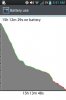
Here's with JD, BG, and the Stock power save:

uploadfromtaptalk1362604740441.jpg


Fwiw, Its at 100% because my battery died, and I didn't turn on my phone while charging because it would delete battery stats...


Here's with nothing:

uploadfromtaptalk1362604887485.jpg


Mind=Blown Again


.
 
It's working great for me.

I've disabled the WiFi control, as I need the Motion linked to my Nexus constantly, and the program was breaking the link intermittently.

Just using it to control how apps sync, and it's working rather well.
 
Back
Top Bottom