k.c.cole
Android Enthusiast
Correction: The easiest way, for Free, I could find. 
This is not my work. I am referencing these articles:
239 Flashable Font Packs - Change your system fonts the easy way! - xda-developers
xda-developers - View Single Post - 239 Flashable Font Packs - Change your system fonts the easy way!
I have posted a few of my attempts (so I could download them, feel free to try them out) on mandroid (savoxis.com) here: Downloads - Misc
I tried several ways, including a market app called type fresh, but found this to be the easiest. Essentially all you need to do is find a suitable True Type Font (.ttf); here is a link to a very large selection: Download Free Fonts
Making any changes to your system files can be dangerous! please make a nandroid backup of your phone before flashing anything.
1. Once you have what you want you, create a temporary folder on your desktop. Copy the .ttf into the temp folder and rename it Clockopia, repeat for DroidSans, and DroidSans-Bold (you can have a bold version of your font for this).
2. Next open the .zip file with a zip editor ( i used 7zip: Download) .
3. Navigate to: system>fonts
4. Drag each of our fonts from the temp folder to the zip archive and click "Yes" to copy the files, overwriting the previous files. You should not add or remove files.
5. Close the zip editor, and rename your .zip file. I have been using the following format: FontPack_FontName.
6. Move the FontPack_FontName.zip to the root of your SD card
7. Reboot into recovery.
8. Flash the .zip with the recovery option (I have had to toggle verification to make it work.)
9. Once it flashes, reboot the phone. You can clear your cache and dalvik, as this is good practice, but I have had no issues not doing so.
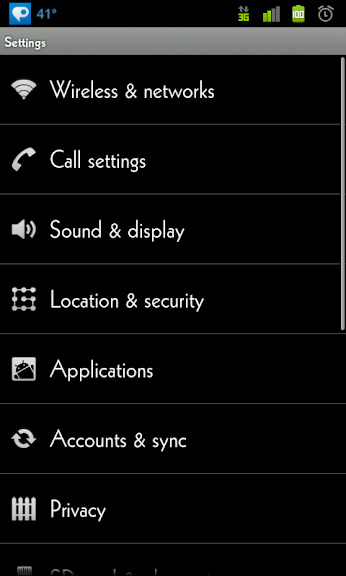
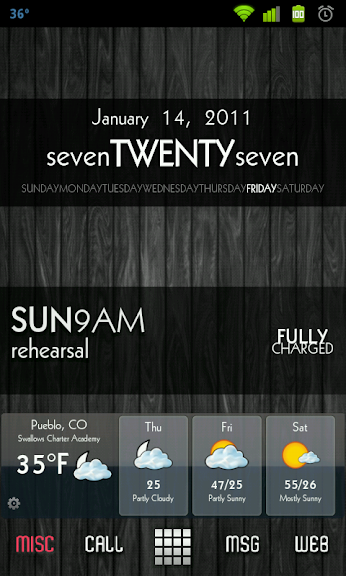
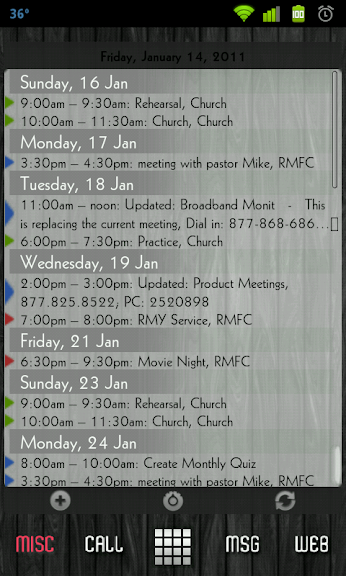
10. Once your phone reboots, check your messaging and mail apps, as well as menus to see if you like the font and it is easy to read. Or, if you like it at all. If you like it leave it alone. If you don't go back to step one with a different font, or restore your nand backup.
This is not my work. I am referencing these articles:
239 Flashable Font Packs - Change your system fonts the easy way! - xda-developers
xda-developers - View Single Post - 239 Flashable Font Packs - Change your system fonts the easy way!
I have posted a few of my attempts (so I could download them, feel free to try them out) on mandroid (savoxis.com) here: Downloads - Misc
I tried several ways, including a market app called type fresh, but found this to be the easiest. Essentially all you need to do is find a suitable True Type Font (.ttf); here is a link to a very large selection: Download Free Fonts
Making any changes to your system files can be dangerous! please make a nandroid backup of your phone before flashing anything.
1. Once you have what you want you, create a temporary folder on your desktop. Copy the .ttf into the temp folder and rename it Clockopia, repeat for DroidSans, and DroidSans-Bold (you can have a bold version of your font for this).
2. Next open the .zip file with a zip editor ( i used 7zip: Download) .
3. Navigate to: system>fonts
4. Drag each of our fonts from the temp folder to the zip archive and click "Yes" to copy the files, overwriting the previous files. You should not add or remove files.
5. Close the zip editor, and rename your .zip file. I have been using the following format: FontPack_FontName.
6. Move the FontPack_FontName.zip to the root of your SD card
7. Reboot into recovery.
8. Flash the .zip with the recovery option (I have had to toggle verification to make it work.)
9. Once it flashes, reboot the phone. You can clear your cache and dalvik, as this is good practice, but I have had no issues not doing so.
10. Once your phone reboots, check your messaging and mail apps, as well as menus to see if you like the font and it is easy to read. Or, if you like it at all. If you like it leave it alone. If you don't go back to step one with a different font, or restore your nand backup.