• After 15+ years, we've made a big change: Android Forums is now Early Bird Club. Learn more here.

Root Coheed And Cambria Live Wallpaper

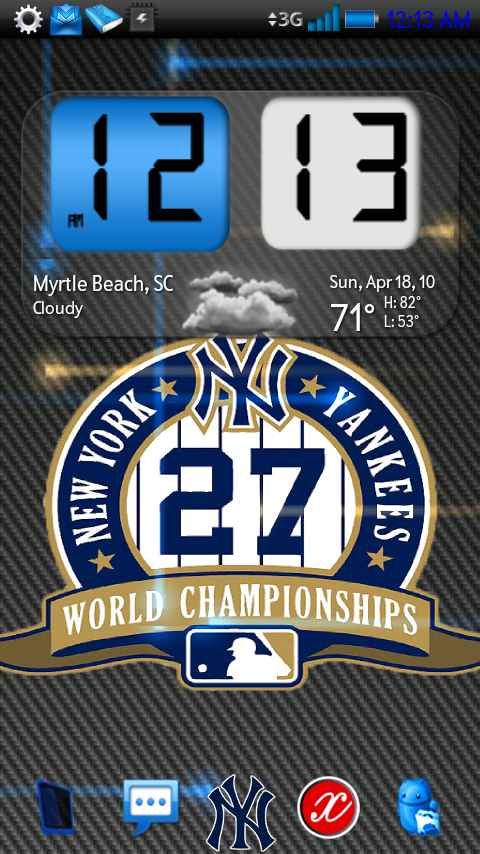
Love the blue Android! It's exactly what I had in mind when I envisioned it. Looking forward to seeing what you might be able to do with a Phillies one.

I like the new MTB album, but I'm more into their older stuff. Menos El Oso is my favorite album of theirs. And I see your profile says you're in Toms River, NJ. I grew up in suburban Philly and my family and I used to vacation in Seaside Heights, NJ while growing up.

Thanks again!

EDIT: Just tried to use this wallpaper but I can't seem to get it on my phone. I'm using Terminal Emulator and I'm using the instructions you gave in your first post (and I made sure I typed it correctly). And, yes, I'm rooted. Any thoughts?

Try checking the permissions of the .apk with Root Explorer. User permissions should be set to Read and Write. I always use adb when doing this cause i make them on the comp and its just most convenient to push from the comp.

Off-topic: I live like 15 mins from seaside lol and i was just in philly on thurs at the Trocadero for the MtB show. And POI is my fave album so far, I like prog music so the prog-wankery of that album plus the indie roots of the band just do it for me lol
 
zkh2zc.png

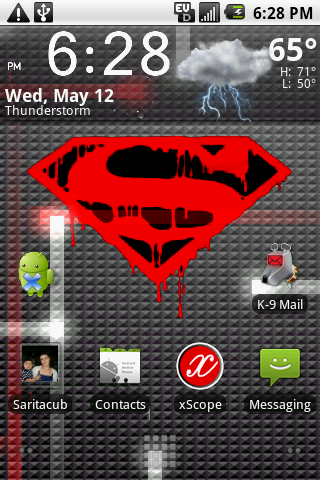
New Phillies LWP: Phillies Pyramid--LiveWallpapers.apk

ilhcmh.png

The Fall Of Troy Red LWP: http://www.mediafire.com/?2mytygzumjl
 
I love the Phillies one! I'm going to attempt to install in right now. Might I ask how it is that you're going about creating these live wallpapers? I'm not looking to step on your toes here and steal your idea, but I wouldn't mind attempting to create some of my own.

Thanks again for these!

EDIT: Not sure what I'm going wrong here, but I keep getting "READ ONLY" when I attempt to install this using Terminal Emulator. I've changed the permissions in Root Explorer (checking Read and Write), but each time I go back to check the user permissions they are no longer checked. Do I only check user permissions? By default, Group permissions are checked for Read, Write and Execute and Others permissions are checked for Read and Execute. Do I uncheck either of these?
 
You need to mount the system read/write too.

Code:
su
mount -o,rw remount /dev/block/mtdblock4 /system
cp /sdcard/LiveWallpapers.apk /system/app/LiveWallpapers.apk

That should do the trick.

And i just make em in photoshop. I grab the pyramid_background.png and edit/add to that to create the background image, and the grab the nexus.rs file to change the phaser colors. Not too hard lol, the biggest issue is keeping the size of the image in the right range, and images that dont blend well to the background image.

EDIT: Added some new ones to the OP.
 
You need to mount the system read/write too.

Code:
su
mount -o,rw remount /dev/block/mtdblock4 /system
cp /sdcard/LiveWallpapers.apk /system/app/LiveWallpapers.apk

That should do the trick.

And i just make em in photoshop. I grab the pyramid_background.png and edit/add to that to create the background image, and the grab the nexus.rs file to change the phaser colors. Not too hard lol, the biggest issue is keeping the size of the image in the right range, and images that dont blend well to the background image.

EDIT: Added some new ones to the OP.

Did everything as instructed and didn't get any errors with Terminal Emulator. It now appears in my system/app folder in Root Explorer. What do I do now to make it actually appear on my phone?

EDIT: I figured it out. I was changing the permissions of the file while it was on the SD card, not when it was in the system/app folder. It's fantastic! Any chance you could get around to making it with a blue background instead of red? And perhaps make the Phillies logo a bit bigger and lower down on the screen? (I use Helix Launcher and I envision the point at the bottom of the Phillies logo being just a bit higher than the cubed app launcher tab - right around where an app might sit there on your screen.)

Do you have somewhere that I could "donate" for the work you've been doing? I'd be happy to help out. ;)
 
having trouble installing it. Heres what I tried...

1. put it into the root of my sd card
2. rename it to LiveWallpapers.apk
3. Then I opened up connectbot and typed this:

"su" and then I saw the # come on the next line and then I put this in right after the #: "cp/sdcard/LiveWallpapers.apk/system/app/LiveWallpapers.apk"

and it then says the file cannot be found. Is it because I'm using connectbot that its not working? Or am I using the wrong host? (local)?

I would try to abd push it but I have no idea how to do that or where to start...

I got the same message but mine said file exist at the end and then when I found it using astro and launch it says activity not found-com.android.wallpaper......help...
 
Those are nice but I am still hoping for a Tennessee Titans or Birmingham Barons? Please?
Probably tmrw, sorry for the wait.
I got the same message but mine said file exist at the end and then when I found it using astro and launch it says activity not found-com.android.wallpaper......help...

type this exactly
Code:
su
mount -o,rw remount /dev/block/mtdblock4 /system
cp /sdcard/LiveWallpapers.apk /system/app/LiveWallpapers.apk

spaces and capitalization are important.
 
I got the same message but mine said file exist at the end and then when I found it using astro and launch it says activity not found-com.android.wallpaper......help...

I had this same issue. Here's what I did to make this work:

Code:
Put the file that I renamed LiveWallpers.apk on the root of my SD card

Open Root Explorer (worth paying for) and long-press on the file you just put on your SD card

Select "MOVE"

Navigate to /system/app/ in Root Explorer and then press the "MOUNT R/W" button at the top

Next press "PASTE" on the bottom of the screen (if you get asked to overwrite a previous file, accept it)

Long press on the LiveWallpapers.apk file again and select "PERMISSIONS"

Next to the "USER" permissions, select the boxes for "READ" and "WRITE"

Press the "MOUNT R/O" button at the top and then back out of Root
Explorer

Reboot your phone

Once back up and running, long-press on an empy spot on your screen, choose "WALLPAPERS" and then "LIVE WALLPAPERS"

Click on the NEXUS live wallpaper (the little picture you see won't look anything like the design you chose).

Enjoy your new wallpaper!
Code:


Hope this helps. It worked for me today and there was no need for me to use any scripts in Terminal Emulator or to push through ADB.
 
I had this same issue. Here's what I did to make this work:

Code:
Put the file that I renamed LiveWallpers.apk on the root of my SD card

Open Root Explorer (worth paying for) and long-press on the file you just put on your SD card

Select "MOVE"

Navigate to /system/app/ in Root Explorer and then press the "MOUNT R/W" button at the top

Next press "PASTE" on the bottom of the screen (if you get asked to overwrite a previous file, accept it)

Long press on the LiveWallpapers.apk file again and select "PERMISSIONS"

Next to the "USER" permissions, select the boxes for "READ" and "WRITE"

Press the "MOUNT R/O" button at the top and then back out of Root
Explorer

Reboot your phone

Once back up and running, long-press on an empy spot on your screen, choose "WALLPAPERS" and then "LIVE WALLPAPERS"

Click on the NEXUS live wallpaper (the little picture you see won't look anything like the design you chose).

Enjoy your new wallpaper!
Code:


Hope this helps. It worked for me today and there was no need for me to use any scripts in Terminal Emulator or to push through ADB.

thanks Rodeo :)
 
Fyi SRH stands for supporting radical habits, such as extreme sports like snowboarding motocross skateboarding ect.
 
Thanks again Shiz...After all this time I finally got it working. I finally got ADB working by doing the following (different than other suggestions for mounting)...

mount -o remount,rw -t yaffs2 /dev/block/mtdblock4 /system

Worked for me anyway. I'm kinda a noob with ADB (even though I rooted that way)... These are much appreciated and thank you!
 
hah, the fall of troy. cool. their guitarist hangs out on one of the forums ive been going to for years. good guy, heavy band.
 
I would like to add if you have BB 1.0 you can just rename your file to LiveWallpapers.apk and then use the switchlwp script that pete provides. Its def a time saver.
 
Back
Top Bottom