doogald, demache:
I will have to admit that Sophie_1983 has done a little bit of homework, and is correct in at least one point: Apparently, a fairly large number of apps register to receive a broadcast intent from the Android e-mail app.
More specifically,
opening an email in the Android e-mail app (
not Gmail) can immediately launch many applications. (Starting the e-mail app alone, or choosing an account to view the list e-mails present in the inbox does not trigger the behavior - it occurs at the moment when you click to open any individual e-mail).
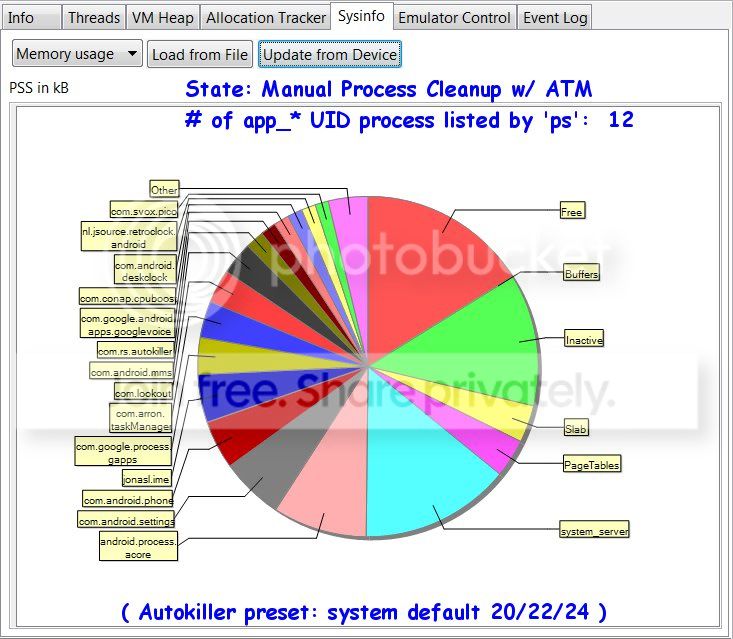
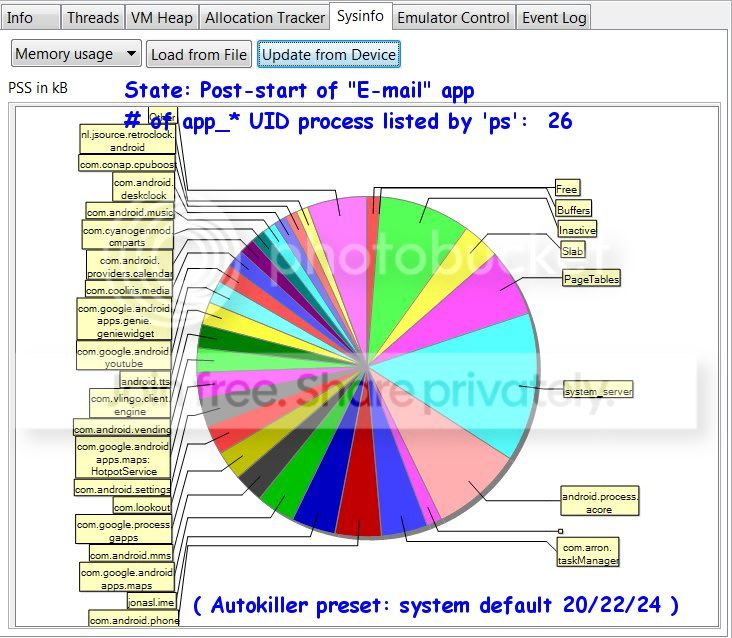
I ran an experiment where I manually force-closed many applications (not all of them), and then collected the output of "ps" and "cat /proc/meminfo". For grins I also looked at the "PSS" memory statistics in DDMS:
Then I launched the (Android) e-mail app, selected an account, and opened an individual e-mail. Then I waited 10-15 seconds, and repeated the above procedures. Note the shrinkage of the red slice a little later than "noon" - "free memory".
The act of "opening an e-mail" had launched all of the following additional apps on my phone:
Google Maps
Music
YouTube
Vlingo
My Verizon Mobile
Shazam
ES Task Manager
Google QuickSearchBox
Pico TTS
Android TTS
Android Protips (LOL!)
Android Calendar Provider (service)
OTOH, despite all that stuff running on the phone, and the kernel reporting that "MemFree" went from ~30 Mb to ~3 Mb, my phone doesn't grind to a halt. It might be perceptibly slower, but it doesn't seem markedly slower.
The other thing is that (manually) using task manager to kill off the offending apps in fact
does reclaim free memory (as reported by the kernel).
From the point of view of a casual user that just wants to "use the phone" and not become a system administrator, I can see part of his (Sophie's) complaint - many, if not most users, don't want to become a technology expert; they just want to use the phone as a convenient appliance.
Still, the the "fault" in the above behavior strictly speaking has little to do with Android per se - it is the behavior and coding of the application developers - and user behavior - that leads (e.g. registering to intercept many different broadcasts) to memory clutter from too many applications. The E-mail application isn't even aware those other apps are present - they register to intercept a broadcast that it produces.
The situation is analogous to what you find with modern applications on PC platforms, whether Windows or Unix derivatives (including Mac OS/X): everybody's application these days wants to automatically launch a "helper" or "quick start" or "updater" application at boot time - or install a toolbar or register some extensions in the user's browser. By the time you've loaded a few dozen applications on your machine, you've got twenty or thirty practically useless processes starting up and consuming resources every time you boot. Should the OS be blamed? The Applications? The User?
That's hard to say - I've used every major PC & Unix OS in the past 30 years, and every one of them could be brought to their knees or worse with indiscriminate user behavior. OTOH - because for most users, the phone is not rooted - when those behaviors occur because the handset maker has preloaded along with the OS a bunch of mis-behaving apps, or improperly tuned the Android low memory killer, it's not hard to see why they might say "Android sucks" - their experience of Android is lumped together with both the hardware performance and the preloaded apps and skins that the carrier and handset maker agreed upon.
Are we worse off because Android allows apps to call other apps and share data? Seems doubtful - the whole history of computing has been about creating new ranges of expressive behaviors and connectedness, and that has led to a profound increase in the underlying complexity of software systems.
If it wasn't for Android's appearance on the scene, you probably still would not be able to cut and paste in IOS. That was what - two years ago?
One more thing - just about every touch screen phone sucks at being a phone - compared to less costly "dumb" phones. If you want just a phone - get a phone with a hardware dialpad, not a touch-screen smartphone.
eu1