DsyMnapTic
Android Expert
can you get me a recovery log when trying to mount or format data
How can I get that for you?
Follow along with the video below to see how to install our site as a web app on your home screen.
Note: This feature may not be available in some browsers.
can you get me a recovery log when trying to mount or format data

adb pull /tmp/recovery.logHow can I get that for you?
adb pull /tmp/recovery.log
Try typing "adb reboot fastboot" and then "fastboot format userdata"Sorry dude, I'm trying, lol.
Try typing "adb reboot fastboot" and then "fastboot format userdata"
here's the update.zip from zte themselvesIt won't boot me into fastboot, just boots the phone up to the encryption screen....
Also seems that adb devices doesn't come up with anything unless I'm in recovery or sideload.... I have also tried sideloading things to no avail. Is there anyway I can push the stock update.zip? I don't think pushing a new recovery will do anything.

This is making me think that recovery actually hasn't been doing anything, TWRP or CWM. Something in my phone is preventing my recovery from operating and my phone from booting to home screen because internal storage/data can't mount

C:\Users\monte_000\Desktop\Awe_Soft_Brick_Fix>adb devices
* daemon not running. starting it now *
* daemon started successfully *
List of devices attached
1358599b recovery
C:\Users\monte_000\Desktop\Awe_Soft_Brick_Fix>adb shell
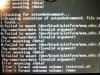
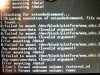
~ # e2fsck/dev/block/platform/msm_sdcc.1/by-name/userdata
e2fsck/dev/block/platform/msm_sdcc.1/by-name/userdata
/sbin/sh: e2fsck/dev/block/platform/msm_sdcc.1/by-name/userdata: not found
~ # e2fsck /dev/block/platform/msm_sdcc.1/by-name/userdata
e2fsck /dev/block/platform/msm_sdcc.1/by-name/userdata
e2fsck 1.41.14 (22-Dec-2010)
/dev/block/platform/msm_sdcc.1/by-name/userdata: recovering journal
Superblock needs_recovery flag is clear, but journal has data.
Run journal anyway<y>? y
y
yes
e2fsck: unable to set superblock flags on /dev/block/platform/msm_sdcc.1/by-name
/userdata
~ #
~ #
<<<THIS IS WHAT I GOT WHEN I TRIED THAT>>>
 I'm still searching up and down for anything that might help you out. I feel like there's still hope as long as you can boot twrp, and keep adb talking. If there's a way to fix it, it will be found.
Hey, I don't know if this will help anyone understand more of what's going on.... ....https://source.android.com/devices/tech/encryption/ .......but I can't understand most of the technical stuff. It seems like a big process.
I also read something else about being able to partition the SD card in order to get it to mount as a "false" data partition. If anyone could help me out with how to do that, that would be awesome.
After reading about switching the vold.fstab to trick internal data to mount at sdcard.... It actually doesn't look like that'll help me do anything to fix my real data partition, so that probably isn't the way to go.

I don't have access to a computer ATM, can I still meet you there and get the info anyhow? Or is it too intensive?