
Install the app
How to install the app on iOS
Follow along with the video below to see how to install our site as a web app on your home screen.
Note: This feature may not be available in some browsers.
-
After 15+ years, we've made a big change: Android Forums is now Early Bird Club. Learn more here.
You are using an out of date browser. It may not display this or other websites correctly.
You should upgrade or use an alternative browser.
You should upgrade or use an alternative browser.
[GUIDE] How to change the Sprint banner using CDMA workshop
- Thread starter apristel
- Start date
-
- Tags
- htc evo 4g

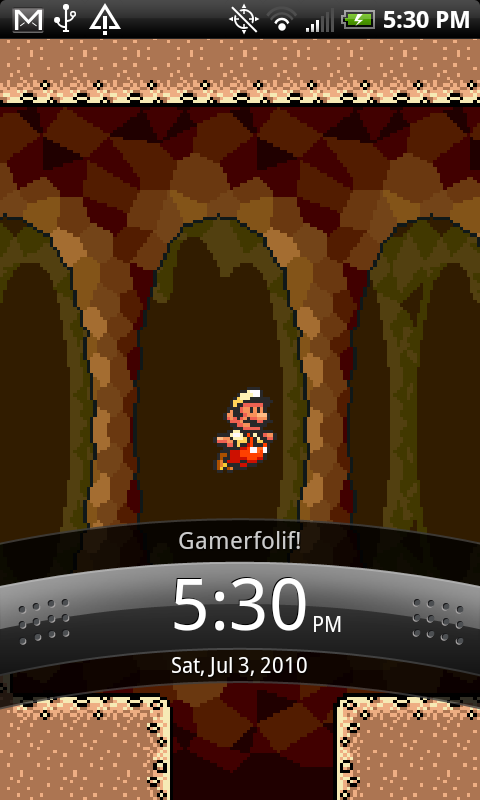
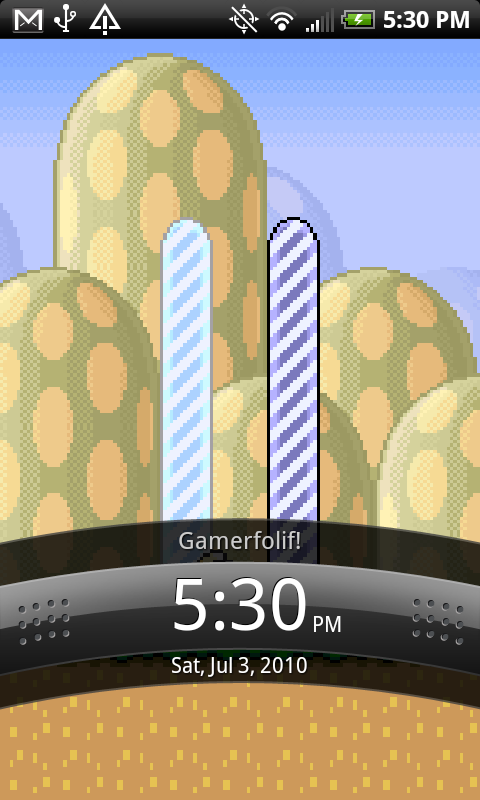
I did this on my phone and my wifes and it works. Cept' on win 7x64 is a bit rough due to the drives not automatically installing . Manual FTL.
How do you install the drivers manually in Windows 7 64-bit?


actually i figured it out with windows 7 x64. i followed the instructions at [How To] Retrieve MSL CDMA Workshop Method - xda-developers
basically you want a different driver package- http://www.techwerkz.com/evo/HTCDiagDrivers.zip
then you need to uninstall the my htc driver if its already installed (it was for me...). follow the instructions carefully... if you click browse for my driver it won't work, you have to click the 2nd option.
in any case worked for me after all of that stuff. i also grabbed my MSL while i was in there!
basically you want a different driver package- http://www.techwerkz.com/evo/HTCDiagDrivers.zip
then you need to uninstall the my htc driver if its already installed (it was for me...). follow the instructions carefully... if you click browse for my driver it won't work, you have to click the 2nd option.
in any case worked for me after all of that stuff. i also grabbed my MSL while i was in there!

ilikebond
Newbie
^ This was helpful as far as retrieving the MSL and getting the CDMA Service Workshop and drivers all set up.
However, do you have to have a registered version to change the banner? I tried, and it didn't work - then I saw my CDMA window says of the Write Banner function "(This function is available in registered version only)".
Is that referring to the $99 version on the CDMA website?
CDMA Service Software / ESN Changer, SPC Unlocker...

However, do you have to have a registered version to change the banner? I tried, and it didn't work - then I saw my CDMA window says of the Write Banner function "(This function is available in registered version only)".
Is that referring to the $99 version on the CDMA website?
CDMA Service Software / ESN Changer, SPC Unlocker...

ilikebond
Newbie
Well, even though this seems simple, to put it altogether took me a couple of days, and some help from the awesome Jacker, but now mission accomplished.
Can't decide whether I like "Evo|lution" or "Evo|ved" better. Any opinions? I'm throwing a few examples in below with different wallpapers.
Note that it changes the banner in the Notifications window, too (second picture).


Can't decide whether I like "Evo|lution" or "Evo|ved" better. Any opinions? I'm throwing a few examples in below with different wallpapers.
Note that it changes the banner in the Notifications window, too (second picture).


FreddyAmazin
Newbie
Hey, do you need to be rooted for this?

jacker
Member
Hey, do you need to be rooted for this?
Nope, that's the beauty of it.


stainlessray
Android Enthusiast
I'll just change my name to "Sprint" instead.
(jk, thanks)
that's my name... must be, evo said so


stainlessray
Android Enthusiast

edited for privacy

italianwjt
Well-Known Member
can anyone supply a link to the CDMA WORKSHOP they downloaded....virus free please? Everyone im looking at has a virus/trogan/worm
italianwjt
Well-Known Member
What to change the Sprint banner to something else?
Well here is how.
This is a rough guide, maybe I'll get ambitious and spruce it up when I have some more time...
Install HTC Sync if you haven't already..
Get it here.
Application Upgrade - HTC Sync 2.0.33
Gonna need the HTC Diag drivers, least I did... these work fine:
RapidShare: 1-CLICK Web hosting - Easy Filehosting
Enter DIAG mode, dial ##diag#, let windows install the drivers...most likely it won't find the HTC DIAG drivers, but they are in the link above... get it installed.
Now in CDMA workshop, you really don't want to be effin' with stuff you aren't sure what it is... but we are here to change the banner right? riight so don't be changing anything else and you'll be a-ok.
Select your port, hit connect, hit read... goto the NAM tab...hit Read ...change the Banner from "Sprint" to whatever..hit "Write".... then you can reboot the phone and its done.
To find your port...
Select your port, hit connect then hit read. ( picture shows "Disconnect" only because I already pushed connect... )
Goto the NAM tab, hit read, change the banner, hit write. Reboot your phone
Enjoy!
How do i do this???
stainlessray
Android Enthusiast
This forum also has the tutorial. if you read the entire thread, you will most likely see every problem and workaround for completing the task.
It will present you with some challenges, but it does work. I'm not as tech knowledgeable as most of the people and managed to get through it.
It will present you with some challenges, but it does work. I'm not as tech knowledgeable as most of the people and managed to get through it.
How do i do this???
Like youre making a call. Hit the phone button then type ##diag#
italianwjt
Well-Known Member
Like youre making a call. Hit the phone button then type ##diag#
yeah i thought thats what he meant. I did and the all the stuff in that i typed in disappeared.
italianwjt
Well-Known Member
^disregard last statement it worked.