
This is my first post and I followed the instructions on the first post to get the little icons on my phone which they are but I cannot get the chose icon to come up. How do you get it from there. I'm not sure I'm doing anything on section 3 right, could someone help me please.
Install the app
How to install the app on iOS
Follow along with the video below to see how to install our site as a web app on your home screen.
Note: This feature may not be available in some browsers.
-
After 15+ years, we've made a big change: Android Forums is now Early Bird Club. Learn more here.
You are using an out of date browser. It may not display this or other websites correctly.
You should upgrade or use an alternative browser.
You should upgrade or use an alternative browser.
How To: Custom Icons For Your Droid X
- Thread starter Airmaxx23
- Start date
-
- Tags
- motorola droid x

Airmaxx23
Android Expert
This is my first post and I followed the instructions on the first post to get the little icons on my phone which they are but I cannot get the chose icon to come up. How do you get it from there. I'm not sure I'm doing anything on section 3 right, could someone help me please.
Are you using Launcher Pro?
Airmaxx23
Android Expert
I downloaded the icon pack, and so far I have changed the gmail, gchat, internet and setting icons and they work. Messages and people icon when I change it, it says the linked program is no longer installed on your phone; however, if I use the default icon for both they work. Can anyone help me out.
Thanks.
Where are you trying to use them?
No, should I be?Are you using Launcher Pro?
Airmaxx23
Android Expert
When I download Launcher pro it completely messes my x up, so I have to uninstall it so my phone will go back to normal.
It isn't messing it up, it basically replaces the stock User Interface, without actually deleting it. Just set up your widgets and short cuts like you did with the stock UI.
Commoncentz
Newbie
Nope. Not that I know of.
Do you know where I can find those upcoming event widgets?
sweetbabyray
Lurker
trying to add them on my homescreen. some of them work while others give me that message.Where are you trying to use them?
Airmaxx23
Android Expert
trying to add them on my homescreen. some of them work while others give me that message.
Hmmm, that's strange. Have you turned the phone off then back on and tried it?
sweetbabyray
Lurker
yep, uninstalled and reinstalled the program also. nothing works.
Airmaxx23
Android Expert
yep, uninstalled and reinstalled the program also. nothing works.
I have no idea why it would do that. I've changed my icons literally at least 100 times or more(did it on my Droid and Inc also) and never had this happen. You may want to go to the Launcher Pro forum and post about it there, they will probably be able to help.
Airmaxx23
Android Expert
what is this beautifulglass you speak of? A font set? I can't find it anywhere
When you install beautiful widgets and set up the beautiful smaller home widget you can choose the clock skin (font/style) and weather skin (style). beautiful glass is one of the clock skins that you can download.

sidewalkshoes
Newbie
I loaded Launcher pro and I went from seven screens to three. I went to settings and changed it to seven, now it doesn't scroll at all. It barely goes off of one screen, it'll scroll about half a screen both to the right and the left. What am I doing wrong?
travishamockery
Well-Known Member
just wanted to thank you for this as well. this is my first dive into android and you made it incredibly easy to understand how to get this looking how I wanted.
I loaded Launcher pro and I went from seven screens to three. I went to settings and changed it to seven, now it doesn't scroll at all. It barely goes off of one screen, it'll scroll about half a screen both to the right and the left. What am I doing wrong?
What wall paper are you using? Sometimes, if you have an especially large wall paper, it will cover multiple screens. Then, if you scroll to that screen and it has no icons, it looks like it barely moved at all. Try putting some icons on that blank screen and see if that works. I had this same thing happen to me and it was oddly disconcerting at first.
First I'd like to say GREAT howto. Thanks for taking the time to put this up. I just have one problem when trying to change dock icons, something I'm missing perhaps. I think I'm having a similar issue to fsunoles, when I select "custom icon" for a replacement, it brings up the gallery, but my "iconz" folder is not showing up there. I've copied a set of downloaded icons to the dcim folder just as explained, I'm using LauncherPro... Anything else I'm missing?
btw my first post here, and I'm loving my DX (coming from iPhone), I would never switch back!
Thanks
Edit: got it working, I just had to reboot my phone. Now my iconz folder is indeed showing up in the gallery.
btw my first post here, and I'm loving my DX (coming from iPhone), I would never switch back!
Thanks
Edit: got it working, I just had to reboot my phone. Now my iconz folder is indeed showing up in the gallery.
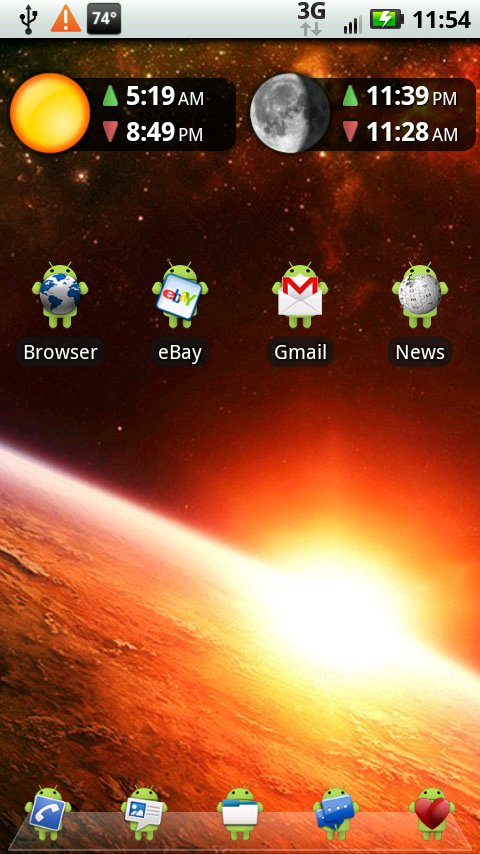
How do you get the launcher to show that glass-like image at the bottom?
Airmaxx23
Android Expert
How do you get the launcher to show that glass-like image at the bottom?
Press the hard menu button, preferences, appearance, then dock background.
Edit: Here is a direct link to down the icons, I take no credit for them at all.
http://www.androidspin.com/downloads.php?dir=manup456/THEMES/&file=105-Droids_v1.zip
Is there a thread or someplace where we can get up to date on the updates to the icon pack?
Airmaxx23
Android Expert
Is there a thread or someplace where we can get up to date on the updates to the icon pack?
I'm not sure what you mean, there are 105 droids in the droid icon pack.

BuTbKa
Android Expert
Airmax, ever since I installed Launcher Pro and ADW ( love both of them), my home button acts weird. Instead of taking me back to home screen on launcher I'm currently using it gives me option to complete with Launcher Pro or ADW. If I uninstall one of costume launchers, and using stock one - home button takes me to remaining costume launcher. If I use the only left costume launcher home button works as supposed.
Any Ideas?
Any Ideas?

jreed2560
Android Expert
Airmax, ever since I installed Launcher Pro and ADW ( love both of them), my home button acts weird. Instead of taking me back to home screen on launcher I'm currently using it gives me option to complete with Launcher Pro or ADW. If I uninstall one of costume launchers, and using stock one - home button takes me to remaining costume launcher. If I use the only left costume launcher home button works as supposed.
Any Ideas?
when you want to switch home replacements you have to clear defaults on the previous one. Install an app called home switcher. it will allow you to do this from a very simple interface without having to go thru a thousand menus.
BuTbKa
Android Expert
I do have home switcher. And, I set for now native launcher as default. But once i press home button it takes me home to launcher pro ( or gives me option complete with Pro or ADW, if i have them both installed). I'm just trying to figure out why my home button takes me to different home app.