• After 15+ years, we've made a big change: Android Forums is now Early Bird Club. Learn more here.

Root How to stop being throttle step by step

Don't you hate being throttled and having slow speeds just cause you past the data count well I found a fix and below I'll explain step by step. :D hope this helps you out there like it did me.

I used es file explorer but any other file browser would work the same.

Step One: Find out were the root option and hidden file options are at and turn them one.
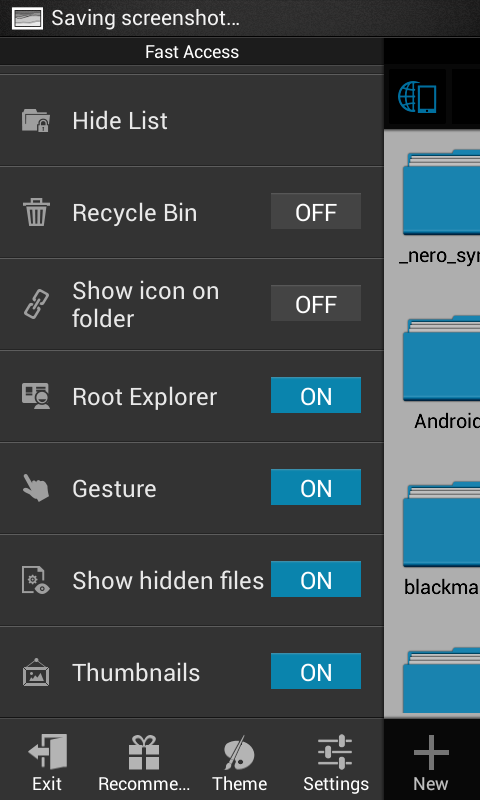
Screenshot_2014-07-14-21-17-53_zps654973e4.png


Step two: Go to the device page and find data folder and go in there.
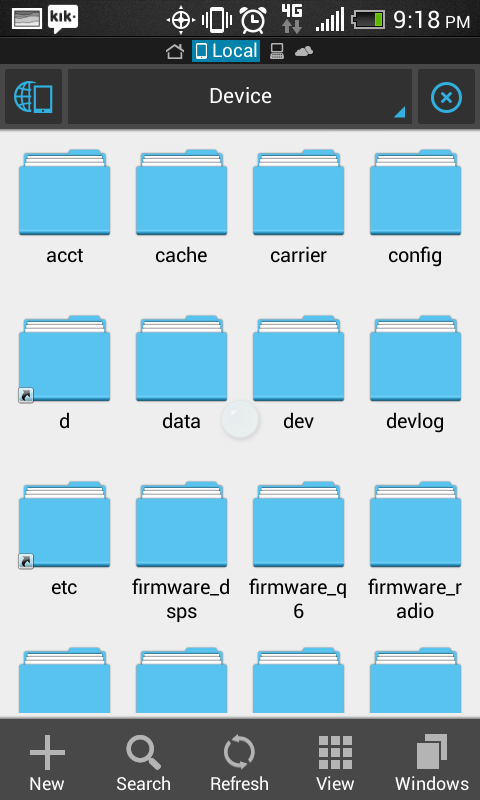
Screenshot_2014-07-14-21-18-06_zpseec28826.png


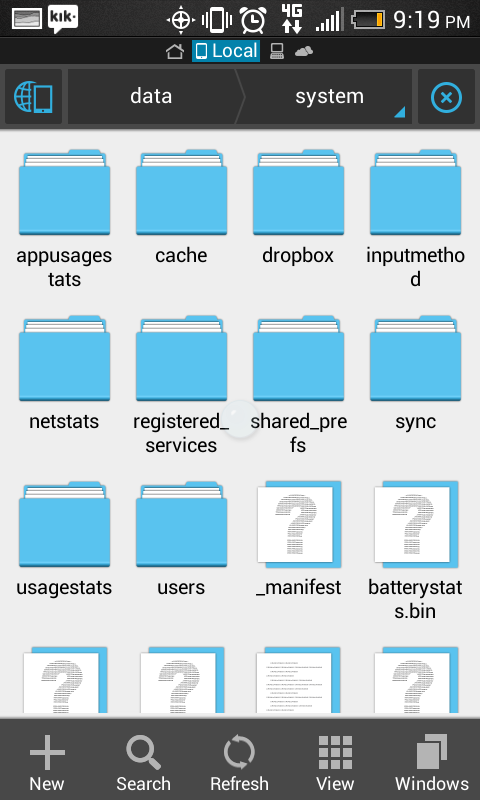
Step Three: In the data folder find the system folder and go in there.
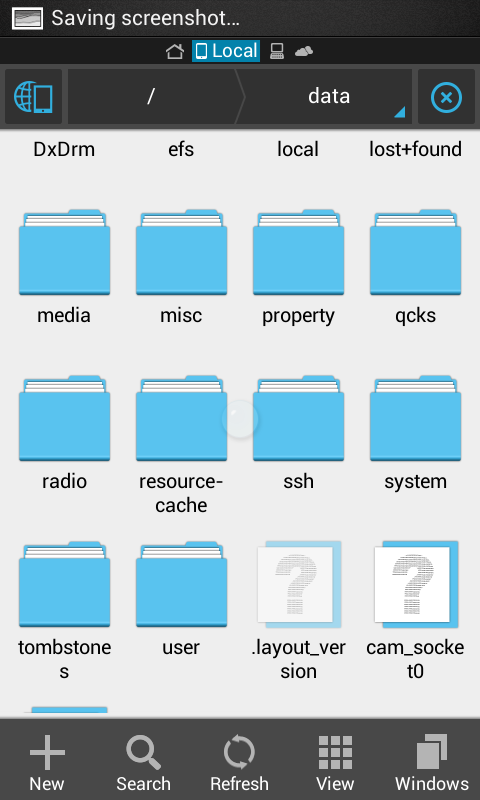
Screenshot_2014-07-14-21-18-10_zps2e209377.png


Step Four: In the system folder find the throttle folder. COPY TO SD CARD JUST IN CASE.
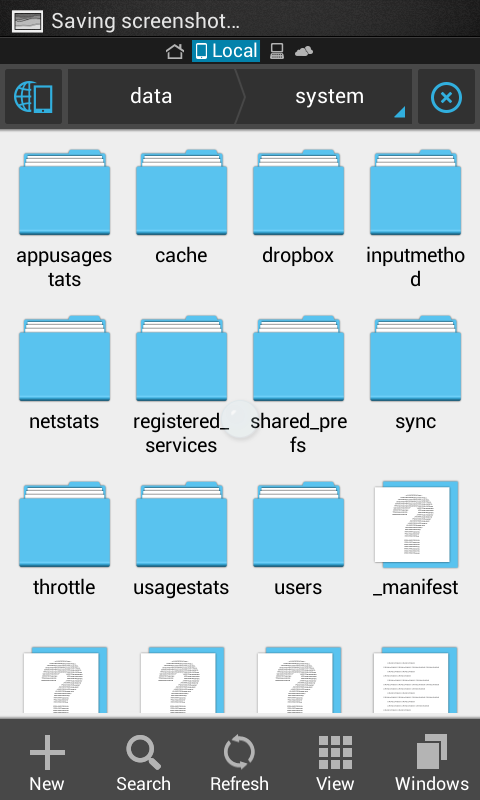
Screenshot_2014-07-14-21-18-15_zpsa7c76037.png


Step Five: ok there is two ways at deleting this you could either delete the whole folder out of there or delete just the files inside and leave the folder there.
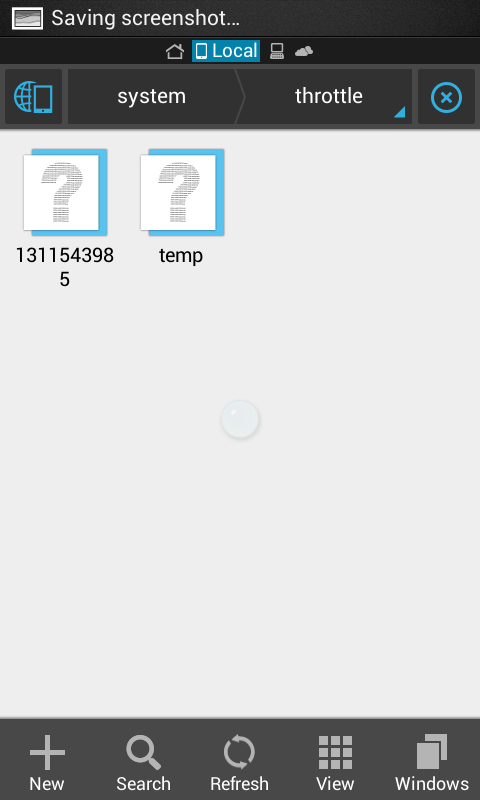
Screenshot_2014-07-14-21-18-19_zps2f06bc5f.png
Screenshot_2014-07-14-21-19-28_zps67056458.png


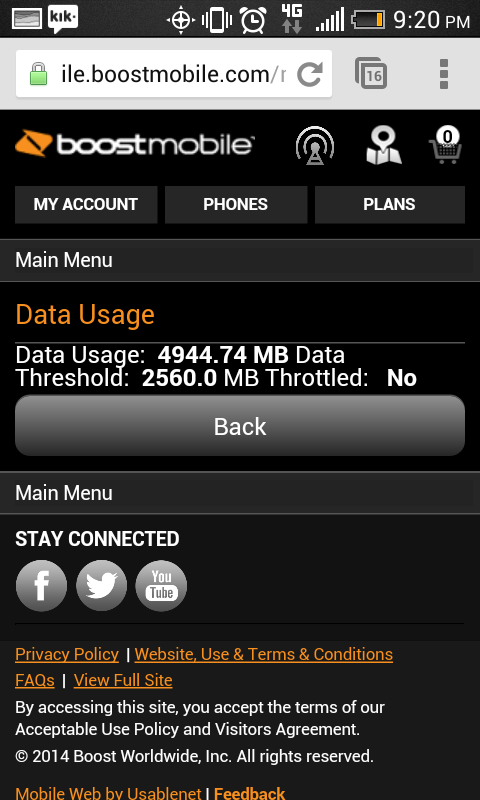
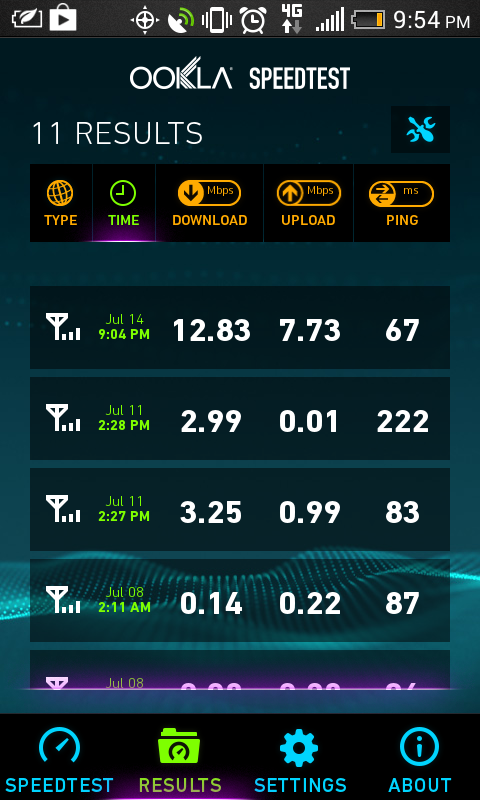
And this is the results of my fix
Screenshot_2014-07-14-21-20-23_zps9f335932.png
Screenshot_2014-07-14-21-54-39_zps4818ec10.png
:eek: hope you guys have fun with a little more freedom. :thumbup: :D
 

Attachments

  • 1405389054990.jpg
    1405389054990.jpg
    61.8 KB · Views: 225
  • 1405389231570.jpg
    1405389231570.jpg
    74.3 KB · Views: 175
  • 1405389302424.jpg
    1405389302424.jpg
    51.6 KB · Views: 211
I used Root Browser and followed all of your steps but I'm still throttled. I tried just deleting the files, then the whole folder (which reappears shortly) and I even tried emptying the throttle folder and marking it read-only. I'm in a 4g area with good service and I'm maxed out at about 20 kB/s.

Edit:
When I log on to my Boost account I also see I'm supposedly not being throttled.
 
Oh man, I thought you guys knew about this lol. Myself and russellvone have been doing this for a long time now :-D.

Good jog figuring it out though, congrats.
 
Don't need to turn on hidden files though. They will show up either way.
 
And also, if you are already being throttled then this method won't save you. You have to wait until the next month when they aren't throttling you and then proceed with those instructions.
 
If you are S-On then that would be normal. If you are S-Off then it still may since the kernel has write protection unless you are using a custom kernel without write protection. Otherwise, you would delete the contents and change the folder permissions to Read only while removing permissions to write and execute.
 
If you are S-On then that would be normal. If you are S-Off then it still may since the kernel has write protection unless you are using a custom kernel without write protection. Otherwise, you would delete the contents and change the folder permissions to Read only while removing permissions to write and execute.

Ooh I see, well yea I'm s-off and running stock kernel and that's a good alternative so nothing can write to the folder while running stock
 
I can confirm I now have it working and I'm in the middle of a term. Thank you sir!!

I don't know what took so long. I emptied the throttle folder and had it marked read only for a few days. The last slow speed today (0.17 Mbps) was at home. I went to a metro area which alternates between a good 3g and 4g signal. The 4.4 Mbps was in a strong 4g area.

Now I'm back home and I'm still getting around 2 Mbps :)

Edit:
Mbps speeds are probably more appropriate now. Lol.

ubanugan.jpg


anu6u8y8.jpg
 
If you are S-On then that would be normal. If you are S-Off then it still may since the kernel has write protection unless you are using a custom kernel without write protection. Otherwise, you would delete the contents and change the folder permissions to Read only while removing permissions to write and execute.

Lol I did not know that thanks. I was busy for awhile so I couldn't help some people with their problems
 
I wonder why it is working for me then?

It shouldn't work. Those files only serve one purpose. To monitor and release information to Boost Mobile. Once you are throttled it becomes a "network" thing with your speed and those files are in a sense no longer needed even though they are still used.

The only solution I can come up with as to why it worked for you now is that Boost Mobile slipped up. They have a habit of getting behind on themselves.

For example, I'm on autoboost and with autoboost bills are always paid on time thus you get one credit per bill that is paid toward your shrinkage plan.

I had to call and get three credits added to my account because their system hadn't been updated for a few months lol. Even the guy I spoke with over the phone said it was a common thing to happen on their behalf.

They are slow. :-)
 
Whats interesting about all of this is that I have currently used 1683.12 MB of data out of the available 2560.0 MB.

Yet, the amount I have used has been like that for some time now and I can guarantee you that I have used WAY MORE DATA haha. ;-)
 
Seems to be working for me but I got to delete it 3 times a day because it rewrites the throttle files back in to the system directory.
 
Seems to be working for me but I got to delete it 3 times a day because it rewrites the throttle files back in to the system directory.

As long as you don't reboot the device you are good. If you reboot then you will have to remove it again.

I'm S-Off with an unsecured kernel so my situation is different.

However, what I did was remove those files, and removed read, write, and execute permissions from that folder.
 
Seems to be working for me but I got to delete it 3 times a day because it rewrites the throttle files back in to the system directory.

one thing he forgot to mention in the HowTo was to change permissions on the folder from -rw to simply -r

if the folder is read only then nothing will get written....lol
 
one thing he forgot to mention in the HowTo was to change permissions on the folder from -rw to simply -r

if the folder is read only then nothing will get written....lol

Whoa, who's this guy? Coming around here, and snooping around here? Lol :-P
 
Just an update. Files were deleted within the throttle folder, permissions was changed like they were supposed to be. No files have been written in the folder but I still got throttled.
 
Just an update. Files were deleted within the throttle folder, permissions was changed like they were supposed to be. No files have been written in the folder but I still got throttled.

What does your account say when logged in and have you confirmed with speeds?
 
if your throttled BEFORE you do this.....then it won't help
It depended on signal strength for me and in a 4g area, even though my account said I was throttled I was still getting 2-4 Gbps. No way that's throttled to 2g speeds like Boost says you will be ;)

Finally I think like ModdingMyMind said their network was slow to catch on to my speed going back up. I still had to redo the folder mod apparently a couple of times. YMMV.

;)
 
So if these files are what are used to determine throttle, would it work to restore to an image from the beggining of the paycycle when the files show your origional data use from that day? I mean every time youre about to hit 2.5 just restore back to day one with zero data used?
 
So if these files are what are used to determine throttle, would it work to restore to an image from the beggining of the paycycle when the files show your origional data use from that day? I mean every time youre about to hit 2.5 just restore back to day one with zero data used?
Not sure why you would bother.
Is emptying the throttle folder and marking it read only not working for you?
 
Back
Top Bottom