
Install the app
How to install the app on iOS
Follow along with the video below to see how to install our site as a web app on your home screen.
Note: This feature may not be available in some browsers.
-
After 15+ years, we've made a big change: Android Forums is now Early Bird Club. Learn more here.
You are using an out of date browser. It may not display this or other websites correctly.
You should upgrade or use an alternative browser.
You should upgrade or use an alternative browser.
Root Let's Get CM Onto Avant!
- Thread starter crutchcorn
- Start date
-
- Tags
- samsung galaxy avant
The version number you uploaded says 8a8c6299ea but the build on page 25 (the latest) says
8cee853240. Did you get builds mixed up?
EDIT: 8a8c6299ea is the build before the Headphone Fix, build 8cee853240.

LegendTesterAV
Newbie
Gonna make some changes to the runtime libs but I wanna know if the previous build fixes video playback before I make any changes
I don't know where you came from but I'm grateful your here because I need YouTube lol and the other dev is MIA. Anyways I hope you can fix H/W decoding soon ^-^

Djoec3683
Well-Known Member
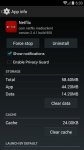
Download from the link I just posted, copy and paste 98netflix into system, etc, initd. Then change the permission to match everything else in that folder, next download and older version of Netflix, I use 2.4.1 but maybe some newer version will work, this will get your Netflix up and running for now

codyedmonson
Android Enthusiast
So does the headphones work or not?The version number you uploaded says 8a8c6299ea but the build on page 25 (the latest) says
8cee853240. Did you get builds mixed up?
EDIT: 8a8c6299ea is the build before the Headphone Fix, build 8cee853240.

Blu8
Android Expert
I've had this from the very beginning too. As to what I've seen with this last build, playing video on YouTube, instagram, and the browser work, but the highest quality I can play is 360p, down from 480p. Also, Facebook gives a "video could not be played due to an unknown error" message and Snapchat (don't judge lol) also doesn't play videos. I know this probably isn't very helpful without a logcat but I can never figure how to take one lol, can anybody tell me what the adb command is exactly?? And thanks for building this for us @nextcode4uI am having issues with lock screen lagging.

nextcode4u
Member
If your rooted just download an app to pull logcats
nextcode4u
Member
Posting a new build with headphone fixed
Swapped camera.ms8226.so and other files swapped .... Last build media_profiles.XML was changes this build has no changes to the media_profiles.XML .... So if YouTube doesn't work swap that file from the stock avant ROM to The cm ROM and reboot
Swapped camera.ms8226.so and other files swapped .... Last build media_profiles.XML was changes this build has no changes to the media_profiles.XML .... So if YouTube doesn't work swap that file from the stock avant ROM to The cm ROM and reboot
nextcode4u
Member
I did some research and the on how android uses h/w acceleration .... Possibly swapping the OMX****.so libs might let you use h/w acceleration going to try doing some editing and making my own tree this could fix the issue system wide https://vec.io/posts/use-android-hardware-decoder-with-omxcodec-in-ndk
codyedmonson
Android Enthusiast
So do I have to flash this over an existing ROM or is it a complete ROM by itself?
Blu8
Android Expert
It's just another build of CM11 isn't it?So do I have to flash this over an existing ROM or is it a complete ROM by itself?
nextcode4u
Member
I would always do a fresh install

Masterchief87
Android Expert
I just did a fresh install and it wouldn't boot

thenewmovement84
Lurker
Same here. Stuck on boot animation screen. No further than that after 20 minutes.
nextcode4u
Member
Flash original build with headphones/ your cm backup and in the buildprop "/buildprop" and in the buildprob change
debug.egl.hw=1
debug.sf.hw=1
To
debug.egl.hw=0
debug.sf.hw=0
This theoretically disables hardware acceleration system wide and fix the back camera but might not work without the libchromatix***.so files from the lib folder on the stock ROM
debug.egl.hw=1
debug.sf.hw=1
To
debug.egl.hw=0
debug.sf.hw=0
This theoretically disables hardware acceleration system wide and fix the back camera but might not work without the libchromatix***.so files from the lib folder on the stock ROM