thetomlin2
Guest
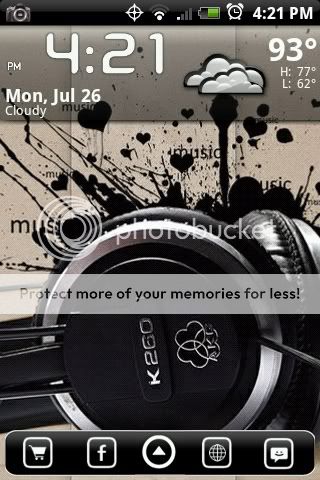
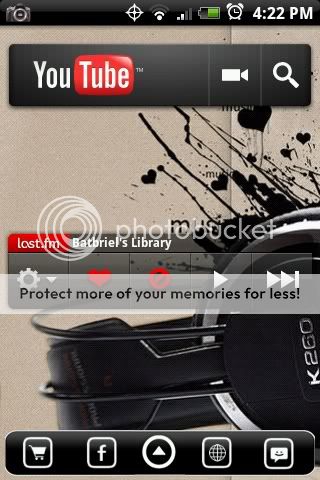
Here is my latest ... using Launcherpro Plus from left to right ...
Far Left:
Icons: My own design
System Info Widget: System Info Widget v1.4.3 Application for Android | Productivity
SwitchPro Widget: SwitchPro Widget v1.8.3 Application for Android | Tools

Main Screen:
LauncherPro Plus: LauncherPro v0.7.1.0 Application for Android | Productivity
Weather Forecast Widget Donate: Weather forecast widget donate v1.0.4 Application for Android | News & Weather
Android Agenda Widget: Old Android Agenda Widget v0.92 Application for Android | Productivity

I used the other 10 slots on the dock for my commonly called/text contacts.


I created the People, App Drawer, and Calendar Icons, you can save them here:


3rd Screen (the 4 icons at the bottom are folders):
TweetCaster: Tweetcaster v2.0 Application for Android | Social
Icons: My own design
FolderOrganizer Lite: FolderOrganizer lite v2.4.3 lite Application for Android | Tools

Far Right:
LauncherPro Plus Bookmark Widget: LauncherPro v0.7.1.0 Application for Android | Productivity

Lock Screen:

Both the lock screen and the wallpaper can be found here: http://androidforums.com/android-themes/937-official-wallpaper-thread-6.html
Far Left:
Icons: My own design
System Info Widget: System Info Widget v1.4.3 Application for Android | Productivity
SwitchPro Widget: SwitchPro Widget v1.8.3 Application for Android | Tools
Main Screen:
LauncherPro Plus: LauncherPro v0.7.1.0 Application for Android | Productivity
Weather Forecast Widget Donate: Weather forecast widget donate v1.0.4 Application for Android | News & Weather
Android Agenda Widget: Old Android Agenda Widget v0.92 Application for Android | Productivity
I used the other 10 slots on the dock for my commonly called/text contacts.
I created the People, App Drawer, and Calendar Icons, you can save them here:
3rd Screen (the 4 icons at the bottom are folders):
TweetCaster: Tweetcaster v2.0 Application for Android | Social
Icons: My own design
FolderOrganizer Lite: FolderOrganizer lite v2.4.3 lite Application for Android | Tools
Far Right:
LauncherPro Plus Bookmark Widget: LauncherPro v0.7.1.0 Application for Android | Productivity
Lock Screen:
Both the lock screen and the wallpaper can be found here: http://androidforums.com/android-themes/937-official-wallpaper-thread-6.html