
Install the app
How to install the app on iOS
Follow along with the video below to see how to install our site as a web app on your home screen.
Note: This feature may not be available in some browsers.
-
After 15+ years, we've made a big change: Android Forums is now Early Bird Club. Learn more here.
You are using an out of date browser. It may not display this or other websites correctly.
You should upgrade or use an alternative browser.
You should upgrade or use an alternative browser.
Lets see your UI layout!
- Thread starter GrdLock
- Start date
-
- Tags
- htc droid eris

deathratlehead
Android Enthusiast
When you have the phone mounted to the PC, it is charging. Therefore, the battery icon moves to show charge in progress.
That's not what I mean. When you're using Lock 2.0, the lock screen shows icons up top for battery, wifi, service bars and something else. All of them are inaccurate. It shows 4 bars when I have 1, it shows wifi when it's turned off, and the battery icon isn't correct. The one I have on the middle of the lock screen is right, but the one up top is not. The phone is not plugged in either. I'm wondering if I can get rid of those icons completely.

karib
Android Enthusiast
Fortunately, when I traded in my Droid for the Eris, they let me keep the 16 gig card.
I have Linda File Manager. I'm assuming I can create folders with that? I guess I need to organize my downloaded music into album folders. I can see I'm going to have to plug my phone in soon. Downloading music takes a toll on the power supply!
I'm learning so much I can do with this phone.
How did you manage to keep that 16gb card??? I tried my hardest to persuade the young man behind the counter to let me keep mine... it didn't work
 I will be upgrading to a 16gb though as soon as my Dare sells on ebay!
OfTheDamned
The Friendly Undead
That's not what I mean. When you're using Lock 2.0, the lock screen shows icons up top for battery, wifi, service bars and something else. All of them are inaccurate. It shows 4 bars when I have 1, it shows wifi when it's turned off, and the battery icon isn't correct. The one I have on the middle of the lock screen is right, but the one up top is not. The phone is not plugged in either. I'm wondering if I can get rid of those icons completely.
There is an option in settings to show the actual information for the bar.

Bswartz95
Android Expert
How did you manage to keep that 16gb card??? I tried my hardest to persuade the young man behind the counter to let me keep mine... it didn't work
I played dumb and asked the guy if there was a way for hime to transfer my music and ringtones. He said it wasn't a problem to simply switch the cards. Haha. I don't even know if he realized one was 16g and the other was 8g.

Ty07allstar
Well-Known Member
Pure Messenger. It will pull SMS, Facebook, Twitter, Gmail, POP/IMAP. Developer is currently working on Exchange support.
I just installed it and I have email and SMS enabled but it is only showing my email. How do i switch between email and sms?
karib
Android Enthusiast
I played dumb and asked the guy if there was a way for hime to transfer my music and ringtones. He said it wasn't a problem to simply switch the cards. Haha. I don't even know if he realized one was 16g and the other was 8g.
Ummm... HELLO, I played the dumb blonde card (saying the same thing about losing my pics and stuff)! It works sometimes, but I guess he was just too smart (or ***). And I don't mean funny! No offense people, just stating a real possibility

OfTheDamned
The Friendly Undead
Ummm... HELLO, I played the dumb blonde card (saying the same thing about losing my pics and stuff)! It works sometimes, but I guess he was just too smart (or ***). And I don't mean funny! No offense people, just stating a real possibility
I do that too and it works most of the time. You would be amazed how often it works on straight girls too.

deathratlehead
Android Enthusiast
There is an option in settings to show the actual information for the bar.
Excellent! Thank you very much. I'll be keeping this app now.

JrzDroid
Android Expert
That I understand and I have most of mine set up for their phones or email. If you look at the contacts I have in the widget it has a little envelope or phone icon next to their picture. What I and a few others are trying to figure out is how you get the little card next to the picture like -=Jeff=- has, which would indicate that the default action is to go to the contact card. Since contact card is not one of the options, I can't figure out how people are doing this and for some reason nobody will answer.

I don't think they have it set as default to go straight to their contact card. They could be like me and are just to lazy to set it up default action again =]

hattrick
Well-Known Member
It should automatically show. Make sure when you change options to scroll to the bottom and save. I was initially just backing out of the settings screen and couldn't figure out why changes weren't happening.I just installed it and I have email and SMS enabled but it is only showing my email. How do i switch between email and sms?
Ty07allstar
Well-Known Member
It should automatically show. Make sure when you change options to scroll to the bottom and save. I was initially just backing out of the settings screen and couldn't figure out why changes weren't happening.
Alright thanks.

AwesomeIT
Well-Known Member
That I understand and I have most of mine set up for their phones or email. If you look at the contacts I have in the widget it has a little envelope or phone icon next to their picture. What I and a few others are trying to figure out is how you get the little card next to the picture like -=Jeff=- has, which would indicate that the default action is to go to the contact card. Since contact card is not one of the options, I can't figure out how people are doing this and for some reason nobody will answer.
Try removing everybody from your people widget and re-adding them. I added somebody and had the contact info as the action to perform in the widget at one time. I didn't like it so I removed them and re-added them with a text message action. For some reason it doesn't give me a view contact info option when I add favorites anymore and I don't know why. All I do know is that when I was first setting the widget up and had no favorites I was able to add somebody with that default action.
hattrick
Well-Known Member
If you have troubles you can contact Koxx, he's the developer. He's very responsive:Alright thanks.
http://androidforums.com/android-applications/40062-pure-messenger-widget.html

GrdLock
Android Enthusiast
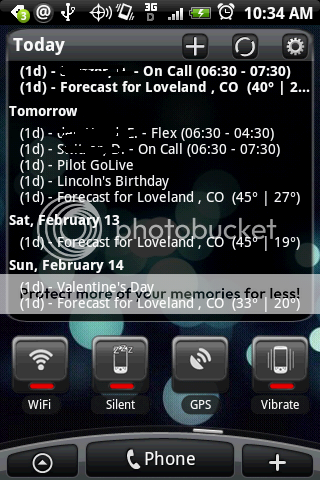
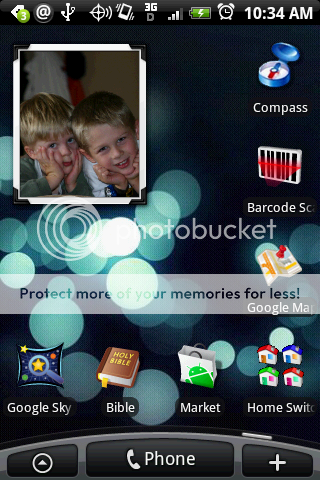
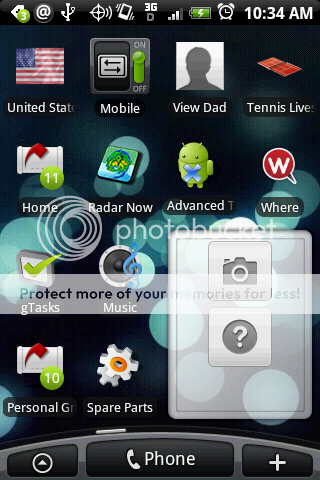
Heres Mine
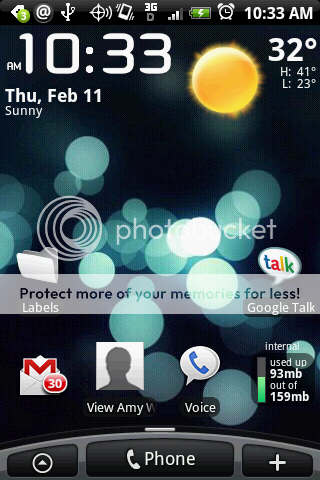
What's the widget icon you have showing the phone's memory usage?
Love these ideas, I recently got smooth calendar and the weather widget on the stock home, and loving it -- looks just like sense ui but much snappier!
I want to get the iPhone unlock screen, how do you get it?
PS: UPDATE, I got the Panda Home or whatever, with of course the current widgets - LOVE it!
I want to get the iPhone unlock screen, how do you get it?
PS: UPDATE, I got the Panda Home or whatever, with of course the current widgets - LOVE it!

refthemc
Well-Known Member
nice seeing a fellow former vogue-android user
Whats up Jamezelle. Ya the Eris Section at XDA is dead, and the Droidforums doesnt even compare to here, so I migrated lol. One thing I noticed though is how long each page is here, I swear its like 50 posts per page lol
ref the mc... what calendar are you using as well as your sms viewer?
I'm sure this was already answered but ya its Pure Calender Widget and and Pure Messenger Widget, there's also a new app he made called Pure Music Widget but I havent checked it out yet. Here's a link
Francois DESLANDES, Android Applications and Games
This is probably the number three unanswered question on this forum, right after root 2.x and root.
Ya thats the reason why I just use Contact shortcuts, it gives me the option to either call or message
refthemc
Well-Known Member
Love these ideas, I recently got smooth calendar and the weather widget on the stock home, and loving it -- looks just like sense ui but much snappier!
I want to get the iPhone unlock screen, how do you get it?
Lock 2.0 and there is a Pro version as well
Lock 2.0 v3.4 Application for Android | Entertainment

-=Jeff=-
Android Expert
My
I just realized which widget you were referring to. I have no clue how I did it
That I understand and I have most of mine set up for their phones or email. If you look at the contacts I have in the widget it has a little envelope or phone icon next to their picture. What I and a few others are trying to figure out is how you get the little card next to the picture like -=Jeff=- has, which would indicate that the default action is to go to the contact card. Since contact card is not one of the options, I can't figure out how people are doing this and for some reason nobody will answer.
I just realized which widget you were referring to. I have no clue how I did it
-=Jeff=-
Android Expert
That I understand and I have most of mine set up for their phones or email. If you look at the contacts I have in the widget it has a little envelope or phone icon next to their picture. What I and a few others are trying to figure out is how you get the little card next to the picture like -=Jeff=- has, which would indicate that the default action is to go to the contact card. Since contact card is not one of the options, I can't figure out how people are doing this and for some reason nobody will answer.
Go to a PC..
Go to your Gmail account used for your contacts.. in my screen those are the favorites in that window.. Add the contact you want to 'starred in Android' folder.. that will give you the Card icon, then when you select it will open the info on the contact

thetomlin2
Guest
Go to a PC..
Go to your Gmail account used for your contacts.. in my screen those are the favorites in that window.. Add the contact you want to 'starred in Android' folder.. that will give you the Card icon, then when you select it will open the info on the contact
Didnt work for me. I went to the PC and took everyone off the 'starred in Android' list. The synced with Eris, not there are no favorites. Went back to the PC and added a couple to the 'starred in Android' list, synced again and added the people widget. All of them have the text message icon/default action.
-=Jeff=-
Android Expert
Didnt work for me. I went to the PC and took everyone off the 'starred in Android' list. The synced with Eris, not there are no favorites. Went back to the PC and added a couple to the 'starred in Android' list, synced again and added the people widget. All of them have the text message icon/default action.
huh.. I did it with one contact and added it and it worked for me..
but you know I did clear the phone book once completely and resync'ed it because when I add a contact it goes to phone only..
so I edited the Gmail account contacts and cleared and re-synced.. I have to wonder if that is it
thetomlin2
Guest
huh.. I did it with one contact and added it and it worked for me..
but you know I did clear the phone book once completely and resync'ed it because when I add a contact it goes to phone only..
so I edited the Gmail account contacts and cleared and re-synced.. I have to wonder if that is it
I will delete one of mine and re-sync ... see if that works.
thetomlin2
Guest
huh.. I did it with one contact and added it and it worked for me..
but you know I did clear the phone book once completely and resync'ed it because when I add a contact it goes to phone only..
so I edited the Gmail account contacts and cleared and re-synced.. I have to wonder if that is it
I will delete one of mine and re-sync ... see if that works.
Sure as shit, that did it. So the way to get the card icon on the people widget, and have the contact information as the default action for a contact, you need to use a contact created on the PC and synced to the Eris.