• After 15+ years, we've made a big change: Android Forums is now Early Bird Club. Learn more here.

Lets see your UI layout!

Starting for center

Center
device1.png


Left one
deviceleft-1.png


Left two
deviceleft2.png


Left three
deviceleft3.png


Right one
deviceright.png


Right two
deviceright2.png


Right three
deviceright3.png


The lock Screen
devicelockscreen.png

"Creep, creep, I'm on the creep
The creep for the kind bud
O.C. late night, rolling in the v-dub
Sick of scraping resin so I'm looking for a sack"
 
you deleted the circle battery? and ur running a different rom by the looks of your rosie and the color of your signal meter

Ya, removed battery and time from taskbar. The rosie is also changed as well as a theme added. Base ROM is Aloysius v11.

Next thing is to try to figure out how I can change the EVDO back to 3G.
 
This is my current setup.. running LauncherPro on leaked 2.1v3, nothing spectacular.

Home:
home.png


Left 1:
L1.png


Left2:
L2.png


Right 1:
R1.png


Right 2:
R2.png


As always, this is subject to change on a whim.
 
I downloaded SDK what is android 1.5 package and USB driver package?
What is window device manger?
Sooo confused can someone help me?!


- Download the Android SDK here: Android SDK | Android Developers
- Run 'SDK Setup.exe' and install the Android 1.5 package and USB driver package
- In Windows Device Manager use the USB driver that was downloaded to install the USB driver in Windows
- Make sure you have Java installed, and Java /bin/ directory is in your Windows PATH variable (In a command prompt type "java" and if it says unrecognized command you need to do this: Find your Java /bin directory, should be something like C:\Program Files\Java\jre.ver.number\bin\ and go to a cmd prompt and type: path C:\thatdirectoryhere)
- Enable USB Debugging on your phone: Settings > Applications > Development
- Run ddms.bat in the /tools/ directory of the Android SDK with your phone plugged in
- Select your phone from the list on the top left of the window
- Go to Device > Screen Capture to capture and save screen shots
 
I wanted to add my layout but I'm just so confused I downloaded Android SDK but I understand.
Can someone please help me out?!
 
I wanted to add my layout but I'm just so confused I downloaded Android SDK but I understand.
Can someone please help me out?!

Here...I posted this over in the root section earlier.

Run SDK Setup.exe
Go down to Settings on the left hand side
Check the box that says "Force https://"
Then click on Available packages and download everything.

You don't have to download everything, but I can't think of the specific ones you need.

After you do all that, the usb drivers will be installed and then you go into the Tools folder on your computer and click on ddms.bat.

Another window will pop up and you can click on your device and then go to Screen Capture.
 
Here's my current layout. Nice to finally post it.

Only running with 5 screens.

Lock screen: (daughters)
125423667.jpg


Far left:
125423280.jpg


Left center:
125423285.png


Center:
125423287.png


Right center:
125423289.png


Far right:
125423291.png
 
I finally have a layout that I'm fairly happy with...for now. :)
I'm running Ivan's Official Eris 1.0 ROM at 710 Mhz, ADW launcher, Beautiful Widgets with Eclair skin for the clock and Brightness control, Youtube widget, Genie Widget for News & Weather, stock Music widget, stock Power widget.

Lockscreen
4686385797_bbd0eaaa28.jpg


Far Left (Entertainment)
4686385831_85fd7f51cc.jpg


Left (News/Weather/Info)
4687019812_e7906dfa60.jpg


Main Screen
4686385935_5a7f4230b9.jpg


Right (Music & Tools)
4686385999_284f6f4a09.jpg


Far Right (Control Center)
4686386045_68bb6304e6.jpg


And finally, this is what it looks like in a panaromic view! Click here for larger pic.

4686383857_6fdcabe3ec.jpg
 
I finally have a layout that I'm fairly happy with...for now. :)
I'm running Ivan's Official Eris 1.0 ROM at 729 Mhz, ADW launcher, Beautiful Widgets with Eclair skin for the clock and Brightness control, Youtube widget, Genie Widget for News & Weather, stock Music widget, stock Power widget.

Lockscreen
4686385797_bbd0eaaa28.jpg


Far Left (Entertainment)
4686385831_85fd7f51cc.jpg


Left (News/Weather/Info)
4687019812_e7906dfa60.jpg


Main Screen
4686385935_5a7f4230b9.jpg


Right (Music & Tools)
4686385999_284f6f4a09.jpg


Far Right (Control Center)
4686386045_68bb6304e6.jpg


And finally, this is what it looks like in a panaromic view! Click here for larger pic.

4686383857_6fdcabe3ec.jpg


:D
LOVE The Batman Logo wallpaper !!!!!
 
Finally throwing it out there.
 

Attachments

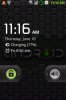
  • Lockscreen.jpg
    Lockscreen.jpg
    20.5 KB · Views: 130
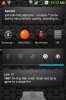
  • Home.jpg
    Home.jpg
    27.7 KB · Views: 130
  • right1.jpg
    right1.jpg
    25.2 KB · Views: 135
  • right2.jpg
    right2.jpg
    35.4 KB · Views: 143
  • left1.jpg
    left1.jpg
    27.4 KB · Views: 139
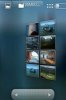
  • gallery1.jpg
    gallery1.jpg
    19.9 KB · Views: 172
Hi, i tried to change the people icon to one of the icon pack provided in the market...tried to change it using bettercut..the new icon appeared on the interface but once i click it it said it has stop unexpectedly..is there any solution for that...cheers..
 
Try uninstalling better cut then reinstalling it.

Hi, i tried to change the people icon to one of the icon pack provided in the market...tried to change it using bettercut..the new icon appeared on the interface but once i click it it said it has stop unexpectedly..is there any solution for that...cheers..
 
Notice anything missing? Got bored so tweaked my setup yet again.

zti64p.png
dk- have you run into any problems with the no battery flash. I put it on my phone a few days ago and added Battery Indicator. Ran solid for about 3 days and then started getting reboot whenever anyone would call my phone. Just wondering if you had a similar experience.
 
dk- have you run into any problems with the no battery flash. I put it on my phone a few days ago and added Battery Indicator. Ran solid for about 3 days and then started getting reboot whenever anyone would call my phone. Just wondering if you had a similar experience.

You know whats funny....I have random reboots now as well. I think I might just go back to no clock in taskbar and remove batt indicator. Cuz that only thing I can think of that causing it. I get 1 random reboot a day when not in use. Thank god its the weekend so I can flash, yet again, lol.
 
Back
Top Bottom