

• After 15+ years, we've made a big change: Android Forums is now Early Bird Club. Learn more here.

Lollipop headaches

We're dealing with a few issues here. First, about the factory reset after an upgrade ... Android 5 (lollipop) is very much changed from 4.4 (Kit Kat) down to the way it run the apps. Java apps in earlier versions were compiled and run in a Dalvik virtual machine. They are now run in ART (Android Run Time) VM. When you upgraded from 4.4 to 5.0 everything was supposed to switch over, but the previous Dalvik cache seems to cause performance and stability problems for some people. The quickest way to get rid of that on a stock installation is to perform a factory reset. A factory reset is NOT like reinstalling the OS, however. What it does is simply clear the user data and settings from the system partition and wipe the respective caches (system app cache and Dalvik cache). For most people who aren't rooted, this is pretty darn close to "out-of-the-box" but if you've updated the system to a later version it does not roll back. You will still be at the latest version. If something happened to the system files during the upgrade, a factory reset won't fix it. You'd have to re-flash the factory firmware (which IS a system re-install).

From what I've read, Lollipop is not supposed to require any more resources than Kit Kat, but is capable of taking advantage of higher powered devices that are coming out now. If you have an app (or game) that performed well on Kit Kat, but not on Lollipop, it could be the Dalvik cache getting in the way (which a reset will fix) or it could be that the apps haven't yet been optimized for Lollipop.

Also, one of the complaints about Lollipop has been the camera app. It isn't Google's highest achievement :rolleyes:. You might want to look at a few of the alternate camera apps in the play store and see if one of them performs better for you.


 
Also, one of the complaints about Lollipop has been the camera app. It isn't Google's highest achievement :rolleyes:. You might want to look at a few of the alternate camera apps in the play store and see if one of them performs better for you.

thank you for your comment, haelp me a lot for better understanding of the scenaryio.
regarding the camera.... i tried with some apps, but the same result, i know google camera is not the best but it used to work pretty well before lollipop.
 
i did the factory reset twice (just to make sure), the system feels a little, but i mean a little faster and maybe is not because the factory reset but the fact has not all my apps installed.

the camera improve a little, maybe 10-15% less frammy, but still many not high end phone can still take way smoother videos, its a true, nexus 7 video is screw up, is not a feeling neither a perception.

the game, real racing, looks the same ( and it is the first app i installed, not because i am hurry to play but because i want to see any increase in performance. and there is not any. when kitkat (without mention the camera) i use to run real racing at full graphic and no a single flick, with the device only clearing 200mb, so, it was full of files, when i rotate the screen the transition isnt smooth as used to be, it is frammy flickering... i still donthave the word.. but what i mean... the opposite of smooth.

i am sorry guy, you try harder to swallow what google tells you... kitkat is WAY more efficient when managing resources.
OR maybe i am not noticing that, THATS precissely the intentions... to move forward with the pretext of evolution and "improvements" when this is only a movement to hide the necessity of sell more powerful devices even when not needed?
what i mean... in a near future we forget how smooth use to run the device with the previous version and THE SAME APP AND HARDWARE (i mention this so nobody cames up with an unfair comparison) so we end with our washed mind and the thought that UR device is already old and underpowered.

i don tknow you guys.. but... i will keep updated and i agree with the improvements AS LONG THEY SHOW REAL EFFICIENCY, but i will never agree with that behavior of (in a plain sight) just making a more sluggish system to promote the sale of a more powerful device. i am not against building even more powerful devices... but if we would just use/invest THAT more powerful hardware for taking advantage of more powerful apps (instead of wasting that power in just .... "moving" the OS.

a simple example... we are getting a more and more powerful engine, but not for getting a faster car, neither a more ecological car (more power less force is needed to move the same volume) but just for still using that same heavy chassis, or even worse, to use a heavier chassis but has been built to move a heavier vehicle, instead lowering times or improving fuel consumption...

sorry for the comparisson with cars, i work for an european automaker, and thats the really main difference, some brands invest and put allthe effor in making a veryday more and more efficient car, lowering weigh and improving engines, while other invest all in developing green technologies... but for keep using the same big body vehicles...
 
now that my tablet still has no personal data, ill try to exchange or to sell it in order to get a kitkat one.
Or, are there any way to roll back to kitkat without rooting? i dont want rooted devices
 
There is a way. You don't have to root, but you will have to unlock the bootloader(which you can lock again immediately after you are done reverting to KitKat). Then you grab the Kitkat factory image from Google's system images page and flash that through Fastboot.
 
Like @bjacks12 mentioned, you can flash an older factory image. It doesn't require root, but will require you to unlock your bootloader.

We've got a pretty decent guide for that here and you can obtain any factory image you need (all the way back to 4.2.2 if you want) here. :thumbsupdroid:
 
Hang on, these are meant to be consumer devices. We shouldn't have to spend hours delving around the internet to try to find out how to get our devices working again after a system upgrade.

Imagine if you put your car in for service and it came back sprayed a different colour, with some of the controls moved around, the switches relabelled and some of the most important ones hidden out of sight. And no instructions, but don't worry, if you ask around you'll probably find someone who's already figured it out, and you'll just have to hope they know what they're talking about. And it may crash, because we haven't tested it thoroughly, so if it does please let us know - we won't help you fix it of course, but we we might change something at your next service, or when you buy a new car.

Why do we let the software industry get away with it? I wonder how hours are wasted by people just trying to get their devices to work the same as they did before. The changes in MS Office 2010 must have lost billions of hours of productivity globally. When you consider how many people worldwide rely on phones tablets and computers we deserve a better service.
 
Hang on, these are meant to be consumer devices. We shouldn't have to spend hours delving around the internet to try to find out how to get our devices working again after a system upgrade.

Here's the thing, Android system upgrades are not forced on you, they're offered as a choice, it's up to you if you want to take them or not. And in fact most devices might never get a version upgrade, they may get bug fixes from the manufacturer. Think for most regular(non geek) users when they get Lollipop, will be when they're buying new phones. It took many manufacturers over a year to get their new devices to 4.4 Kitkat, after it was released by Google. And most problems had been solved by then.

Imagine if you put your car in for service and it came back sprayed a different colour, with some of the controls moved around, the switches relabelled and some of the most important ones hidden out of sight. And no instructions, but don't worry, if you ask around you'll probably find someone who's already figured it out, and you'll just have to hope they know what they're talking about. And it may crash, because we haven't tested it thoroughly, so if it does please let us know - we won't help you fix it of course, but we we might change something at your next service, or when you buy a new car.

Manufacturer system upgrades tend to be much more "under the hood". Do many people know what OS and version is running their ECU? Probably not. If anyone wants upgrade their cars, change the colour, put go faster stripes, spoilers, low profile tyres, race tune the engine, make it unstable, etc. But most people don't do that, they usually buy newer, better cars.

Why do we let the software industry get away with it? I wonder how hours are wasted by people just trying to get their devices to work the same as they did before. The changes in MS Office 2010 must have lost billions of hours of productivity globally. When you consider how many people worldwide rely on phones tablets and computers we deserve a better service.

MS never forced anyone to upgrade to Office 2010. Enterprise users held off on it for a very long time, even now I know of many people still using Office 2003, the school office PC here has it, running on Win 7. Same with Win 8, very few enterprises users have adopted that so far as part of their corporate strategies, many have only just gone over to Win 7 from XP.
 
Here's the thing, Android system upgrades are not forced on you, they're offered as a choice, it's up to you if you want to take them or not.

I doubt many users understand that - I didn't. The update gets downloaded automatically, and the implication is that you need to install it to deal with bugs, and that if you don't in time your system will suffer. How is a "non-geek" user like me supposed to know whether or not they should install it?

Manufacturer system upgrades tend to be much more "under the hood". Do many people know what OS and version is running their ECU? Probably not.

Do many people know what OS their phone or tablet is running? Probably not

If anyone wants upgrade their cars, change the colour, put go faster stripes, spoilers, low profile tyres, race tune the engine, make it unstable, etc. But most people don't do that, they usually buy newer, better cars.

But a system update may do that for you, without prior warning. You're then left to sort it out for yourself, with no assistance.

MS never forced anyone to upgrade to Office 2010.

Maybe not forced, but in fact business users had little choice because support for it would soon be withdrawn.
 
@Howard J aside from just general disappointment with how Android mobile OS operating system software updates in general are handled (because, as you mentioned, an update changing things isn't specific to Android/Google), are there any specific issues that we can help you resolve or work around?

Most of us are here to help folks - we can't help that an update got pushed to you, but we are eager to help out in whatever way we actually can. :)
 
I don't like being forced onto the Gmail app, which apart from looking horrible doesn't show which email account I'm looking at. I don't like having to hunt around for an alternative, when the old app was working fine for me.

I don't like that it now takes more steps to unlock the screen or get to the wifi and bluetooth settings - no big deal, but annoying. I don't like that it highlights the unlock key pad, which makes it really easy for someone to see what keys you've pressed - not good security.

I don't like that there doesn't appear to be any guidance on how this differs from the previous system and how to use it properly.

However my biggest complaint is that my Nexus 7 tablet is now really slow, apps seize up and I'm often left with a blank screen with no apps showing at all. I'm thinking of doing a hard reset, but there doesn't seem to be a straightforward way to back up everything on my tablet and I'm worried about losing data.
 
I doubt many users understand that - I didn't. The update gets downloaded automatically, and the implication is that you need to install it to deal with bugs, and that if you don't in time your system will suffer. How is a "non-geek" user like me supposed to know whether or not they should install it?

Thing is a smart-phone is really like a PC, rather than just a dumb appliance, it's a computer. Perhaps some knowledge of what might be expected of one could be useful. You wouldn't go out and drive a car without first taking a driving test and having a driving license? As I do like car analogies. :D Back in the day, dumb-phones were very easy, they only did phone calls, sent messages, and played snake.


Do many people know what OS their phone or tablet is running? Probably not

Phones and tablets I've seen recently state "Powered by Android" when you turn them on. And Apple plugs iOS enough in their materials. Most people should know what's running on their PCs don't they, and what version? Windows XP, Vista, 7, 8, Ubuntu, etc. Same with Macs. Basic knowledge IMO, because if they don't know, they'd be wondering why that EXE they downloaded doesn't work on their Mac OS X. In fact some people do. "Why can't I install this APK into my Windows Phone device?"

Like they should know what type of fuel they should be running their cars on, yeh put gas in a diesel car and watch what happens. A very expensive repair probably.


But a system update may do that for you, without prior warning. You're then left to sort it out for yourself, with no assistance.

Maybe not forced, but in fact business users had little choice because support for it would soon be withdrawn.

M$ usually supports their products for about 8 years after launch, XP was supported for 12 years. Plenty of time to make decisions about whether to upgrade or not. Many in this country are still using XP, I see it most days. They'll likely upgrade when their PCs eventually die.
 
Last edited:
You wouldn't go out and drive a car without first taking a driving test and having a driving license?

No, but having learned to drive I don't expect the garage to rearrange the controls without telling me how the new ones work. And if the car doesn't work properly afterwards the garage will sort it out - with this I'm left on my own to find whatever advice I can by asking around the internet.

Phones and tablets I've seen recently state "Powered by Android" when you turn them on.

But which version of Android, and what's the difference between them? I assume there are some important changes besides the cosmetic ones I can see. And what's with the silly names? My tablet now says it's on version 5.0.2 - is that "Lollipop"? I can't see anything on it to say so.

There's conflicting advice, on the other hand we're told we should install updates to keep our computers up to date and safe from bugs and security issues, on the other hand we're told they're optional and you don't have to install them.

M$ usually supports their products for about 8 years after launch, XP was supported for 12 years. Plenty of time to make decisions about whether to upgrade or not. Many in this country are still using XP, see it every day.
Most businesses cannot risk using software which is no longer supported, so upgrading isn't really a choice. Previous upgrades didn't involve a huge new learning curve.
 
Yeah, 5.0.2 is lollipop Android versions are named after sweets in alphabetical order.... Cupcake, donut, eclair.......
 
@Howard J thanks for breaking out your pain points with Lollipop - now we're getting somewhere! :)

I don't like being forced onto the Gmail app, which apart from looking horrible doesn't show which email account I'm looking at. I don't like having to hunt around for an alternative, when the old app was working fine for me.

I will admit that I haven't used the new Gmail app (I'm pretty happy with Inbox for handling mail to my @gmail address), but I was previously quite pleased with AquaMail for handling multiple accounts. Maybe having a suggestion will take some of the hunting out of the problem? :D

I don't like that it now takes more steps to unlock the screen or get to the wifi and bluetooth settings - no big deal, but annoying. I don't like that it highlights the unlock key pad, which makes it really easy for someone to see what keys you've pressed - not good security.

I definitely agree that it is kind of silly that you have to swipe to "unlock" and then enter your unlock credentials. I make use of the Smart Lock options to streamline it a bit - as long as my phone is connected to a trusted Bluetooth device or within a defined location (my house), I only have to enter my unlock code the first time. After that, it's just a simple "swipe-to-unlock" as if I didn't have a code at all. I find that to be a good compromise between security and convenience, but your exact needs may vary.

For the Wifi/Bluetooth settings: if you use two fingers to pull down the notification pulldown it will automatically expand the Quick Settings portion (rather than you having to swipe twice). Then just tap the "Wifi" or "Bluetooth" label (NOT the icon!) to go straight to the Wifi/Bluetooth settings. If you do it right, that's one swipe and one tap to get into either settings menu.
I don't like that there doesn't appear to be any guidance on how this differs from the previous system and how to use it properly.

Google does offer a Quick Start Guide for Android 5.0 - though I can't guarantee how useful it is. They also have a decent overview of new features: http://www.android.com/versions/lollipop-5-0/ (scroll down to the "See All Features" button to see all the new stuff). ComputerWorld's JR Raphael also put together a list of 10 Cool Things to Try with Android 5.0 that may be of some interest.
However my biggest complaint is that my Nexus 7 tablet is now really slow, apps seize up and I'm often left with a blank screen with no apps showing at all. I'm thinking of doing a hard reset, but there doesn't seem to be a straightforward way to back up everything on my tablet and I'm worried about losing data.

Is yours the 2012 or 2013 version of the tablet? Either way, a factory reset may be able to help you with the performance issues. 4.4->5.0 is probably the largest single-version change that Android has received, and the inclusion of the new Android Run Time (ART), which replaces Dalvik, means that application caches have to be rebuilt from scratch. Forcibly clearing everything out and setting up anew is the best way to make sure that you don't have any problems caused by the migration of corrupt data. The exact method for backing up and restoring data is probably beyond the scope of this single thread, but Helium is a pretty good place to start.

But which version of Android, and what's the difference between them? I assume there are some important changes besides the cosmetic ones I can see. And what's with the silly names? My tablet now says it's on version 5.0.2 - is that "Lollipop"? I can't see anything on it to say so.

Lollipop is just the friendly nickname given to this 5.0 release. 5.0.2 is the actual version number, but the entire 5.0.x release family, so to speak, can also be familiarly called Lollipop. This is just like OS X releases are named after cats and Ubuntu releases are named after strange animals.

:)
 
If you're installing apps from Google Play or Amazon, you shouldn't even have to know what version of Android you've got. Because what they make available ought to be compatible with the device you've got and its version. And anything that isn't either won't show at all, or gives the "Your device is incompatible with this app." message.

If manufacturers do make any significant changes in a firmware upgrade, changing things around etc. It's up to them to inform you and provide support. Most of the major manufacturers do, things like revised instructions, their own stores, helplines. Same thing with carriers, if the update was sent by them, usually on their branded, subsidized phones.
 
I just wanted to chime in and say how disappointing the Android 5 update was for me.

My Nexus 7 (early version) became essentially useless after installing the update to Lolipop. I finally dug in and backdated it to KitKat- not a simple matter, but well worth it. If you haven't installed this OS yet I would suggest you wait.... or avoid it altogether.
 
Thanks, I'd looked in Google Play bookstore for a user guide but couldn't see it. Those other links look useful as well. However I agree with mikedt that manufacturers should provide support and instructions.

Everyone says it's recommended to do a factory reset after an update, so why can't Google send clear instructions to do that when they tell you to update? If it's a major change, such as this one, they really should send a big READ THIS FIRST warning with it.
 
Maybe not forced, but in fact business users had little choice because support for it would soon be withdrawn.

then it is forced but with diplomacy and people should be aware enough to recognize and to fight against that attitude, otherwise we will regret in a future.

@Howard J
Most of us are here to help folks - we can't help that an update got pushed to you, but we are eager to help out in whatever way we actually can. :)
very noble from you, and thank you (even when the message was not for me)


I don't like being forced onto the Gmail app,....

....don't like that it now takes more steps to unlock the screen or get to the wifi and bluetooth settings - no big deal, but annoying. I don't like that it highlights the unlock key pad, which makes it really easy for someone to see what keys you've pressed - not good security.

thats what i am talking about.
many of us, due our busy life, dont complain, or even worse, companies and big brand take advantage of our busy life and they know we have really little time to defend our complains, ending (many of the other users) just swallowing what the manufacturer wants or pretend to implement as the "right" thing

@Howard J

I definitely agree that it is kind of silly that you have to swipe to "unlock" and then enter your unlock credentials. I make use of the Smart Lock options to streamline it a bit - as long as my phone is connected to a trusted Bluetooth device or within a defined location (my house), I only have to enter my unlock code the first time. After that, it's just a simple "swipe-to-unlock" as if I didn't have a code at all. I find that to be a good compromise between security and convenience, but your exact needs may vary.

:)
may be thats the point to make the unlock nasty so we should use a smartunlock feature with involve having a GPS, or a Bluetooth (or both) enabled all the time, or even worse, to use our face (which involve having our face as an unlock archive stored in a semipermanent connected device to the internet, all or any of those options involve a faster battery draining.. so its all about to spend spend waste waste buy buy pay me pay me.

@Howard J
Lollipop is just the friendly nickname given to this 5.0 release. 5.0.2 is the actual version number, but the entire 5.0.x release family, so to speak, can also be familiarly called Lollipop. This is just like OS X releases are named after cats and Ubuntu releases are named after strange animals.

lol:D
 
Last edited by a moderator:
the point is little bit clear now..
to have the skill of recognizing when something REAL improves what we do, and to recognize what is just a fancy trick /try of the vendor for just keep the water moving.. instead a real improvement... or when are we being forced us which commonly ends in a states where WE are expose (at least more exposed than before)

thtas the reason why messenger went down.. now within 2 or4 years we will have in our app a VERY similar to messenger app
 
However my biggest complaint is that my Nexus 7 tablet is now really slow, apps seize up and I'm often left with a blank screen with no apps showing at all. I'm thinking of doing a hard reset, but there doesn't seem to be a straightforward way to back up everything on my tablet and I'm worried about losing data.

A daily fear we constantsly have...

sorry, i know some guys here done like old tech to be mentioned.. i dont know if i is a kidn of trauma...

do you remember latest palm os devices? like the palm TX or the T5?

you had a desktop application that syncs with the device... no internet, just a DIRECT connection from your computer to your device... (with no internet i mention.. you dont have to be at the internet mercy to have a green light with your backup, a simple rule, the less parties involved, the safest it is)
you just hit a button and EVERYTHING gets equalize if there is ANY difference, the file gets duplicated and a NOTE at the end of the SYNC is displayed to the user...

was that so difficult to keep in todays devices?

if we lost our device, we just simple do the basic setup (name and hour) in a new one, plug to your computer and hit sync, and after a few extra steeps (no more than two) since the sotware detects it is fresh/new device with nothing in it, 7 or 9 minutes and EVERYTHING includding apps and settings are back!

if you were abroad and away of your computer (where your parallel files are) you yus use the explorer application (i remember, resco explorer) and du a full backup, it takes about 10 minutes, add a password and you have a single file with your whole life in it.

since it is a single file, aiwht all data, apps and settings inside... you just move it to a mmc and keep it into the tinny pocket of the luggage, you feel so safe even when so far away from your computer...

i heard that someone modified the original palm OS desktop side sync software (PalmDesktop) so it can sync with an android...
 
Use Helium Backup or root and do nandroid backups.

Right now I have 15 GB of data and apps for my backups, not counting 30 GB on the sd card.

Try that in 7 to 9 minutes. Try that on a Palm TX - oh wait, it had 128 MB total, 100 only for the user.

Four hundred and fifty times less storage in my case and for a whole lot of other people.

Meanwhile, however you slice it, including the dissembling about how no one (me lmao) let's you talk about old technology, the reality is that you have backup options. With various oems for Android, syncing and backups are included. If not, there are Play Store solutions.

Otherwise, I think it would be great if everything was as simple as it was ten years ago, when the Palm was new.

And you couldn't do a fraction as much on your phone. :)

None of which is on topic for Lollipop but there you go.
 
Last edited:
A daily fear we constantsly have...

sorry, i know some guys here done like old tech to be mentioned.. i dont know if i is a kidn of trauma...

do you remember latest palm os devices? like the palm TX or the T5?

you had a desktop application that syncs with the device... no internet, just a DIRECT connection from your computer to your device... (with no internet i mention.. you dont have to be at the internet mercy to have a green light with your backup, a simple rule, the less parties involved, the safest it is)
you just hit a button and EVERYTHING gets equalize if there is ANY difference, the file gets duplicated and a NOTE at the end of the SYNC is displayed to the user...

was that so difficult to keep in todays devices?

if we lost our device, we just simple do the basic setup (name and hour) in a new one, plug to your computer and hit sync, and after a few extra steeps (no more than two) since the sotware detects it is fresh/new device with nothing in it, 7 or 9 minutes and EVERYTHING includding apps and settings are back!

if you were abroad and away of your computer (where your parallel files are) you yus use the explorer application (i remember, resco explorer) and du a full backup, it takes about 10 minutes, add a password and you have a single file with your whole life in it.

since it is a single file, aiwht all data, apps and settings inside... you just move it to a mmc and keep it into the tinny pocket of the luggage, you feel so safe even when so far away from your computer...

i heard that someone modified the original palm OS desktop side sync software (PalmDesktop) so it can sync with an android...

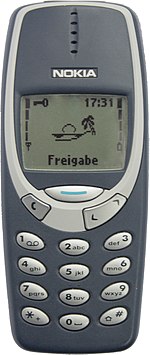
So we're talking about more than 10 years ago, at that time my phone was a Nokia 3310, phone calls, messages, Snake and Space Impact, and that was it. No photos, no videos, no music, no documents, etc. I had a Windows CE PDA, 128MB storage, that I mostly used as a GPS. satnav. For music I had a 20GB iPod, and camera was a Canon digital of some description. Four devices that I now use just one smart-phone for.

Of course these days, almost everyone has a smart-phone, keeping gigabytes of irreplaceable photos and videos on it, along with music, etc. However not everyone has a PC though, my father doesn't. Google provides cloud backup with Android, and there are various third-party PC storage solutions available if required.

Things could be much simpler in the olden days.... :D
150px-Nokia_3310_blue.jpg
 
Last edited:
Ok so I updated my s5 last night. I can't get my lock screen to accept the livewallpaper I used to use (it works fine on the home screen) and the BIG thing to me that is missing is when music player is you have to completely unlock the phone now to skip tracks not just the old hit the home button to wake it up and there was a small player on the lock screen
 
Last edited:
Back
Top Bottom
