• After 15+ years, we've made a big change: Android Forums is now Early Bird Club. Learn more here.

Root [MetroPCS] [ROM] KitKat 4.4.2 NEW BETA 4

Data works fine but theres no LTE probably because there's no LTE in europe.

The European version of this phone does not support LTE that's why.... No LTE in Europe? What planet do you come from?

I tested the DL speeds while in 4G and it reached over 14mbps which is in the LTE range. Normal 4G range ends around 8mbps, so I believe the LTE works. It's just not displaying LTE on the phone.

The only problem I have is that the network type I select under phone info gets reset if I reboot the phone.

This is the best KitKat Rom by far. XPerion ICS is the next best after this one.
 
Last edited:
To change to phone to LTE permanently, change following settings using "Build Prop Editor" app or editing /system/build.prop.

ro.ril.def.preferred.network=12
ro.telephony.default_network=12


I had to a factory data reset after changing the settings.
 
Afternoon all
Thanks for all the work that has been done on this. I've actually been running this ROM pretty stable for several weeks now. Almost everything seems to work for me just fine. I still have to change the network type to LTE after a reboot. Not a problem really, and I keep meaning to try the above mentioned build.prop tweak. The only other problem I have here is with the headset. On the Stock ROM, or even Xperion or Dana the wired headset works properly. However on this one, the mic on the wired headset doesn't work. Same mic will work on one setup and not the other. I've been spending some time trying to figure out a solution myself (Other than using the phone normally or trying a bluetooth headset) to no avail. I suspected that there is something in build.prop that may change the detecting, but also to no avail. I even tried SoundAbout that someone mentioned in another thread somewhere. Do any of you guys have the problem and/or a possible work around? THANKS :)
 
I guess no one has any ideas about the headset? I would blame it, but like I said it works on Xperion, Dana and Stock, just none of the KK versions. S*undabout doesn't seem to solve it. I am thinking about BT, but while I like it, it is a major battery drain and yet another device to keep charged at all times. ugh lol
 
I need help :(

I am unable to enter into recovery. I briefly see the green android and it restarts to enter the regular reboot, or the kernel panics. I actually foolishly installed lte2_l1m_recovery.apk and applied recovery without realizing that it is not required. I don't know if this is what has caused this issue, but now I am locked into this ROM. Is there anyway of undoing what lte2_l1m_recovery.apk might have done? Please help.
 
Just install the apk and use it to flash twrp.
No, I had the one for F6, since I used it with the stock rom before. I currently have CWM, but I guess I can try flashing TWRP. However, I think lte2_l1m_recovery did something to the stock kernel to make it temporarily allow the unsigned kernel from recovery, so I am guessing I have to undo that. My backups were taken with CWM, so if I am stuck with TWRP, then it would be a double loss. On the other hand, if I can get TWRP to boot, then I should as well be able to restore CWM as well, so I will give that a shot.
 
Success, I was able to get into TWRP, so I need to now hunt for the original CWM that I installed so that I can get back to the previous backups, in case I decide to rollback fully.
 
I can only find the same lte2_l1m_recovery.apk (md5 matches) when I look for CWM and when I installed it and rebooted, I got the same kernel panic. Interestingly, when I removed battery and held home button while powering on, I got into TWRP, so not sure why lte2_l1m_recovery.apk didn't overwrite the recovery. Is there another way to get CWM back on it?
 
I can only find the same lte2_l1m_recovery.apk (md5 matches) when I look for CWM and when I installed it and rebooted, I got the same kernel panic. Interestingly, when I removed battery and held home button while powering on, I got into TWRP, so not sure why lte2_l1m_recovery.apk didn't overwrite the recovery. Is there another way to get CWM back on it?
You have to flash CM recovery the lte2l1m recovery its only a temporary recovery that will run from sdcard
 
You have to flash CM recovery the lte2l1m recovery its only a temporary recovery that will run from sdcard
I am now pretty sure that lte2_l1m_recovery.apk is the only way to install CWM recovery and it is not working with kitkat for some reason. If you don't believe so, could you please point me to a link that says otherwise?
 
I am now pretty sure that lte2_l1m_recovery.apk is the only way to install CWM recovery and it is not working with kitkat for some reason. If you don't believe so, could you please point me to a link that says otherwise?
Yes.. It soonest i get a way to leave studio...(wrk) I'll do it
 
Thanks Krlypumaa, appreciate your help! I just tried the F6 Utility V2 and this too strangely is unable to install CWM or for that matter even the stock recovery. There is no error, but after installing the corresponding recovery, reboot to recovery still takes me to TWRP. It is fine as long as I don't have to revert back to stock. I also came across something called Nandroid Manager that claims to be able to restore nandroid backups created by both CWM and TWRP. Has anyone tried using this app with F6? If this can be used to restore my prior stock backups, then I won't need to continue looking for CWM.

So far, this ROM proved to be quite stable. I have a couple of issues so far:
- In settings as soon as I click on the "Home screen", the settings app crashes. Not sure if this is same as one reported in the 2nd page of this thread.
- The phone now has noticeably lag compared to before. With the stock ROM, even switching between several apps didn't cause that, but now I am noticing some operations such as opening app drawer takes 2 to 3 seconds to complete. I have the same old apps.
- Sometimes the app drawer comes up blank, so I have to hit home and reopen it. At least once I had to do it twice. A similar thing happens when I long press the home button. In this case, I get a blank dark screen with no recent apps. Again, if I press home button and repeat the process it works fine.
 
If you really want or need cwm instead of twrp, try f6utilities1.2. It has always worked for me until all the links for it disappeared a few months ago. When this happened I uploaded my backup copy for this very reason. Hope it works for you.

Download:http://www.mediafire.com/download/calz31togcci6ej/F6-Utilities-V1.2.apk
Thanks a lot, this finally worked and I now feel more safe and secure. I was also able to switch back to TWRP. The thing is, this is my wife's phone and I promised her that this upgrade would be in general beneficial. In case she wouldn't like it and wants to go back, I need to have the means to revert, so this would then really save my face :)

BTW, did anyone try to integrate the updates to Play Store or Play Services? With the stock ROM, I tried using Link2SD for this and Play Store went into some weird state that caused it to constantly force close. I tried converting back to user app, clearing data and a few other tricks but it didn't help.
 
Thanks a lot, this finally worked and I now feel more safe and secure. I was also able to switch back to TWRP. The thing is, this is my wife's phone and I promised her that this upgrade would be in general beneficial. In case she wouldn't like it and wants to go back, I need to have the means to revert, so this would then really save my face :)

BTW, did anyone try to integrate the updates to Play Store or Play Services? With the stock ROM, I tried using Link2SD for this and Play Store went into some weird state that caused it to constantly force close. I tried converting back to user app, clearing data and a few other tricks but it didn't help.
To integrate Google play services and play store updates into the rom you just need a file manager like root explorer or root browser. Whatever file manager you use must have root access.
What you have to do is go to /data/app and rename Google play services to GmsCore.apk and rename play store to Phonesky.apk (This is caps sensitive). Both apps will probably force close when you rename them but this is normal.
The next step is to move both apps (cut & paste) into /system/priv-app. There should be a pop-up telling you that GmsCore.apk and Phonesky apk already exist and asking if you want to replace (overwrite) them. Choose the option to replace (overwrite) these two apps and after it is done check and make sure the permissions are set to rw-r--r--. Finally reboot to recovery and wipe dalvik cache then reboot the phone and you're done.
 
To integrate Google play services and play store updates into the rom you just need a file manager like root explorer or root browser. Whatever file manager you use must have root access.
What you have to do is go to /data/app and rename Google play services to GmsCore.apk and rename play store to Phonesky.apk (This is caps sensitive). Both apps will probably force close when you rename them but this is normal.
The next step is to move both apps (cut & paste) into /system/priv-app. There should be a pop-up telling you that GmsCore.apk and Phonesky apk already exist and asking if you want to replace (overwrite) them. Choose the option to replace (overwrite) these two apps and after it is done check and make sure the permissions are set to rw-r--r--. Finally reboot to recovery and wipe dalvik cache then reboot the phone and you're done.
OK, I will follow these steps later. I guess this is needed because the filenames are different? Does this mean Link2SD can't handle it if the filenames change?
 
OK, I will follow these steps later. I guess this is needed because the filenames are different? Does this mean Link2SD can't handle it if the filenames change?
The steps I provided are for integrating the updates into the Rom. Link2sd is for moving apps to your external ad card which is completely different.
 
The steps I provided are for integrating the updates into the Rom. Link2sd is for moving apps to your external ad card which is completely different.
Link2SD has other features including one called "Integrate update into system", which I guess essentially copies the apk to system partition (after remounting it rw), though I am not sure if it does anything else (like some cleanup). If the apk filename is different I am guessing that it may not do the right thing (i.e., leaving both the old and new ones)
 
ahhhh ...o.k. ..

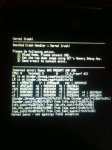
kernal panic - not syncing ...fatal exception

..this happened twice to my wife during attempts to make phone calls...
This just happened 3 times in a row for my wife when trying to make a call and the worst part is that she was away on a trip (not that I could have done anything much with a kernel panic). She managed to get a picture of the screen with another phone which I am attaching. Interestingly, it didn't repeat again in the last 3 days.
 

Attachments

  • photo.JPG
    photo.JPG
    407.1 KB · Views: 181
This crash is now happening regularly. Today it happened thrice while trying to make a call. Could this be a hardware issue? I will try to dirty flash the ROM again and see if it improves. I can't find the QCT Memory Debug App anywhere, perhaps it is an LG internal app.
 
If anyone still lhas SD errors just install closed and look for something called SD card full access kitkat and install reboot and its fixed! Now.. Any fix for LTE?
 
Back
Top Bottom