• After 15+ years, we've made a big change: Android Forums is now Early Bird Club. Learn more here.

My Droid is running at 1GHZ

Is there any way to check to make sure SetCPU is underclocking when in sleep/standy?

I'm playing around with stock and oc'ed speeds to examine heat production on the battery and maybe I don't have SetCPU configured correctly, but I'm having a hard time getting it to run at 1Ghz unless I have the power profile activated. I thought the performance governor would do it in the absence of that profile being enabled but it doesnt.

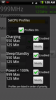
I did notice that when I woke up this morning and grabbed my phone off of the charger that Set CPU was showing 550 Max and 125 Min (which are my sleep and charge profiles). I had to open a game, and a browser before it updated to show a max of 999. Not sure if that helps you but to me, I'd say Set CPU profiles work. I don't know how you would check it though.
 
I did notice that when I woke up this morning and grabbed my phone off of the charger that Set CPU was showing 550 Max and 125 Min (which are my sleep and charge profiles). I had to open a game, and a browser before it updated to show a max of 999. Not sure if that helps you but to me, I'd say Set CPU profiles work. I don't know how you would check it though.

Actually, I just got it to work. I caught the phone just as it went into standby but before the lock screen kicks in. When I powered it back up, the widget showed my standby profile settings before going to 1Ghz, so it works.

I also "figured" out the problem I was having with it running continuously at 1Ghz without the power profile being enabled. For some reason, it was always running at 500Mhz when on and I had to enable the power profile to kick it up to 1Ghz.

However, when I changed the main min setting on setcpu's main screen, the processor jumped to 1Ghz and has remained there since (except when the profile settings are being used). Kind of weird but everything seems to be working now.

Now on to the heat testing...
 
deez, I was able to get my Droid up to about 107-115F today while in the car. I had the Google Nav going without it charging (so my profile didn't kick in), then I turned Pandora on. After about 90 minutes it reached 107F so I turned off Nav and decided to push it hard and ran a bunch of benchmark tests and played a few rounds of Toon Warz. When it hit 115F I said ok and turned it off and took the battery out then blasted it with some AC. Booted back up just fine.

EDIT: This was with it oc'ed to 1100max 550min (usually I do 125min or 250 but I wanted to see how hot I could get it).
 
CRP,

Oy, dealing in F really confuses me, as I am used to C when it comes to computer component temperatures (all that OC experience from CPU overclocking sticks).

Anyways, the ceiling for the OMAP3 processor is about 45C, which is 113F. I'm curious as to where you're reading your temps from though, because you give them in F and Sensor List gives them in C.

If you're using Curvefish's Battery Life to read temps, those are not the CPU temps. I can tell you right now because it's reading 32C for my battery, but Sensor list shows 28C for my CPU.

As for the battery's limits, it's clearly printed on it that it should not exceed 140F/60C.


On another note, I decided that 1.1GHz was too unstable (would reboot after ~25mins of browsing), but I liked all the extra steppings so I just backed down to the 950 image.

Also, I got JIT working with the browser speed retained, but it required installing t3hsteve's RC4 MT browser, and using the v8 webcore. All in all, I'm quite happy!

EDIT: Scratch what I said about JIT. It still sucks.
 
CRP,

Oy, dealing in F really confuses me, as I am used to C when it comes to computer component temperatures (all that OC experience from CPU overclocking sticks).

Anyways, the ceiling for the OMAP3 processor is about 45C, which is 113F. I'm curious as to where you're reading your temps from though, because you give them in F and Sensor List gives them in C.

If you're using Curvefish's Battery Life to read temps, those are not the CPU temps. I can tell you right now because it's reading 32C for my battery, but Sensor list shows 28C for my CPU.

As for the battery's limits, it's clearly printed on it that it should not exceed 140F/60C.


On another note, I decided that 1.1GHz was too unstable (would reboot after ~25mins of browsing), but I liked all the extra steppings so I just backed down to the 950 image.

Also, I got JIT working with the browser speed retained, but it required installing t3hsteve's RC4 MT browser, and using the v8 webcore. All in all, I'm quite happy!

You're correct. I had deleted Sensor List when i was getting adds all over the place and I was trying to find what caused them. I then didn't reload it because I thought Battery Life and it both showed chip temp. thanks for the heads-up.
 
...

Anyways, the ceiling for the OMAP3 processor is about 45C, which is 113F. I'm curious as to where you're reading your temps from though, because you give them in F and Sensor List gives them in C.

If you're using Curvefish's Battery Life to read temps, those are not the CPU temps. I can tell you right now because it's reading 32C for my battery, but Sensor list shows 28C for my CPU.

As for the battery's limits, it's clearly printed on it that it should not exceed 140F/60C.


...

I've been able to get the battery and CPU temp up to 40*C playing Toon Warz @ 1Ghz. (sensor list). I keep trying to push it higher but have not been able to figure out what else to run to push it higher. I'll try CRP's approach and run Pandora in the background. Want to try to run a third app in the background as well and see how hot I can get it. The battery was getting warm while playing toon warz, but no where near as warm as it got while charging at normal speeds.

One thing I noticed, though, is that the cpu and battery temps drop fairly quickly when I'm done with the apps, which is great (assuming that sensor list is accurately displaying the temps)
 
Yeah, I suppose I didn't make it clear enough that my weird speed boost was on a WiFi not on 3G in the other post.

Still, though, since I am on WiFi 80%+ of the time, the processing power speedup + connectivity increase means I have a shot at using the phone as my RDP device for my desktop and servers too - and *that* means I can stop having to get the lappy out for simple 2 minute jobs.

At any rate, It's nice having speed all around.


Excatly, mine as well.

Big difference between o/c and 500 mhz on wifi.
 
CRP,

Oy, dealing in F really confuses me, as I am used to C when it comes to computer component temperatures (all that OC experience from CPU overclocking sticks).

Anyways, the ceiling for the OMAP3 processor is about 45C, which is 113F. I'm curious as to where you're reading your temps from though, because you give them in F and Sensor List gives them in C

Does anyone know where the "sensor list" temp sensor (AK8973 is the tag the app gives it) and battery life temp sensors are located (and how many temp sensors are there total)?

I don't really trust the sensor list sensor. It tracks much faster than the battery life's readings (which would make sense if the sensor list shows CPU and Battery Life shows the battery temp). But after waking my droid from sleeping...it showed 20 deg C (which is 68 deg F). Ambient temperature is 72 in my house so I doubt that is accurate.

Sometimes the two sensors are reading the same temp but not normally. I would like to have better monitoring capabilities but for now...this is what we have.
 
I'm using the app from alldroid, not sure what it's called. It does list temps in C in the status bar but if you open the app you can get the temp in F. Yes JIT is pointless at this time.
 
I'm using the app from alldroid, not sure what it's called. It does list temps in C in the status bar but if you open the app you can get the temp in F. Yes JIT is pointless at this time.

The one I got from that site is called "Temp Monitor" - provides C and F in the app itself, but only displays F in the status bar (which is great for quick reference)

It is displaying the same temps as sensor list
 
Temp monitor is a nice little app, thanks. Nice having the status bar notification so you can always see the temp.

I have been doing some analysis of those temps during various uses. I notice that the temperature is usually around 75 deg F when I wake it up from sleep/standby. When I use this as normal I am seeing max temps of about 90-93 degrees F. By "normal" I mean picking up the phone, watching streaming video from YouTube, playing a game (Racing Thunder, Toon Wars, etc.) for about 15-20 minutes at a time, checking email, etc. I normally don't multi-task that much so when I'm done playing a game, I exit out of it, exit out of YouTube when I'm done, etc.

I did get this up to 109 F yesterday opening and switching from as many applications as I could, as fast as I could. I have not hit 100 F since so I think a 20 deg difference between standby and max load (under normal use) is reasonable and my phone is zipping along very fast.

Just wanted to share some updates with my Droid running at 1GHz clock speed.

Happy Overclocking!:)
 
I have MT as well - but the notification icon does nto seem to update unless I run the app.

Anyone else seeing this? Gonna try rebooting the phone and see if it helps.
 
I have found that app doesn't like to be "backed out" of. Try pressing the home key after opening it (regardless of what it says). It is a little flaky but it has been updating the temp for me when doing that (most of the time anyway).

Here are some screenshots in case anyone cares....or if anyone can see them (I haven't learned the tips to posting larger snapshots cause I'm pretty sure I've seen them on this site.)

homescreen_with_temp1.pnghomescreen_with_temp2.pnghomescreen_with_temp3.png
 
I have MT as well - but the notification icon does nto seem to update unless I run the app.

Anyone else seeing this? Gonna try rebooting the phone and see if it helps.

I have spoken with the dev for TempMonitor - he says it's a work in progress (which is why it's not in the market yet). He is going to be adding significant functionality in the near future like: startup on boot, temp threshold notifications, etc...
 
ok so i have a stoopid noob question

im not using bugless beast. im just using android 2.1, can i still over clock or do i need bugless. and if i can OC, is there an idiot proof step by step tutorial that pretty much holds my hand while i try to do this. i had enough trouble rooting my droid last night, now that i have some liquid courage handy i wanna try this.
 
ok so i have a stoopid noob question

im not using bugless beast. im just using android 2.1, can i still over clock or do i need bugless. and if i can OC, is there an idiot proof step by step tutorial that pretty much holds my hand while i try to do this. i had enough trouble rooting my droid last night, now that i have some liquid courage handy i wanna try this.

here's a link to the best, easiest and most comprehensive guide u can get on OC'ing, thnx to his highness Mr Messenger13:D

http://androidforums.com/308488-post261.html
 
Thats a link to something about wifi.

I too am looking for an overclocking guide. I am using SetCPU and it shows 550MHz as default Max and some nonsense in the advanced tab.

Here is what I posted in another thread, it was assuming the person was starting without being rooted, but this might help


First I did the simple root method from stock 2.0.1

That just gives you the superuser permissions, no busybox or anything else.

I then download DroidRootPro its a few dollars at the app store.

You need to make sure you download the tools through the app and place them in the SD card. Without the tools it will not work. To get them hit menu then select get the tools. Copy the Tools folder to the root of the sdcard.

Use the program to install busybox, and flash_image, and SPRecovery 99.0b (all needed).

And here is the simplest part, once you have done all that, click menu -> more -> overclocking options.

From here you can select any of tas' images and the phone will reboot and flash them automatically. Finally if your wifi breaks, the fix can be applied from that menu.
 
Thats a link to something about wifi.

I too am looking for an overclocking guide. I am using SetCPU and it shows 550MHz as default Max and some nonsense in the advanced tab.


sorry that was my mistake :( ..u may need the link later tho :D

here are the actual instructions pretty stright fwd:

If you haven't already, download this file (http://zarnochwf1.com/droid/overclock/evilboot1g.img) to the desktop of your PC. Then, unzip that file and copy the folder inside onto your PC's desktop (the folder is called "evilboot1g-BOOT"). Connect your DROID and mount the sdcard. Copy the evilboot1g-BOOT folder (and all it's contents) to the "nandroid" folder on your sdcard. When that's done, UNmount the sdcard, and unplug the DROID.

Turn off your DROID, the boot into the recovery console (while holding X on the hardware keyboard, press power until you see the 'M' logo) You need Sir PsychoS Recovery 0.99.2b to do this.

Scroll down to 'backup/restore' and select.
Scroll down to 'Advanced Nandroid restore' and select.
Select 'Choose backup'
Scroll to "evilboot8-BOOT" and select.
Clear the selections from all backup sections EXCEPT BOOT (only 'restore BOOT' should have a * by it)
Scroll to 'Perform restore' and select.
When that's done, keep pressing the power button until you're on 'reboot system now' and select.

Done.

happy hacking.
 
Quick update with my Droid's Temperature at 1GHz vs. stock 550. I have toggled my profiles on and off at various times to determine how much hotter the phone runs with the overclock.

The biggest bit of news I have is that when connected to power and driving with GPS on (actually navigating to a destination as it seems to use much more power than just turning on the map).

At 550 MHz - Top temperature after 25 minute drive home - 111 Deg F

At 1GHz - Top temp after 25 minute drive home - 113 Deg F

I had to test this a few times to make sure it wasn't a fluke and it seems like overclock doesn't make the Droid much hotter (if any) when using GPS.

Playing games and opening as many apps as I possibly could to max to processor out does have more of an effect but not that much. Max temp I got to with running tons of apps at 550 MHz was around 107 Deg F while at 1 GHz, 113 Deg F seems to be as hot as I can get this thing in a 15-20 minute period. As I rarely run and switch between multiple apps that are using that many resources...I see the whole temp issue as a non-issue! :D

I should point out that at 550 MHz, my Droid was seriously bogged down with running Wave Blazer and Raging Thunder while opening browsers, ect. At 1 GHz, switching between apps was quick and easy and graphics (or normal app behavior) resumed instantly like it was the only app open! I'm sold on the overclock and don't have any worries at this time.

Anyone having issues with temps that differ from mine?
 
Great info. Thanks for the test and the report. I think we've all been worried about temps so much because we didn't pay much attention to temp before overclocking and we certainly didn't install apps to keep track of it.

Again, thanks much.
 
Great info. Thanks for the test and the report. I think we've all been worried about temps so much because we didn't pay much attention to temp before overclocking and we certainly didn't install apps to keep track of it.

Again, thanks much.

NP. I just ran another test for about 15 minutes @ 550 MHz and only could get it up to 97 degrees so I enabled the 1GHz overclock and rebooted...ran a bunch of apps for 15 minutes and could only get up to 105 degrees. I know this isn't an exact test but if 550 MHz with GPS can run above 110 degrees...and under "normal" use with the OC we are seeing temps around 100 or 105...enough said in my opinion.

Also, using 999max/125min profiles for standby...my battery life has improved. When I left work today (Droid is my personal cell so I am not on it much through the day) my battery was at 90% after a 10 hour day! Great standby battery improvement for me.
 
Back
Top Bottom