• After 15+ years, we've made a big change: Android Forums is now Early Bird Club. Learn more here.

Root Over/Under Clocking App

D

Deleted User

Guest
I'm brand new at this, and have just rooted and installed the BACKside CM7 ROm, 12/7 version. It is excellent but the phone battery fades faster than with the stock Rom. I've read many posts about adjusting CPU frequency in these forums, but haven't found which app to install to do this.

What app should I install to set CPU frequency on my Optimus V with the BACKside ROM?

Thanks.
 
Using a CPU app will cause issues with the built in CPU control. May be the reason your having issues over clocking
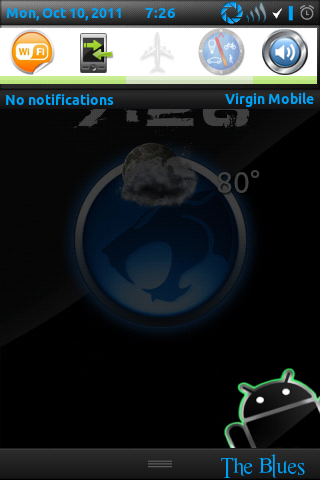
Its been found changing the CPU has no major effect on the v battery. Do things like toggle off your Bluetooth and 3get and GPS and WiFi when not in use it will make a great difference and you can put the toggles in your notification bar through the cm7 settings. Also keep your display low.
My notification:
screenshot-1318299992179.png
 
Using a CPU app will cause issues with the built in CPU control. May be the reason your having issues over clocking
Its been found changing the CPU has no major effect on the v battery. Do things like toggle off your Bluetooth and 3get and GPS and WiFi when not in use it will make a great difference and you can put the toggles in your notification bar through the cm7 settings. Also keep your display low.
My notification:
screenshot-1318299992179.png
Good point. I totally forgot about the built in CPU Control. I usually pay closer attention to details. It must be the pain meds they had me on. Which I'm officially done with today.
 
I just uninstalled SetCPU, and I'm testing out the built in CPU control. I just re-calibrated my battery, and I'm seeing about half the drain I had been seeing. Maybe I won't have to charge it twice a day anymore. Maybe I play with my phone too much.
 
Well, the built in CPU control is more than adequate for my needs. SetCPU is joining the list of apps I paid for and don't use.
 
You know, I haven't tried. I just put it at the same setting I had been using, out of habit. But, what the hell, it's worth a try! I may be able to get more juice out of my OV yet!
 
Holy ape snot, Batman! My phone is running like a sheep from a Scotsman! It's been very stable all evening at speeds that used to force reboot my phone. It's happily blistering through every app I've ever lagged with. It's crazy how big a difference the method of over clocking can make. SetCPU, while fine when I was running Stock rooted, actually slowed my phone down on this ROM.
 
I too have had awesome success with the overclocking feature built into the rom. my phone runs so smoothly :)
 
Well, I found my sweet spot. I used the 3D gallery to gage as mentioned in a thread I read somewhere (I forget where, or I'd give proper credit) It now runs stable at 806/480 with no force close issues. It ran 825, but a little glitchy.
 
My processor isn't as good as brotherswing's and I use Interactive for multitasking and good battery life. I can't go above 787MHz. If I remember right I think JerryScript recommends 768MHz-480MHz as a starting point for his ROM. Then it would just be a matter of going up or down a little on the max speed to find the sweet spot for your processor.
This might take a couple of days to notice any increase or decrease in battery drain and performance.
 
Took me a month of tinkering before I became set at 806/480 on demand on a constant basis and am set to boot. Something I updated or installed recently is bogging me down and its frustrating I can't figure what it is. The last thing left is Facebook. Also slightly off topic, app was causing me problems because of high demands which is what made me think of this, there is a built in call block in contacts open the contact push menu button select advance then there is a check mark to send directly to voice mail.
 
  • Like
Reactions: G19
there is a built in call block in contacts open the contact push menu button select advance then there is a check mark to send directly to voice mail.
Alternately you can go menu-settings-call settings-Blacklist. Accomplishes much the same thing, but this gives you more control, like wildcards and the like.
 
  • Like
Reactions: G19
Took me a month of tinkering before I became set at 806/480 on demand on a constant basis and am set to boot. Something I updated or installed recently is bogging me down and its frustrating I can't figure what it is. The last thing left is Facebook. Also slightly off topic, app was causing me problems because of high demands which is what made me think of this, there is a built in call block in contacts open the contact push menu button select advance then there is a check mark to send directly to voice mail.

Alternately you can go menu-settings-call settings-Blacklist. Accomplishes much the same thing, but this gives you more control, like wildcards and the like.

Thank you guys. Been getting harassed by a debt agency(not my debt, some guy named Paul who must have had the number before me) and want a way to never deal with their daily calls.
 
Thank you guys. Been getting harassed by a debt agency(not my debt, some guy named Paul who must have had the number before me) and want a way to never deal with their daily calls.


Me too I had to tell them I was going to sue for harassment and report them to the better business bureau.
 
Back
Top Bottom