• After 15+ years, we've made a big change: Android Forums is now Early Bird Club. Learn more here.

Root permanent S-OFF is here!

<-- now jumping up and down,clapping hands,giggling like crazy :D

just got this on xda, in response to the "will it block OTA hboot flashes" question:


Yes it should always block hboot unless they do something purposeful to overcome the block method. I'll post a command in the first post sometime next week that will allow you to overwrite hboot should you want to.

so warm... so snuggly... :p
 
so i am a little confused about this whole process. I noticed your hboot says 1.04.0000, and has the unlocked up at the top. My hboot currently is 1.04.2000. If i flash this does anything on my phone change, i see you all talking about different recoveries, i assume i can flash and i will still have CWM, and this won't mess up my setup currently correct?

Reading through it seems this would just prevent an accidental acceptance of an OTA or flashing a ruu from taking away s-off. I am just wondering if this is something i should flash or not?

it will not make your phone run any differently,but it is invaluable for the reasons you mentioned. if youre confident an accident will never happen,its ok to stay the old eng 1.04.2000 hboot,but it offers no advantage.

it is something i personally reccomend. the only reason to NOT do it would be if you are unable to download and get the md5 to match. as long as youre careful and double/triplecheck the md5 and have a good charge for the 5 millisecond(:D) flash youll be fine. to me its most excellent peace of mind.

if i understand this correctly,yes,flashing this hboot will not affect anything,except make your hboot screen look like my pic. it wont change your recovery,and it wont chagne your rom or phone in any way.

my pics and such above were just demonstrating how this hboot is doing its job. with the old hboot(like what you have) id have been s-on and unrooted on mr2 and had to do the whole root process over again. because this new hboot blocked the ruus bootloader from flashing,all i had to do was use hboot to replace the stock recovery with a custom one(team win for me,but thats personal-you could do the same with clockwork) and i was back in busines in seconds in stead of 30-40 minutes that the root process takes :)

does that explanation help?
 
As always scotty thank you. You are the best. I will do this tomorrow when i have a little sleep and a little more battery. Never hurts to be safe. I did download and check md5 but i will do that again tomorrow before i flash as well. This TWRP you are all talking about looks to be coming along nicely. Can't wait to see what is in store for it.
 
as usual i like to know what/how things work so i can reccomend them(or not) so i decided to see if the new hboot would in fact preserve itself during an ota.
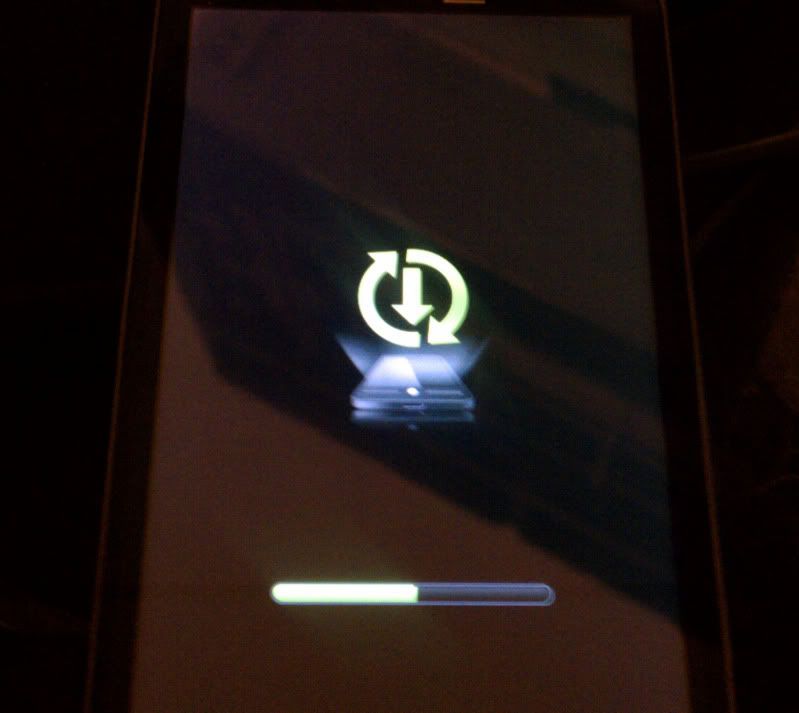
so i flashed the shipping firmware(1.12.605.6),signed in,and and checked for system updates.

sure enuff:
IMAG0019.jpg


:eek:

IMAG0021.jpg


:eek:

since i had flashed the ruu,and thus put back the stock recovery,the OTA downloaded,applied itself,and took me to 1.70.605.0 without even losing my data :D

happy to report still s-off,so hboot newest team win and back to cm7.

so warm... so snuggly... :p
 
What happens if one of these times it doesnt stop it? Then you have to spend half an hour rerooting

Worst case: He gets to play around with ADB more and reroot, but I would be very shocked if it didn't block it

More likely: He will delete the PG05IMG.zip and restore a backup.
 
LOL, Scotty do you just like to see S-off work?
yes :D

What happens if one of these times it doesnt stop it? Then you have to spend half an hour rerooting

this v
Worst case: He gets to play around with ADB more and reroot, but I would be very shocked if it didn't block it

More likely: He will delete the PG05IMG.zip and restore a backup.

but i had pretty high confidence it would work,and would also be really shocked if it ever dint. if i am to reccomend something, i have to be 100% sure of its results :)

also,folks need to understand that this hboot in itself isnt going to stop an OTA. all it will do,is preserve itself if an OTA is applied. in order to accept an OTA,one has to install the stock recovery either by itself in hboot,or by flashing an entire ruu. if you try and accept an OTA with clockwork,youll experience the same bootloops that people were having before.

this is just safer becuse if an ruu is applied to fix an issue,and the phone automatically updates,this will retain s-off and keep you from having to re-root.

it will also let the folks who want to run stock firmware and accept OTAs continue to do so. theyll just have to reinstall clockwork via hboot or fastboot after each OTA update, and thell have to install the stock recovery in order to accept. then can flash the superuser app iin recovery if they want the ota firmware to be rooted. :cool: or they can just just remain completely stock,recovery and all,secure in the knowledge that if they want to reroot someday s-off is there.

so warm... so snuggly... :D

im actually testing something else right now,that ill reveal in a day or 2 when im sure it works
 
scotty85 said:
im actually testing something else right now,that ill reveal in a day or 2 when im sure it works
now im going to have to keep checking back here to find out what this is
 
just wanted to bring this back up because the fastboot code for returning to stock has been added to the original post.

at this time i wouldnt reccomend replacing the perm s-off with anything other than our original s-off eng bootloader.

for those that are in need of removing the warm snuggly blanket,heres a step by step for those not so familiar with fastboot:
1) hopefully you still have the unzipped exploits file from when you rooted. if not,redownload it. if it is enuff later in time that youre coming across this that the exploits file is no longer available,let me know i can get you the hbooteng.nb0 file.

2) move the hbooteng.nb0 file from the exploits file to whatever folder you pushed files from when you rooted. in most cases this is tools or platform-tools in the android-sdk-windows folder. *note this guide assumes this file to be named exactly "hbooteng.nb0"

3) check the md5, check the md5, check the md5 of this image in this folder,since this is the image youre going to flash. it must exactly match 6991368ee2deaf182048a3ed9d3c0fcb if it doesnt,redownload,try again. this is very important- just like when you rooted,you must be sure the bootloader file isnt corrupt. if you mess up your bootloader,nothing will boot,your phone will be bricked.

4)read #3 again ;) hopefully ive gotten the point across :p

5) now open an adb command window. change to the directory that your file is stored. in my case:
Code:
cd c:\android-sdk-windows\flashables
yours will prolly be different,for example:
Code:
cd c:\android-sdk-windows\tools

6)plug in your phone,make sure usb debugging is on,put it in charge only mode.

7)
Code:
adb devices
and make sure its connected

8)
Code:
adb reboot bootloader
to boot into fastboot. *do not push power to select hboot. fastboot is where you need to stay for this.

9)
Code:
fastboot devices
to make sure its connected

10)enter
Code:
fastboot oem mw 8d08ac54 1 31302E30

11) enter
Code:
fastboot flash hboot hbooteng.nb0

if you select bootloader at this point from the fastboot menu, youll still see the permanent s-off hboot,so select reboot with the volume rocker and power button and let the phone reboot. after it boots,you can adb reboot bootloader again,or power off, then power on/vol down and check that your pink "unlocked" is gone and you have the old 1.49.2000 bootloader.

last and not least,heres what youll see when you do this(the red is my inputs)

Code:
Microsoft Windows [Version 6.1.7601]
Copyright (c) 2009 Microsoft Corporation.  All rights reserved.

C:\Users\Scott>[COLOR="Red"]adb devices[/COLOR]
List of devices attached
HT126S005970    device


C:\Users\Scott>[COLOR="red"]cd c:\android-sdk-windows\flashables[/COLOR]

c:\android-sdk-windows\flashables>[COLOR="red"]adb reboot bootloader[/COLOR]

c:\android-sdk-windows\flashables>[COLOR="red"]fastboot devices[/COLOR]
HT126S005970    fastboot

c:\android-sdk-windows\flashables>[COLOR="red"]fastboot oem mw 8d08ac54 1 31302E30[/COLOR]
...
OKAY [  0.006s]
finished. total time: 0.006s

c:\android-sdk-windows\flashables>[COLOR="red"]fastboot flash hboot hbooteng.nb0[/COLOR]
sending 'hboot' (1024 KB)...
OKAY [  0.183s]
writing 'hboot'...
OKAY [  0.219s]
finished. total time: 0.403s

c:\android-sdk-windows\flashables>

 
I'm a bit confused, I flashed this permenant S-off a few days ago, is it no longer something that is a good idea? or can I leave my phone as is?
 
Exactly. I put this up mainly for the folks who were afraid to flash it without knowing how to return it to stock if needed.

Its still a most excellent idea to have it. I flashed my old Eng bootloader back so I could provide directions and answer questions,but rest assured I flashed the permanent one back immediately after. (So warm... so snuggly :D)

Definately leave your phone as is. Sorry for the confusion.

Like rexd said,really only reason to ever do it is if you needed to return it to stock for warranty purposes.
 
leave it on and go back and try to relflash it if you want to see it work. the 2nd time it wil just say "bypassed" :D

after that,always delete or rename PG05IMG files in case you need to get to recovery from a powered of fstate thru hboot :)
 
If I am running cm7 2.3.5 wont I already be blocking otas just by being on a rooted rom


Yes, but there are people that root and stay on the stock rom. They may root to remove bloatware or to use the wireless tether but have no want to run a custom rom, this will prevent them from getting into problems if they accept the OTA notification. If you are running a custom rom then you should never see the OTA notification.
 
just make sure you never flash the wrong files in hboot. it is forseable that youde never need something like this,but if an accident happens it will save you alot of headache.

thats what this is all about... peace of mind :)

take for example you want to flash a new radio. the developer has gotten it mixed up with an s-on hboot file :eek: not likely,but possible and if it happend it wouldnt affect you.
 
Back
Top Bottom