• After 15+ years, we've made a big change: Android Forums is now Early Bird Club. Learn more here.

Help Phone doesn't show up on computer

Blasty711

Newbie
I just did a Hard Reset on my Huawei Ascend (Cricket). The phone is rooted with Z4root. I did a backup restore with Titanium Backup. This is all because I accidentally deleted Gtalk. Everything is working fine now EXCEPT when I plug my phone into the computer via USB, it does not show up at all. Any ideas? :confused:
 
stupid question....

are you docking your phone? and what os on the computer? sometimes windows won't alert you and just shows as drive: whatever.
 
Are you using the USB cord that came with your phone? I've noticed if I use any other USB cord it won't detect it, but the phone will still charge.
 
I am using Windows 7 and the usb cord that came with the phone. It used to show up as a removable
Drive but since the hard reset, it does not show up. The phone still charges. Is there a way to remount
The phone? What am i missing here?
 
Not sure what you mean by docking. I just plug it in via just cable. Like i said, it used to see the phone but not now after factory reset.
 
your memory card is all the way in and not corrupted?

sorry for all the questions but thats diagnosis for you....

got to ask everything, even the stupid questions.
 
The sd card is fine. I even unmounted then remounted it. I can view the internal and sd card with file manager. Us there any software i may need to install? I'm not sure if i had to install any when i bought the phone. Could.be i have to reinstall something for the computer to recognise my phone since it was reset? I have not changed any settings on my laptop.
 
Have you checked to see if its listed in hardware on your laptop?
The phone has the drivers installed and a hard reset wont change compatibiliy.
 
Do you possibly have Autoplay turned off for it? I'm using Windows 7 (on this computer) and it shows up.

Also have you tried (with it plugged in to the computer) to mount your SD card? What happens then?
 
I have the same problem, the only way I can workaround it, is to unmount the sd, eject the sd( I don't take it all the way out, just enough to separate the contacts), plug the cell back into the computer ( it will show up as a removable drive), click on it. Open PC options, remount sd, then click file transfer. On computer, go up to my computer, and you should see cell as a removable drive.
 
I have the same problem, the only way I can workaround it, is to unmount the sd, eject the sd( I don't take it all the way out, just enough to separate the contacts), plug the cell back into the computer ( it will show up as a removable drive), click on it. Open PC options, remount sd, then click file transfer. On computer, go up to my computer, and you should see cell as a removable drive.

But you can't transfer data to and from your sd card that way.:confused:
 
Capture-1.png
pbMivPLX
Have you checked to see if its listed in hardware on your laptop?
The phone has the drivers installed and a hard reset wont change compatibiliy.

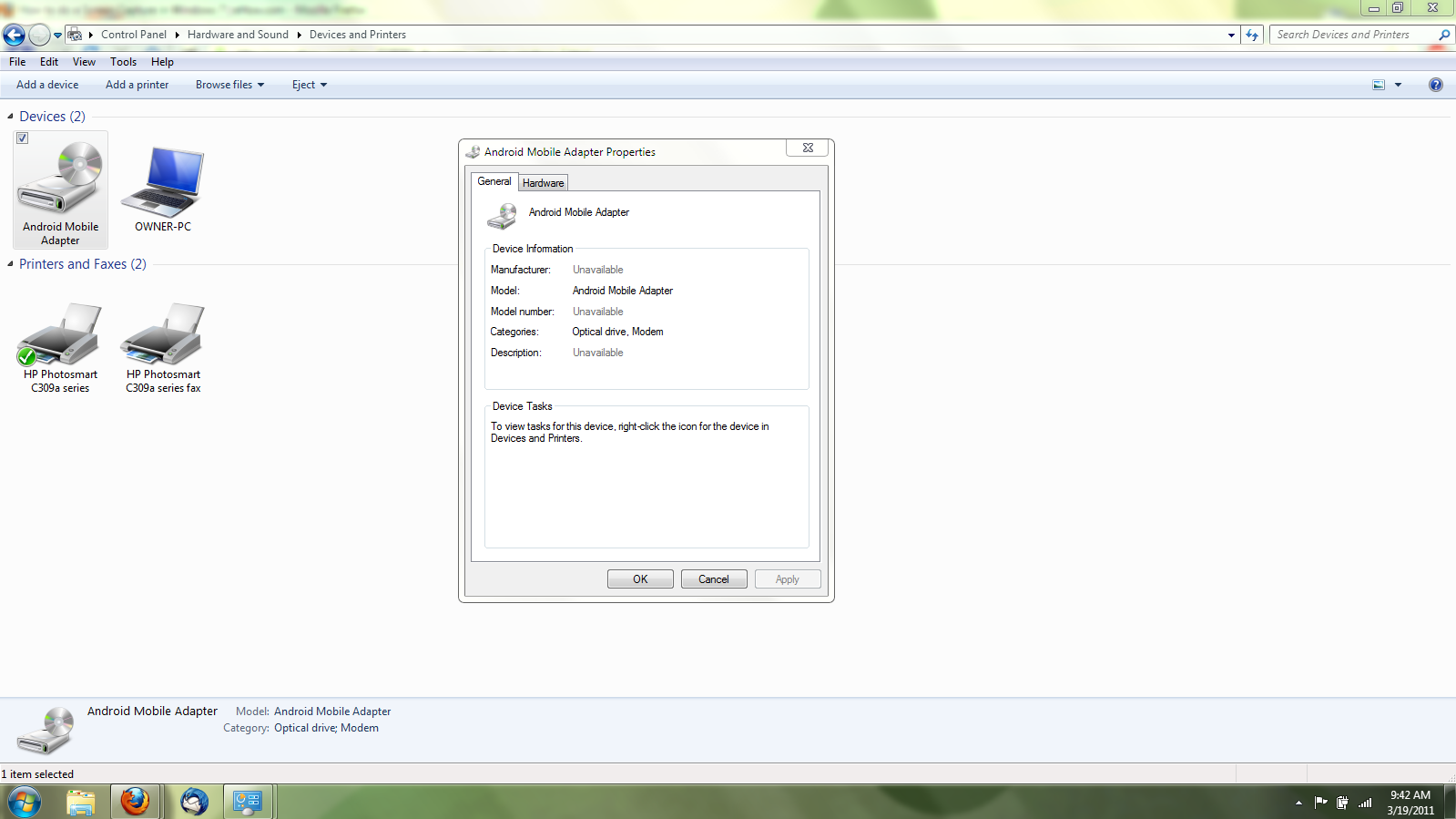
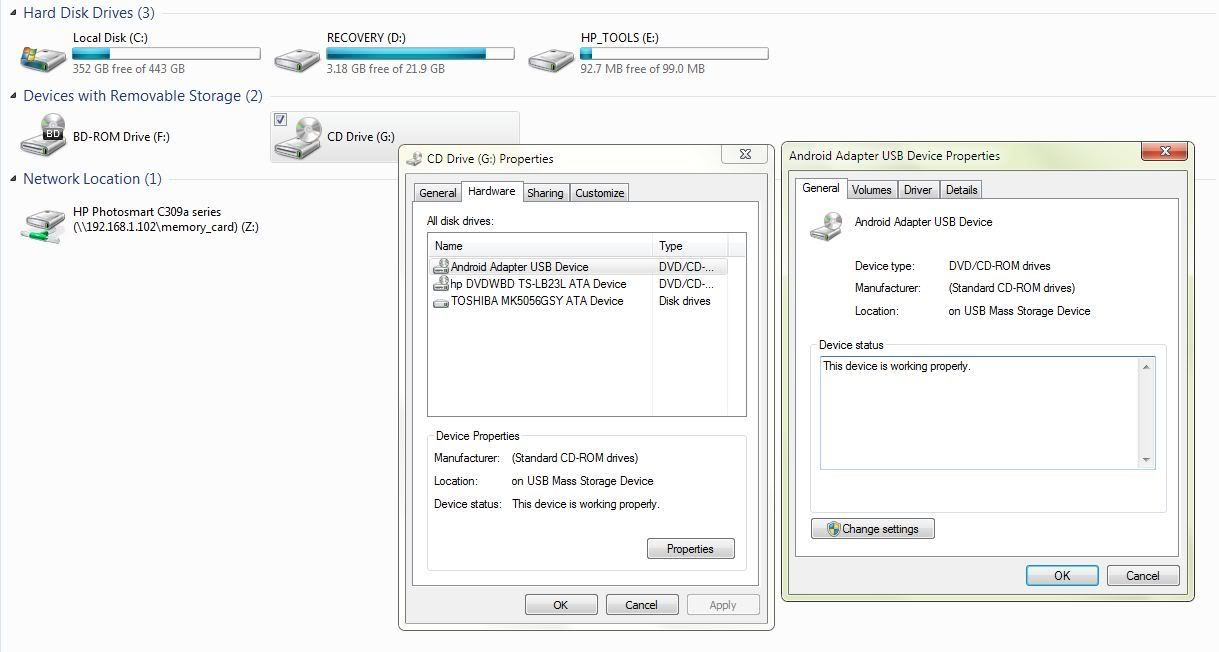
So I plugged it in to the computer and it shows up as a CD Drive (F) NOT Removable Drive. When I click on the CD Drive (F) it says insert a CD into the drive. Weird! Why is it showing up as an Optical Drive? And also I dont get the popup to choose USB Transfer, etc. When I click on Properties in Windows 7 (It is showing up as ANDROID MOBILE ADAPTER) it gives me the option to set modem properties. So it sees the android as an optical drive with modem capabilities. HUMMM?!?
 
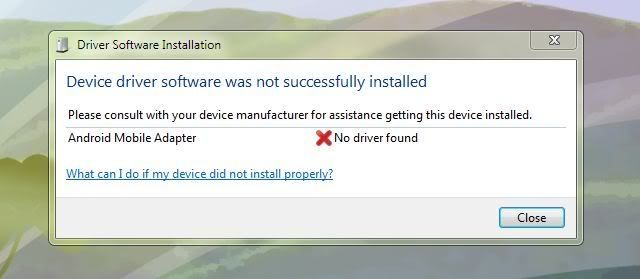
I removed the drivers from windows then plugged the droid back in and this is what I get after windows tried to install new drivers.
Capture-2.jpg
 
You have to unmount, and eject the sd first . Then follow those steps, and yes you can move files to the sd from computer, and back, great for deleting trash files too.
 
I use winXp, so I don't have the drm that the later os's have, so I can't say for sure if that has anything to do with your problems. Did you install the usb drivers?
 
I use winXp, so I don't have the drm that the later os's have, so I can't say for sure if that has anything to do with your problems. Did you install the usb drivers?
 
I use winXp, so I don't have the drm that the later os's have, so I can't say for sure if that has anything to do with your problems. Did you install the usb drivers?
 
I have the same problem, the only way I can workaround it, is to unmount the sd, eject the sd( I don't take it all the way out, just enough to separate the contacts), plug the cell back into the computer ( it will show up as a removable drive), click on it. Open PC options, remount sd, then click file transfer. On computer, go up to my computer, and you should see cell as a removable drive.

I will try this when i get home. I'll post back if this works.
 
Back
Top Bottom