
Install the app
How to install the app on iOS
Follow along with the video below to see how to install our site as a web app on your home screen.
Note: This feature may not be available in some browsers.
-
After 15+ years, we've made a big change: Android Forums is now Early Bird Club. Learn more here.
You are using an out of date browser. It may not display this or other websites correctly.
You should upgrade or use an alternative browser.
You should upgrade or use an alternative browser.
Post Your Home Screen Captures
- Thread starter TVCCS
- Start date
-
- Tags
- lg optimus v


sadielynn
Android Enthusiast
Awesome stuff. What task widget are you using?
Ohmygosh I'm sorry I didn't answer you sooner! I haven't checked the forums much lately (my work decided to block any and all forums)
Anyhoo, I had to search a bit, since I had to do some app deleting for some space recently and don't use that task widget anymore, but I found it!
http://market.android.com/details?id=org.chrisbailey.todo
Hope that posted as a link for you, and sorry again for the delay!

*double edited first to apologize for the link not working, then of course, it worked after i submitted the edit. Go figure..

You can find *four* in blue just for you in here : http://photobucket.com/melim_walls
And here's where I got the original in case mine don't float your boat and you want to tweak it yourself: envane.tiff by ~N3Cr0t1C on deviantART
: http://photobucket.com/melim_wallsAnd here's where I got the original in case mine don't float your boat and you want to tweak it yourself: envane.tiff by ~N3Cr0t1C on deviantART
You rock.. thank you!
You are quite welcome, anytime.
You get a thanks back, just 'cause you deserve one. Or ten.

nascar2428
Newbie


rocketspank
Newbie
Melim, I've noticed you like to use minimalist text to use for time and such and I came across this (Chronotopia). Have you heard of or used it? I messed with it a little and the amount of functionality it offers seems pretty amazing. It is still in beta and I have had a couple of hiccups but nothing too bad. Give it a shot and let me know what you think.
Here's something I threw together real quick to show some stuff. The author also has stuff on the forums page...

Here's something I threw together real quick to show some stuff. The author also has stuff on the forums page...

Petrah
Psychotic Female
No creative muse lately. /sigh
But on a good note.. look at the awesome weather! Perfect for me. /nods
Edit: I'm not happy with how the wallpaper looks on the home screen. Widgetlocker makes the wall look like it's supposed to.. I'm using Wallpaper Wizardrii and it still looks awful. Any suggestions?


But on a good note.. look at the awesome weather! Perfect for me. /nods
Edit: I'm not happy with how the wallpaper looks on the home screen. Widgetlocker makes the wall look like it's supposed to.. I'm using Wallpaper Wizardrii and it still looks awful. Any suggestions?
gremlins718
Lurker
I tried to post but it said "The Dimension limits for this filetype are 620 x 280. We were unable to resize your file so you will need to do so manually and upload it again. Your file is currently 320 x 480." Anyone help?
Petrah
Psychotic Female
I tried to post but it said "The Dimension limits for this filetype are 620 x 280. We were unable to resize your file so you will need to do so manually and upload it again. Your file is currently 320 x 480." Anyone help?
Download and sign up for a free Dropbox account and then direct link your images from there.

rocketspank
Newbie
Download and sign up for a free Dropbox account and then direct link your images from there.
I had issues in the past direct linking from Dropbox... fyi. I had to go with another image hosting service like tinypic.com
Petrah
Psychotic Female
I had issues in the past direct linking from Dropbox... fyi. I had to go with another image hosting service like tinypic.com
If you place your images in a non public directory, your computer security blocks Dropbox in some way (I recently had that issue with my host file and had to manually remove the blocked domain), or your ISP has a DNS issue, then yes you will have issues.
Melim, I've noticed you like to use minimalist text to use for time and such and I came across this (Chronotopia). Have you heard of or used it? I messed with it a little and the amount of functionality it offers seems pretty amazing. It is still in beta and I have had a couple of hiccups but nothing too bad. Give it a shot and let me know what you think.
Here's something I threw together real quick to show some stuff. The author also has stuff on the forums page...
Ooooh, that's by the same guy as my beloved mClock; I'll have to check it out. And figure out how to put the .apk file on my phone. (Really? Yes, really, I'm clueless
 ). Thanks for the heads up!
No creative muse lately. /sigh
But on a good note.. look at the awesome weather! Perfect for me. /nods
Edit: I'm not happy with how the wallpaper looks on the home screen. Widgetlocker makes the wall look like it's supposed to.. I'm using Wallpaper Wizardrii and it still looks awful. Any suggestions?
That dock is rockin', yo. I can't believe I'm going to suggest this, but maybe try Wallpaper Set and Save. It has (or had, I took it off my phone a while ago, so maybe they've fixed it) some issues, tho: It will not remember where to look for walls even though it says it has saved the settings, and no thumbnails, so you have to know all the names of your files (that would be why I got rid of it- once I got up to ~150 walls on my phone it was a tad ridiculous). It does (usually) set wallpapers without all the "noise" though, if you can get past its limitations.
I would like to borrow your weather, if I may. It's oppressively humid here, bleh.
Petrah
Psychotic Female
Ah, thank you! You're always so helpful! I've downloaded that app (nope, hasn't been updated lol) and will give it a go. Here's a link for that dock, just in case you or anyone else may be interested.
In the meantime, I've updated my screens a bit (the date was being snarky and refused to nudge down a bit, meh). I think I like this a bit more.


In the meantime, I've updated my screens a bit (the date was being snarky and refused to nudge down a bit, meh). I think I like this a bit more.
smackguy1950
Newbie
These all really look great. Here is my first attempt. Not really an attempt though, more like a practice run through. I just downloaded a pre-made theme from the app store. Does that disqualify me? I used go launcher ex for the dock and clocker is the clock widget.

Ah, thank you! You're always so helpful! I've downloaded that app (nope, hasn't been updated lol) and will give it a go. Here's a link for that dock, just in case you or anyone else may be interested.
Thanks! I snagged the dock for later use, when I'm in the mood for something a bit...I dunno what the word I'm looking for is...heavier? More substantial? Cleaner? Just different?
Yeah, smackguy, you're disqualified. Get back to us when you've made your own wallpaper, icons, and used a font that didn't come with the widget.
 (Totally kidding!!!)
Japanorama
Member
Has anyone made/seen any Japan themes out there? Feudal or modern, I don't care! I've tried some google searching but with not much luck.
Okay, First Android Phone, First screenshot attempt so be gentle.
This is pretty basic, but I'm not experienced enough (nor creative) to make something but more complex but most tips will be appreciated.

Main Home Screen: Reborn Rom 1.5
Go Launcher EX for Dock
Folder Organizer and Droid Icons for shortcuts
SimiClock for Clock

Beautiful Widget's Beautiful Weather 5x1
Secondary Dock Showing

Pure Background shot, Dock & Status Bar Hidden with Go Launcher EX

Music player is Fede's Music Player
Picture Frame Is Frame Me
This is pretty basic, but I'm not experienced enough (nor creative) to make something but more complex but most tips will be appreciated.
Main Home Screen: Reborn Rom 1.5
Go Launcher EX for Dock
Folder Organizer and Droid Icons for shortcuts
SimiClock for Clock
Beautiful Widget's Beautiful Weather 5x1
Secondary Dock Showing
Pure Background shot, Dock & Status Bar Hidden with Go Launcher EX
Music player is Fede's Music Player
Picture Frame Is Frame Me

jralabate
Newbie
Okay, First Android Phone, First screenshot attempt so be gentle.
This is pretty basic, but I'm not experienced enough (nor creative) to make something but more complex but most tips will be appreciated.
Main Home Screen: Reborn Rom 1.5
Go Launcher EX for Dock
Folder Organizer and Droid Icons for shortcuts
SimiClock for Clock
Beautiful Widget's Beautiful Weather 5x1
Secondary Dock Showing
Pure Background shot, Dock & Status Bar Hidden with Go Launcher EX
Music player is Fede's Music Player
Picture Frame Is Frame Me
For your first shoot that is the tits.....here are my newest ones
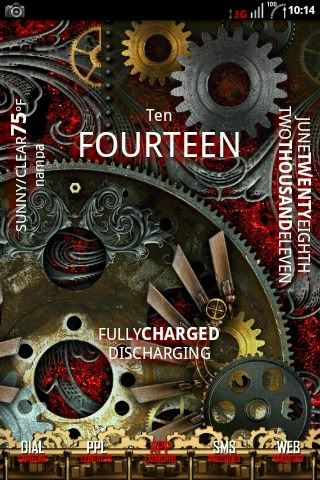
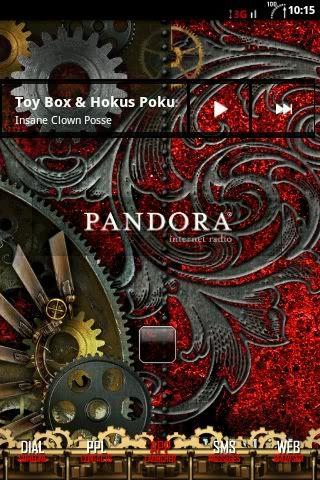
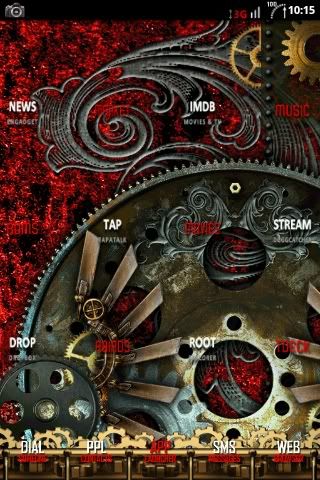
Steampunk baby!!!!!!!