
• After 15+ years, we've made a big change: Android Forums is now Early Bird Club. Learn more here.

Help Random, annoying home screen

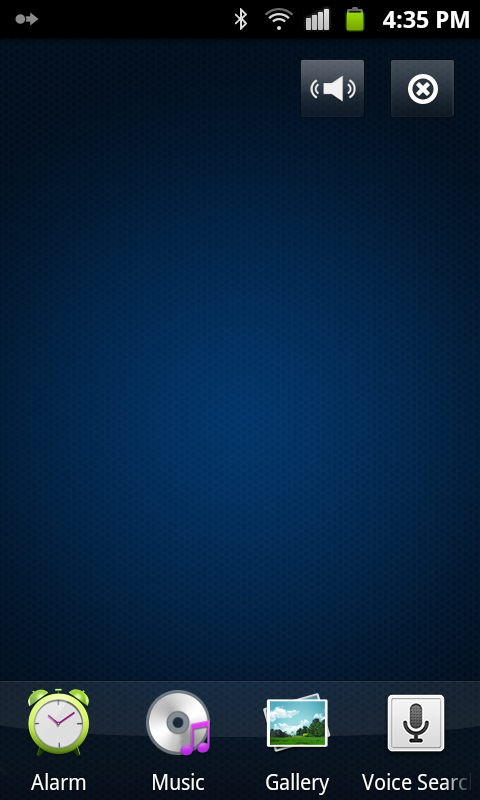
Every now and then, I get this weird screen when I press the home button on my Galaxy W.
SC20131209-163530.png

The only way to exit this screen is to press the back button. Sometimes pressing the home button again will bring me back to this screen.
The first few times it did this, it prompted me to run it through either Accuweather or Clock. After I deleted Accuweather, it defaulted to running through Clock, as seen in my task manager.

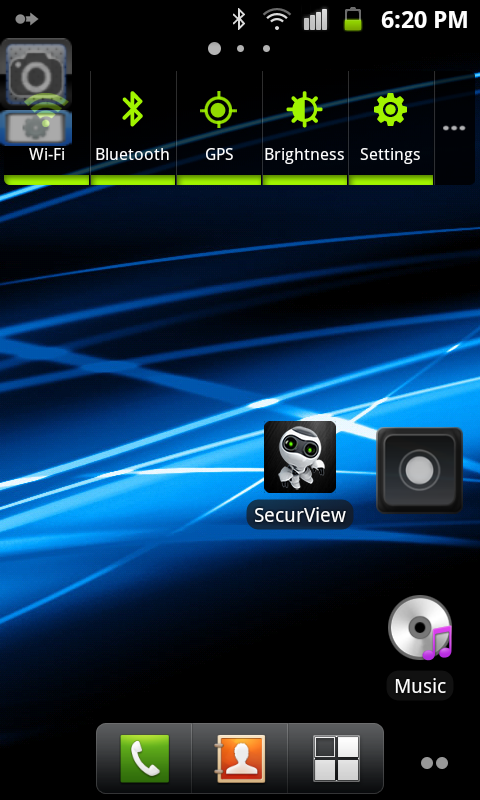
This is my normal home screen.
SC20131219-182032.png


As I'm typing this out, my phone keeps switching between the two home screens shown above about every minute.

Any advice would be appreciated.
 
Hmmm..., that sounds frustrating. The second image looks like a typical homescreen. The top image I don't recognize. Is it possibly the Touchwhiz screen when you swipe down from the statusbar?
 
Nope, definitely not the status bar thing.
Update: it's really starting to annoy me now. It's reverting to the top image WHILE I'm texting.
 
I have to wait for my wife to get home before I have a Touchwhiz device. I think once we identify what screen the top one is, we can figure out why it is switching on you. I'll ask some other Samsung Guru's to have a look in the meantime.
 
So I think I just narrowed it down.
It seems to be the "Desk Clock" feature that's part of the Clock app that came with the phone. I have no idea why it would keep coming on by itself though. I even tried clearing all clock data.
However, it won't let me uninstall it either.
 
So I think I just narrowed it down.
It seems to be the "Desk Clock" feature that's part of the Clock app that came with the phone. I have no idea why it would keep coming on by itself though. I even tried clearing all clock data.
However, it won't let me uninstall it either.

Hmmm:hmmm2:

Can you go into Settings | Apps | All and choose "Desk Clock." There should be a disable button there which would do almost the same thing as uninstalling the app. It actualy freezes it which means it cannot run, but it still takes storage.

I just found out the other day when my wife was having problems that the settings in Touchwhiz are different then my GNex, so the names in my instructions may be a bit off.:o
 
Unforgiven, I just had to restart my phone so I didn't get a chance to try the "Force Stop" button.

new optimus, I have ADW launcher installed, but it has never cause an issue like this for the past year that I've had it.
 
Unforgiven, I just had to restart my phone so I didn't get a chance to try the "Force Stop" button.

new optimus, I have ADW launcher installed, but it has never cause an issue like this for the past year that I've had it.

Not force stop, the button should say disable.
 
its running gingerbread? android version 2.x.x? That version does not have disable. Are you rooted? if so you could use a file explorer and rename the system apk that will stop it from running, and less drastic then removing it.
 
I only see:
Force stop, Cancel
Clear data, Move to SD card
Clear cache
Clear defaults

I don't want to mess you up. TW seems to display Android much differently than I am used to.:banghead:

I'm cooking supper right now, my wife will be home in a couple of hours and I'll take a peak at hers. I wonder in new optimus is onto something with the multiple launchers though.
 
I'm running 2.3.5, and it's not rooted.
Should I root my phone?
If so, could you point me in a good direction to root it and disable the app as you mentioned?
 
I'm running 2.3.5, and it's not rooted.
Should I root my phone?
If so, could you point me in a good direction to root it and disable the app as you mentioned?
For rooting read this, try to read it until you understand it, always remember once you root it you can do things that will cause your phone NOT TO WORK and so you need to read and follow the instructions exactly.

[GUIDE] Rooting, ClockworkMod and Custom ROMs...an A to Z for beginners - xda-developers


Then after your rooted you will need a file explorer, I use Root Explorer its what I know I do not know how to do the things in the others, never needed to.
in the file explorer you can navagate to the /system/app folder then find the app that you want to stop, then tap it and chose rename so for example if its deskclock you would see deskclock.apk change it to say deskclock.apk.b

then save it and reboot the phone it will then disappear from the app drawer. I don't recommend renaming deskclock though unless the samsung touchwiz has a second one in it which it very well might.
 
I would first try going back to the stock launcher, just clear the defaults for adw then hit the home button and select the stock launcher...

also does your phone have a physical home button? it is possible the button is dirty/malfunctioning in some way causing that screen to show up.
 
Back
Top Bottom