
jollymonsails
Lurker
@MRK - what app is that screenshot of? That looks really sweet!
Follow along with the video below to see how to install our site as a web app on your home screen.
Note: This feature may not be available in some browsers.
Just so you know, i rooted with the toast method and it seems that I messed up with Super User settings. The first time i installed OverClockWidget and configured to do what OP says and pressed SAVE, the settings menu just disappeared.
When i properly hard-reset my phone and reflashed with fresh's rooted update, i redownloaded the overclock widget and when I pressed SAVE after the initial configuration, the SU (allow permissions) dialog popped up.
So for those of you that see no results. when you saved the settings for the first time, did you se the SU(allow permissions) dialog pop up?

I installed unrevoked and then Overclock widget. However, it does not show up in my widget list. What am I doing wrong?
Same problem here. Reboot didn't help.

how do i get this screen shot on my phone?

Make sure "Unknown Sources" is checked under /Settings/Applications.
wait a sec.... I swear android down clocks itself already when it goes into sleep mode.
cat /sys/devices/system/cpu/cpu0/cpufreq/scaling_governorcat /sys/devices/system/cpu/cpu0/cpufreq/scaling_cur_freqHow many people have confirmed that this works?
What settings, please post them all THANKS!!I can say it surely works. I have been unplugged 13 hours and I am at 29% battery life left and I use my phone to do 2 30 min conference calls with speaker phone on, about 120 text checked and replied. I have 2 email accounts sync as emails come in. reply to those emails as well. check Face book, turn on 4g while at work for 8 hours. Im very impressed.
Hmm... I set mine at 576 as a cap, and the widget displays 998 still... Does that mean it isn;t doing anything?
Just adding to the success stories
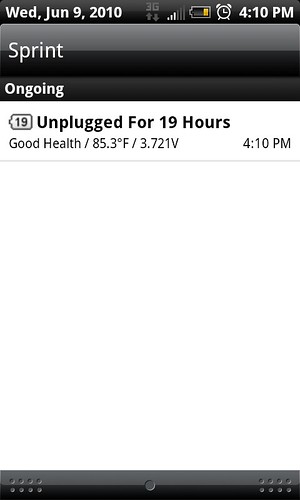


Thank you, last question, how do you get this screen?
Using unrevoked started tonight so we'll give it a whirl.
I can honestly say that this is doing SOMETHING! I took the phone off the car charger this morning at 6:50am and normally by the time I hit the front door of my job at 7am I have lost at least 3% battery with Wifi, 4G, GPS, Mobile Network and Friendstream all off. That was not the case today. I am using Unrevoked Root and OC Widget, with Nick's settings, and I am now at 97% after taking 10 photos and updating weather as well.
Thanks Nick for the cool find. I think I thanked you like 5 times today. LoL

So far I'm gaining roughly 65% more battery life with the settings I posted above. More when my screen is off more.
One problem I've noticed with the widget: every once in a while, it resets itself to its default clock settings while the screen is active. (It may also reset itself occasionally when the screen is off, I can't tell.)
If your chosen max speed is 998000 (998) this is probably no big deal and you will not even notice, but if its a lower speed like mine is, it makes the widget look like it isn't working. I can't tell for sure what events are triggering the change.
As a sort of workaround, make sure your "Update Interval" setting is fairly low so that the widget has a chance to revert back to your settings quickly (it does revert back).
I have contacted the developer about this bug and hopefully we will see a fix soon.


